How I Cleared All 4 Stages of My Meta CodeSignal Assessment

When I received my invitation for the Meta CodeSignal assessment in 2026, almost every classic "Top 50 Meta LeetCode" study list I had bookmarked turned out to be built for the wrong stage of the funnel. While Meta's live technical screen still tests rapid-fire data structures on CoderPad, Meta's pre-screen online assessment on CodeSignal—sent across SWE Intern, University Grad (E3), Production Engineer, and many E4 / E5 industry pipelines in Menlo Park, Seattle, New York, and London—primarily uses a 90-minute, 4-stage progressive system build (CodeSignal's Industry Coding Assessment format, alongside a 70-minute 4-question algorithmic variant on select early-career batches). Instead of solving four unrelated array puzzles, you build one stateful object-oriented backend system where Level 2 stays completely locked until 100% of Level 1's unit tests pass!
During my own 90-minute proctored session, one architectural decision in the first five minutes saved my entire run: instead of storing naive flat strings in Level 1 and rewriting 150 lines of code under panic at Minute 55, I designed my internal storage records with nullable TTL expiration fields and timestamped history hooks right from Level 1—unlocking and passing all 4 levels with 16 minutes to spare!
Because Meta enables continuous webcam video, microphone audio, and Entire Screen recording across all 90 minutes, running any desktop overlay window or switching out to external AI tabs is an instant integrity violation. To keep my refactoring invariants and boundary checks clean with zero screen artifacts, I paired Linkjob AI in Dual-Device Mode—scanning the desktop QR code to open Linkjob AI on my phone's mobile webpage, turning off the desktop answer-display toggle so zero UI ever appeared on my laptop screen, and glancing naturally 1 inch below my webcam lens (saving Desktop Floating Window Mode strictly for unproctored solo practice). Below is my complete breakdown of Meta's 90-minute 4-stage build, the secondary 70-minute variant, full extensible Python architectures, and how to convert your OA into a Meta onsite loop.
How the Meta CodeSignal Assessment Works in 2026 (90-Min 4-Stage Build vs. 70-Min Variant)
Before opening my test link, I compared Meta's new multi-stage pre-screen against Big Tech repository assessments like my Amazon 2026 OA and CoderPad walkthrough. Understanding five rules before clicking Start prevents fatal mid-test refactoring disasters:
Primary Format — The
90-Minute,4-Stage Progressive System Build (ICF):
You are given starter boilerplate classes/interfaces for one cohesive backend service—most commonly an In-Memory Versioned Key-Value Database, Cloud File Storage & User Quota Engine, or Transactional Ledger / Task Scheduler. At Minute00:00, you can read a high-level one-line preview of all four stages (for example: Stage 1 basic CRUD -> Stage 2 filtered prefix scanning -> Stage 3TTLexpiration timestamps -> Stage 4 point-in-time historical queries or backup/restore), but StageK + 1's exact method signatures and test suite only unlock once every single read-only unit test in StageKturns green!Editable Sandbox Tests vs. Locked Grading Suites:
Inside CodeSignal's multi-file IDE, you see a read-only unit test file gating progression to the next level alongside a separate editable sandbox test file where you can add custom edge-case assertions and debug logs. Note that algorithmic complexity limits here are moderate (O(N log N)or cleanO(N)per query easily passes)—the true killer is software design debt and misreading subtle tie-breaker or boundary specifications across150to220lines of cumulative code!Secondary Format — The
70-Minute,4-Question Algorithmic Variant (+ Work-Style Screen):
Select University Grad, Rotational Engineering, and ML Research Scientist (PhD) cohorts report receiving CodeSignal's70-minute,4-question General Coding Assessment (two Easy warmups + one Medium matrix simulation + one Medium-Hard hash/prefix optimization) paired with Meta's Work-Style / Behavioral Questionnaire. Always read your invitation email's stated duration (90minutes = 4-stage progressive build;70minutes = 4 standalone tasks) so you pace your first15minutes properly!Do You Need All
4Stages (100%) to Pass at Meta?:
No—do not panic if Stage4's final edge cases run tight on the clock! Across2025and2026candidate outcomes, most applicants do not finish all4stages, and candidates clearing Stages1,2, and3completely (100%) plus partial unit tests on Stage4(~750–850+equivalent progression) regularly advance to the recruiter call and liveCoderPadscreen. Conversely, getting stuck on a single edge case in Stage2caps your score below50%because Stages3and4never even unlock!Retake & Cooldown Rules (
180-Day Window):
CodeSignal's Industry Coding Framework restricts candidates to at most two attempts within a rolling180-day window—and only if Meta explicitly issues a fresh invitation. Treat your first sitting as your one shot for the recruiting season.
Blueprint 1: Designing a 4-Stage Versioned In-Memory Store With TTL & Point-in-Time Snapshots
The #1 mistake candidates make on Meta's 90-minute CodeSignal assessment is writing self.store[key][field] = value in Stage 1, celebrating a 6-minute Stage 1 clear, and then realizing at Stage 3 and Stage 4 that every method now needs explicit timestamp parameters, TTL expiration checks (expire_ts <= query_ts means expired!), and point-in-time historical lookbacks!
How I Structure Internal State at Minute 00:00 So Zero Rewrites Happen Later
Read the 4-Stage Preview Banner First (
2Minutes Well Spent!):
Before typing a single character in Stage1, read the 4-line overview header at the top of the prompt. The moment you spot words like expiration, TTL, rollback, snapshot, or point-in-time, store each field as an append-only timeline of_VersionEntry(write_ts, value, expire_ts)records from Line1! Stage1's timeless methods (set,get,delete) simply delegate to your internal timestamped helpers using a syntheticts = 0—meaning Stages3and4take12lines of wrapper code instead of a terrifying 45-minute rewrite!Three Deadly
TTL& Snapshot Edge Cases That Block Stage3-> Stage4Unlocking:
First, Half-Open Expiration Interval[write_ts, write_ts + ttl): If a record is written atts = 10withttl = 5, it stays alive atts = 10, 11, 12, 13, 14and expires atts = 15(now_ts >= expire_ts)! Using>instead of>=fails boundary tests every single time.
Second, Overwriting Resets PreviousTTL: Ifset_at(k, f, "v2", ts=12)without aTTLoverwrites a record that previously hadexpire_ts = 15, the new version hasexpire_ts = None(infinite lifetime)—never carry stale expiration timers onto fresh writes!
Third, Point-in-Time Lookback (get_at_historicalorbackup/restore): Binary searching (bisect) or scanning reverse-chronologically for the latest entry withentry.write_ts <= query_tsand checking whetherentry.value is not Noneand(entry.expire_ts is None or query_ts < entry.expire_ts)handles deletes,TTLdeaths, and historical queries with one unified5-line helper:
from collections import defaultdict
from dataclasses import dataclass


@dataclass(frozen=True)
class _FieldVersion:
    write_ts: int
    value: str | None  # None represents an explicit tombstone deletion
    expire_ts: int | None  # Alive on [write_ts, expire_ts); expired when ts >= expire_ts


class VersionedKeyValueStore:
    """
    Original 4-Stage Progressive Architecture:
    Stage 1: set, get, delete (delegates to ts = 0)
    Stage 2: scan_fields, scan_by_prefix (sorted formatting)
    Stage 3: set_at, set_at_with_ttl, delete_at, get_at (TTL semantics)
    Stage 4: get_when (point-in-time historical query) & snapshot_restore
    """

    def __init__(self) -> None:
        # record_log[key][field] -> chronological list of _FieldVersion
        self._log: dict[str, dict[str, list[_FieldVersion]]] = defaultdict(
            lambda: defaultdict(list)
        )
        self._snapshots: dict[int, dict[str, dict[str, list[_FieldVersion]]]] = {}
        self._next_snap_id = 1

    def _resolve_value_at(self, key: str, field: str, query_ts: int) -> str | None:
        fields = self._log.get(key)
        if not fields or field not in fields:
            return None

        history = fields[field]
        # Walk from newest write backward to find latest write_ts <= query_ts
        for idx in range(len(history) - 1, -1, -1):
            ver = history[idx]
            if ver.write_ts <= query_ts:
                if ver.value is None:
                    return None
                if ver.expire_ts is not None and query_ts >= ver.expire_ts:
                    return None
                return ver.value
        return None

    # Stage 1: Timeless CRUD wrappers (zero code duplication!)
    def set(self, key: str, field: str, value: str) -> None:
        self.set_at(key, field, value, ts=0)

    def get(self, key: str, field: str) -> str | None:
        return self._resolve_value_at(key, field, query_ts=0)

    def delete(self, key: str, field: str) -> bool:
        return self.delete_at(key, field, ts=0)

    # Stage 2: Lexicographically sorted field & prefix scans
    def scan_by_prefix(self, key: str, prefix: str, ts: int = 0) -> list[str]:
        fields = self._log.get(key)
        if not fields:
            return []

        matched: list[str] = []
        for field_name in sorted(fields.keys()):
            if not field_name.startswith(prefix):
                continue
            val = self._resolve_value_at(key, field_name, query_ts=ts)
            if val is not None:
                matched.append(field_name + "(" + val + ")")
        return matched

    # Stage 3: Timestamped mutations & strict [ts, ts + ttl) expiration
    def set_at(
        self,
        key: str,
        field: str,
        value: str,
        ts: int,
        ttl: int | None = None,
    ) -> None:
        exp = (ts + ttl) if ttl is not None else None
        self._log[key][field].append(_FieldVersion(ts, value, exp))

    def delete_at(self, key: str, field: str, ts: int) -> bool:
        if self._resolve_value_at(key, field, query_ts=ts) is None:
            return False
        self._log[key][field].append(_FieldVersion(ts, None, None))
        return True

    def get_at(self, key: str, field: str, ts: int) -> str | None:
        return self._resolve_value_at(key, field, query_ts=ts)

    # Stage 4: Point-in-time historical lookup & snapshot backup/restore
    def get_at_point_in_time(self, key: str, field: str, historical_ts: int) -> str | None:
        return self._resolve_value_at(key, field, query_ts=historical_ts)

    def create_snapshot(self, ts: int) -> int:
        snap_id = self._next_snap_id
        self._next_snap_id += 1
        frozen: dict[str, dict[str, list[_FieldVersion]]] = defaultdict(
            lambda: defaultdict(list)
        )
        for k, f_map in self._log.items():
            for f, ver_list in f_map.items():
                val = self._resolve_value_at(k, f, query_ts=ts)
                if val is not None:
                    # Capture remaining TTL relative to snapshot timestamp
                    last_ver = next(v for v in reversed(ver_list) if v.write_ts <= ts)
                    rem_ttl = (
                        (last_ver.expire_ts - ts)
                        if last_ver.expire_ts is not None
                        else None
                    )
                    frozen[k][f] = [_FieldVersion(0, val, rem_ttl)]
        self._snapshots[snap_id] = frozen
        return snap_id

    def restore_snapshot(self, snap_id: int, restore_ts: int) -> bool:
        if snap_id not in self._snapshots:
            return False
        saved = self._snapshots[snap_id]
        new_log: dict[str, dict[str, list[_FieldVersion]]] = defaultdict(
            lambda: defaultdict(list)
        )
        for k, f_map in saved.items():
            for f, ver_list in f_map.items():
                rem_ttl = ver_list[0].expire_ts
                new_exp = (restore_ts + rem_ttl) if rem_ttl is not None else None
                new_log[k][f] = [_FieldVersion(restore_ts, ver_list[0].value, new_exp)]
        self._log = new_log
        return True
Real Interview Questions. Real Candidates. Continuously Updated
Our interview questions come from real job interviews taken by candidates using Linkjob AI. Based on actual interview experiences and continuously updated with new questions
Blueprint 2: Cloud File Storage Quota, User Merge, & Sorting Tie-Breakers
The second major progressive domain on Meta's 90-minute CodeSignal assessment models a multi-user cloud storage service—and candidate threads repeatedly highlight Stage 3 user capacity accounting & account merges as the exact wall where runs stall!
Three Subtle Rules That Keep Your File-System Build 100% Green
Admin Unlimited Quota vs. Regular User Byte Accounting:
In multi-tenant storage builds,"admin"typically owns root/unowned files with infinite capacity, whereas created users carry a strictcapacity_bytesceiling. When implementingadd_file_by(user_id, path, size_bytes), check path collision before deducting quota (ifpathalready exists anywhere in the global namespace, reject immediately without touchingused_bytes[user_id]!).Account Merge (
merge_user(target_user, source_user)) Self-Merge & Quota Order:
Always guardtarget_user == source_user(return Noneimmediately—otherwise deletingsource_userafter adding its capacity deletestarget_useritself!). On a valid merge, transfer both all owned file ownership pointers andsource_user's remaining/total capacity ontotarget_user, then removesource_userfrom the user registry.Reverse-Size + Lexicographical Path Tie-Breaker:
When asked to return the topNlargest files matching a prefix (find_files(prefix, limit)), sort withkey=lambda item: (-item.size_bytes, item.path)—forgetting the secondary ascendingpathtie-breaker on equal-sized files fails Stage2read-only tests instantly:
from dataclasses import dataclass


@dataclass
class _StoredFile:
    path: str
    size_bytes: int
    owner_id: str


class QuotaFileStorage:
    def __init__(self) -> None:
        self._files: dict[str, _StoredFile] = {}
        self._capacities: dict[str, int] = {}
        self._used: dict[str, int] = {"admin": 0}

    def add_user(self, user_id: str, capacity_bytes: int) -> bool:
        if user_id == "admin" or user_id in self._capacities or capacity_bytes < 0:
            return False
        self._capacities[user_id] = capacity_bytes
        self._used[user_id] = 0
        return True

    def add_file_by(self, user_id: str, path: str, size_bytes: int) -> int | None:
        if size_bytes < 0 or path in self._files:
            return None
        if user_id != "admin":
            if user_id not in self._capacities:
                return None
            remaining = self._capacities[user_id] - self._used[user_id]
            if size_bytes > remaining:
                return None
            self._used[user_id] += size_bytes
            self._files[path] = _StoredFile(path, size_bytes, user_id)
            return self._capacities[user_id] - self._used[user_id]

        self._used["admin"] += size_bytes
        self._files[path] = _StoredFile(path, size_bytes, "admin")
        return 0

    def merge_users(self, target_id: str, source_id: str) -> int | None:
        if (
            target_id == source_id
            or target_id == "admin"
            or source_id == "admin"
            or target_id not in self._capacities
            or source_id not in self._capacities
        ):
            return None

        for file_obj in self._files.values():
            if file_obj.owner_id == source_id:
                file_obj.owner_id = target_id

        self._capacities[target_id] += self._capacities.pop(source_id)
        self._used[target_id] += self._used.pop(source_id)
        return self._capacities[target_id] - self._used[target_id]

    def top_files_by_prefix(self, prefix: str, limit: int) -> list[str]:
        if limit <= 0:
            return []
        candidates = [
            f for f in self._files.values() if f.path.startswith(prefix)
        ]
        candidates.sort(key=lambda f: (-f.size_bytes, f.path))
        return [
            f.path + "(" + str(f.size_bytes) + ")"
            for f in candidates[:limit]
        ]
How Meta's CodeSignal Proctoring & Subsequent CoderPad Screen Work in 2026
Meta explicitly states in its CodeSignal pre-start rules that syntax documentation tabs may be permitted depending on invite settings, while external AI tools and outside assistance are strictly banned—backed by the platform surveillance layers I documented in how CodeSignal detects cheating in 2026 and how CoderPad detects cheating in 2026:
Continuous
90-Minute Camera, Mic, &Entire ScreenRecording:
Your webcam, microphone, and full desktop screen record from Stage1through final submission. Any desktop overlay window flickering on screen, repeated sideways gaze toward a second monitor, or pasting80-line pre-baked class templates (insertFromPaste) triggers post-assessment human review flags.What Happens Next — Meta's Live
45-MinuteCoderPadScreen (Classic vs. 2026 AI-Enabled Pilot):
Once your CodeSignal clears (typically 3–10 business days), you advance to Meta's45-minute liveCoderPadscreen (2Medium/Hard DSA problems in ~35net coding minutes where code execution is traditionally disabled so dry-running edge cases line by line aloud is mandatory—or, on select 2026 loops, Meta's newer multi-fileCoderPadformat!). Remember that liveCoderPadlogs[Candidate] left the IDE(window.onblur) the instant you click outside your browser!
How I Pair Linkjob AI Across Both Operating Modes Safely
To keep my Entire Screen recording, clipboard timeline, and live CoderPad activity log 100% clean across both stages, I match an undetectable AI coding interview assistant to the exact test environment:
Mode 1: Dual-Device Mode (My Mandatory Setup for Proctored Meta CodeSignal & Live
CoderPadRounds):
First,15minutes before launching the CodeSignal link (or joining my live Meta Zoom +CoderPadcall), I unplug external monitors (window.screen.isExtended === false), launch the Linkjob AI desktop client on my laptop, scan the dashboard QR code with my phone camera to open Linkjob AI on my phone's mobile webpage, and turn OFF the desktop answer-display toggle. Zero UI, zero overlays, and zero floating panels ever render on my computer monitor—keeping full-desktop recordings (and strict environments like LockDown Browser) 100% clean.
Second, as Stages1through4unlock sequentially, I tap capture silently on my phone's mobile webpage—producing0laptop shortcut keys,0promptCtrl + Ccopies, and0window.onblurfocus-loss alerts.
Third, I prop my phone 1 inch directly below my webcam lens. When checking half-open[write_ts, expire_ts)TTLbounds or remaining-TTL snapshot math on Stage4, my gaze stays aligned right along the camera axis while I hand-type clean, modular Python methods and verify assertions inside the editable sandbox test file!Mode 2: Desktop Floating Window Mode (Strictly for Unproctored Solo Practice):
When rehearsing 4-stage progressive OOP builds solo on unproctored practice portals, I finish 100% of my language and prompt settings before opening the browser tab (never click Settings mid-session so browser focus stays unbroken) and never pressCmd + \orCtrl + \during an active timer.
Navigating Meta's Work-Style Assessment & Full Loop (E3 vs. E4 vs. E5)
Passing CodeSignal is Step 1—understanding how Meta weighs your remaining stages ensures your OA effort converts into a written Menlo Park, Seattle, New York, or London offer:
Consistency on Meta's Work-Style Behavioral Questionnaire:
Many University Grad (E3), Intern, and ML Research Scientist links append a15-to-20-minute Work-Style survey directly after CodeSignal. Avoid clicking extreme people-pleasing answers randomly—questions re-test the same traits in paired phrasings! Anchor your choices consistently around moving fast with measurable impact, direct peer feedback without ego, proactive ownership across team boundaries, and shipping validated increments early rather than polishing in isolation.How the Full Loop Bar Shifts From
E3 / E4toE5:
Once you clear the live45-minuteCoderPadscreen, your virtual onsite spans2coding rounds (2tasks per45minutes!),1system or product-architecture design round (Pirate/Hello Interviewstyle), and1behavioral (Jedi) round:At
E3andE4: Coding execution is king—solving both problems per round cleanly with zero silent edge-case bugs carries the heaviest Hiring Committee weight, while a solid foundationalE4design pass suffices.At
E5(Senior SWE): The rubric flips sharply toward autonomous System Design trade-offs andJediconflict/scope leadership—a borderlineE5design round regularly triggers down-leveling toE4even after a100%CodeSignal and spotless coding rounds!
My 4-Step Pacing Plan for the 90-Minute Meta CodeSignal Assessment
Minutes
00–03— Read the 4-Stage Overview Header Before Typing Line 1:
Spot upcomingTTL,timestamp,user_quota, orrollbackstages immediately so your Stage1dataclass already carries(write_ts, value, expire_ts)fields!Minutes
03–35— Clear Stages1&2With Helper Methods (_resolve_value_at):
Never duplicate lookup filtering insideget,delete, andscan! Route every read through one_resolve_value_at(key, field, ts)helper so Stage3TTLlogic only needs to be added in one place (4lines of code!).Minutes
35–65— Lock100%of Stage3(TTL/ User Quotas):
Testquery_ts == expire_ts(must returnNone!), overwriting an expiring key with a non-expiringset_at, andmerge_users(u, u)self-merge guards in your editable sandbox file before running the main test suite.Minutes
65–90— Bank Maximum Stage4Unit Tests Without Breaking Stages1–3:
Crucial rule: never break passing Stage1–3methods at Minute87chasing one stubborn Stage4test! Keep your working baseline intact so all earlier stage tests stay100%green when the90-minute clock auto-submits.
Frequently Asked Questions About the Meta CodeSignal Assessment
Does every Meta Software Engineer candidate get the CodeSignal OA in 2026?
All SWE Intern and University Grad (E3) applicants—and a growing share of E4 / E5 and Production Engineer applicants—receive the proctored CodeSignal OA first, though some referred or senior E5+ candidates still skip directly to the 45-minute live CoderPad technical screen. Your recruiter confirmation email will state which step comes first.
Is the Meta CodeSignal OA LeetCode algorithms or object-oriented system building?
The primary 2026 Meta OA (90 minutes) is object-oriented progressive system building (4 sequential levels on one stateful codebase)—testing clean data modeling, TTL state transitions, prefix sorting, and snapshot rollbacks rather than esoteric graph/DP algorithms. However, keep core DSA sharp too in case your campus cohort receives the 70-minute 4-question variant (and for the guaranteed CoderPad screen right after!).
Can I advance at Meta if I only finish 3 out of 4 stages on CodeSignal?
Yes! Because Stage 4 intentionally stretches the 90-minute clock across 180+ lines of code, many candidates who pass Stages 1, 2, and 3 (100%) plus partial Stage 4 unit tests advance to the live technical screen and full loop—especially when paired with a strong resume and clean Work-Style assessment.
Are syntax lookup tabs allowed during the Meta CodeSignal test?
Some Meta CodeSignal instructions permit checking official language documentation for standard library syntax while strictly forbidding AI tools, Q&A forums, or copying code—always read the exact pre-start rules screen on your invitation, and remember that switching browser tabs still triggers window.onblur telemetry events.
How long after finishing the Meta CodeSignal OA do you get interview results?
CodeSignal's proctoring certification completes within 24 to 48 hours, and Meta recruiters typically follow up with next-round scheduling (or team-track routing) within 3 to 10 business days during active hiring waves.
See Also
How I Aced the BCG X CodeSignal Assessment in 2026
How I Passed the 2026 TikTok CodeSignal Online Assessment: Tips, Strategies, and Preparation Guide
How I Navigated the Visa CodeSignal Assessment and What I Learned
How I Cracked the Ramp CodeSignal Assessment and What You Can Learn
I Cracked the Coinbase CodeSignal Assessment: My Insider Guide
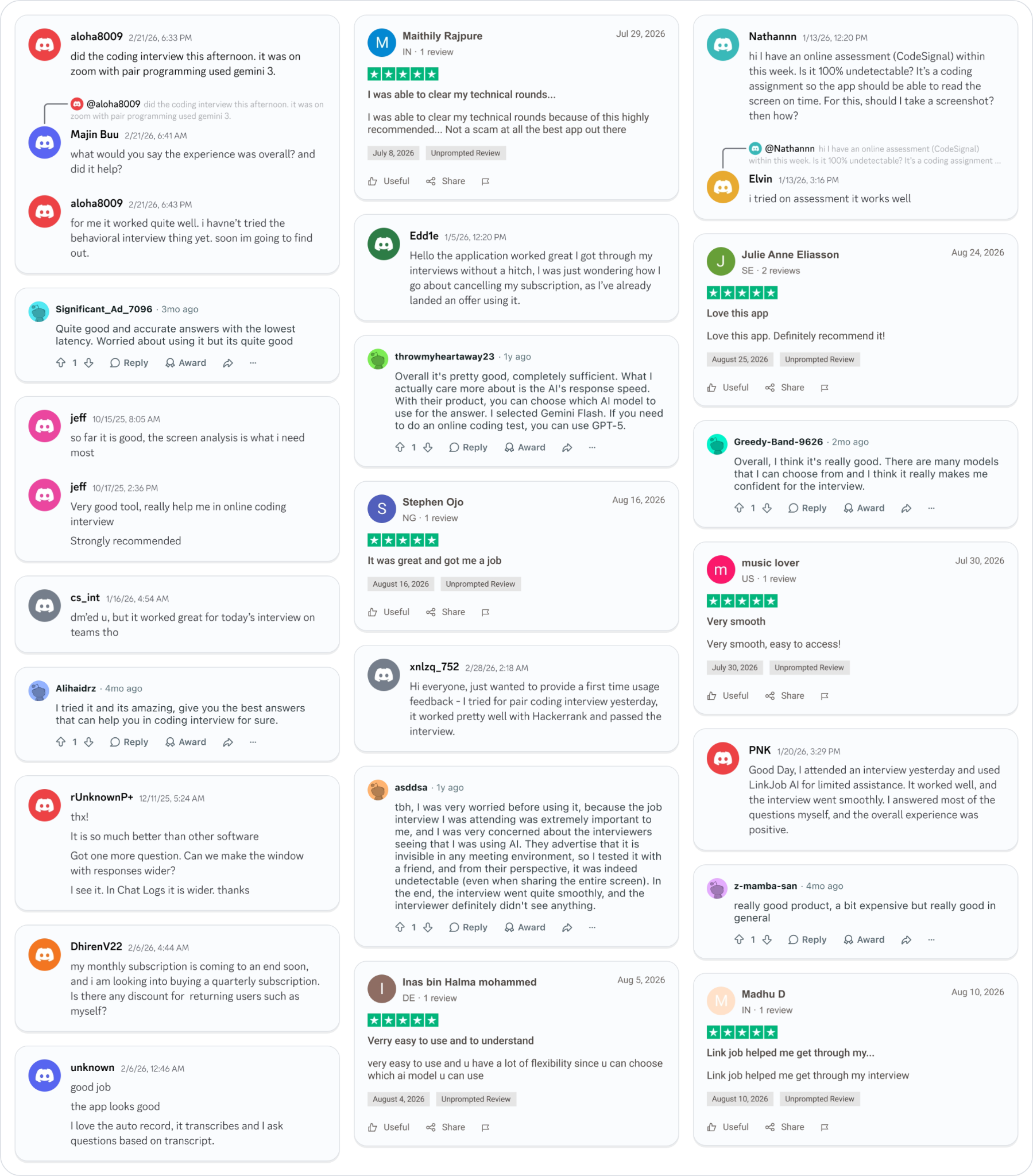
Why People Choose Linkjob AI
Smoother interviews, coding challenges cleared, and job offers landed. See how users describe their experience with Linkjob AI—in their own words.

© Copyright 2026 Linkjob AI - All Rights Reserved.