Does HackerRank Detect Cluely? I Checked the 2026 Rules

TL;DR: If you're facing any OA using the HackerRank Desktop app, then yes, Cluely can be detected by HackerRank.
When I first started looking into “Does HackerRank detect Cluely”, I thought I'd get a bit of a vague answer.
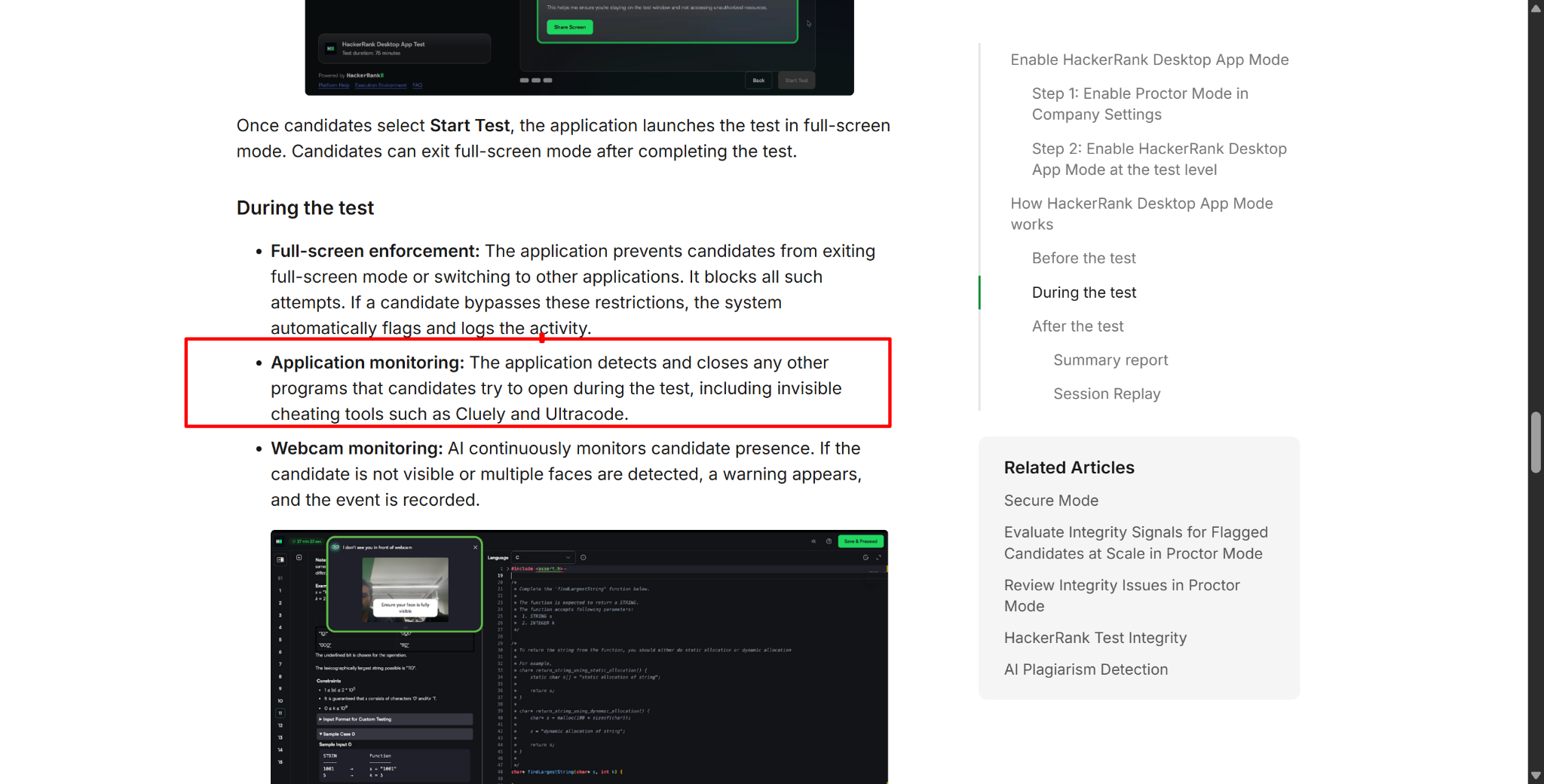
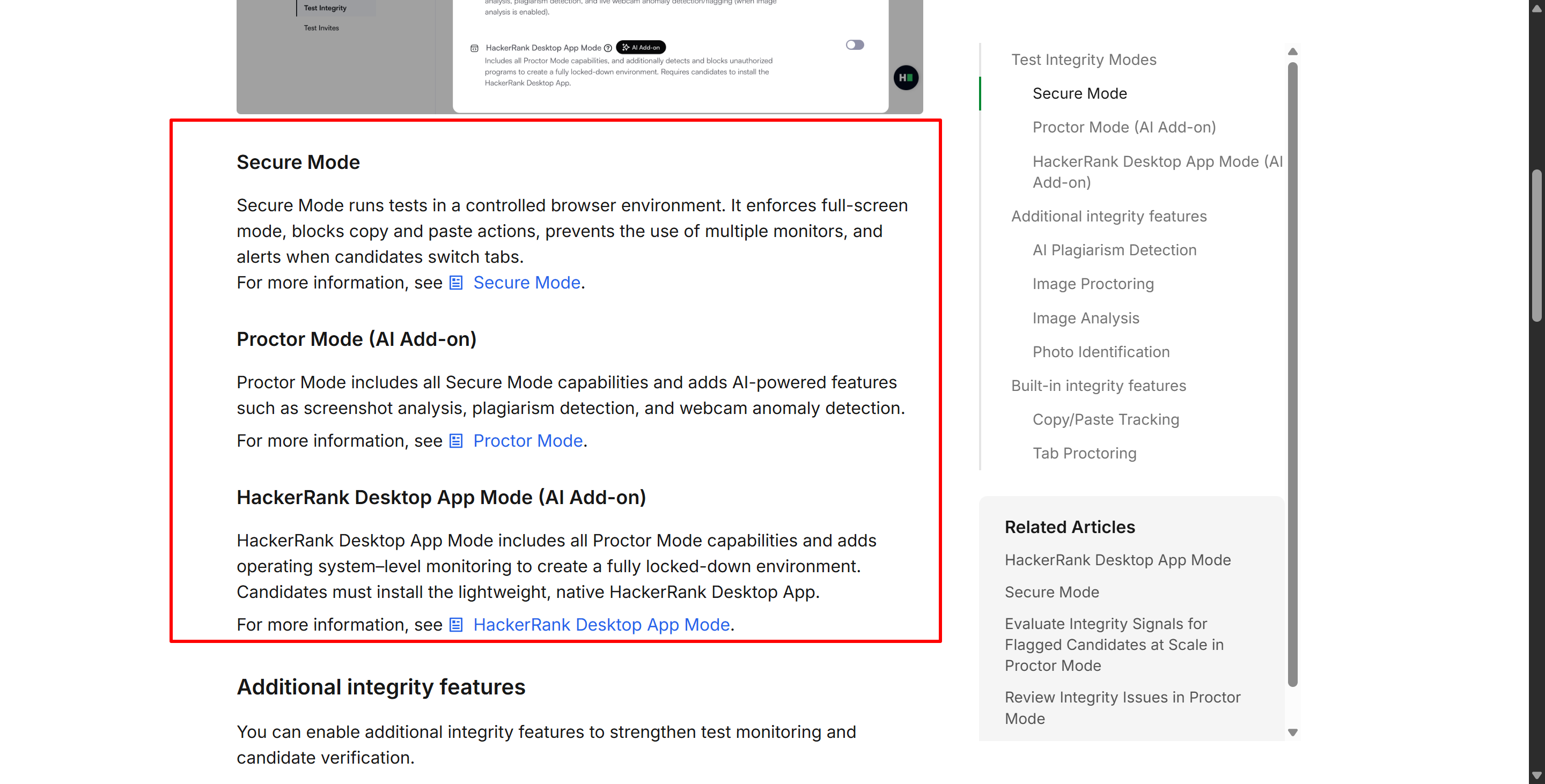
But it's now 2026, and HackerRank hasn't stood still – it has made significant efforts. Right now, HackerRank has three integrity environments, with the security levels getting progressively stricter: There's Secure Mode, Proctored Mode and Desktop App Mode. The mode with the fewest restrictions mostly just keeps an eye on how you use your browser. Proctored Mode builds on this by adding screen sharing, periodic screenshots, webcam analysis, object detection, session replay, and AI-based screenshot analysis. Desktop App Mode gets more hands-on with the operating system and makes it clear that it'll block tools like Cluely.
Claiming that 'you can become completely invisible on HackerRank's OA simply by buying a Cluely plan for $149.99/month' won't change this. HackerRank does detect Cluely.

Does HackerRank Detect Cluely? The Short Answer in 2026
As a candidate, you might not know a lot about HackerRank, but we don't need to know how to enable a specific page-checking feature; we just need to figure out how to solve the problems. But that's not actually the case.
HackerRank lets employers choose which test mode to enable, and each one has different requirements. In the simplest mode, candidates might be able to use interview assistants like Sensei AI to solve problems, but in the strictest mode they'd obviously break something called 'Cluely's Invisibility'.
HackerRank Mode | Main Integrity Controls | What It Means for Cluely |
|---|---|---|
Secure Mode | Full screen, tab-switch alerts, copy/paste restrictions, single-monitor enforcement | No public Cluely-specific detection; risk comes mainly from behavior |
Proctor Mode | Secure Mode + screen sharing, screenshots, webcam AI, object detection, Session Replay, screenshot analysis | High risk because HackerRank specifically looks for external AI copilots and invisible overlays |
Desktop App Mode | Proctor Mode + OS-level application control | HackerRank explicitly says it detects and closes Cluely |
HackerRank describes Secure Mode as a controlled browser environment, Proctor Mode as its AI-powered integrity layer, and Desktop App Mode as the highest-security option with operating-system-level monitoring.
Does HackerRank Detect Cluely in Every Test?
No, but as candidates, we can't actually know for sure. In theory, not all HackerRank tests detect Cluely, but we don't know for sure, so it's best to prepare for the worst. For example, assume that the HackerRank test you're taking includes at least the following:
Webcam monitoring;
System screenshots;
AI screenshot analysis;
Copy-paste restrictions,
as well as extra measures like…
Multiple monitor detection
Session screenshots
Gaze detection
The most important thing to think about is desktop application blocking. You'll only need to consider this if the test requires downloading an app. So, there's no way to use Cluely to cheat on HackerRank in this situation.
Does HackerRank Detect Cluely in Secure Mode?
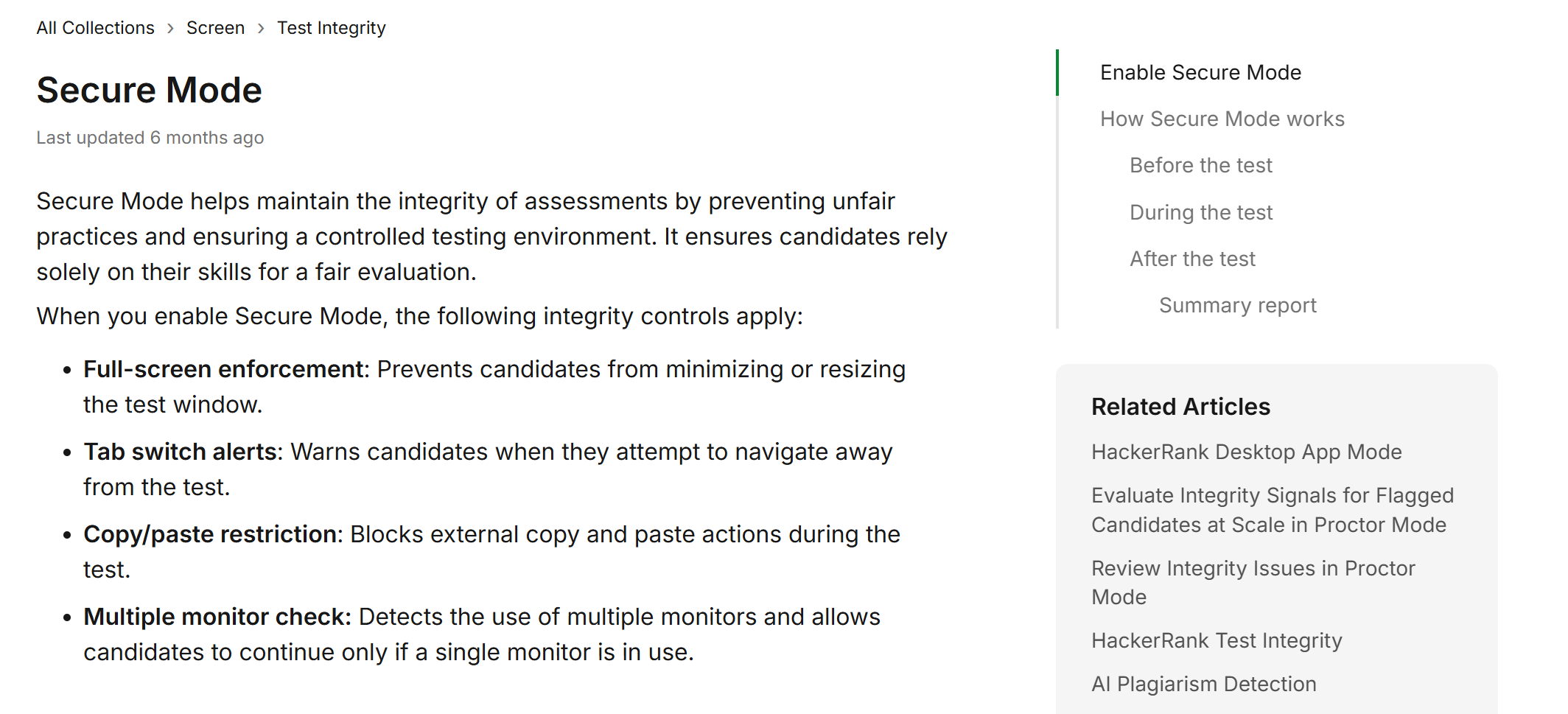
Secure Mode is the lightest of HackerRank's current dedicated integrity modes.
It works primarily inside the browser.
HackerRank officially lists four main controls:
full-screen enforcement;
tab-switch alerts;
copy/paste restrictions;
multiple-monitor detection.
The system also logs violations and includes them in the candidate report.
Secure Mode Does Not Publicly Name Cluely, But Cluely Itself May Not Be That Invisible
I read through the documentation, and it doesn't actually mention that Security Mode can detect Cluely. I think this is because its control measures are mostly based on behavioural monitoring.
For example, if a test-taker switches to another tab, HackerRank displays a warning and logs the event.
If you've got another monitor connected, the platform can stop the test-taker from continuing the exam until only one monitor is left.
You can't copy and paste from outside sources (including keyboard shortcuts).
So, if this is the only layer of proctoring in place, using Cluely might be able to bypass it – and I say "might" because I know this isn't guaranteed. If you've looked into Cluely's paid plans, you might get what I mean.
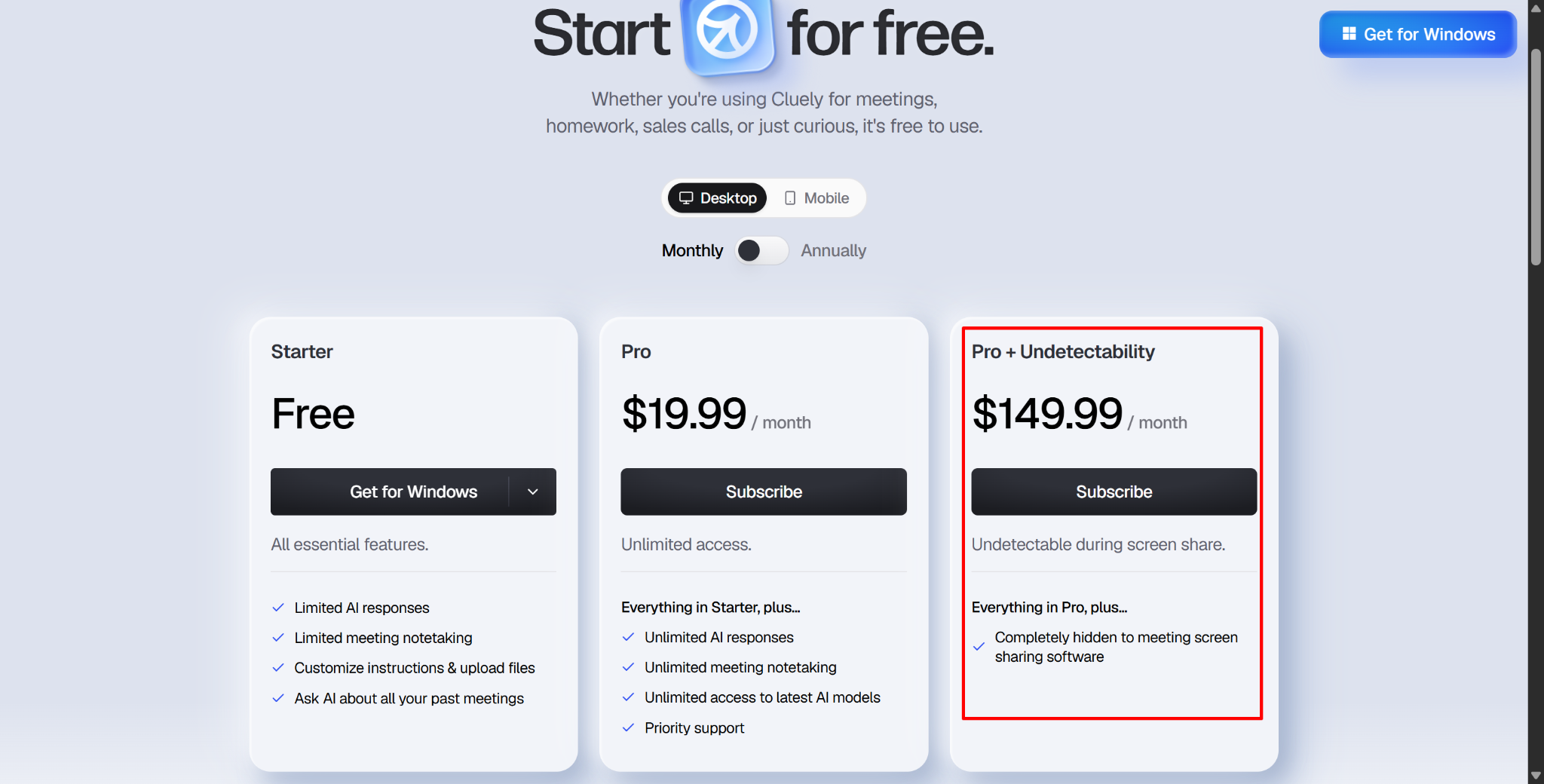
As you can see in the figure, only the highest-tier plan at $149.99/month gives you access to Cluely's "stealth mode." So, if you're on the basic plan, it's pretty easy to spot. When the interviewer asks you to share your full screen, that's it, game over.
Then Does HackerRank Detect Cluely in Proctor Mode?
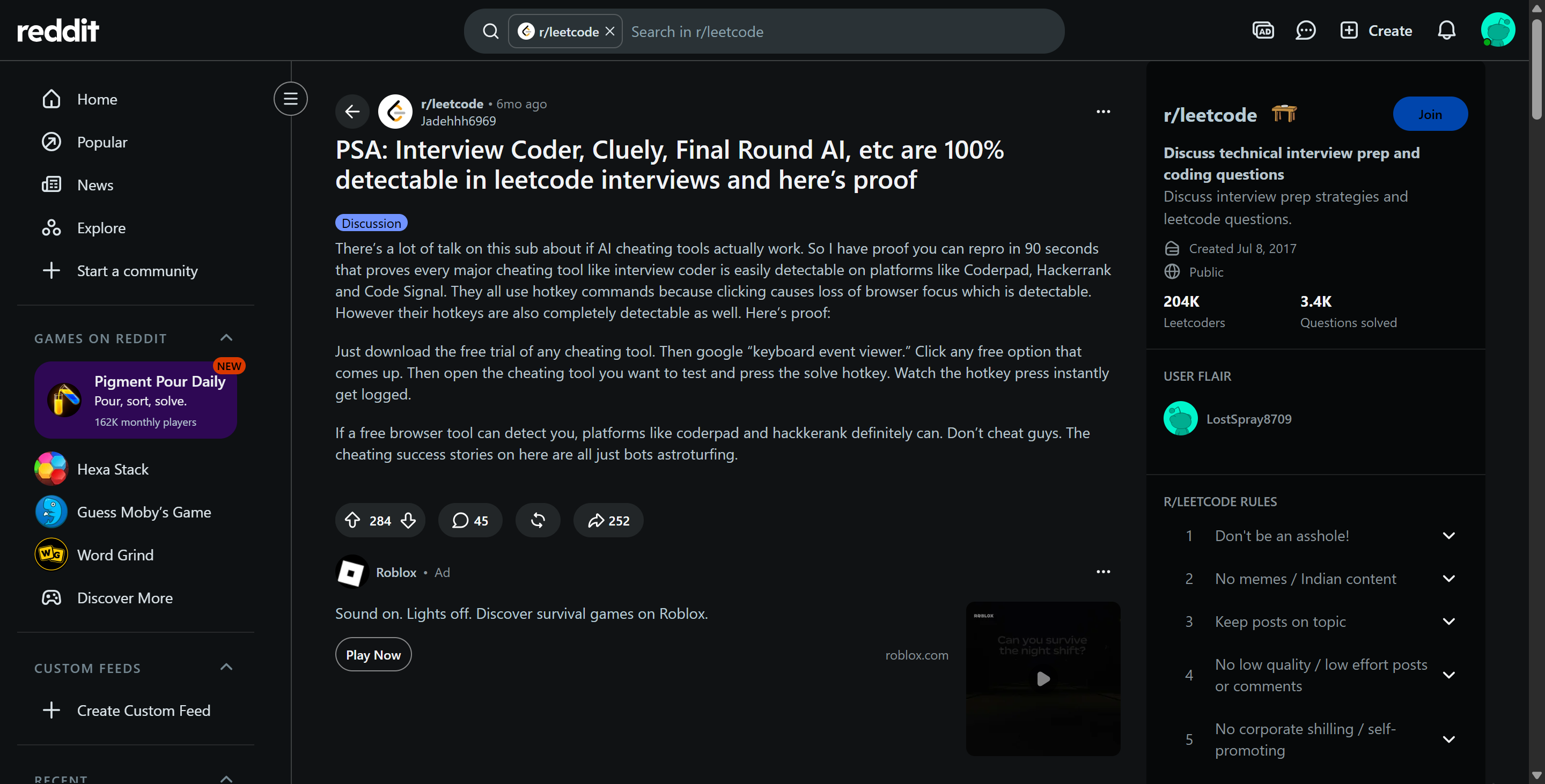
Proctoring mode gives interviewers all the control features of secure mode, as well as a more comprehensive monitoring layer.
Tab switching
Exiting full-screen mode
Candidate presence
Multiple faces
Smartphones and tablets
Connection of additional monitors
Suspicious communication patterns in the code editor
Periodic system screenshots
Optional gaze detection
Another Possible Source of Cluely Detection: Keyboard Event Viewer
As I said in the last image, Cluely and some other AI interview assistants don't seem to realise that keystroke logs might also be recorded. I found out during testing that Cluely doesn't provide screenshots of mouse clicks when solving HackerRank problems, so you've got to use keyboard shortcuts.
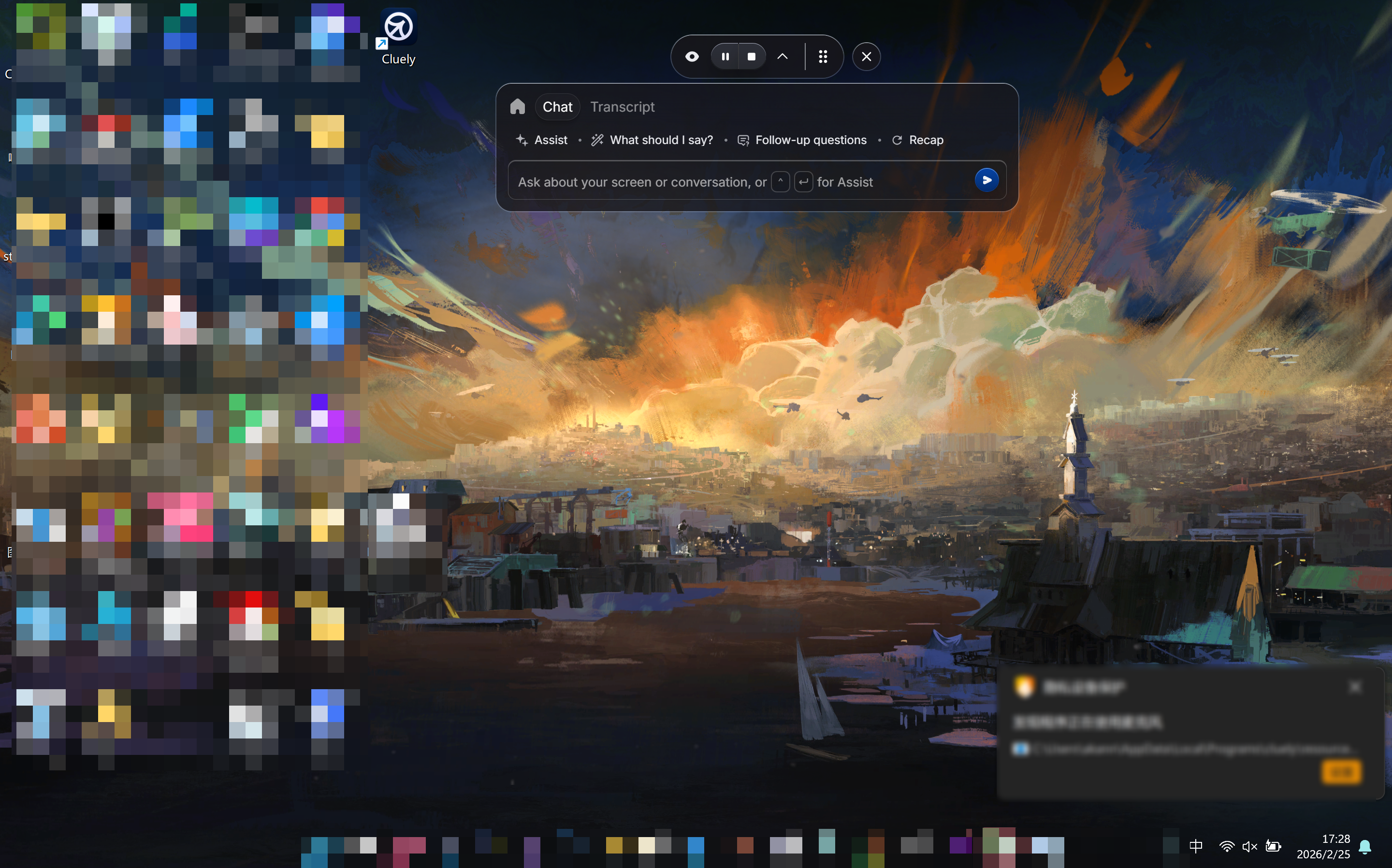
And doing that leaves a keystroke log. I found a method on Reddit that shows you can use a basic keyboard event viewer to find traces of Cluely's use. Even if the interviewer isn't using the HackerRank desktop app, they can quickly identify candidates using Cluely – though, of course, with Linkjob AI, which supports obtaining answers via mouse clicks, the invisible AI interview copilot I've chosen can prevent this from happening.
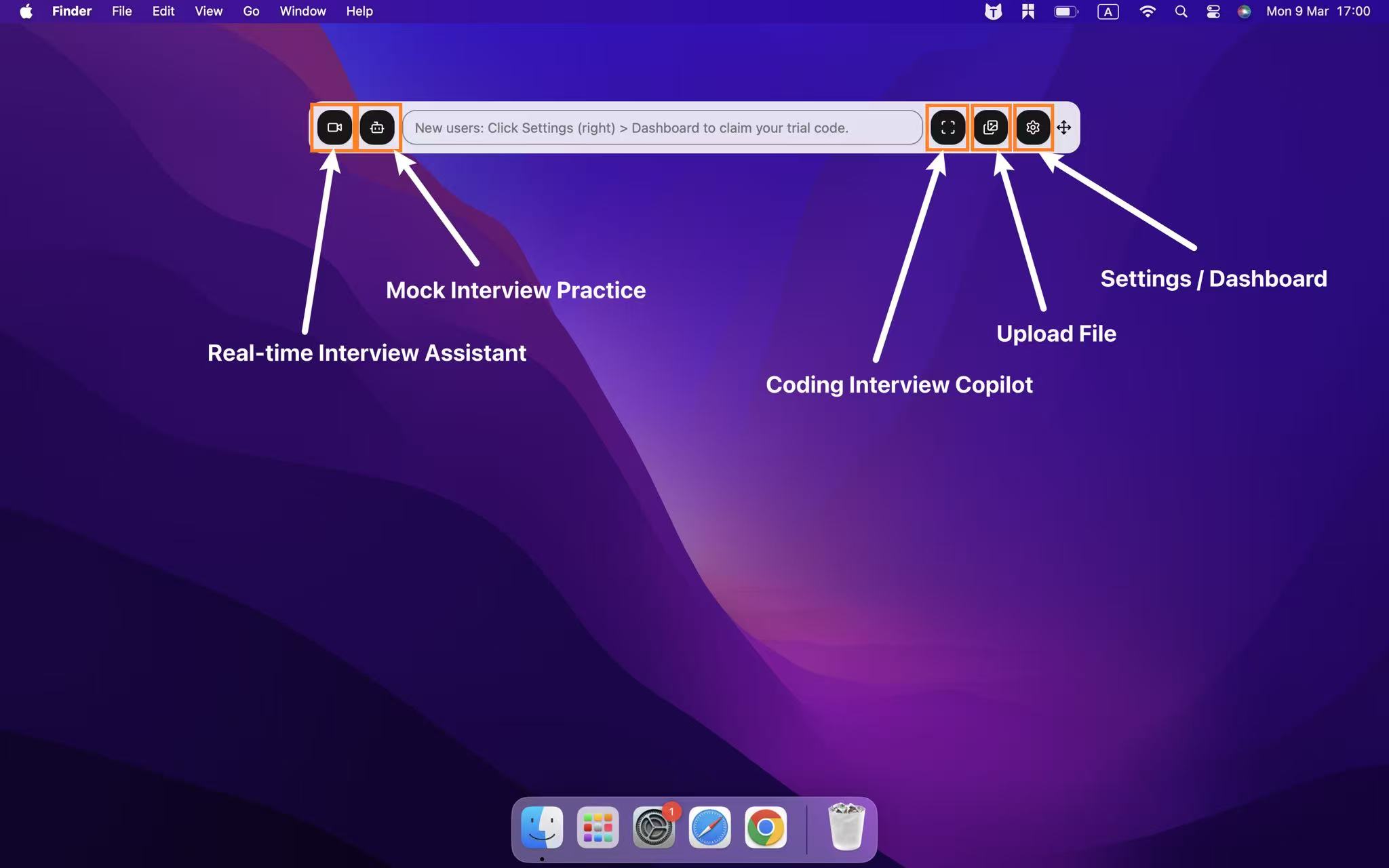
Does HackerRank Detect Cluely in Desktop App Mode?
At this point, the question is much easier to answer. Absolutely YES.
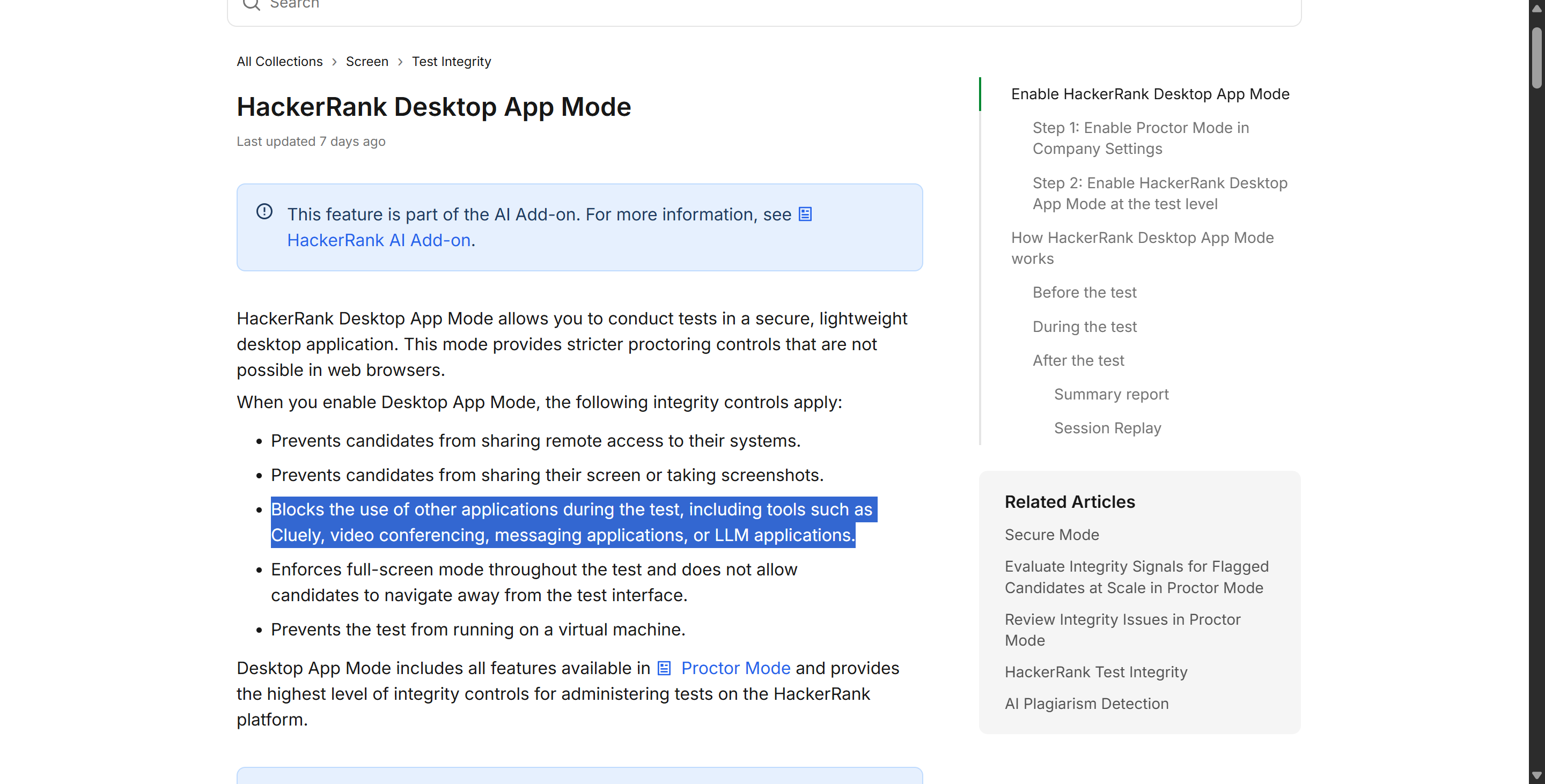
It's been five months since HackerRank released its latest desktop app, and they've published loads of updates to the documentation since then. One of HackerRank's official documents says that the desktop app can detect Cluely.
I've had a read of the documentation, and it looks like this app is designed to create a strictly controlled testing environment. It's got a level of control that you wouldn't get in a standard browser, because of its sandbox mechanism.
HackerRank says that desktop app mode can:
Keep other applications, especially Cluely and Ultracode, from running.
Block remote access.
Block screen sharing.
Block screenshots.
Enforce full-screen mode.
Prevent virtual machines from running.
Block multi-monitor and screen mirroring features.
HackerRank Explicitly Says It Detects and Closes Cluely
As well as the documents, the video above also proves this point: HackerRank officials have seen it and have clearly made some progress in countering Cluely.
If you ask me, one sentence is enough to answer our question, "Does HackerRank detect Cluely?" I can quote it to you: When you enable Desktop App Mode, the following integrity controls apply...Blocks the use of other applications during the test, including tools such as Cluely, video conferencing, messaging applications, or LLM applications. End of quote.
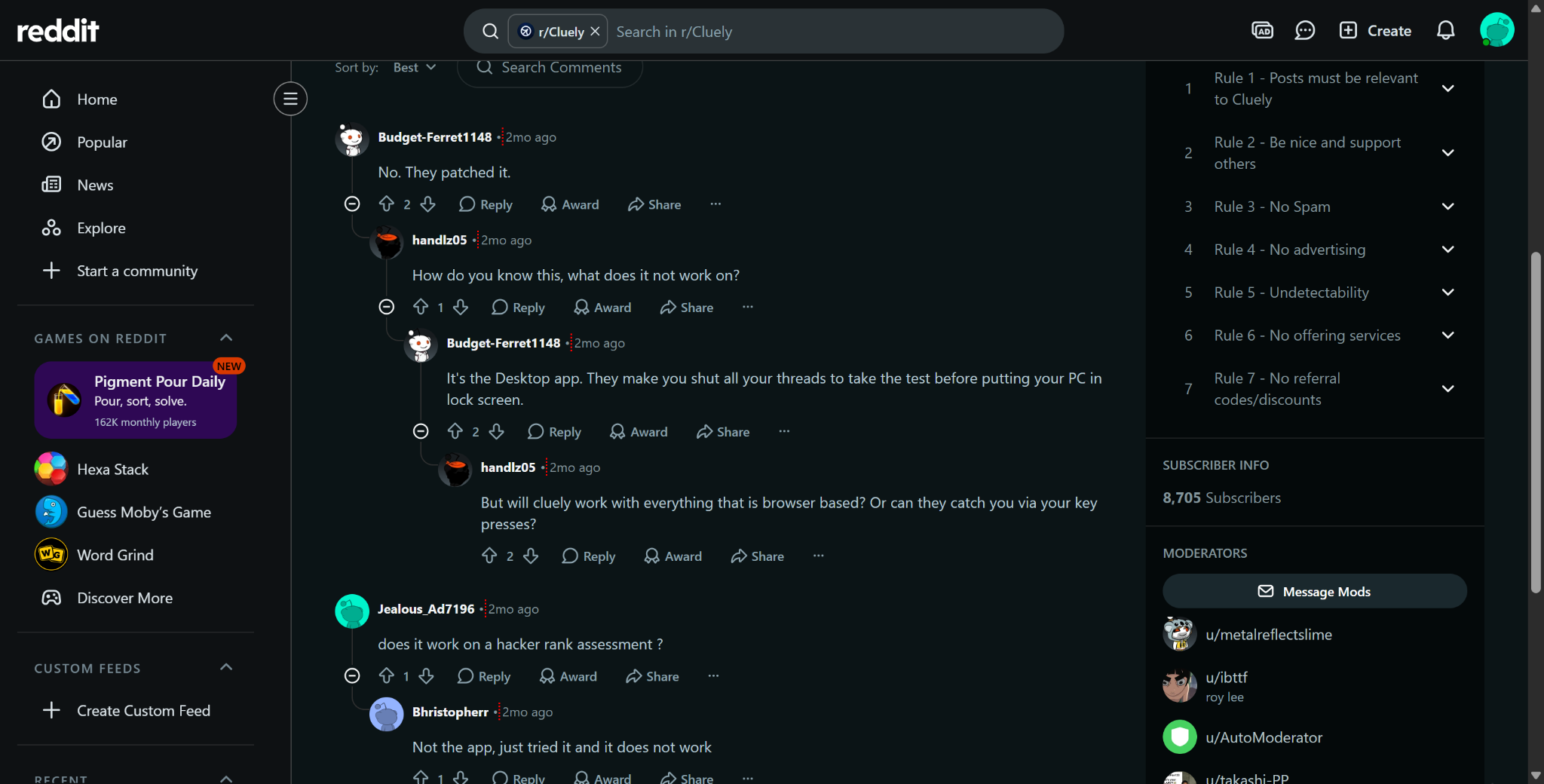
Since the new app was released five months ago, there have been more questions on Reddit about whether HackerRank can detect Cluely. Basically, after the app came out, loads of people said they'd been flagged. This is just anecdotal evidence, not conclusive proof, but it does line up with what HackerRank said.
Does HackerRank Detect Cluely Even If It Is Hidden From Screen Share? YES
Some people might say that Cluely has its own info on undetectability to explain the principles behind it, and in such cases, they might mention browser sandbox mechanisms — like the one shown in the image below (from Cluely's undetectability documentation) — to illustrate their point.
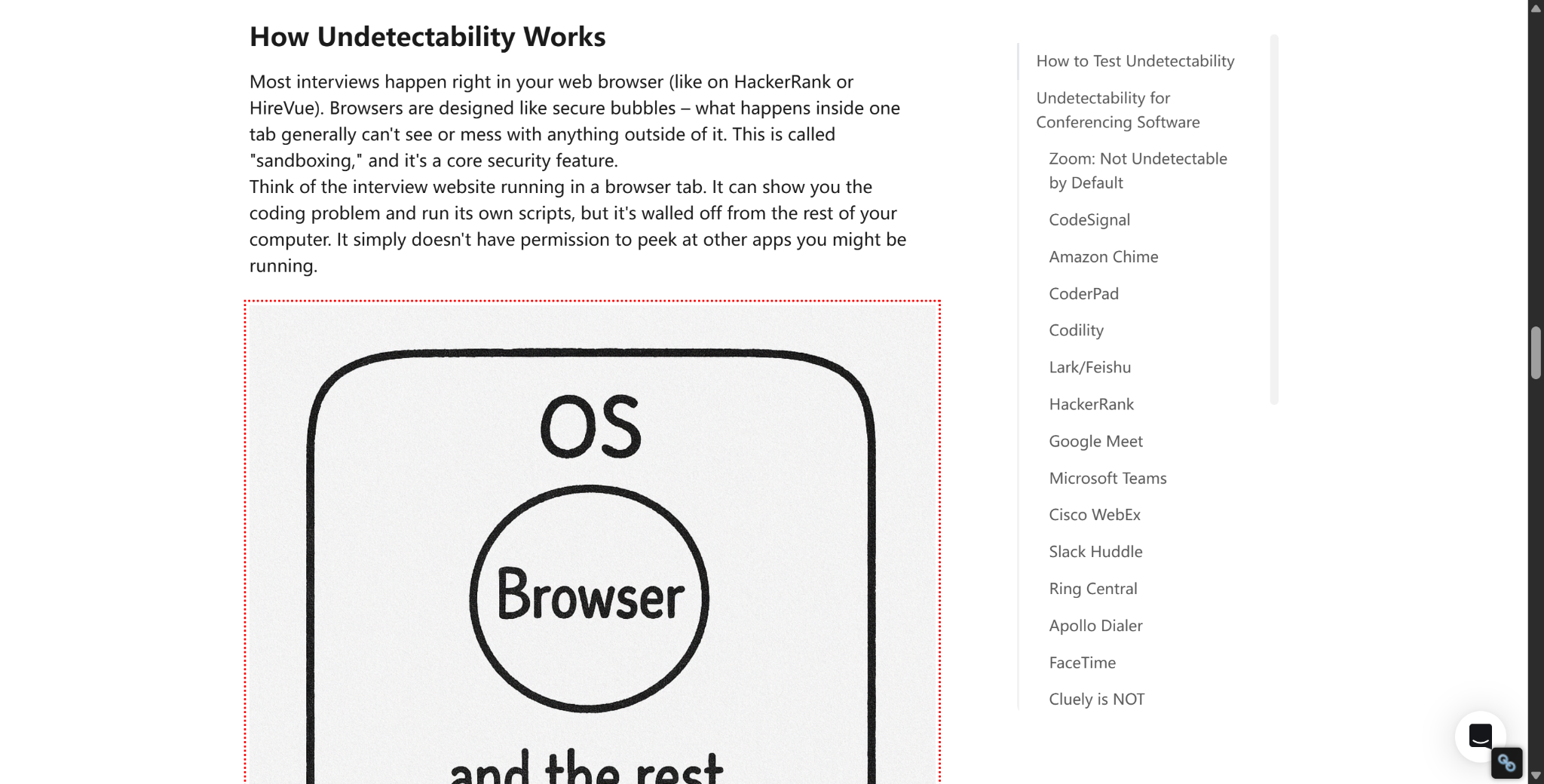
But I just want to clarify one thing: when OA involves downloading a standalone app, these sandbox mechanisms don't exist. Take HackerRank, for example – its app has built-in functionality to check for and manually or automatically close external applications. So, if you're asked, does HackerRank detect Cluely, the answer is actually yes, even though Cluely can still fly under the radar in browser-based HackerRank tests.
Then Under What Other Circumstances Does HackerRank Detect Cluely Undetectable Mode?
As well as the app-based methods we mentioned, there are actually some instances where HackerRank can detect Cluely. Even if there isn't necessarily enough evidence (like seeing Cluely's pop-up window directly), certain behavioural detection mechanisms can still give you away.
Detection Surface | What HackerRank Can Learn |
|---|---|
Browser focus | Whether the candidate leaves the assessment |
Full-screen status | Whether controlled mode is exited |
System screenshots | Whether unauthorized tools/resources appear |
Screenshot Analysis | Whether captured content resembles AI/copilot/overlay assistance |
Webcam | Face absence, additional people, phones/tablets |
Gaze analysis | Repeated off-screen attention patterns |
Monitor checks | Additional displays |
So, How To Avoid Triggering HackerRank’s Cheating Warning?
Because the app mode detection is so strict, I can only offer some advice about the internal browser tests on HackerRank, as well as methods that I've personally tested and found to work.
Keep your testing environment clean
Before I start a HackerRank assessment, I'll:
Have a read of the "Integrity Guidelines". HackerRank shows you the rules you need to know before you start the "Secure Mode" and "Proctored Mode" tests.
Just use one monitor.
Steer clear of mobile AI interview assistants like InterviewFox (check out my InterviewFox review for more info).
Keep it in full-screen mode. So, steer clear of tab-based AI interview assistants.
And try not to switch browser tabs.
Try not to use external copy/paste operations, and try to avoid using keyboard shortcuts as much as possible.
Make sure your phone or tablet isn't in the way of the webcam.
Make sure you've got the camera and screen-sharing permissions switched on before the timer starts.
Obviously, Linkjob AI can absolutely be both usable and effective in these areas. I've found that the different features are designed to encourage exploration and customisation, and they've actually helped me and my friends pass quite a few HackerRank open-ended assessments (OAs).
Ensure All Actions Are Easily Verifiable
HackerRank gives recruiters a pretty detailed post-interview review experience, including a "session replay" feature. This includes browser screen recordings, screenshots, integrity events, and synchronised timestamps. The screenshot analysis feature highlights any dodgy screenshots, and you can view webcam footage alongside the session timeline.
This means you'll have to get used to staying as natural as possible while trying out the AI interview assistant.
Therefore, I prefer to focus on:
Carefully reading the solutions provided by Linkjob AI and manually entering the code with the goal of truly understanding it;
Being able to explain this approach afterward;
Avoiding code blocks that are inexplicable yet suddenly seem perfect;
Adjusting the position of Linkjob AI’s semi-transparent floating window until I can maintain a natural line of sight while recording or in front of the webcam.
Does HackerRank Detect Cluely FAQ
Does HackerRank Detect Cluely in 2026?
Yes, in some configurations. Desktop App Mode explicitly says it detects and closes Cluely, while Proctor Mode is designed to detect external AI copilots and invisible overlay applications.
Does HackerRank Detect Cluely in Secure Mode?
Not by name in the public Secure Mode documentation. Secure Mode focuses on tab switching, full-screen enforcement, copy/paste restrictions, and multiple monitors.
Can HackerRank Detect Invisible AI Overlays?
Proctor Mode says its Screenshot Analysis can detect invisible overlay applications and external AI coding assistants.
Does HackerRank Take Screenshots?
Yes in Proctor Mode. Screenshots are normally captured every 15 seconds, with higher frequency around integrity violations.
Does HackerRank Detect Phones?
Yes in Proctor Mode and Desktop App Mode. Webcam object detection is designed to identify phones and tablets, including partially visible devices.
Does Cluely Being Invisible to Screen Share Make It Safe on HackerRank?
No guarantee. Cluely's screen-share invisibility claim addresses meeting/capture visibility, while HackerRank uses browser, screenshot-analysis, webcam, monitor, and desktop-app signals.
Does Every HackerRank Test Use Desktop App Mode?
No. HackerRank offers Secure Mode, Proctor Mode, and Desktop App Mode, and employers choose the integrity level for the assessment.
See Also
Cluely Review: I Tested to See If it Suits for Interviews
Why I Ditched Cluely AI :My Honest Take on the Best Cluely AI Alternatives That Actually Work
How to Get Invisible AI Help for HackerRank With AI Assistant: My 2026 Updates
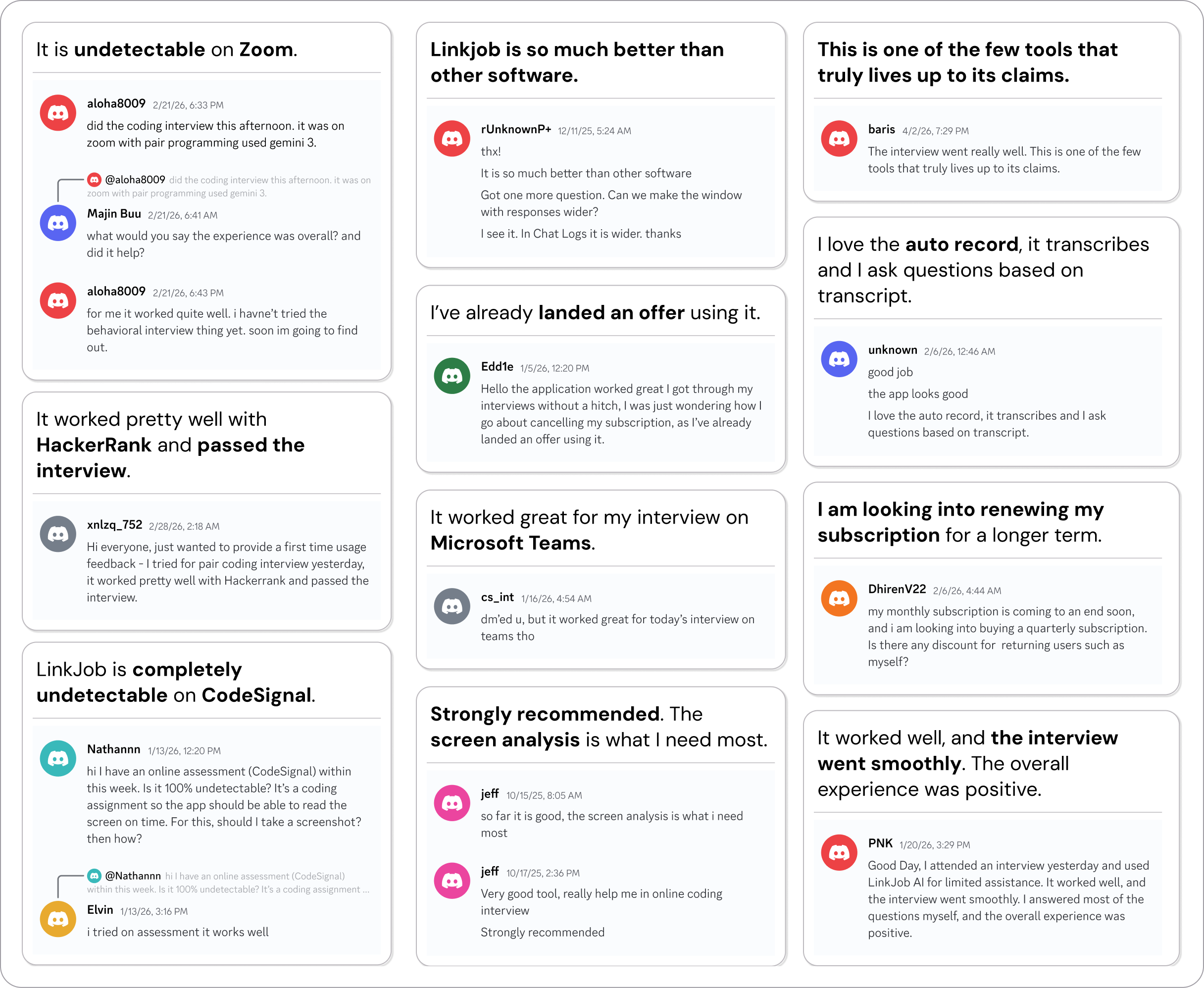
Why People Choose Linkjob AI
Smoother interviews, coding challenges cleared, and job offers landed. See how users describe their experience with Linkjob AI—in their own words.

© Copyright 2026 Linkjob AI - All Rights Reserved.