Can HackerRank Detect a Virtual Machine? My 2026 Guide

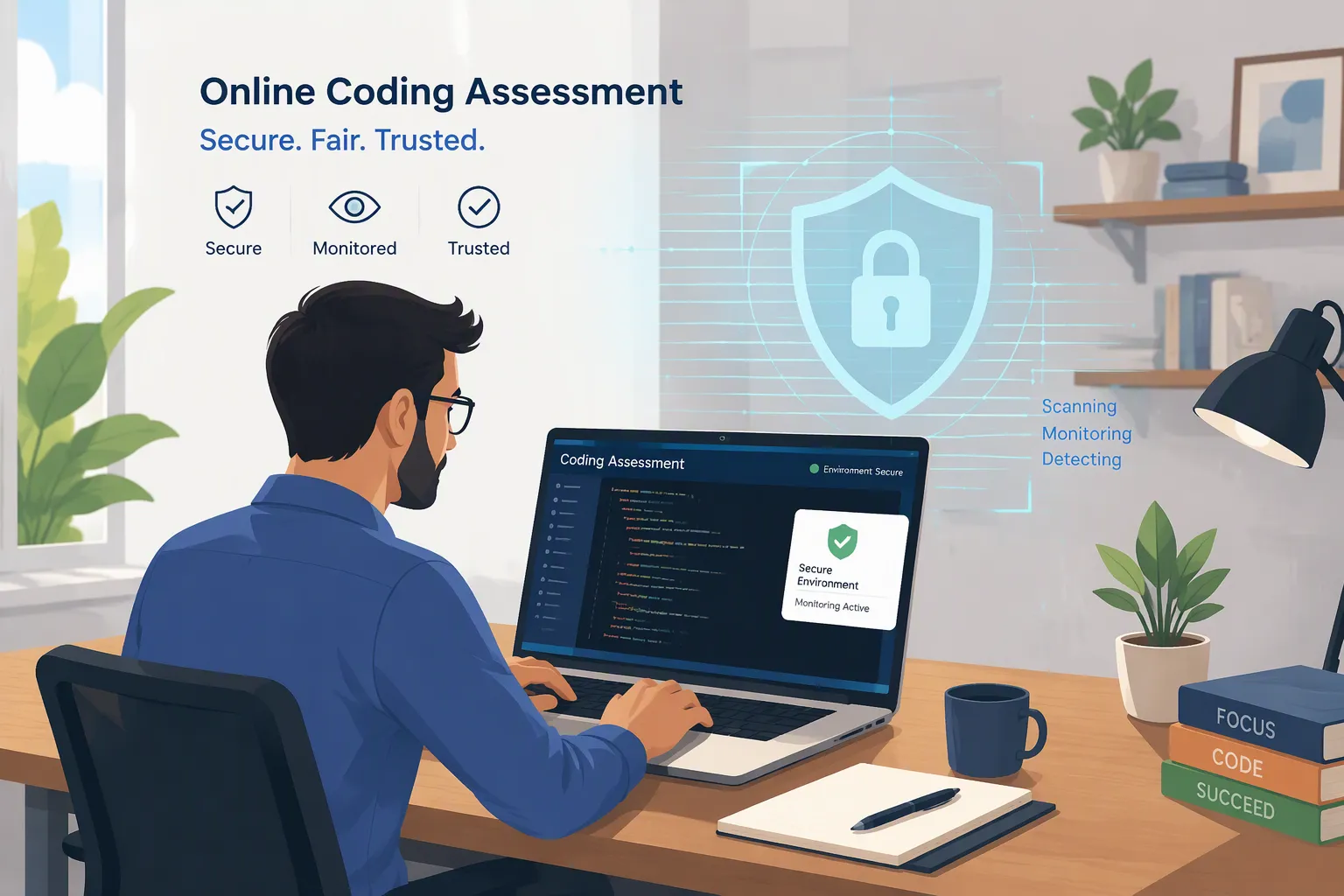
TL; DR: Yes—HackerRank explicitly detects or rejects virtualized environments when Desktop App Mode is required. But this is an OS-level Desktop App capability, not a feature that should automatically be attributed to every ordinary browser-based HackerRank test.
So, I'd already done some research on whether HackerRank can spot Cluely and can HackerRank detect multiple monitors. I thought, well, why not look into "can HackerRank detect virtual machines" as well?
It took me a day or two to find the original documentation, because it wasn't as easy as I'd imagined. The most important thing I found out was that, as HackerRank's integrity system changed over time, its answers did too.
HackerRank's early browser-based monitoring mechanisms mainly focused on actions like exiting full-screen mode, switching tabs, and copying and pasting. Later, monitoring for multiple monitors was added. HackerRank itself admits that virtual machines are one of the weak spots in standard tab-based proctoring technologies.
Things changed a lot when HackerRank launched its desktop app. The desktop app is different from the usual browser-based assessments because it gives HackerRank more control over the operating system. HackerRank's current documentation clearly says that desktop application assessments can't run in a virtual machine. When you enable desktop application mode, this rule also applies to HackerRank's Chakra AI interviews.

I'll go through the details with you one by one later in this post.
Can HackerRank Detect a Virtual Machine? What the Timeline Shows
Looking at the product chronologically makes the logic much clearer.
Period | HackerRank Integrity Capability | VM Relevance |
|---|---|---|
Jan 2025 | Secure Mode: full screen + tab alerts | No explicit VM prevention |
Apr 2025 | Proctor Mode: webcam + screenshots + replay | Still no explicit VM prevention |
Jul 2025 | Stronger Proctor Mode + monitor enforcement | Browser monitoring becomes stronger |
Oct 2025 | Desktop App introduced | HackerRank moves into OS-level controls |
Nov 2025 | Secure / Proctor / Desktop tiers formally separated | Desktop App defined as OS-level monitoring |
Jul 2026 | Chakra gets Desktop App support | VM prevention applies to AI interviews |
Oct 2026 | Current Desktop App documentation | Explicit VM prevention confirmed |
The evolution is basically:
Browser monitoring → more evidence → native Desktop App → explicit environment blocking.
That is the real story behind can HackerRank detect a virtual machine.
Can HackerRank Detect a Virtual Machine in a Normal Browser Test?
According to the documentation, HackerRank’s browser-based integrity controls have historically focused on content that the website can reasonably observe and enforce.
In the January 2025 Release Notes, HackerRank described “Secure Mode” as a feature capable of:
locking the assessment interface in full-screen mode;
issuing a warning when candidates switch tabs.
No virtual machine protection features were listed.
This level of proctoring is primarily used for early-stage mass screening and is commonly found in basic HackerRank OA links.
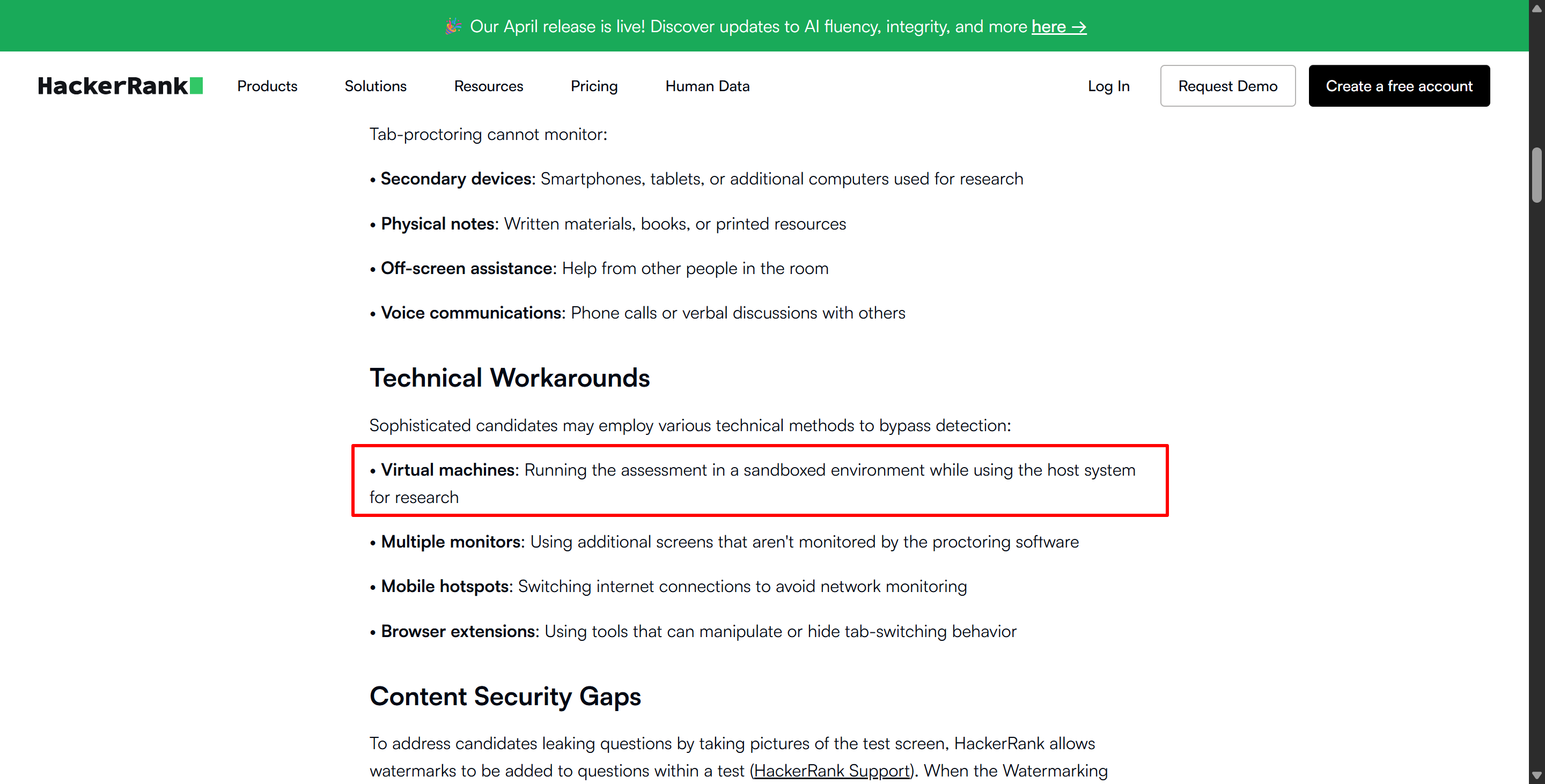
HackerRank itself has published an article discussing the limitations of tab monitoring. In the article “ Tab-Proctoring: What It Catches (and What It Misses),” HackerRank lists virtual machines as one of the technical workarounds that standard tab monitoring may overlook.
Can HackerRank Detect a Virtual Machine in Secure Mode?
The current Secure Mode is a lot more robust than the initial version from January 2025, but virtual machine protection isn't listed as one of the control measures documented in its documentation.
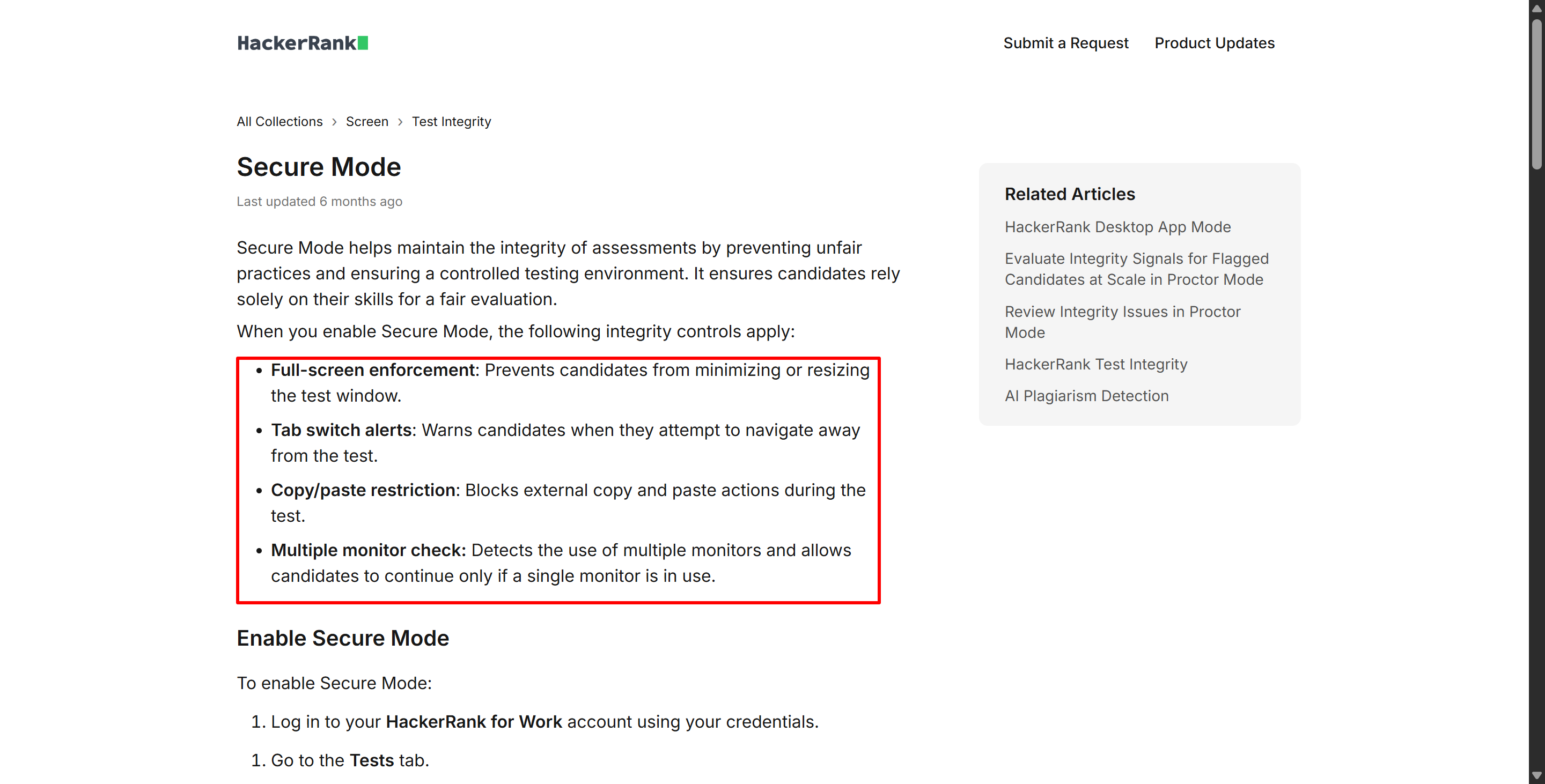
The current HackerRank "Secure Mode" documentation lists the following:
Full-screen enforcement;
Alerts when switching tabs;
Restrictions on external copy/paste;
Multi-monitor checks.
The monitor check is pretty cool because HackerRank does this check before the test starts and keeps checking throughout to make sure only one monitor is connected. But this doesn't mean that HackerRank itself checks whether the operating system is running as a guest virtual machine.
Anyway, the current "Secure Mode" documentation doesn't say anything about it checking virtualized environments directly. So for "Can HackerRank Detect a Virtual Machine in Secure Mode", the most accurate answer is:
HackerRank does not publicly document VM prevention as a Secure Mode feature.
Can HackerRank Detect a Virtual Machine in Proctor Mode?
Proctor Mode makes things more complicated because it collects way more evidence than Safe Mode does.
HackerRank first launched Proctor Mode in April 2025 as a limited release. The official April 2025 Release Notes said it would add the following features:
Webcam monitoring;
Tab-switching detection;
Periodic screenshots;
Detailed integrity reports;
Session replays.
By July 2025, Proctor Mode was fully rolled out and included stricter controls, such as single-monitor enforcement and automated screenshot analysis. The July 2025 Release Notes said that tests wouldn't start or get paused if there were multiple monitors.
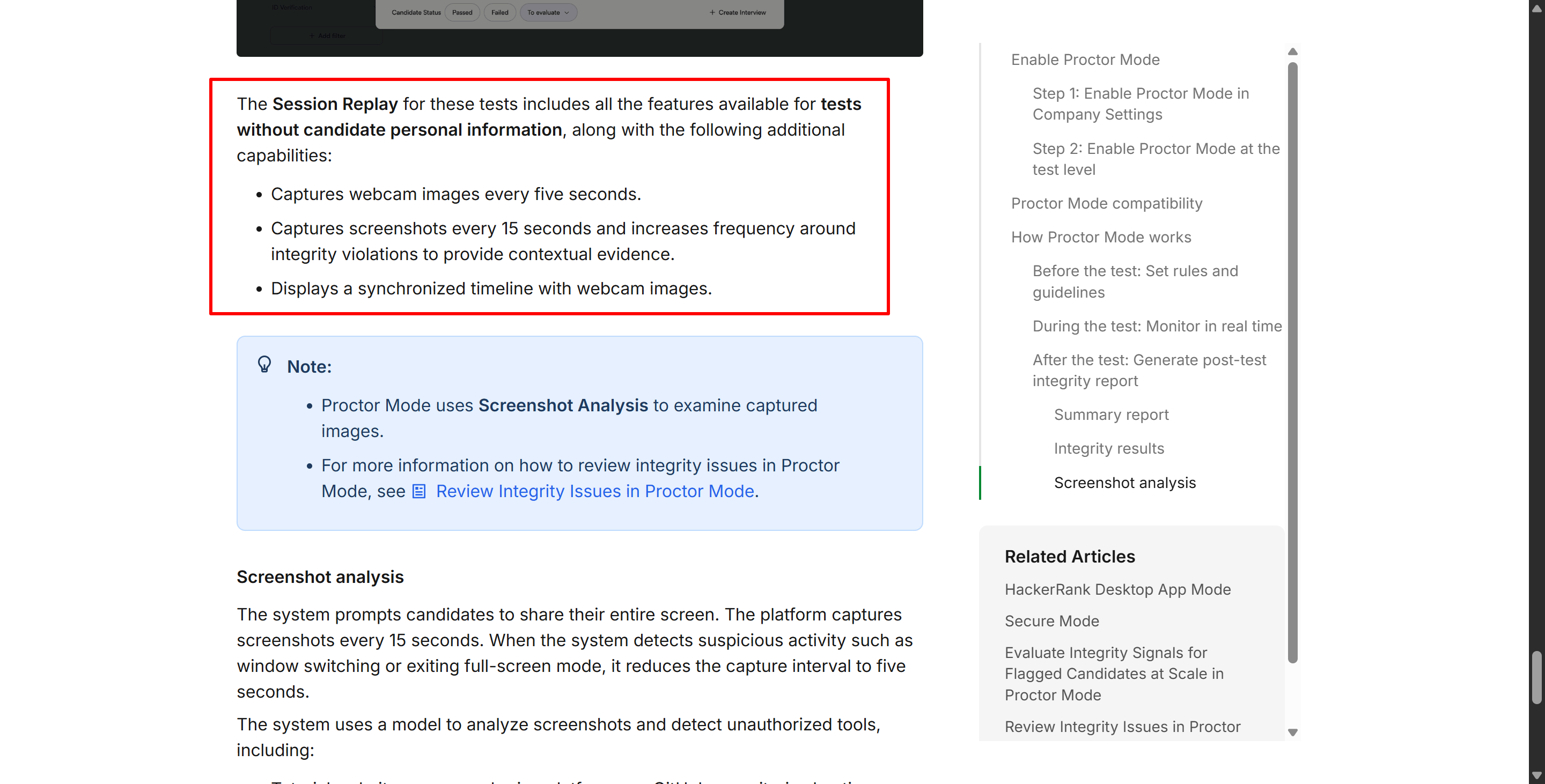
The current Proctor Mode takes things a step further. According to the current Proctoring Mode documentation, test-takers have to share their whole screen, and HackerRank takes a screenshot every 15 seconds. But if something suspicious happens, like switching windows or exiting full-screen mode, the screenshot interval might be shortened to about 5 seconds.
Screenshot analysis detects the following:
External AI assistants;
Invisible overlay applications;
Collaboration tools;
Remote desktop applications;
Screen recording or screenshot tools.
Did you notice? To be honest, there's nothing saying for sure if virtual machines will be detected, and there's no list of IP checks either. So I had a closer look. Even if IP and VM checks were in place, I could still use an AI interview assistant like Linkjob AI – which supports dual devices and desktop mode – to handle those tricky OA challenges.
Can HackerRank Detect a Virtual Machine After the Desktop App Launch?
And the time had come for a major turning point in the story. Then in October 2025, they launched their desktop app.
The official October 2025 Release Notes said it was a lightweight app that candidates had to download before the assessment. Once it's up and running, it creates a secure environment by locking the screen, restricting unauthorised applications, and monitoring activity throughout the session.
This was a big change to the building:
Earlier Browser Modes | Desktop App Mode |
|---|---|
Browser-level controls | Native desktop application |
Tab/focus monitoring | OS-level monitoring |
Browser permissions | System permissions |
Copy/paste restrictions | Other-application blocking |
Multiple-monitor checks | Monitor + desktop controls |
No explicit VM prevention | Explicit VM prevention |
It's interesting that the October 2025 announcement didn't actually include a clear statement like, "We can detect virtual machines."
It's clear that the desktop app shows that HackerRank has moved past just monitoring browsers and can get around the browser's sandbox thing. But to avoid getting caught, you'll need to use apps like Linkjob AI that work on both devices.
Can HackerRank Detect a Virtual Machine in Desktop App Mode?
I won't keep you in suspense. Yeah, HackerRank can spot virtual machines in this mode.
The latest info from HackerRank Desktop App Mode documentation says that the app provides integrity controls that can't be implemented in a web browser.
The controls are listed below:
Blocking remote access;
Blocking screen sharing and screenshots;
Blocking the execution of other applications;
Enforcing full-screen operation;
Blocking tests from running on virtual machines.
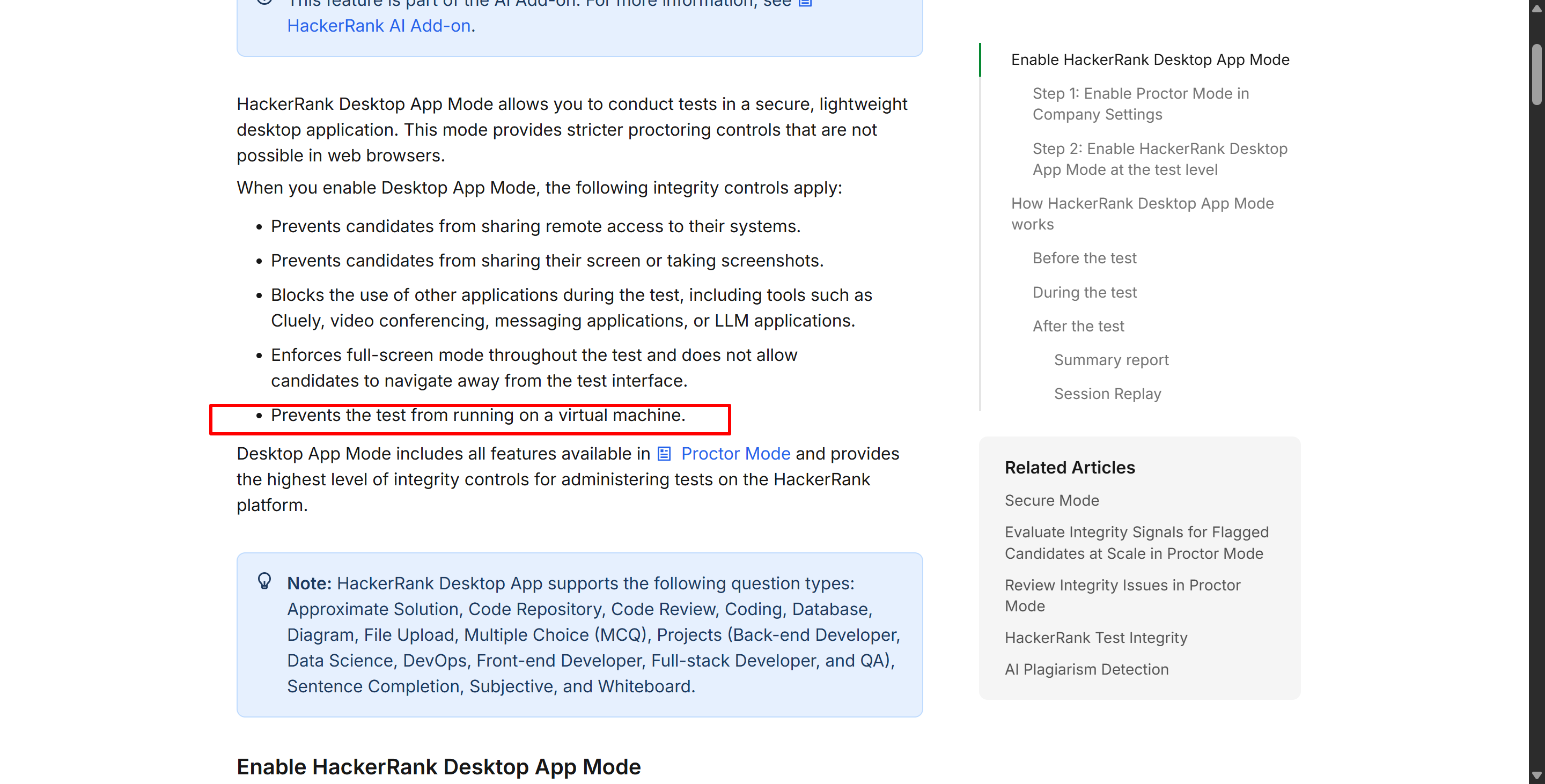
If an assessment needs to use "Desktop App Mode," HackerRank makes it clear that tests won't run in that environment, just like environment compatibility rules.
HackerRank's Test Integrity docs put these into three modes:
Secure Mode: Controlled browser;
Proctor Mode: Secure Mode plus AI-based screenshot and plagiarism detection, as well as webcam signal monitoring;
Desktop App Mode: All features of Proctored Mode plus operating system-level monitoring.
As the documentation above shows, when you apply Desktop App Mode, it's pretty much impossible for a virtual machine to evade detection.
Can HackerRank Detect a Virtual Machine During Chakra Interviews?
Yeah, that's right, when Chakra is in desktop app mode.
This feature was added in 2026. HackerRank Desktop App Mode in Chakra say that Chakra now supports the HackerRank desktop app. As the specifics of this app have already been covered, I won't go into further detail here.
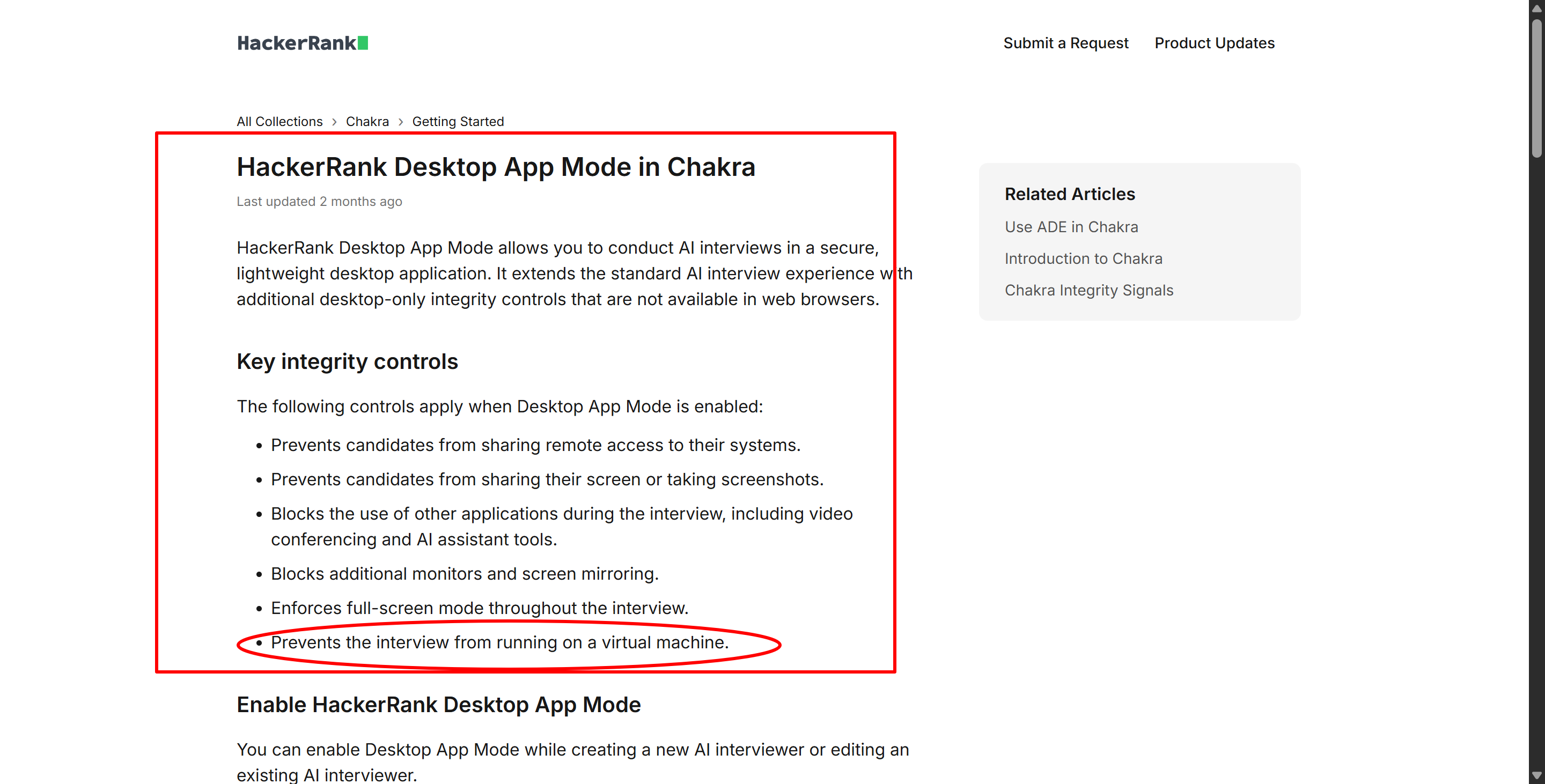
Chakra actually has a document about the dedicated HackerRank desktop app mode, which shows that there are a lot of restrictions in this mode:
Prevents remote access;
Prevents screen sharing and screenshots;
Blocks other applications;
Blocks additional monitors and screen mirroring;
Enforces full-screen mode;
Prevents interviews from running in a virtual machine.
So, here's the current state of the HackerRank environment:
HackerRank Environment | Explicit VM Prevention? |
|---|---|
Secure Mode | Not publicly documented |
Proctor Mode | Not publicly documented |
Test + Desktop App | Yes |
Chakra + Desktop App | Yes |
That is probably the most useful table for anyone researching Can HackerRank Detect a Virtual Machine today.
Can HackerRank Detect a Virtual Machine Before the Assessment Starts?
When I looked at the documents for test-takers from a different perspective, I realised that they all strongly imply that the virtual machine detection feature is actually an environment check.
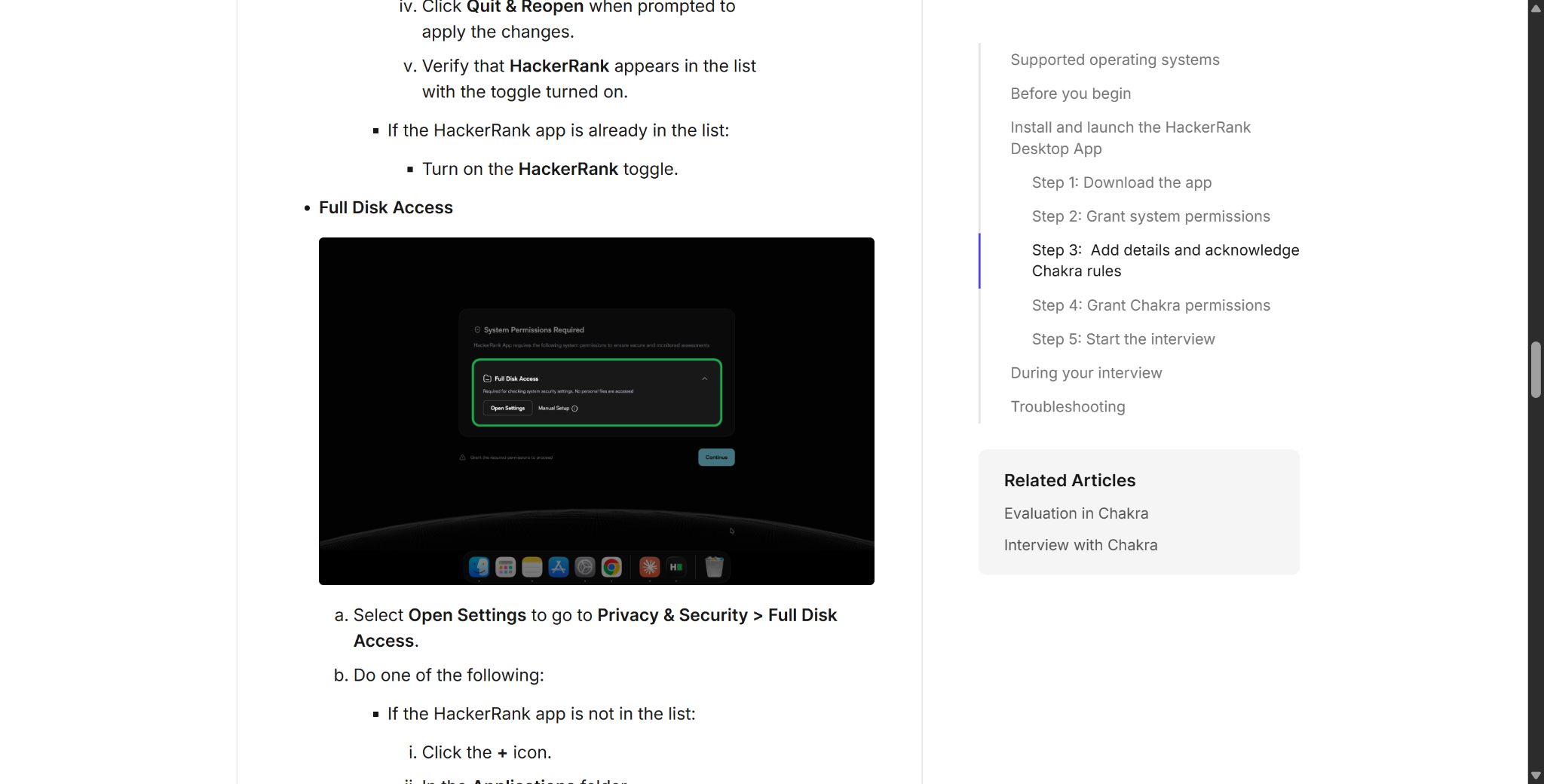
If you're having problems with the "Device not supported" or "Virtual machine detected" prompts, check out the troubleshooting section in the HackerRank's Attempting Chakra using the HackerRank Desktop App guide.
HackerRank's solution is pretty straightforward:
Use a physical Windows or macOS computer.
The guide says that virtual machines aren't supported.
Here's how the tab-switching process might go:
Event → Report → Manual review.
In desktop app mode, though, the virtual machine scenario is more like:
Environment detected → Not supported → Assessment cannot proceed normally.
So when people ask "Can HackerRank Detect a Virtual Machine?", I would describe the current Desktop App behavior as prevention, not simply “flagging.”
Can HackerRank Detect a Virtual Machine Just Because VMware Is Installed?
I'm asking this after having a look at all the documentation mentioned above. HackerRank says that assessments can't run on virtual machines, but it doesn't say that any physical computer with virtualisation software installed will be automatically rejected.
I've thought about the following two options.
Case 1: Assessment Runs Inside a Guest VM
For example:
Physical computer → VMware / VirtualBox / Parallels → Guest operating system → HackerRank desktop app
This is clearly not supported by the "virtual machines not supported" rule in the HackerRank documentation, so it would be detected immediately.
Case 2: VMware Exists on the Host, but HackerRank Runs Natively
For example:
Physical Windows computer → HackerRank desktop app running directly on Windows → VMware software happens to be installed (but not running) → However, the current HackerRank documentation does not specify that the mere fact of installation means a virtual machine will be detected.
Put simply, the desktop app can monitor and restrict other applications on its own, but monitoring applications and detecting virtual machine environments are two different things. I can't give a definite answer based on the info we've got.
But I can confirm that installing software like VMware, Linkjob AI, Cluely, etc., without opening them in the OA won't make HackerRank flag you as suspicious or log any suspicious activity.
Can HackerRank Detect a Virtual Machine FAQ
Can HackerRank Detect a Virtual Machine?
Yes, in Desktop App Mode. HackerRank explicitly states that Desktop App tests cannot run inside a virtual machine.
Can HackerRank Detect a Virtual Machine in Secure Mode?
Not according to the public feature list. Secure Mode documents full-screen, tab, clipboard, and multiple-monitor controls, but not VM prevention.
Can HackerRank Detect a Virtual Machine in Proctor Mode?
Direct VM prevention is not publicly listed as a Proctor Mode feature. Proctor Mode focuses on screenshots, webcam evidence, browser behavior, and unauthorized-tool detection.
Does HackerRank Desktop App Work Inside VMware or VirtualBox?
HackerRank says virtual machines are generally unsupported, but it does not publish a vendor-by-vendor hypervisor compatibility list.
Does Having VMware Installed Mean HackerRank Thinks I Am in a VM?
Not according to public documentation. HackerRank distinguishes running the assessment in a VM from monitoring other applications on a physical computer.
Can HackerRank Detect Remote Desktop?
Desktop App separately prevents remote access; HackerRank treats remote access and virtual machines as different integrity controls.
Can Chakra Detect a Virtual Machine?
Yes, when Desktop App Mode is enabled. HackerRank explicitly says Chakra Desktop App interviews cannot run inside a virtual machine.
See Also
My 2026 Tricks for Getting Invisible AI Help on CodeSignal Proctored Tests
Using AI to Pass My Microsoft Teams Interview in 2026 Successfully
User Opinions on AI Mock Interview Tools: A 2026 Review
My 2026 Gemini Machine Learning Interview: Process and Questions Explained
My 2026 Perplexity AI Interview Experience with Actual Questions Shared
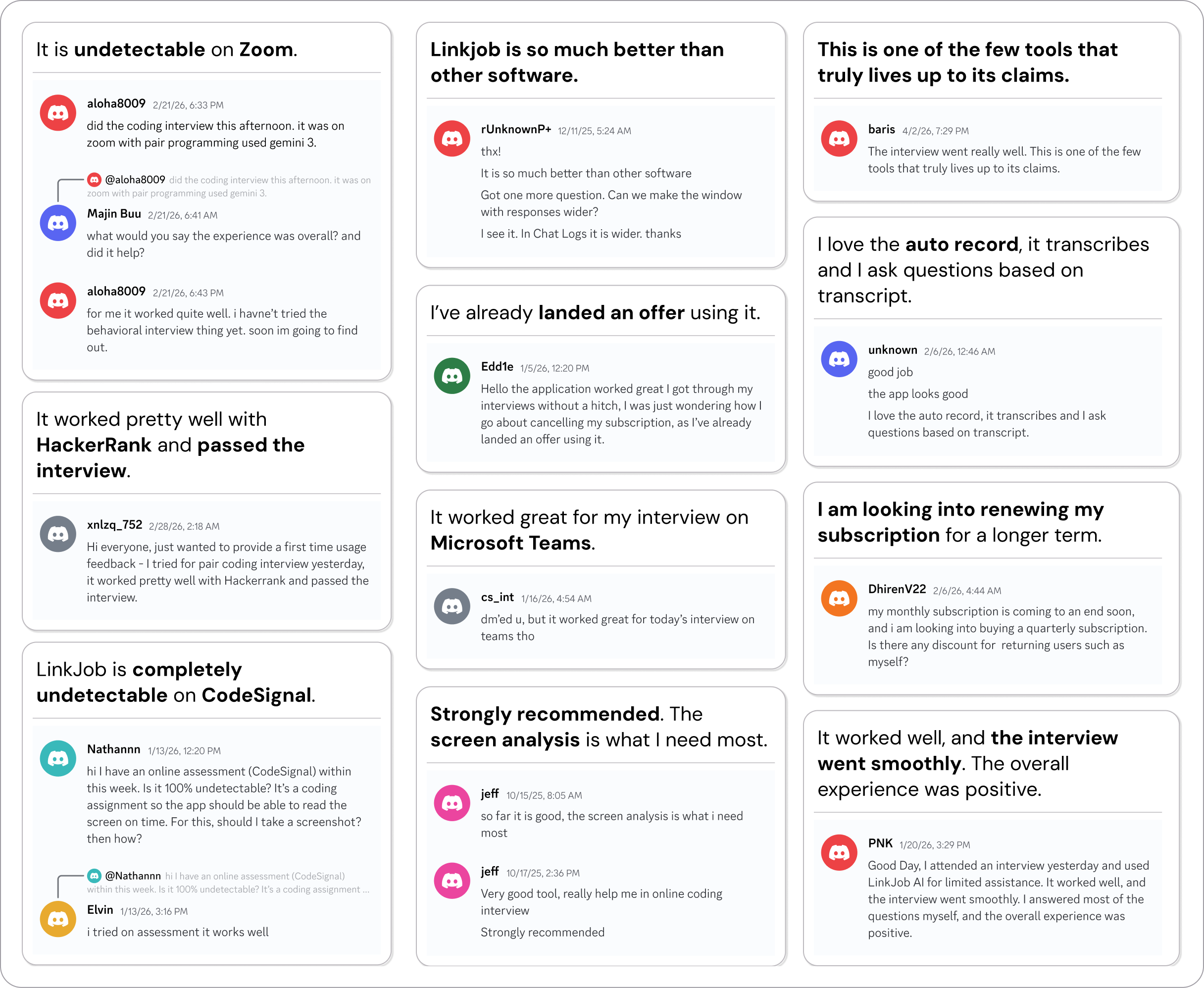
Why People Choose Linkjob AI
Smoother interviews, coding challenges cleared, and job offers landed. See how users describe their experience with Linkjob AI—in their own words.

© Copyright 2026 Linkjob AI - All Rights Reserved.