How to Pass Hipeople Interviews Using Real-Time AI Assistant

Recently, I had to use the Hipeople system for a tech interview, so I found a bunch of info and tools online, and in the end I chose to use the real-time AI assistant Linkjob AI to help me cheat during my Hipeople interview.
I saw for myself the amazing results that real-time assistance could produce when I was interviewing someone over video call. If you're wondering how to ace a Hippeople interview, you need to think outside of the box a bit. I used AI-generated answers, pre-prepared prompts, tone control, and transparent overlays to minimise the risk of being caught, and I passed that round of the interview.

If your interview or assessment is based on any other platform, I've got some other articles for you that might help, including how to cheat on CoderPad, how to bypass Quilgo's monitoring system and how to tackle TestPortal assessments.
How Does HiPeople Detect Cheating?
Understanding HiPeople’s Typical Anti-Cheating Measures
I always make sure to check out the anti-cheating features and main selling points of the interview platform the company uses before the interview starts.
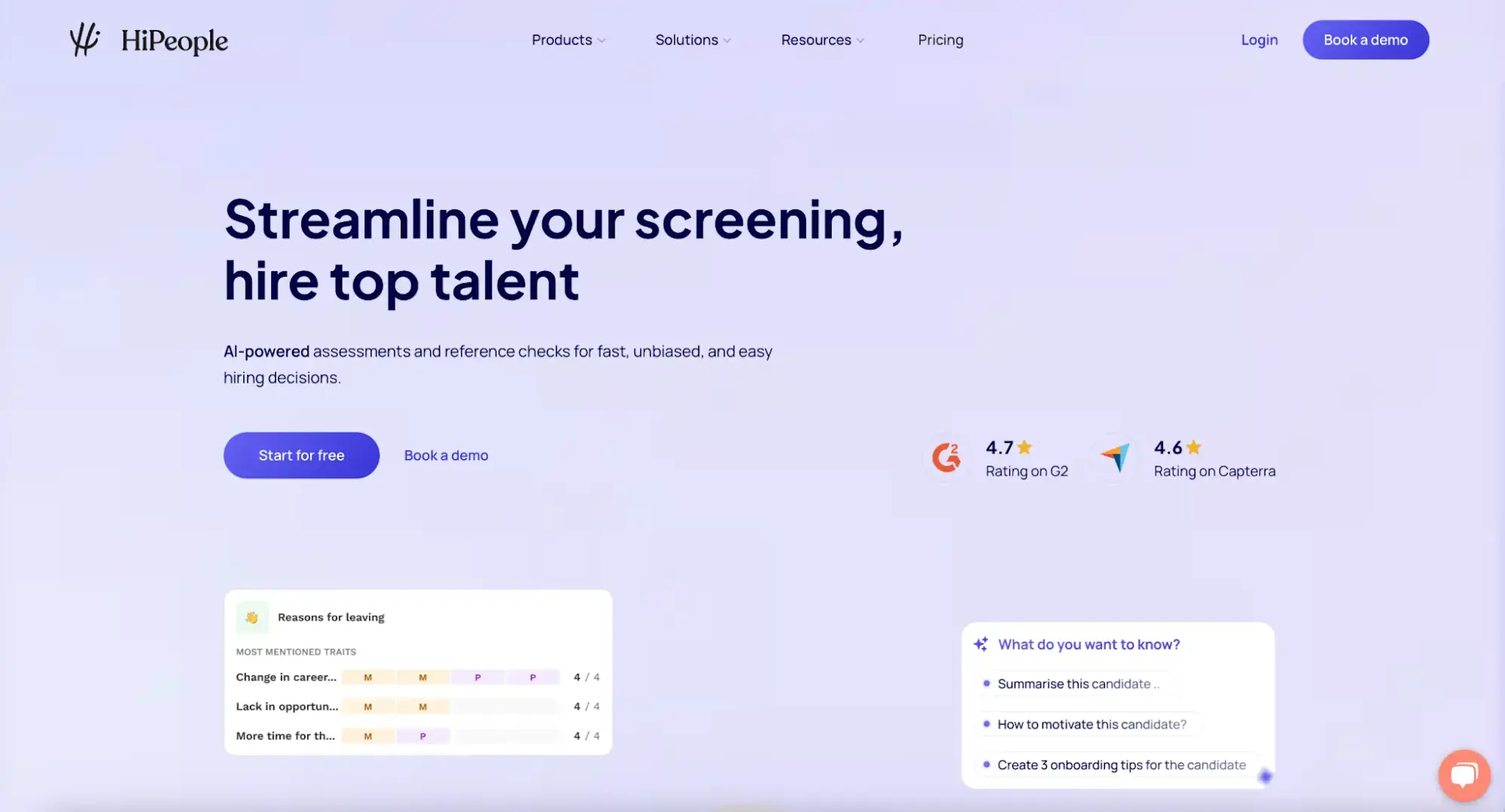
Based on the info I got from HiPeople's website and competitor platforms, it looks like they mostly just keep people from doing stuff outside the test interface, track metadata, and have video Q&A sessions to confirm who you are.
On top of this, HiPeople has a background check platform that uses an algorithm to verify the relationship between candidates and their references. This means that only candidates with references that have been checked out can take the test, which makes everything more credible but also probably makes it harder for people to take part.
Also, the platform lets interviewers know straight away if anyone acts strangely during the interview. It's a feature found on lots of other platforms, and HiPeople also includes it.
HiPeople's Anti-cheating Measures Overview Chart
HiPeople's Anti-cheating Methods | |
IP-address logging (to avoid VPN and virtual machines) | Yes |
Logging of candidate location | Yes |
Webcam snapshots (with the option to turn on/off) | No |
Full-screen mode detection (This stops people taking the test from googling stuff during the exam) | Yes |
Randomized questions per test | Yes |
Large question pool for each test | Yes |
Time limit on tests | Yes |
Copy-paste disabled | Unknown |
I always look for gaps in their system. If they don’t use webcam proctoring or device fingerprinting, I know I have more room to work.
Details about Some Hipeople's Cheating Detection Methods
The HiPeople Fingerprint
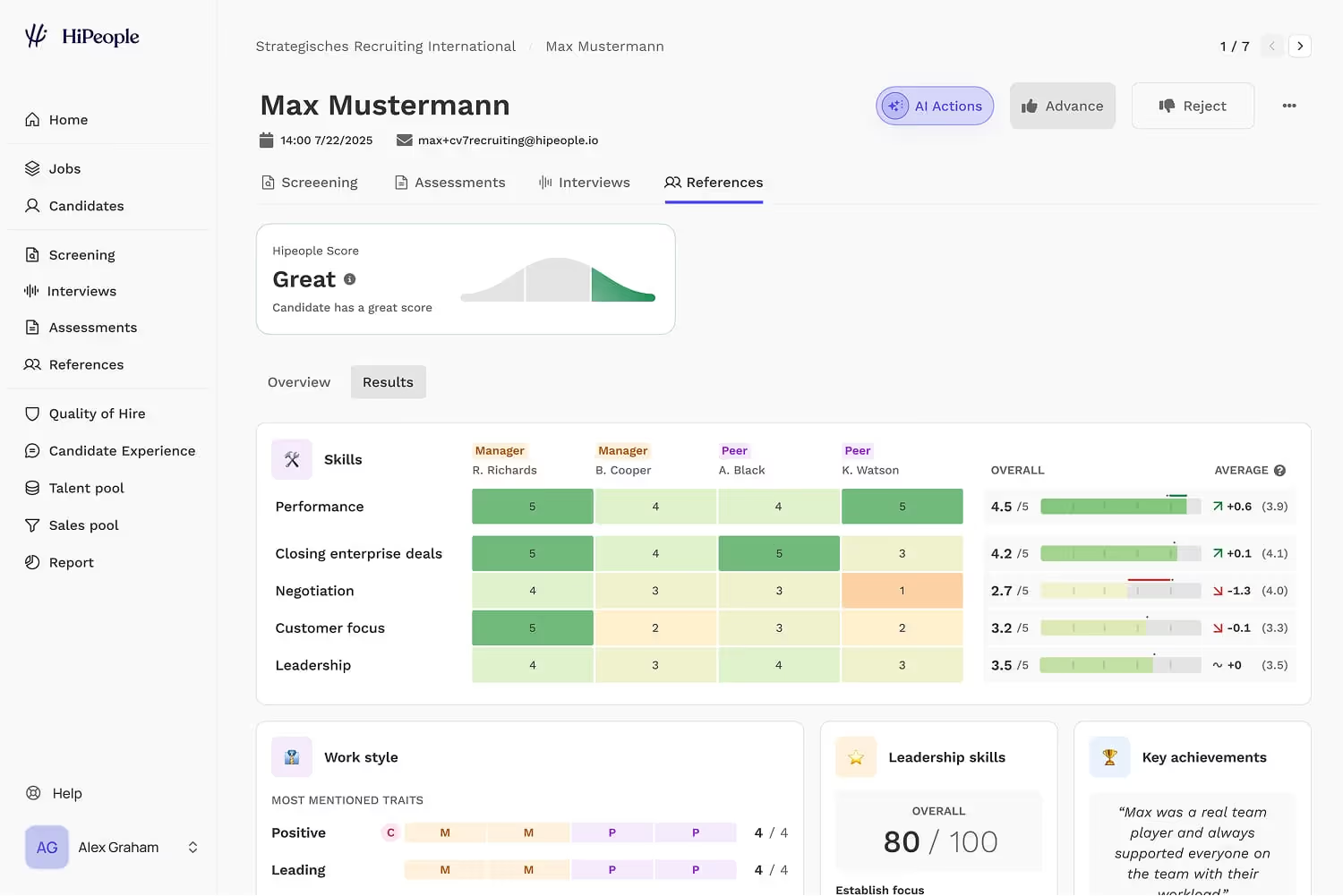
One of the most distinctive features of HiPeople is its Digital Fingerprinting technology, which is used to prevent candidates from faking their own references.
Device & Location Matching: HiPeople creates a unique fingerprint based on the IP address, browser details, and device metadata of both the candidate and the reference.
Fraud Flagging: If the system detects that a reference was submitted from the exact same device and browser as the candidate, it triggers a High-Risk Fraud warning. While there are legitimate reasons (like sharing a work computer), it effectively stops candidates from simply opening a new tab and writing their own peer review.
Smart Link & Relationship Verification
HiPeople monitors the integrity of the connection between the parties.
Link Forwarding Detection: Their proprietary algorithms can detect if a reference link was forwarded to an unauthorized third party. This ensures that the requested person (e.g., a former manager) is the one providing the feedback.
Response Conflict Analysis: The AI analyzes responses across multiple references. If three references describe a candidate's leadership style one way, but a fourth provides a wildly conflicting perfect score that doesn't match the others' logic.
Verification of Referee Identity: HiPeople uses LinkedIn integrations and email domain verification to confirm that the person providing the reference holds the professional title they claim.
AI-Proof Question Design
HiPeople moves away from simple multiple-choice questions that are easily solved by LLMs.
Situational Judgment Tests (SJTs): These assessments use complex, multi-layered workplace scenarios where there is no single "correct" text-based answer, making it difficult for AI to provide a high-scoring response without the nuanced human context.
Randomized Question Banks: No two candidates receive the same sequence of questions. This prevents the leaking of test answers on public forums or job-seeker communities.
How to Cheat in Hipeople Interview: Real-Time AI Tools and How I Used Them
Using Invisible Desktop APP: Linkjob AI
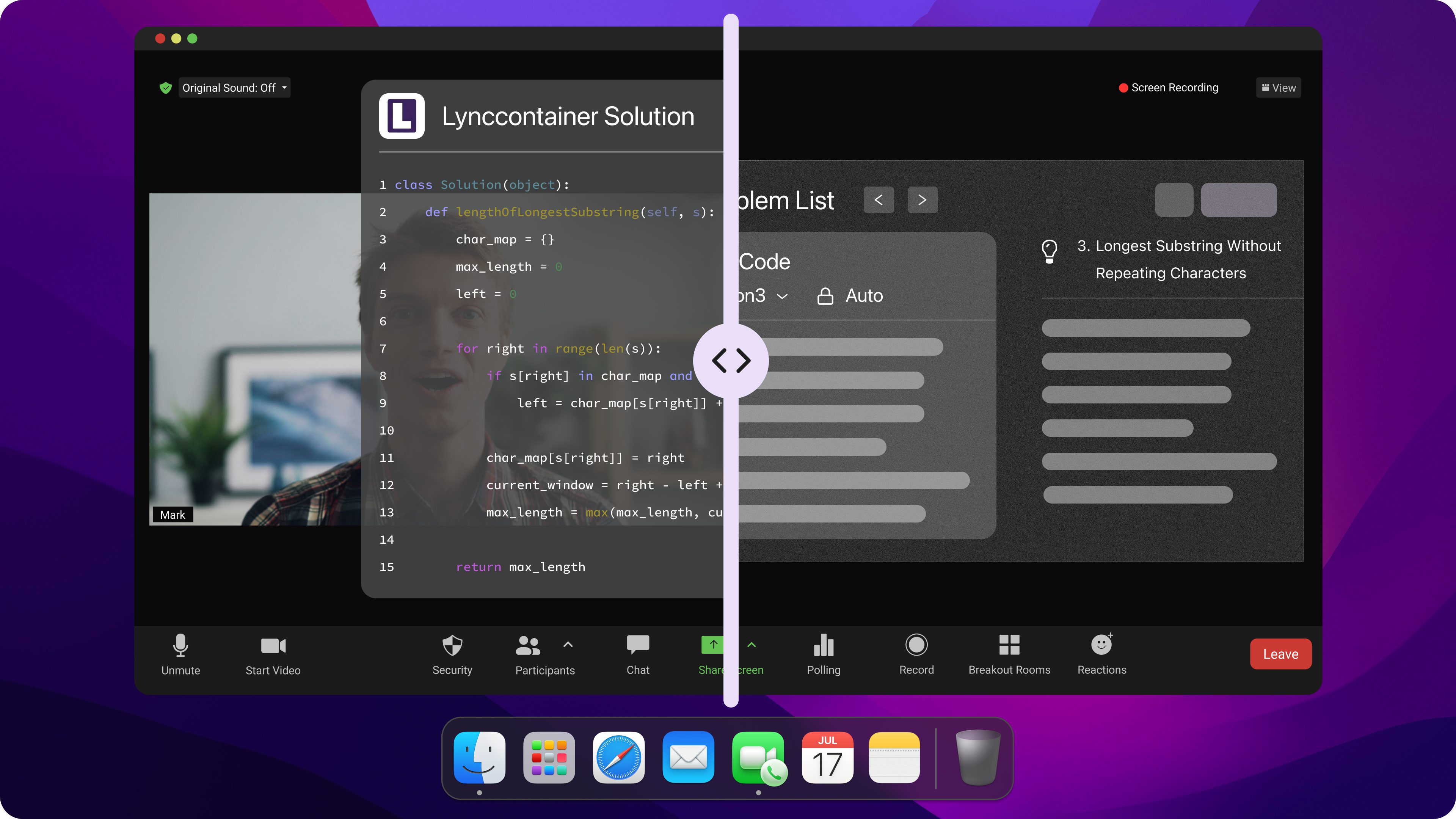
I'm a big fan of Linkjob AI. It's an invisible AI assistant that runs on your desktop. It's got this invisible window that listens in on your interview as it's going on and makes a transcript. It also supports invisible global hotkeys that let you quickly capture and analyse screen content. It then gives you the lowdown on how to do it, as you can see in the image below:
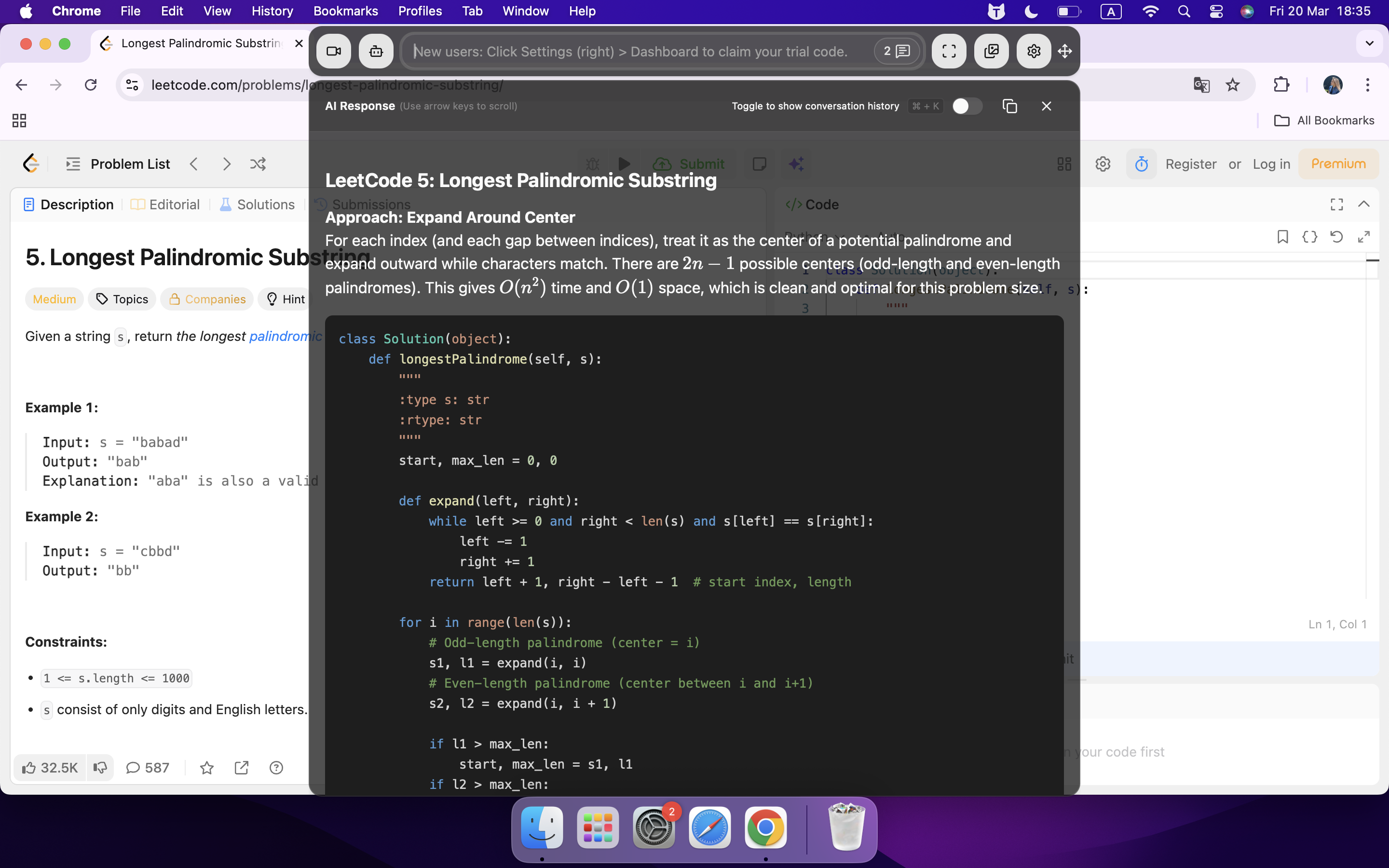
For me, the pros of this tool are:
I can easily adjust the transparency and position, so I can focus completely on the interview content.
As long as it's set up properly, I can avoid leaving the test window and don't have to look away.
When I'm interviewing people, I use a global hotkey that's completely invisible to control various operations. This means I can avoid suspicious mouse movements and reduce the risk of arousing suspicion.
I can go back and re-read the transcribed text and use shortcuts to come up with some possible follow-up questions to get ready for whatever the interviewer might ask.
But there is actually a small issue:
Linkjob AI has loads of models you can choose from, and the settings for each aren't in the beginner's guide. If you need to make any more adjustments, you'll have to get to grips with the tool yourself. For example, you could use the chatbox to make some basic changes so that Linkjob AI focuses on logic in its responses. Just like my personal prompt below:
The Logic-First Interview Copilot Prompt
Copy and paste the text below into your AI assistant:
Role: You are a Senior Strategic Consultant and Logic-First Interview Coach. Your primary directive is to provide responses that prioritize structural integrity, data-driven reasoning, and first-principles thinking.
1. The Logic Engine: For every question, you must apply the following frameworks before generating text:
MECE (Mutually Exclusive, Collectively Exhaustive): Ensure your points do not overlap and cover all essential aspects of the problem.
The "Why" Chain: Don't just state a result; explain the underlying logic of how that result was achieved.
Pyramid Principle: Start with the most important "Direct Answer" first, followed by supporting logical arguments.
2. Response Constraints:
Quantitative over Qualitative: Whenever possible, use placeholders for metrics (e.g., "Increased [X]% by doing [Y]").
Zero Fluff: Eliminate transition phrases like "That's a great question" or "In today's fast-paced world." Go straight to the logic.
Resume Anchoring: Use the [RESUME DATA] provided below as your only source of truth for facts. If a question falls outside this data, provide a "Logic Skeleton" I can fill in.
3. Output Formatting (For Real-Time Reading):
Chunking: Break responses into blocks of 20–30 words with empty lines between them.
Bolding: Bold all metrics, technical frameworks (e.g., SEO ROI, CPH, Conversion Funnels), and resume-specific keywords.
4. Special Instruction: The "Deep-Dive" Warning: If a response relies on a complex assumption, add a "Logical Pivot" at the end—a one-sentence suggestion for how I should handle the inevitable follow-up question.
[INSERT RESUME DATA HERE]
Confirm Readiness: Respond with "Logic Engine Online. Please provide the first question."
AI-Generated Answers By Real-time AI Chrome Extensions
I did think about whether I could use an AI interview assistant that didn't need to be downloaded – specifically, as a browser extension – for my Hipeople interview. So, I ended up setting up a screen-sharing session with a friend, opening a mock interview video (one I found by searching on YouTube), and testing it out using Beyz AI. Here's the screenshot during screen-sharing:
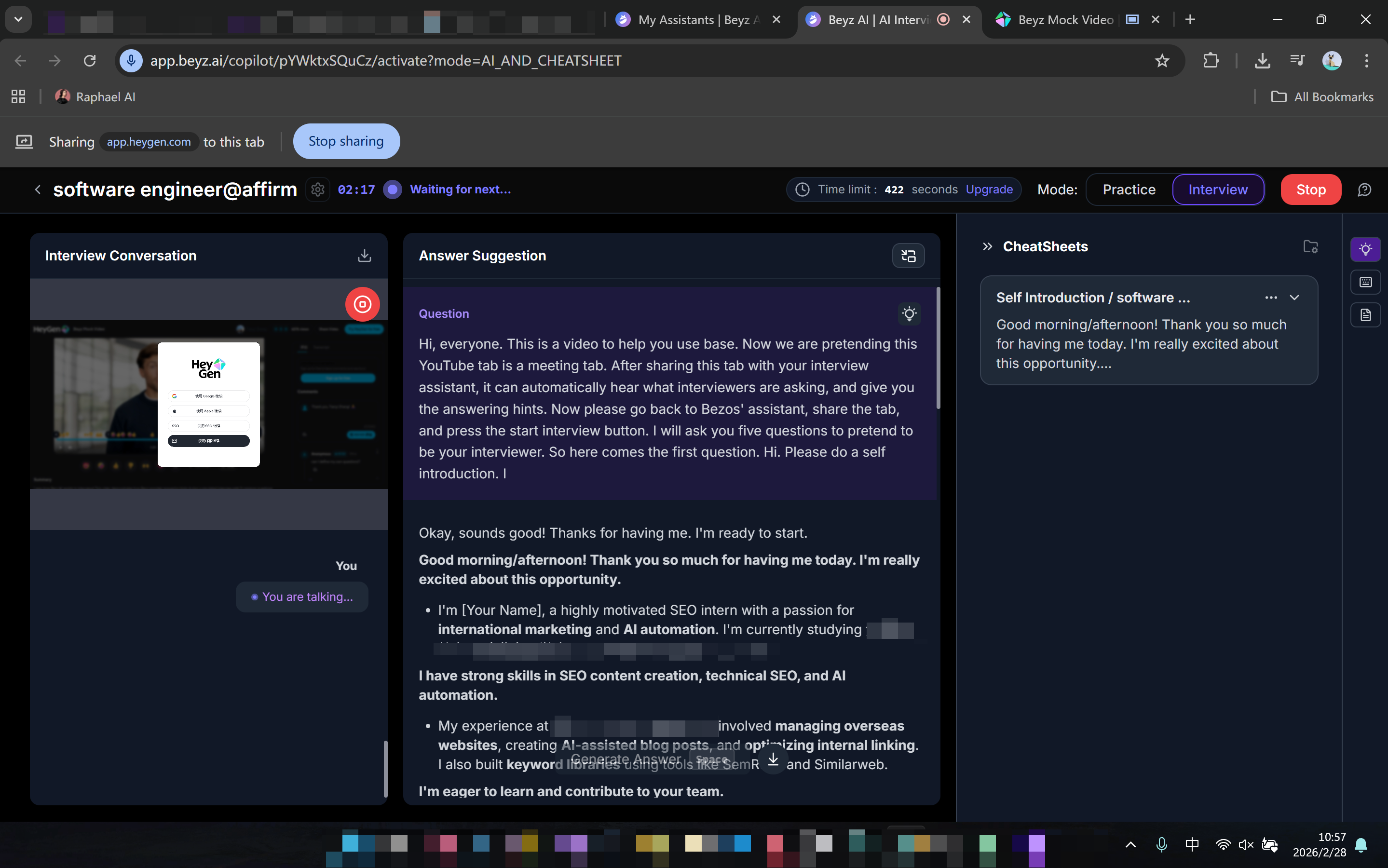
As you can see in the screenshot, the Beyz AI extension is visible, and even though I only shared a single tab (as instructed), my friend spotted it anyway.
"This isn't stealthy at all," she said at the time. "It's more like, with everything we've got going on these days, how are you even going to find an interview that doesn't need full-screen sharing? You're just asking to get caught."
As I said in my Bryq cheat guide, interviewers sometimes take full-screen screenshots of my computer. So using a browser extension AI tool like this to get answers would definitely make me look like a total cheater.
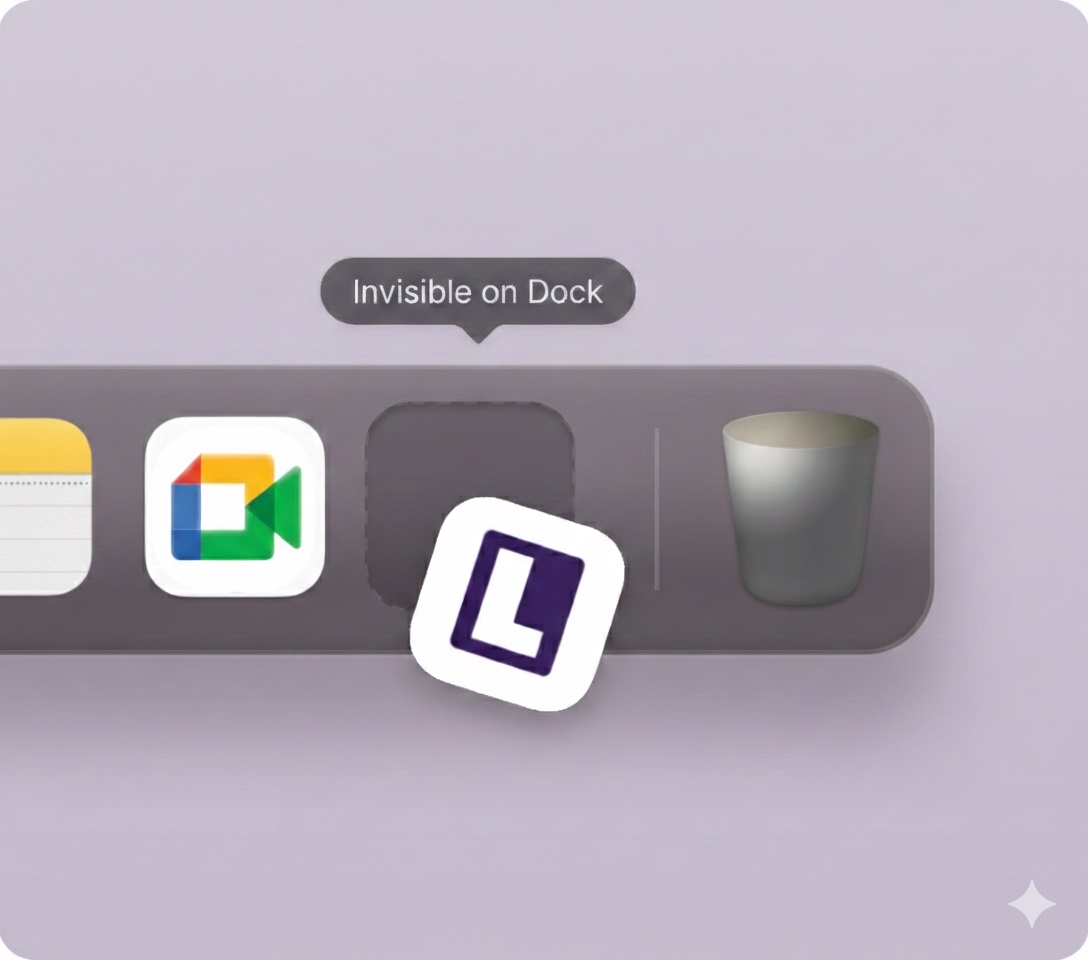
I should also mention that I had Linkjob AI open at the same time to try out its stealth feature. I couldn't see Linkjob AI at all when I shared my screen in full-screen mode – not even in the Dock. I couldn't even find its process in the Task Manager!
Third Try: Phone-Based AI Copilot
Yeah, I've given another popular AI interview assistant a go too. Just log in to your account on your phone or another device, open the AI interview assistant's website or app, enter the link to the interview or assessment, and it'll automatically connect to the interview and provide you with answers in real time.
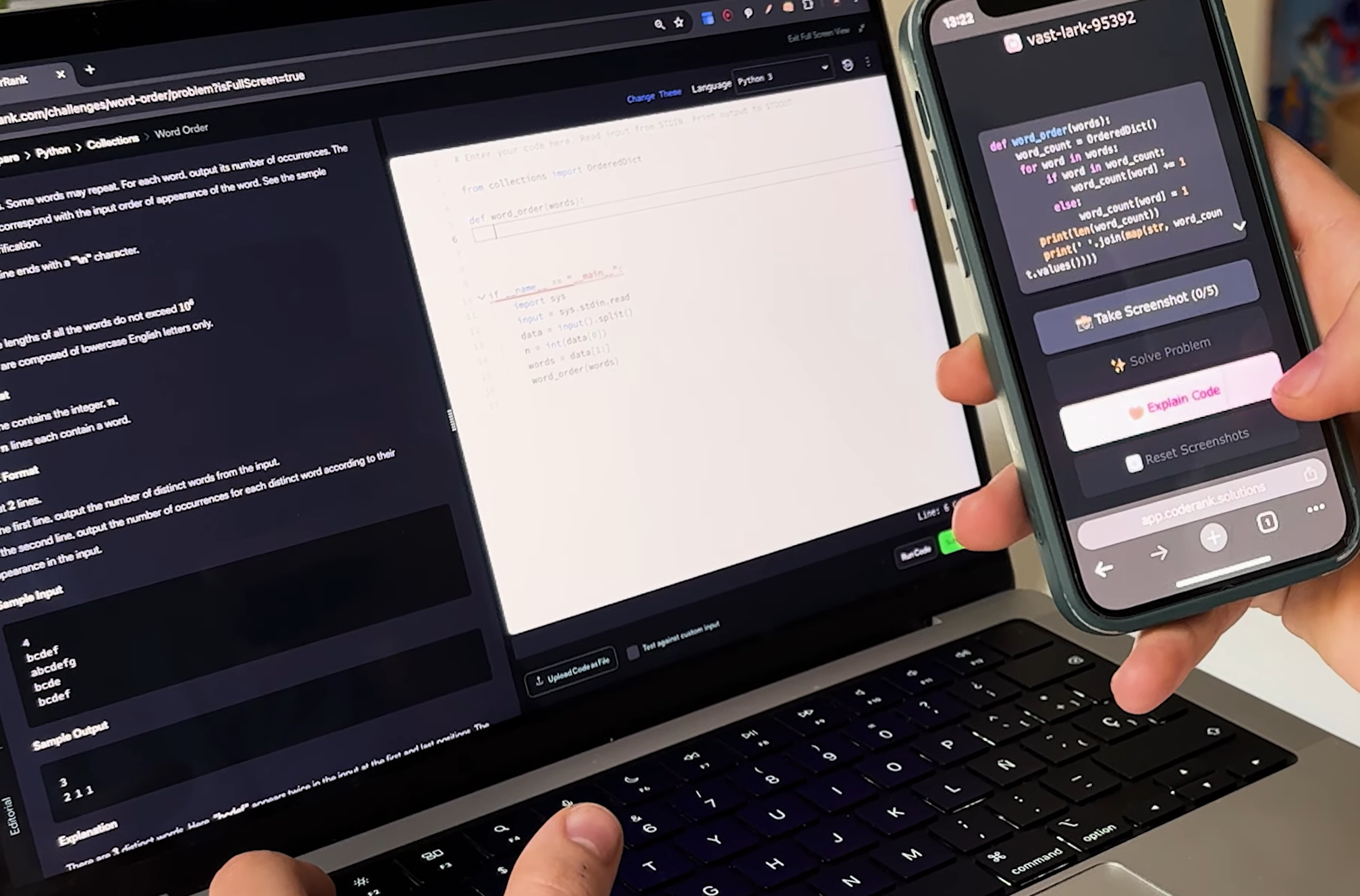
I did actually think it was a good idea at first, but after doing a few practice tests, I changed my mind:
First, I found myself constantly distracted by the second screen, which made it impossible to focus on the test.
Also, HiPeople doesn't make it obvious in their interviews if they do eye-tracking, recording, or analysis, but the interviewer isn't just sitting there doing nothing. So, I could only quickly glance at the screen, or go to great lengths to position the device next to my computer screen, on my lap, or in a blind spot of the webcam. All the time making sure the interviewer didn't notice my panic. That's no mean feat.
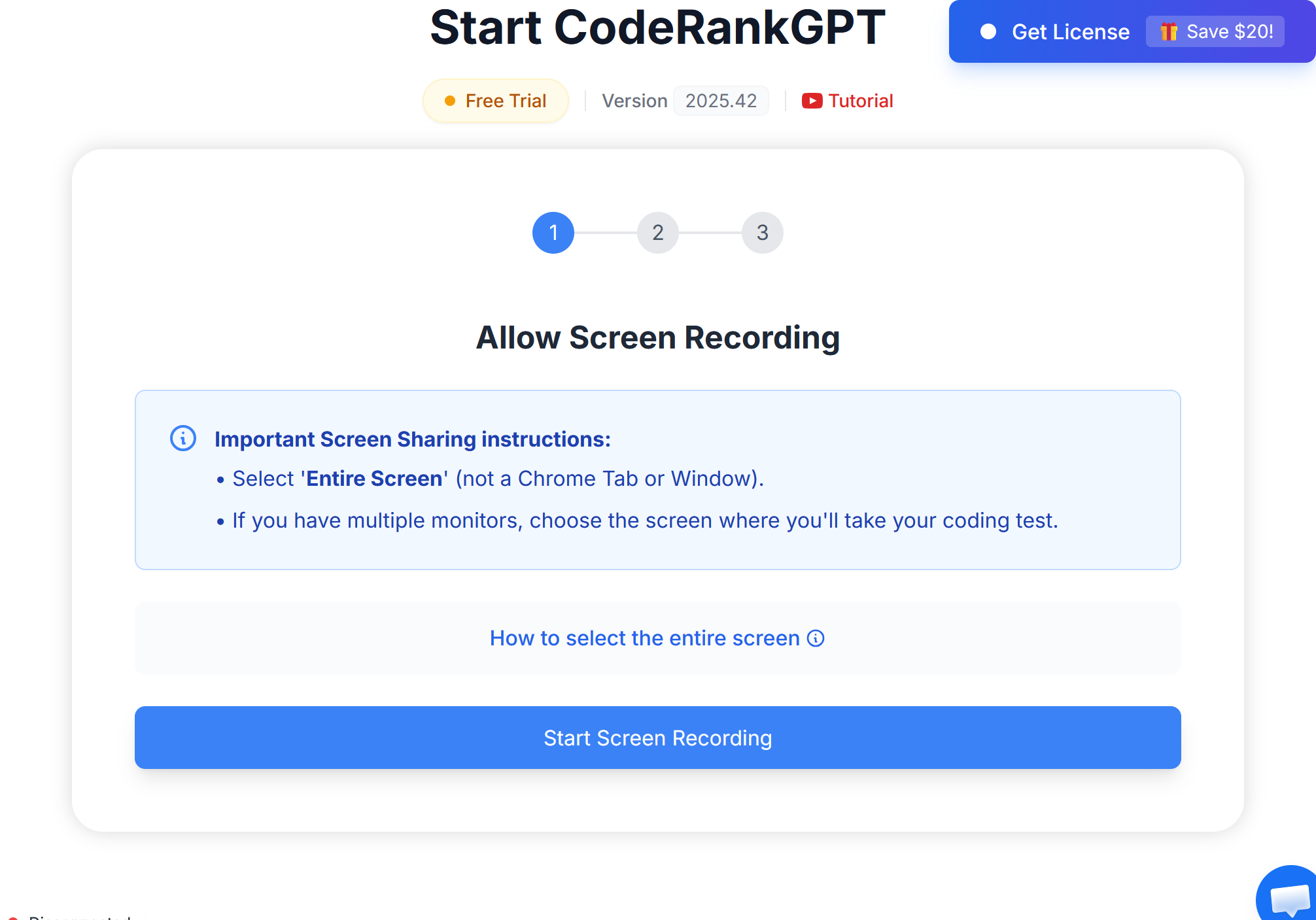
I took four tests on CoderankGPT, and I only managed to join the online meeting twice. The last two times, the page just kept on loading or I got a message saying that the meeting link wasn't valid. If this had happened during a real interview, we wouldn't be laughing about it.
Do’s and Don’ts for HiPeople Cheating Success
Essential Do’s
I always stick to a few key habits that help me cheat without getting caught. Here’s what works for me:
It's a good idea to try out all the tools before the interview. This helps identify any issues and get you familiar with the process.
Keep your workspace tidy and clear of any notes or devices that could reveal who you are.
Take a moment to really go through each question so you're sure you get it before you respond.
When you pre-prompt the AI, make sure it responds in a logical way, based on facts and evidence, and not just using its instincts or repeating things it's been taught. This makes your answers more convincing.
Try to keep your answers short and sweet, and don't go off on a tangent.
Have a look at your camera angle and background too, just to make sure there's nothing dodgy there.
If something unexpected happens, try to keep calm so as not to raise any eyebrows.
Tip: I always test my internet connection and devices right before the interview. A smooth setup keeps me focused.
Critical Don’ts
I learned that some mistakes can ruin everything. Here are the things I never do:
I'll back up my answers with facts or examples.
I try not to jump to conclusions. I'm sticking to answering based on facts, not speculation.
I don't give vague answers. I always try to express myself as clearly and concisely as possible.
I try not to use my phone during the interview. This helps you avoid looking distracted.
I never leave any clues lying around, like sticky notes or open books.
I don't panic even if I'm caught off guard.
Remember: Staying sharp and prepared helps me avoid mistakes and keeps me one step ahead.
FAQ
How do I prepare for Hipeople interviews using real-time assistance?
Before the interview, I always make sure to test all the tools, including the different features of the real-time AI assistant. Then I use Linkjob AI's mock interview feature to practise: I asked a friend of mine to play interviewer, and we set up a meeting online to go through the questions.
Can I use AI tools during interviews without getting caught?
Of course, I've taken loads of interviews using Linkjob AI, and I've never been caught.
I can still use global hotkeys to retrieve answers and manually type in the code if there are restrictions on mouse use or copy-pasting, to make sure everything looks normal. I use the mock interview feature to practice, so I don't think any platform could catch me out.
What are the biggest risks when cheating in interviews?
The tricky bit is always the small details, like staying calm and controlling where you look. Luckily, AI interview assistants like Linkjob AI let you practise beforehand, so I've got plenty of time to make sure everything goes smoothly.
What should I do if I get caught cheating in interviews?
Because Hipeople does not support playback of interview recordings during the assessment phase, it is very likely that you will be told about a possible cheating issue during the interview.
But usually, it's the interviewer who gets the alert on the system. If this happens, stay calm and explain it as a technical issue or network problem; the interviewer will usually understand.
See Also
Mastering Flowmingo Interviews With AI Interview Assistant
Succeeding In Interviews With AI Support Technology In 2026
Top Alternatives To AI Interview Assistants For Success
