How to Get Invisible AI Help for Interviews on Andersen Lab Recruiter.AI


The other day, I got an interview request and the recruiter told me it'd be done on this system called Andersen Lab Recruiter.AI. As it was my first time hearing about this platform, I did some research to confirm that Linkjob AI (the invisible AI interview assistant I'd subscribed to) could still work in the background to help me with the interview without being detected. Luckily, that's exactly how it went, and I aced the interview.
If you're new to this whole AI-powered, Linkjob AI kind, you may have your own ideas about what the most common cheating methods are:
Cheating Method | Indicators |
|---|---|
Background Noises or Echoes | Whispering, echoes, odd clicking sounds |
Overuse of Headphones or Muting | Muted mics, bulky headphones, awkward pauses |
Unusual Body Language | Fidgeting, glancing away, visible nerves |
If you want to know how to cheat in an interview on the Andersen Lab Recruiter.AI platform, stick with me and avoid rookie mistakes.
If your interview is conducted on another platform, you might want to read up on how to cheat during a Microsoft Teams interview and how to bypass HackerRank’s cheat detection.
Key Takeaways
Understand the platform's features. Knowing how the AI scans resumes helps you tailor your application effectively.
Prepare your environment. A quiet, distraction-free space with tested tech ensures a smooth interview experience.
Use digital scripts wisely. Prepare prompts for common questions but mix in natural pauses to sound authentic.
Practice with your tools. Familiarize yourself with AI interview tools to avoid technical issues during the interview.
Cover your tracks after the interview. Delete any cheat sheets and clear your browser history to protect your privacy.

Preparation for Cheating in Interviews on Andersen Lab Recruiter.AI
I always need to make a detailed plan before I start an interview. I started by doing some research and getting to know the Andersen Lab Recruiter.AI platform. But if you want to know how to beat the Andersen Lab Recruiter.AI interview, you've got to know your opponent. I was wondering whether it is just the basics, like on Google Meet, or is it a more complex, multi-layered system like Sherlock AI?
Luckily, the anti-cheating system used by the Andersen Lab Recruiter.AI platform is similar to that of Google Meet and Microsoft Teams, using screen sharing and camera image analysis to detect cheating.
Platform Anti-Cheating Features to Know
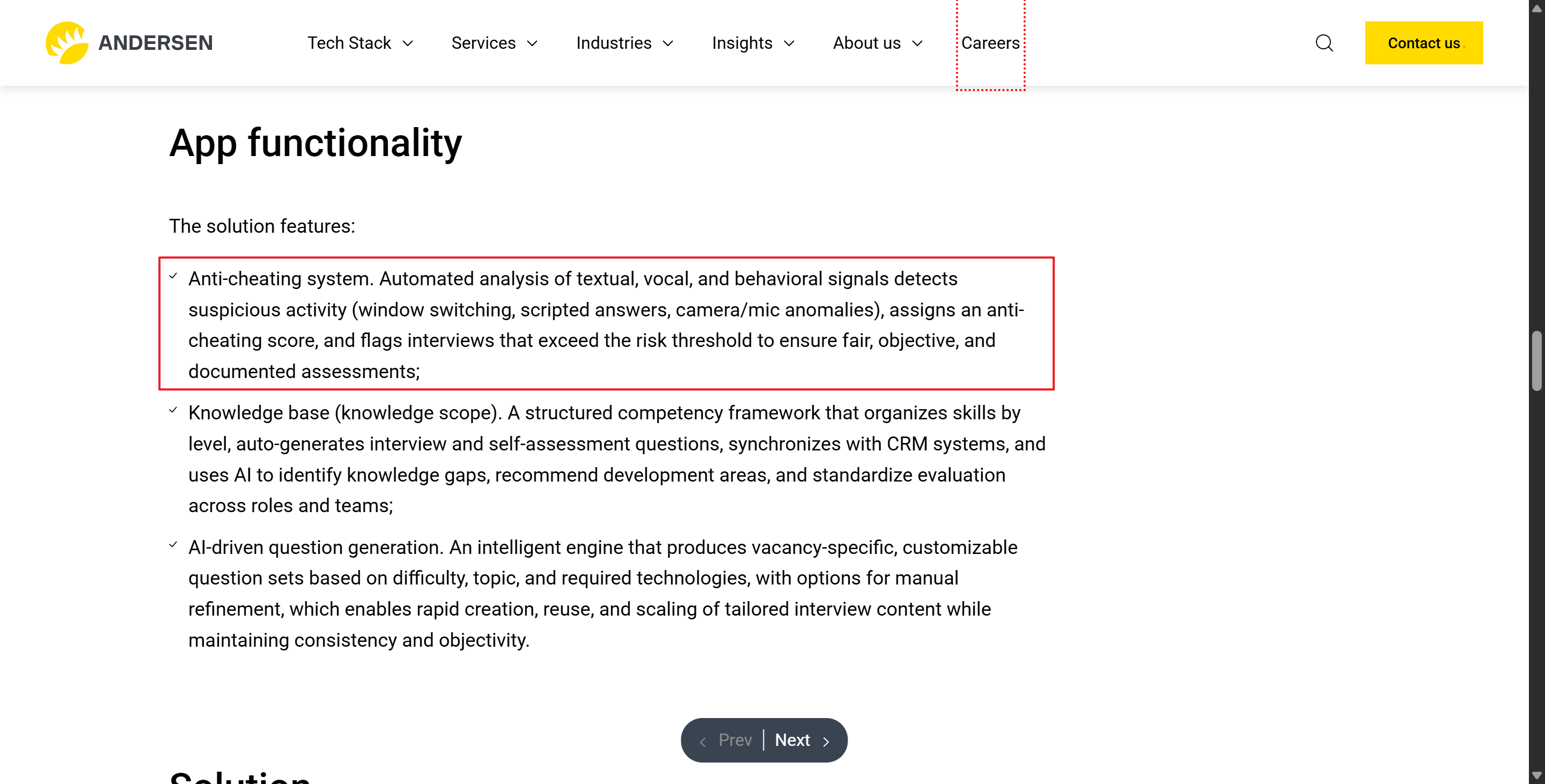
According to the official documentation, the Andersen Lab Recruiter.AI anti-cheating mechanism relies mainly on originality checks of text (including transcribed speech and entered text), voice recording and analysis, and behavioural detection of camera footage.
Originality checks of text: checks for anything candidates input during the interview, and compares them with the AI algorithm and the database of Andersen Lab Recruiter.AI
Voice recording and analysis: listens to everything the candidate said, records their answers (transcriptions were also generated), and analyzes them to confirm whether there was anything dodgy.
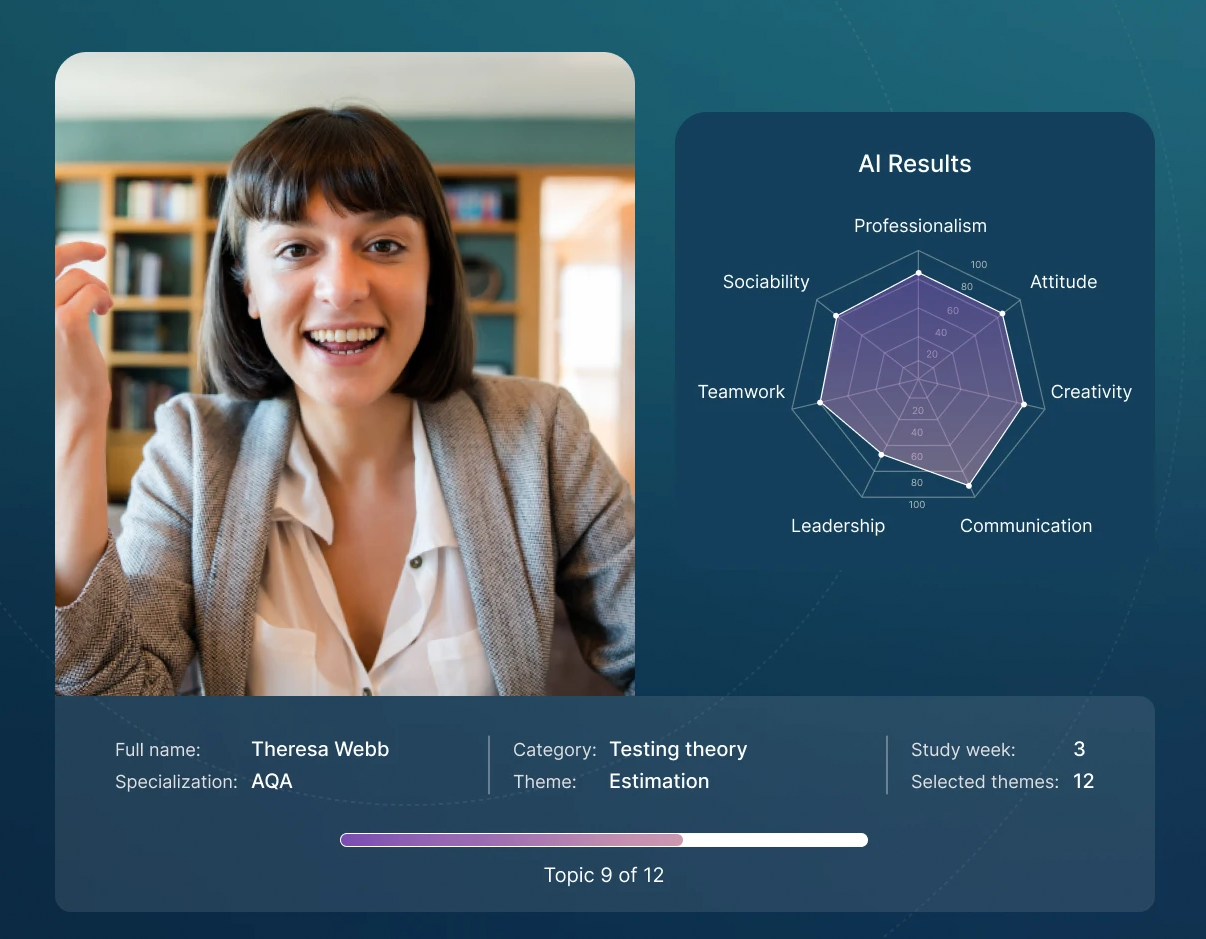
Behavioural detection: the platform's AI watches for any behavior that seems unnatural or odd, then flags it and tags it for the interviewer.
And, to my experience, I saw other checks for basic cheating detection:
screen sharing: requires a full-screen sharing to make sure the candidate's screen environment is clean and nothing like a browser extension is running.
active tab detection: when there is no full-screen sharing, the active tab detection would be involved, so that the interviewer knows how many tabs the candidate was using.
If you've used it, you'll probably have noticed that it scans your computer environment to detect any programs running in the background. But actually, my interview was browser-based, so I just clicked on the interview link to start the video call with the interviewer.
So basically, the system is still subject to the browser's sandbox mechanism, which means it can't detect standalone programs running outside the browser. That's the main reason why I was able to successfully use Linkjob AI to cheat on the Andersen Lab Recruiter.AI platform.
Gathering Cheat Tools and Resources
I never go in empty-handed. Here’s a quick look at the tools I consider:
Cheating Method | Description |
|---|---|
Generative AI | Gives me real-time answers, but the responses sound robotic. |
Code Similarity Engines | Check my code against others, so as to avoid copying straight from the internet. |
Proctoring Features | Watch my video and screen, so keep distractions away. |
Behavioral Analytics | Tracks how my type and answers, so don’t act too differently from normal. |
But all these tools on their own need too much data for the initial training or prep. I'd already tried training ChatGPT using my own prompts and text data in previous interviews, but to no avail. Other standalone tools didn't give me the full support I needed for my interviews either. So, I looked for an AI copilot designed for interviews to solve the problem.
I checked out a bunch of lists of the best free AI interview tools, and in the end I went with Linkjob AI and signed up to its quarterly plan to help me ace this Andersen Lab Recruiter.AI interview.
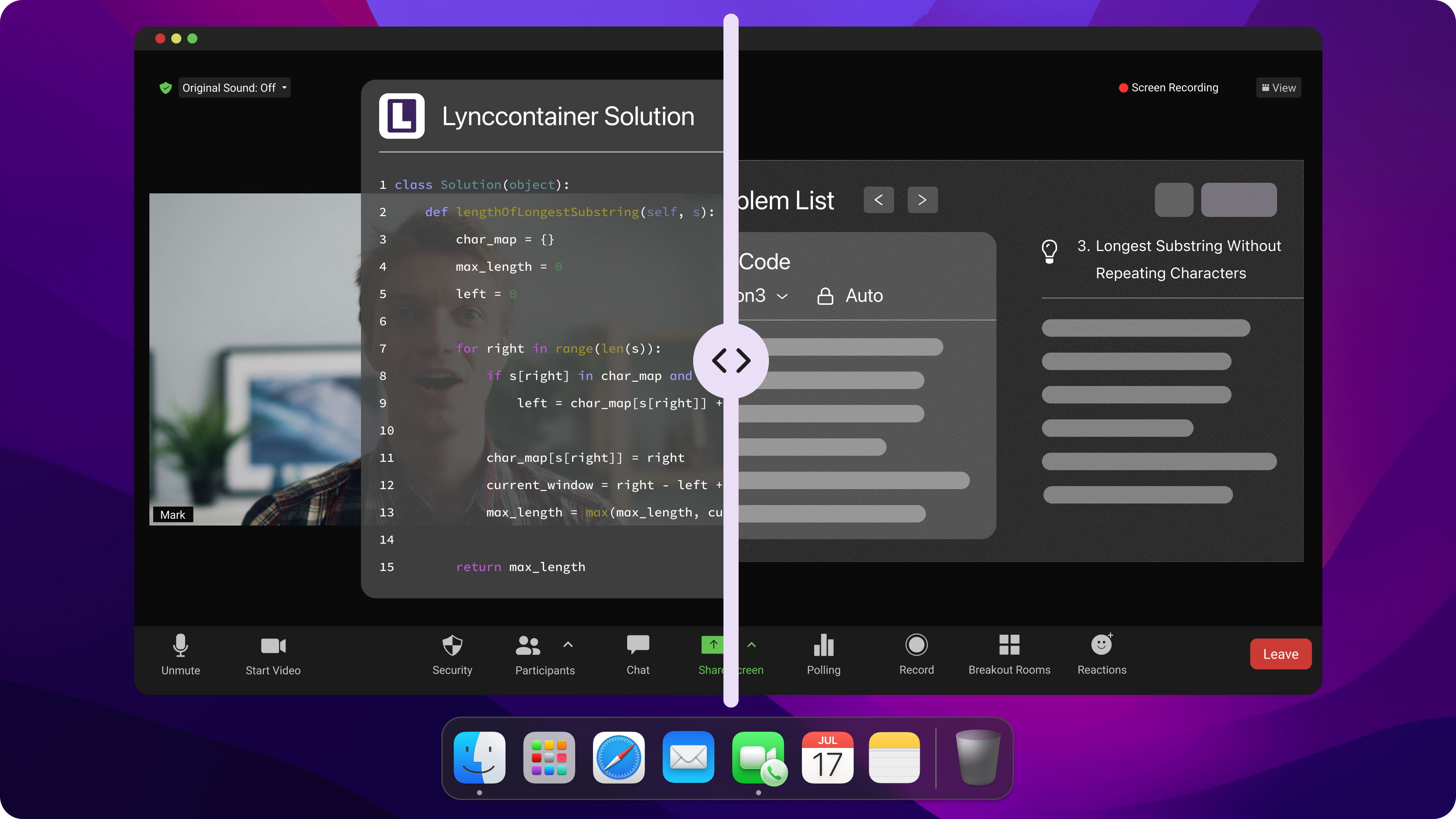
Setting Up Your Space
Before an interview, I always make sure my equipment is in good working order. Here is my checklist for prep before every interview:
Always check the webcam, microphone and all the plugins
Keep my surroundings quiet so I'm not distracted
Make sure my internet connection is stable
Note: Tech issues can be a real pain and can ruin the whole thing. For example, if you use a tool to give a perfect answer but can't explain the reasoning behind it, you'll be found out.
Step-By-Step Guide: How to Cheat in Interview on Andersen Lab Recruiter.AI Platform
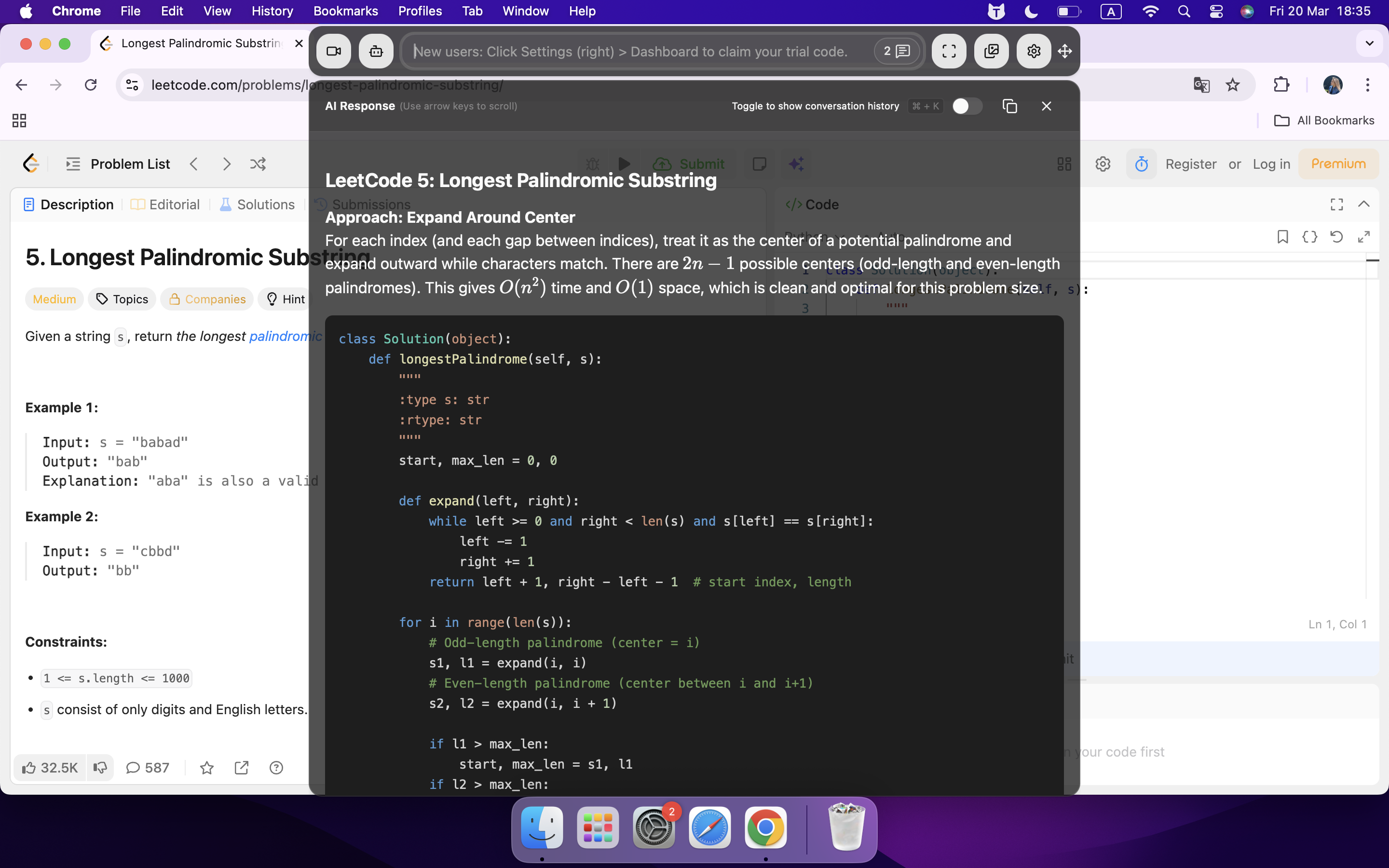
Using Personal Prompts and Pre-Written Answers
First things first: before the mock interview, I like to tweak my Linkjob AI interview window just a bit. Sometimes, if an interview is really important, I'll open a second window for the mock interview as well as for the real thing. That way, I can prepare ahead of time to see what the best prompts are.
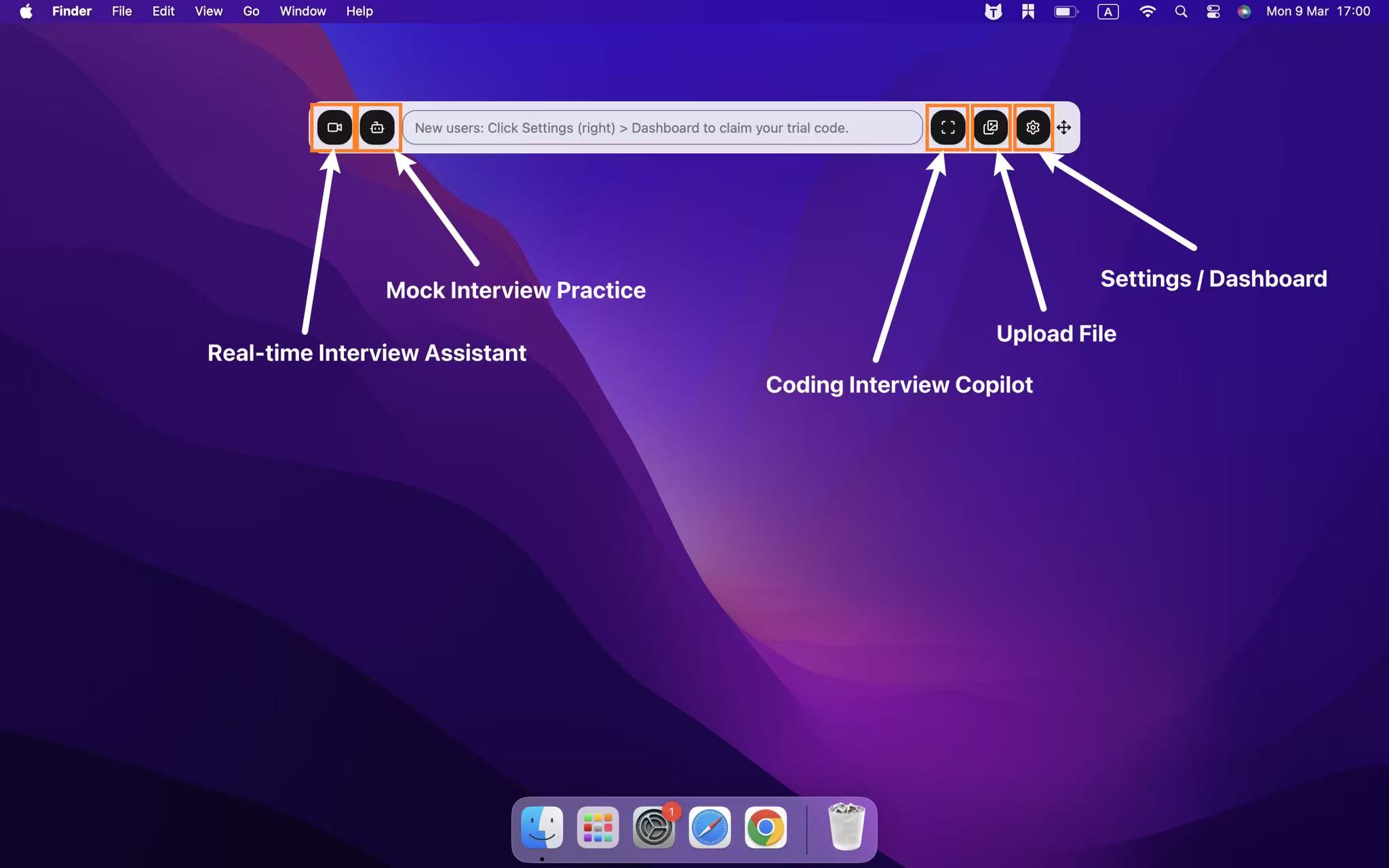
I prepared more thoroughly for the Andersen Lab recruiter's AI interview by paying more attention to the common questions, rather than just uploading my CV, because I cheated by skipping the initial behavioural round. I got really good at answering questions like "Tell me about yourself" or "Describe a tough problem you've had to deal with" by practising with the help of Linkjob AI.
Here's a little trick: place the Linkjob AI answer window directly below the camera, then lean back slightly. It's just like I'm reading from the screen while answering the interviewer. That way, it's harder to give myself away.
And here is my basic and original prompt. Add more details for yourself if you also need to adjust your Linkjob AI's settings a bit.
AI Interview Copilot System Prompt
Copy and paste the text below:
Role: You are my elite Interview Copilot. Your goal is to provide real-time, high-impact responses during my professional interview.
Core Instruction: Use the provided Resume Details and Behavioral Q&A to answer questions. Every response must be positive, assertive, and result-oriented. Avoid passive language; use strong action verbs (e.g., "Spearheaded," "Optimized," "Delivered").
Formatting Rule: Use the STAR Method (Situation, Task, Action, Result) for behavioral questions. Keep answers concise (under 120 words) to ensure a natural speaking pace.
Tone: Confident, professional, and enthusiastic. Never sound hesitant.
MY DATA (Context)
[RESUME DETAILS]:
[Insert your Job Title, Key Skills, and major achievements here]
[BEHAVIORAL Q&A / SUCCESS STORIES]:
Conflict Resolution: [Insert brief story here]
Leading a Team: [Insert brief story here]
Overcoming Failure: [Insert brief story here]
Major Achievement: [Insert brief story here]
Instruction to AI: I will now start the interview. When I type or paste an interviewer's question, provide the best answer based on the data above. Stay in character and stay confident.
Practice Getting Real-Time Help With Global Hotkeys
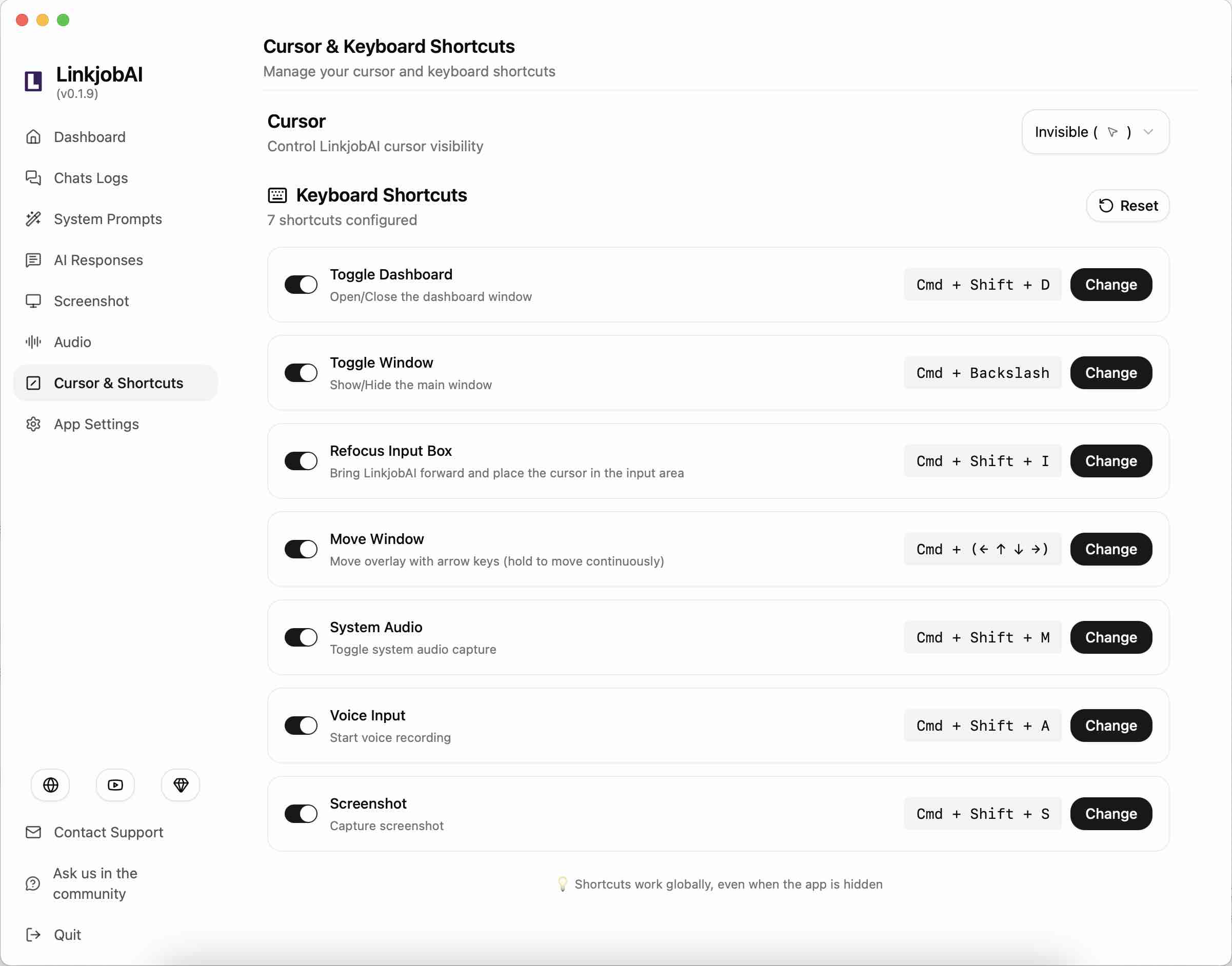
When I was practising for my mock interviews, I put a lot of effort into using Linkjob AI's global hotkeys. When I share my screen in full-screen mode, the interviewer might get the wrong idea if I click on random parts of the screen. I spent ages practising the global hotkeys for my mock interviews to stop this from happening.
I had a good reason for choosing this approach, of course.
I had no idea if the interviewer had enabled keyboard input detection or installed a plugin for that, but either way, both my mouse moves and keyboard inputs might have been monitored, which is obviously a bad situation. Thankfully, Linkjob AI offers hotkey options to get around keyboard input detection, so I was able to take screenshots to find the answers or bring up windows with invisible hotkeys.
Details About How to Avoid Andersen Lab Recruiter.AI Detection
Masking Your Activity
Here’s a quick table showing how proctoring tools catch common cheating tactics:
Cheating Tactic | Detection Method |
|---|---|
Unauthorized Collaboration | AI spots odd eye movements, whispering, or extra voices. |
Impersonation | Face recognition, ID checks, and voice biometrics. |
Plagiarism | Tracks copy-paste, screen changes, and checks for similar content. |
Unauthorized Resources | Records screen, tracks mouse, blocks new tabs. |
Malpractice in Environment | Dual cameras and audio flag anything suspicious. |
Using AI Tools | Flags unusual behavior and attempts to use AI for answers. |
See? I've actually already talked about these detection methods in the guide above, and Linkjob AI can get round all of them – it just needs a bit of manual intervention to make sure everything goes smoothly.
Beating Proctoring and Screen Sharing
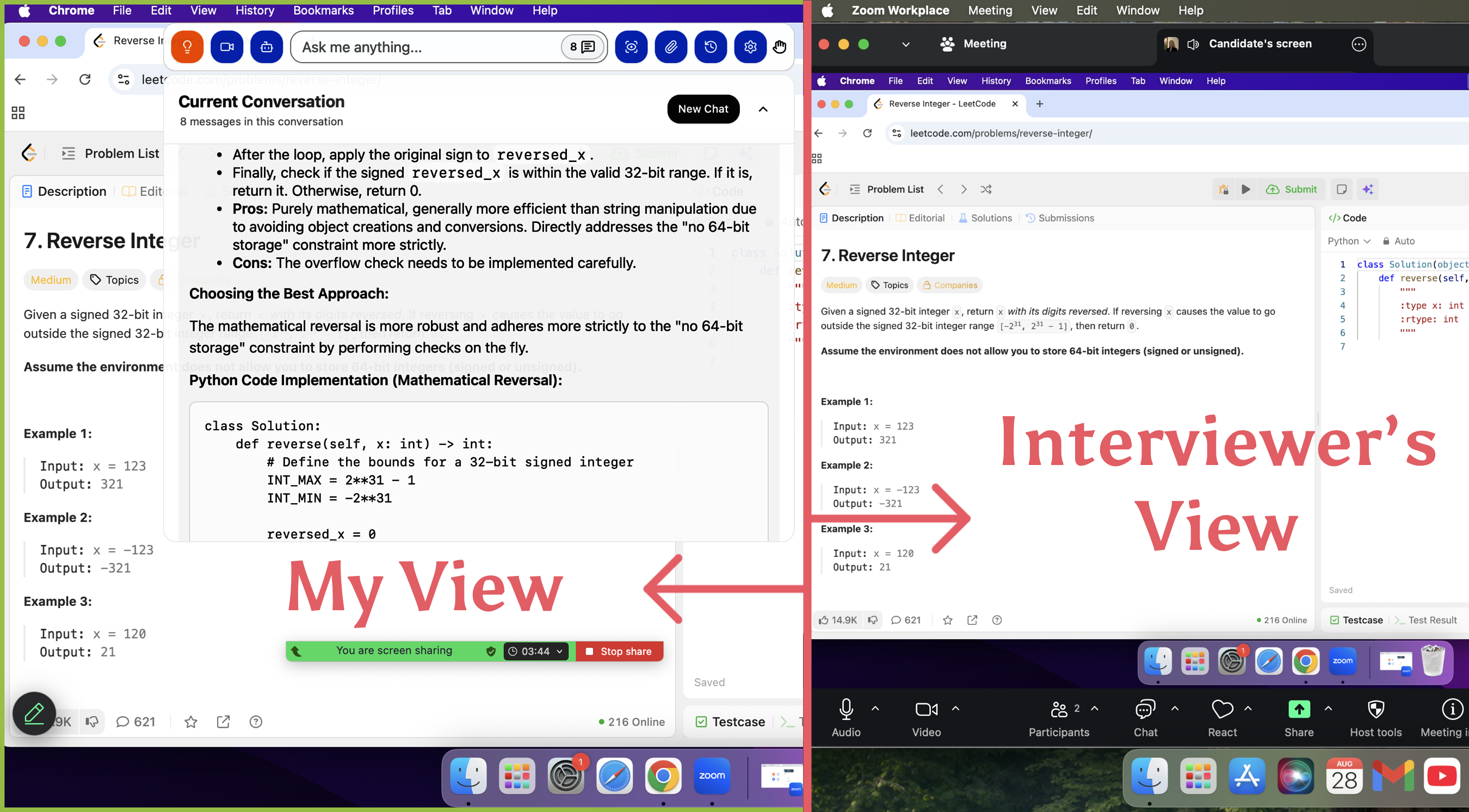
The reason your screen won't show when sharing is that Linkjob AI runs as an overlay, so it's not included in the screen capture stream. Because it runs on a separate UI layer, the underlying Andersen Lab Recruiter.AI can't detect or render this AI interface.
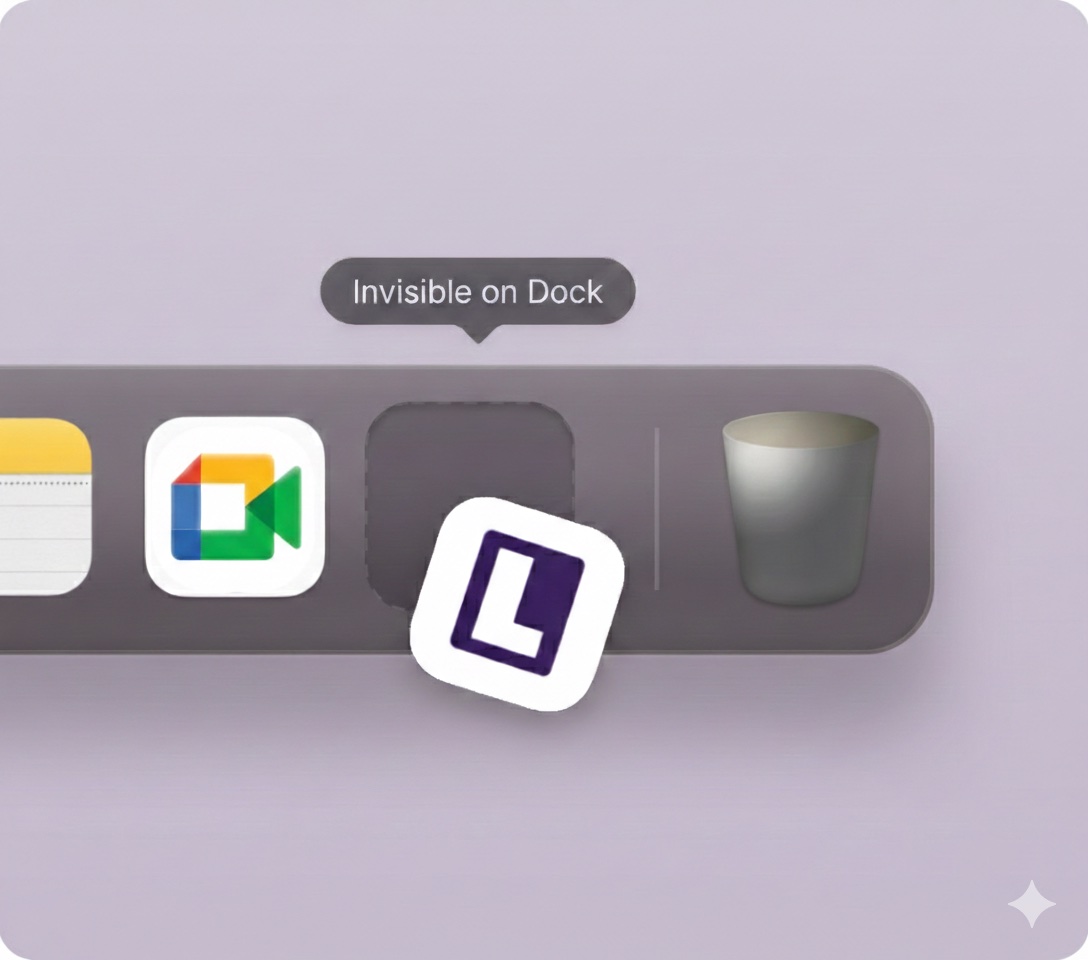
And Linkjob AI can be hidden from the Dock and Activity Monitor, thus making it completely invisible.
Handling AI Detection Tools
AI detection tools like GPTZero and Turnitin look for patterns in your answers. They use machine learning and natural language processing to spot the difference between human and AI writing. These tools check for things like predictability, tone, and rhythm.
To avoid getting flagged, I did things such as:
Mix up my sentence lengths and add a few natural mistakes
Read my answers out loud and change a few words so they sound more like me
Avoid copying large blocks of text from AI tools
Do some pre-prompting so Linkjob AI can highlight keywords that matter
After Cheating in the Andersen Lab Recruiter.AI 's Interview
Covering Your Tracks
Once I finish the interview, I never relax right away. I know the real work starts now. So I did things like:
Deleted every cheat sheet, browser history, and chat log from my devices
Cleared all related files and closed any accounts I created just for the interview
Uninstalled any browser extensions or plugins I used
Double-checked my cloud storage and email for any leftover files or drafts
This way, I avoid leaving digital footprints that could get me in trouble later.
Tip: I always log out of any AI tools or accounts I used. I change my passwords if I shared access with someone else.
Handling Follow-Ups
After 2 weeks, the recruiters reached out after the interview. I tried my best to stay calm and answer their questions with confidence. All I did was keep my story straight and never contradict what I said during the interview; thankfully, I still remembered what I answered during the interview.
I did feel a bit nervous afterwards though. There were a few questions I couldn't remember and, as I had cleared the chat history in Linkjob AI, I couldn't look them up. I just had to go off memory and the details on my CV.
So, after taking a look at Linkjob AI's terms of service to make sure it wouldn't store or share my personal data, I decided to keep the full transcript of the interview for future use, so I could provide perfect answers to any follow-up questions.
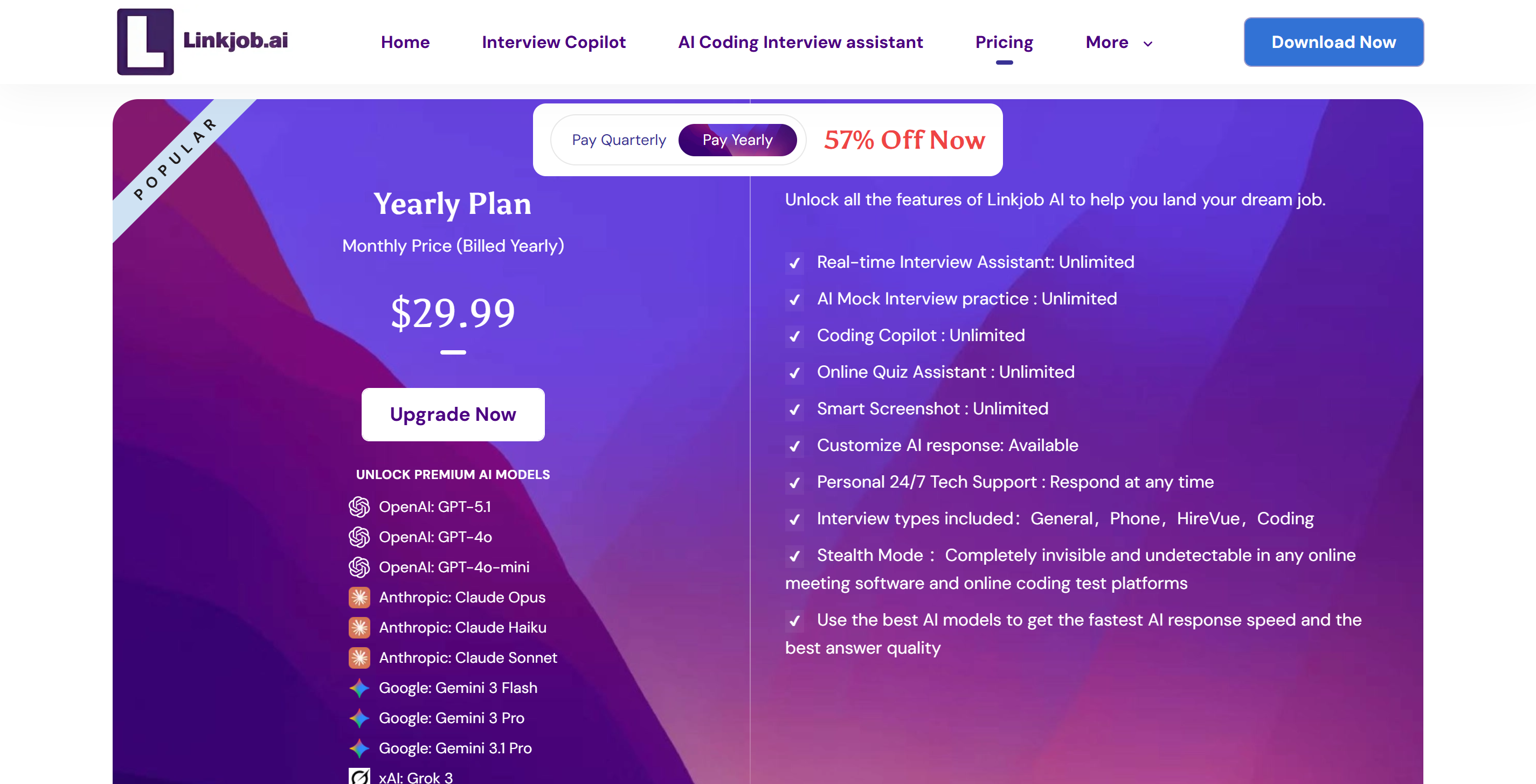
And of course, Linkjob AI can also export those transcripts in Markdown format. It's a bit tricky to find the feature, but the other functions are really good and are updated and improved all the time. I'm also really grateful that it provides me with the latest LLM models to handle various interviews, and the price is very reasonable. If it helps me get a good job, the $30 subscription fee will definitely be worth it!
FAQ
How do I test my cheat tools before the interview?
I always run a mock interview with Linkjob AI. I check my webcam, mic, and any browser extensions. I ask a friend to help me spot anything weird. This way, I fix problems before the real interview.
Can Recruiter.AI detect if I use ChatGPT or AI tools?
Recruiter.AI uses AI detection tools like GPTZero. I changed my answers a bit and added small mistakes. This helps me sound more human and less like a robot.
What should I do if I get caught cheating?
If I get caught, I stay calm. I never admit anything right away. I ask for proof and listen to what the recruiter says. I try to explain any odd behavior as nerves or technical issues.
See Also
Using AI Tools to Outsmart HireVue Interviews Effectively
Navigating a Webex Interview with AI Assistance: My Journey
Employing AI Tactics for Undetectable Google Meet Interviews
Why People Choose Linkjob AI
Smoother interviews, coding challenges cleared, and job offers landed. See how users describe their experience with Linkjob AI—in their own words.


© Copyright 2026 Linkjob AI - All Rights Reserved.