How I Passed the SHL Test With Insider Secrets


I'm sure I'm not the only one who absolutely hates the SHL test. Whenever I browse job-hunting blogs, forums, and Reddit threads, I see more complaints and increasingly tricky questions every year. I'm sure anyone who's taken the SHL test knows exactly what I'm talking about. Ha ha.
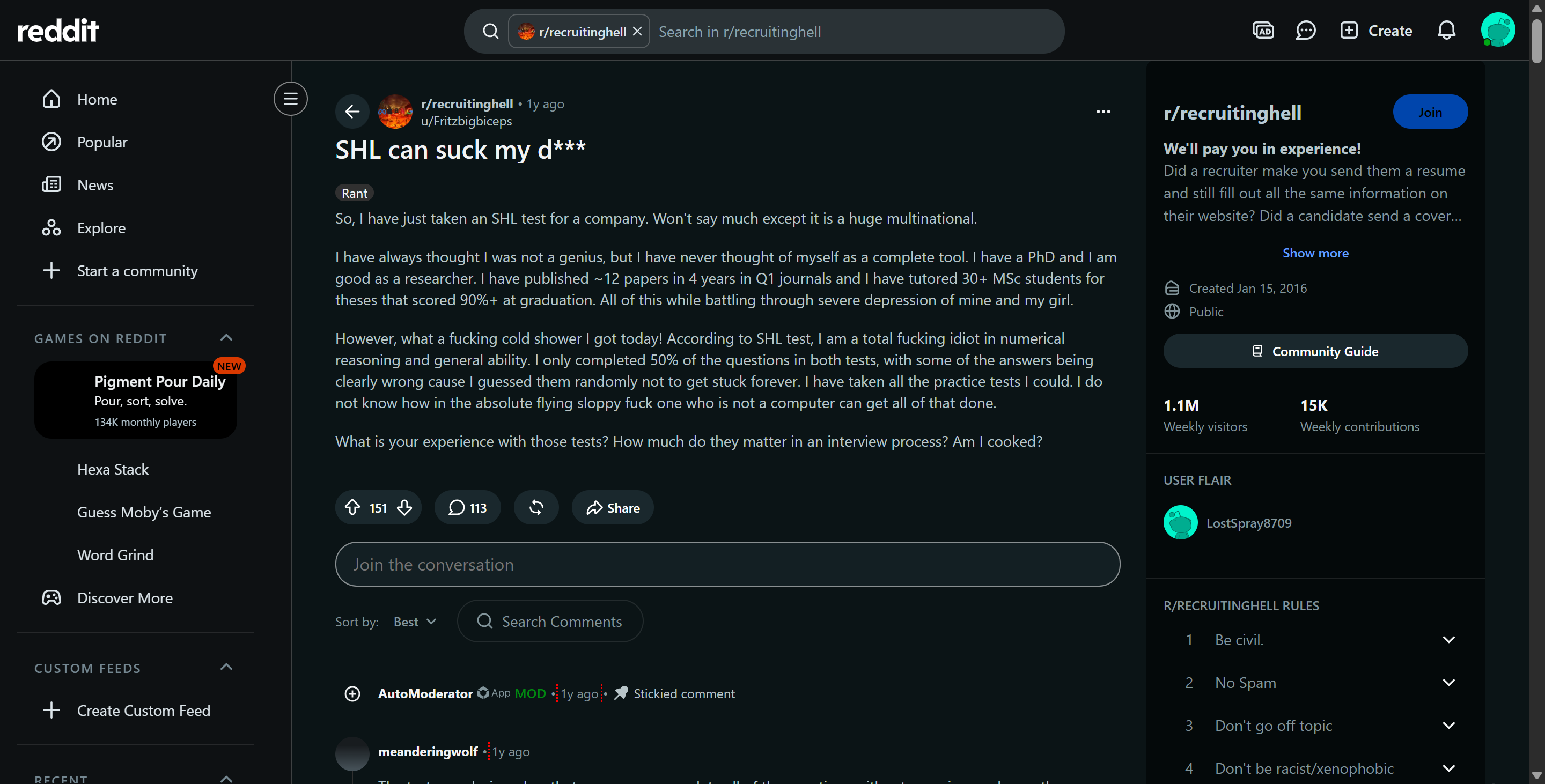
Even though a lot of HR folks have said the questions aren't meant to be all-knowing, it's still super discouraging to not get any of them right. That's why, while I was struggling with some other tough problems, like how to get around TestGorilla's anti-cheating stuff and how to cheat on Honorlock, I finally turned to my secret weapon: Linkjob AI. I combined it with other LLMs to answer those questions as well as I could, all while trying my hardest to cover my tracks.
Honestly, the whole process wasn't as hard as I thought it'd be. And since I think my friends aren't the only ones who need this guide, I'll do my best to clearly explain the whole process of how to cheat on the SHL test and the possible mechanisms behind it.

Understanding SHL Verify G+ Architecture Before Learning How to Pass SHL Test
First, to figure out how to cheat on the SHL test, we need to understand what the SHL assessment is all about. Basically, SHL keeps the assessment content and the proctoring data separate, which lets employers adjust security levels based on job requirements on the fly.
So, your SHL test might just be a tab with some multiple-choice questions, or you might have to download a locked-down secure browser for full monitoring—but don't worry, that's pretty unlikely. Still, some level of proctoring is unavoidable.
SHL Verify G+ Remote Proctoring Tiers vs Safe Delivery Requirements
Security Feature | Unproctored Verify G+ Delivery | TalentCentral Remote Proctoring | Supervised Verification Test |
Primary Purpose | Baseline candidate cognitive screening | Mid-to-high security remote testing | Score verification & anti-proxy audit |
Webcam Requirement | ❌ Not required | ✅ Periodic snapshots & face checks | ✅ Live proctor or in-person supervisor |
Microphone Tracking | ❌ Not active | ✅ Audio snippets & voice detection | ✅ Continuous audio / live oversight |
Off-Focus Tracking | ✅ Active DOM focus logging | ✅ Active DOM focus logging & alerts | ✅ Managed in controlled environment |
Clipboard Restrictions | ✅ Copy/paste attempts logged | ✅ Copy/paste attempts logged | 🚫 Strictly blocked in testing room |
Adaptive Item Bank | ✅ Computer-adaptive (30 items) | ✅ Computer-adaptive (30 items) | ✅ Shortened verification item bank |
Computer-Adaptive Testing Mechanics (Numerical, Deductive, Inductive Reasoning)
The core cognitive evaluation suite is SHL Verify G+, a computer-adaptive test designed to measure cognitive capacity across three distinct domains:
Adaptive Item Delivery: The standard Verify G+ test has 30 questions and a 36-minute time limit (10 numerical, 10 deductive, and 10 inductive questions). The test uses a computer-adaptive format, which means the difficulty of each question changes based on how well you do on the test. (Or at least, that's what they say.)
Non-Static Question Sets: Since the questions change, no two test-takers will get the same order of questions. Basically, it's pretty much impossible to cheat using cheat sheets or similar methods.
Speed and Accuracy Friction: Each question has a time limit of about 72 seconds on average. Even without someone to supervise you, it can be a bit nerve-wracking to spend too much time looking for answers outside the test environment.
Browser Off-Focus Tracking and Window Telemetry
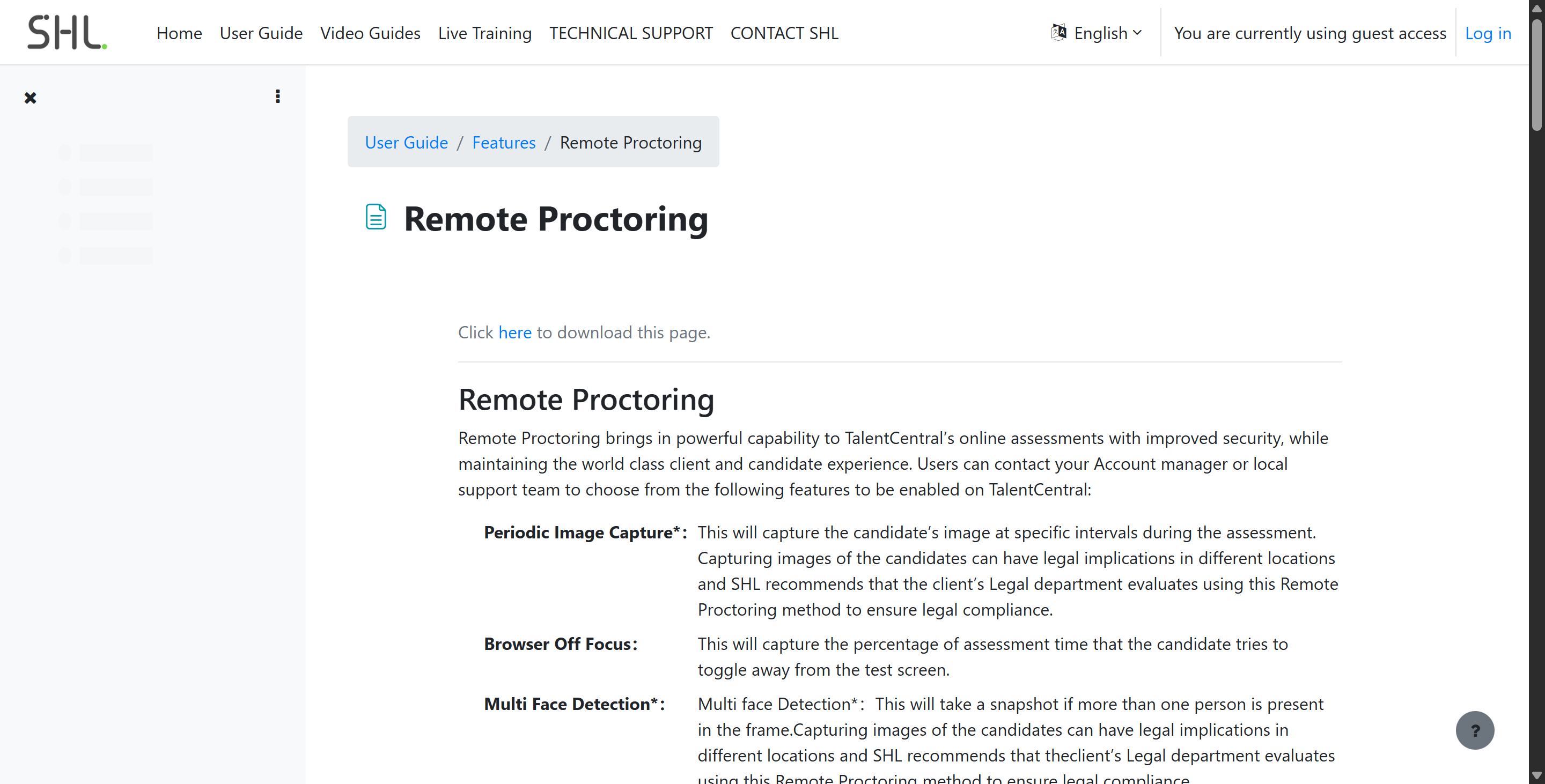
According to an official SHL remote proctoring document, TalentCentral's proctoring capabilities for all web-based assessments mainly involve tracking browser DOM focus.
Off-Focus Time Percentage: SHL tracks "Browser Off Focus," measuring the precise percentage of total assessment time a candidate spends clicked away from the active test window.
DOM Event Interception: Clicking on a background application, navigating to another browser tab, or opening side-by-side windows fires
window.onblurevent listeners in the browser canvas.Session Invalidation: SHL candidate support documentation explicitly confirms that repeated off-focus violations can result in automated session termination, generating an "Invalidated due to Off Focus" completion status in the recruiter report.
Clipboard Interception and Screenshot Attempt Logging
TalentCentral also includes a specific event listener designed to intercept user input actions:
Copy/Paste Attempt Counters: SHL keeps track of and logs every time a candidate tries to copy or paste text into the test environment using keyboard shortcuts (Ctrl+C/V, Cmd+C/V) or by clicking the context menu.
Screenshot (Print Screen) Detection: The assessment portal listens for screenshot key presses (like the Print Screen key or operating system screenshot key combinations). Trying to take a screenshot increases the "Print Screen count."
Automatic Disqualification: It's similar to the "loss of focus" violation. If you keep trying to take screenshots, you'll get an automatic security alert, and the session will be invalidated ("Invalidated due to Print Screen activity").
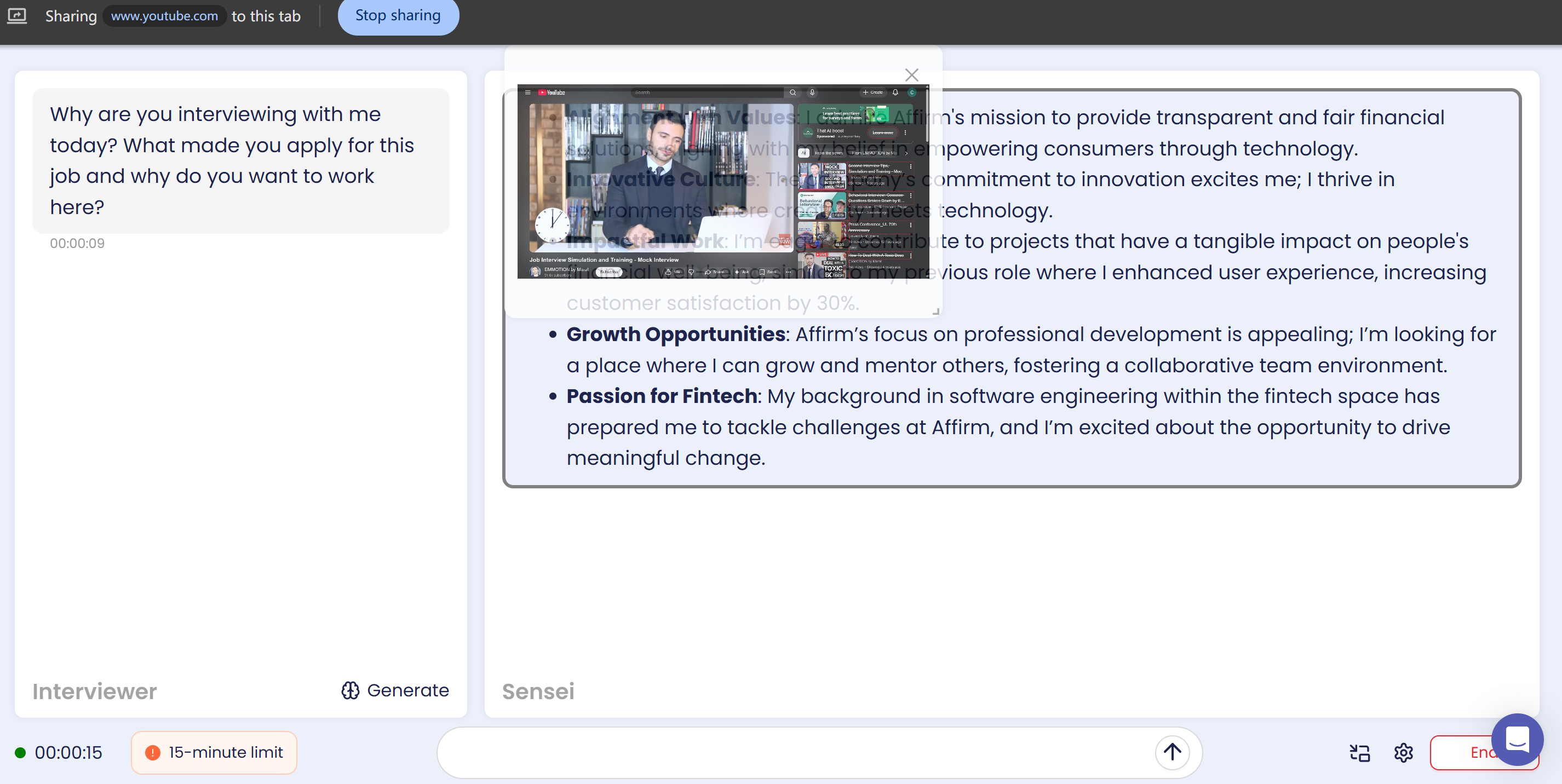
If you're looking to ace the SHL test without getting flagged, here's the lowdown: Basically, if you copy and paste too much or leave the tab, it'll be considered cheating. This also means that standalone tab-based AI interview assistants, like Sensei AI, aren't really an option because the original OA page and the answer page are in two totally separate tabs. Actually, using these apps can be a trap.
TalentCentral Remote Proctoring: How to Cheat on SHL Test Under Camera and Audio Checks
When employers enable SHL's optional "Remote Proctoring" suite in TalentCentral, they get some cool new AI-powered features for verifying candidates. These include things like periodic image capture, multi-face detection, audio/video clipping, multi-voice detection, pre-test system disclosures, and candidate verification.
AI-Driven Visual Integrity: Periodic Image Capture and Multi-Face Detection
For proctored exams, SHL uses computer vision models to verify candidates' identities and work areas:
Periodic Image Capture: SHL takes pictures of your computer screen at random or set times during the 36-minute exam.
Baseline Authentication: We compare the captured photos with the candidate's initial reference photo to confirm that their identity stays consistent throughout the exam.
Multi-face Detection: Computer vision algorithms analyze each frame to detect additional faces. If the system detects more than one person in the camera's field of view, it logs a high-risk visual violation.
Basically, you've got to keep your face in the camera's view at all times. If you're thinking of hiring someone to take the exam for you, you should start getting nervous.

Audio/Video Snippets and Multiple Voice Detection Architecture
In a recent update to the platform, SHL expanded TalentCentral's remote proctoring capabilities to detect verbal collaboration:
Periodic audio/video clips: Employers can enable short-duration audio and video recording, which is triggered periodically or when specific behavioral thresholds are reached.
Multi-voice detection: It's an AI-powered audio processing model that scans captured audio clips for acoustic anomalies, specifically flagging instances where multiple human voices are detected.
Default disabled configuration: According to the SHL documentation, advanced audio/video clip recording and voice detection are optional features. In standard testing, these features are disabled by default, but the client organization can enable them if they want.
Pre-Test System Disclosures and Candidate Verification Transparency
But there's some good news. SHL will clearly let test takers know the real-time proctoring parameters before the assessment begins:
Pre-test Review Page: Before the exam starts, TalentCentral will show a system review page that clearly says which proctoring features are on for that exam session (like webcam recording, audio monitoring, or gaze tracking).
Media Permission Prompt: If the browser has webcam or microphone proctoring features enabled, it'll clearly ask the candidate to allow access to their media before letting them take the assessment.
Activity Status Indicator: During the assessment, a visible recording indicator tells the candidate that the configured proctoring parameters are collecting data for this session.
At least you won't have to stress about not knowing exactly what kind of proctoring strategy has been implemented.
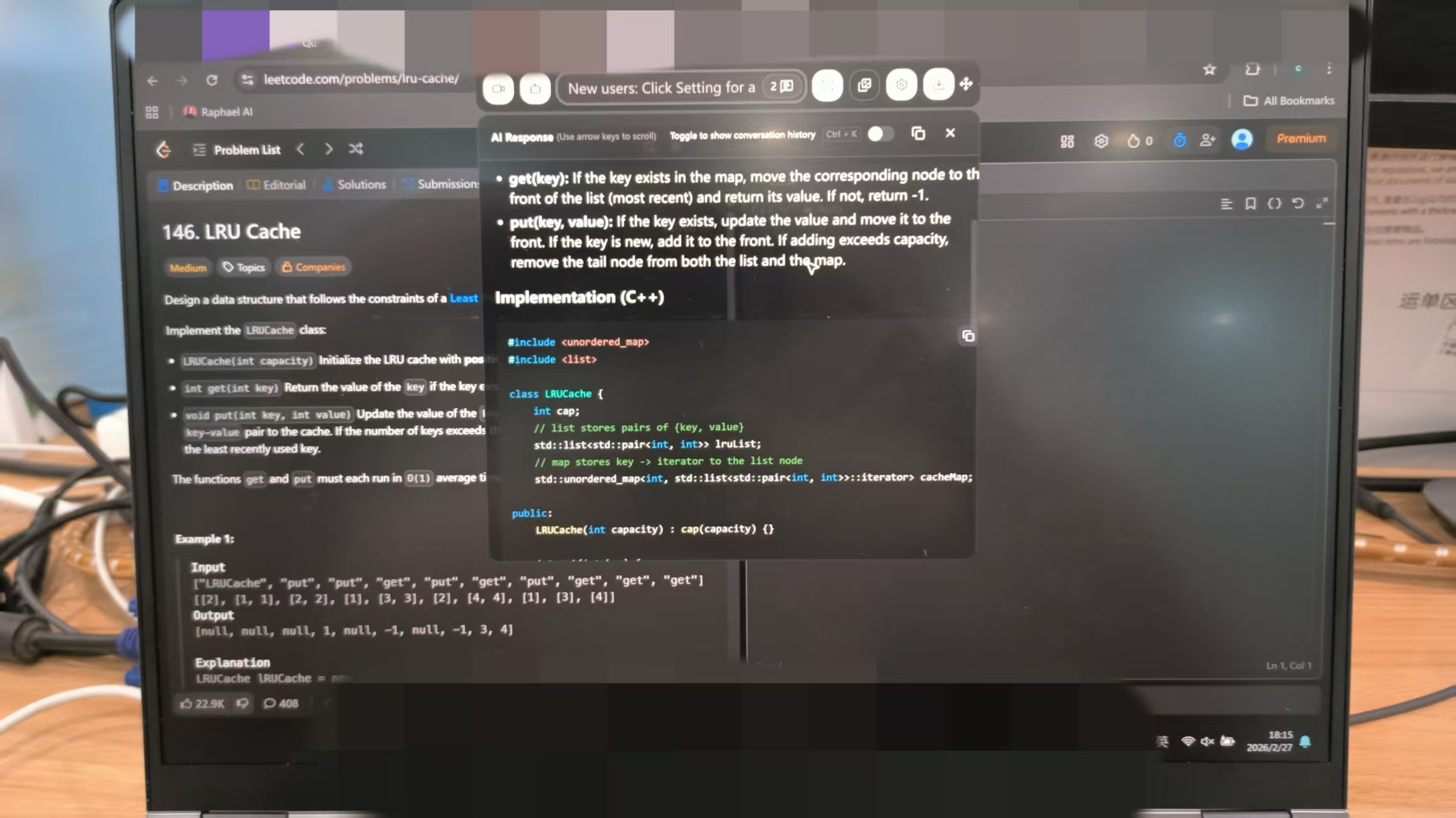
Then How to Cheat on SHL Test Safely with Background Linkjob AI?
If you want to use outside help during a proctored SHL Verify G+ assessment, you'll need a process that can handle question prompts without causing browser DOM focus logs, clipboard access alerts, or visual gaze problems.
After checking out my options, I decided that the safest and most convenient approach is to combine a virtual machine with an external AI assistant—one that runs independently, like Linkjob AI. And since IP addresses and location aren't checked, you can skip the virtual machine step altogether. My solution is just to open Linkjob AI directly and make sure to troubleshoot it first.
SHL Proctoring Controls vs Technical Signals vs Bypass Mechanics
Proctoring Control | Technical Mechanism | Monitored Detection Signals | Recommended Bypass Workflow |
Browser Off Focus | DOM focus loss tracking ( | Percentage of test time spent outside active browser window | Use OS-level hotkeys ( |
Copy/Paste Attempt | Intercepts keyboard shortcuts ( | Number of copy or paste attempts from test canvas | Never use clipboard shortcuts; enter all numbers and answers manually |
Print Screen Count | Intercepts screenshot key events | Number of system screenshot attempts | Avoid standard OS screenshot keys; capture pixels via custom background hotkeys |
Periodic Image Capture | Webcam snapshots taken at intervals | Missing face, impersonation, or multiple faces in frame | Dock HUD overlay directly below webcam lens; maintain centered line of sight |
Multiple Voice Detection | Audio processing of captured mic snippets | Secondary human background voices or speech | Complete test in a strictly soundproof room with optimized microphone input sensitivity |
Verification Test | Post-screening supervised retest module | Score variance between remote session and supervised retest | Master underlying problem-solving logic to replicate performance during retests |
OS-Level Screen Capture vs Browser DOM Focus Tracking (window.onblur)
The primary obstacle in proctored SHL assessments is browser off-focus detection and screenshot key logging. Standard screenshot shortcuts or browser-based extensions trigger focus loss or increment the Print Screen counter:
Operating System Graphics Buffer Capture: Utilities operating at the OS level capture display pixels directly from the system graphics buffer using custom global hotkeys (e.g.,
Cmd + Shift + Son macOS orCtrl + Shift + Son Windows).Zero Browser Interception: Because screen capture occurs entirely below the browser application layer, the TalentCentral test canvas retains 100% active window focus, preventing
window.onblurfocus-loss events.Clean Audit Log Metrics: The session telemetry log registers zero off-focus time and zero Print Screen violation counts, ensuring a clean candidate report.
Sub-Webcam HUD Overlay Alignment for Clean Facial Baseline Maintenance
Capturing visual problem prompts cleanly is only the first step in learning how to pass SHL test modules; displaying generated solutions without triggering facial orientation flags is equally critical:
Non-Activating HUD Rendering: Transparent system overlays hover above active desktop applications without claiming OS window focus when rendered or interacted with.
Sub-Webcam Docking Alignment: Positioning the transparent HUD window directly beneath the physical webcam lens aligns the candidate's line of sight with the upper-center area of the screen.
Natural Central Eye-Line: Reading numerical ratios, deductive logic structures, or spatial pattern solutions off a HUD overlay docked under the camera lens keeps the candidate's gaze centered near the camera, fully satisfying SHL’s face-detection algorithms.
Asynchronous Logic Execution and Keystroke Pacing Dynamics
Once a question image is sent to an assistance tool, candidates must manage solution execution carefully:
Asynchronous Question Navigation: On multi-step numerical or logical reasoning items, candidates trigger a screen capture, review the prompt constraints, and evaluate the generated answer on their HUD overlay as it renders in the background.
Manual Input Only: Candidates must never attempt to copy or paste content inside the SHL interface. All option selections or numerical inputs must be entered manually using standard mouse clicks or character-by-character keyboard typing.
Simulated Human Deliberation: On complex adaptive questions, candidates maintain a deliberate 10-to-20-second thinking pause before submitting an answer. Instantaneous correct responses across consecutive hard reasoning tasks generate statistically anomalous speed-accuracy data.
By combining OS-level screen capture, sub-webcam HUD docking, and manual input pacing, candidates establish a secure workflow when researching how to pass SHL test evaluations.
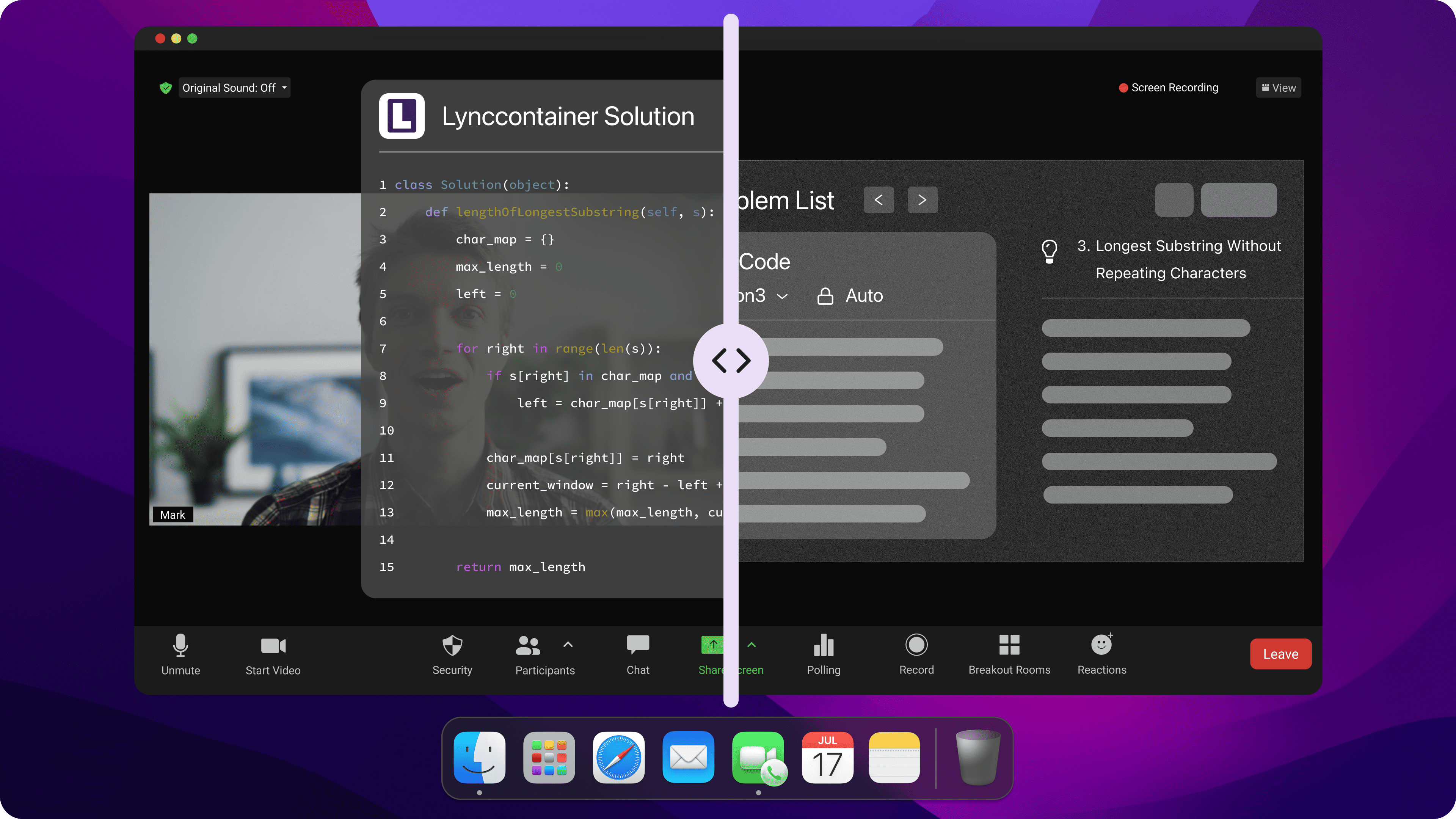
Behavioral Rules and Environment Setup: How to Cheat on SHL Test Without Raising Flags
Technical tools must be paired with physical environment control and realistic behavioral execution to prevent candidate reports from generating suspicion during recruiter reviews. Mastering how to pass SHL test assessments requires discipline over your testing workspace and personal habits.
Workspace, Display, and Lighting Setup Guidelines
Single Primary Monitor Configuration: Disconnect all external monitors, secondary displays, tablets, and screen-mirroring hardware before launching TalentCentral. Multi-display setups increase the risk of accidental off-screen cursor movement outside the active test canvas.
Sub-Webcam HUD Position Docking: Dock your transparent reference window or HUD overlay directly beneath your physical webcam lens. This keeps your central gaze locked near the camera, maintaining clean facial tracking metrics throughout numerical and spatial modules.
Balanced Frontal Lighting: Set up direct, shadow-free frontal lighting on your face. Strong background lighting or deep side shadows can disrupt facial detection algorithms, triggering automated snapshot orientation warnings.
Isolated Private Space Perimeter: Complete the test in a quiet, closed room. Background noise, ambient chatter, or secondary individuals entering the camera frame will trigger SHL’s audio snippet monitors and multiple-face detection checks.
Clean Workspace Maintenance: Clear browser cache memory, disable third-party pop-up extensions, turn off background messaging software, and close extraneous applications before starting the test session.
Pacing Protocols, Answer Timing, and Supervised Retest Verification Preparedness
Character-by-Character Manual Entry: Never attempt clipboard commands inside open fields or numerical input boxes. Always type out numerical values manually.
Controlled Central Eye Line: Keep your eyes focused steadily on the central display area where test prompts and overlay hints sit. Avoid sharp downward glances toward desk surfaces or abrupt lateral head turns that suggest reading off-screen notes.
Organic Typing Dynamics: Vary your typing speed naturally and introduce occasional minor backspaces when typing inputs to generate organic keystroke timelines on backend session logs.
Simulated Cognitive Deliberation: Maintain a natural 15-to-30-second deliberation pause on hard adaptive items before clicking submit. Submitting instant correct choices across consecutive complex items creates speed-accuracy anomalies.
Preparation for Supervised Verification Tests: SHL provides an official Verify Verification Test framework. Employers frequently require top-performing candidates to repeat a shortened, supervised version of the Verify G+ assessment in a controlled environment during later interview rounds. Ensure you genuinely understand the problem-solving principles to replicate your score during verification retests.
Adhering to these physical setup rules and behavioral guidelines ensures that your session audit log remains natural, credible, and free of high-risk flags when evaluating how to pass SHL test assessments.
FAQs About How to Cheat on SHL Test
Does every SHL Verify G+ test require webcam proctoring?
No. Standard SHL Verify G+ assessments run as unproctored browser tests, whereas Remote Proctoring is an optional module enabled at the employer's discretion within TalentCentral.
Does SHL track browser tab switching or window minimization?
Yes. SHL tracks "Browser Off Focus," measuring the percentage of assessment time spent clicked outside the active test tab, and can invalidate sessions for excessive focus loss.
Can SHL detect when a candidate takes a screenshot?
Yes. SHL tracks screenshot attempts (Print Screen Count) and can automatically invalidate test sessions if candidates attempt to take screenshots using system shortcut keys.
Does SHL record full continuous video and microphone streams during the test?
No. Standard SHL Remote Proctoring captures periodic webcam snapshots and short audio/video snippets rather than recording continuous HD video streams.
Is copy-pasting explicitly disabled inside the SHL test interface?
Yes. TalentCentral intercepts copy and paste shortcuts within the test window and logs every copy/paste attempt in the proctoring audit report.
Does SHL conduct supervised verification retests during later hiring rounds?
Yes. SHL offers an official Verification Test framework, and employers frequently require top-scoring candidates to complete a supervised retest during later interview stages to verify score authenticity.
See Also
Strategies for Successfully Cheating Mettl Exam in 2026
My Secrets to Cheating the Talenscio Interview Process
Using AI to Outsmart TestGorilla: A 2026 Guide
Techniques for Cheating in Andersen Lab Recruiter.AI Interviews
Why People Choose Linkjob AI
Smoother interviews, coding challenges cleared, and job offers landed. See how users describe their experience with Linkjob AI—in their own words.


© Copyright 2026 Linkjob AI - All Rights Reserved.