LockedIn AI VS Parakeet AI: Which Interview Assistant Wins?

Over the last few years, loads of AI interview assistants have got really popular – some because of Reddit buzz or TikTok videos. They promise to act as an invisible co-pilot during video calls, enabling undetectable cheating during remote interviews — including LockedIn AI and Parakeet AI.
LockedIn AI vs Parakeet AI was and is a hot topic on forums, with people having strong opinions about it. At the time, there were a bunch of review articles, like Best Parakeet AI Alternative and Lockedin AI Review, Parakeet AI vs. Final Round AI, and so on. Like everyone else, I was curious to see if these AI interview helpers could handle complex algorithms, run smoothly during voice interactions, and not hog all the screen space during Zoom meetings.
After three months of testing and analysis, I did a 45-minute technical interview simulation and figured out that to get the interview help you get with LockedIn AI and Parakeet AI, you've got to spend at least $120 a month.
In this post, I'm going to look in detail at how popular these tools are, how quickly they actually transcribe, how easy they are to screen-share, and how they compare in terms of price. Also, I'll let you know about a great alternative I found for software engineers – one with zero latency and totally invisible screen sharing. Linkjob AI.

Public Reputation: LockedIn AI VS Parakeet AI
Before doing real-time programming or behavioural tests with these two assistants, I spent a few weeks looking at user feedback on public forums, Reddit threads (like r/cscareerquestions and r/jobs), Trustpilot reviews, and developer communities.
When I was looking at what real users were saying about these two products, I found a few common problems, like high subscription fees, delays in getting voice transcription, risks when it comes to screen-sharing visibility, and traps related to credit rollovers.
LockedIn AI Market Feedback and Community Sentiment
LockedIn AI is already pretty well-known on social media, and it's made a name for itself as a tool that can help with interviews, meetings, online assessments and mock interviews. But when I looked at what developer forums and Trustpilot say, it seems that the platform isn't quite as good for live technical interviews.
High Subscription Costs: Standard monthly plans start at $109.98 per month (or $39.99 per month when billed quarterly at $109.98 every 3 months), creating a substantial recurring financial burden for job seekers undergoing multi-week interview loops.
Audio Processing Latency: Users repeatedly report a 3 to 6-second delay between when an interviewer finishes asking a question and when the AI streams suggestions onto the screen.
Rigid Refund Policies: Multiple candidates note that customer support strictly enforces non-refundable usage policies, refusing refund requests even when the software encounters technical glitches mid-call.
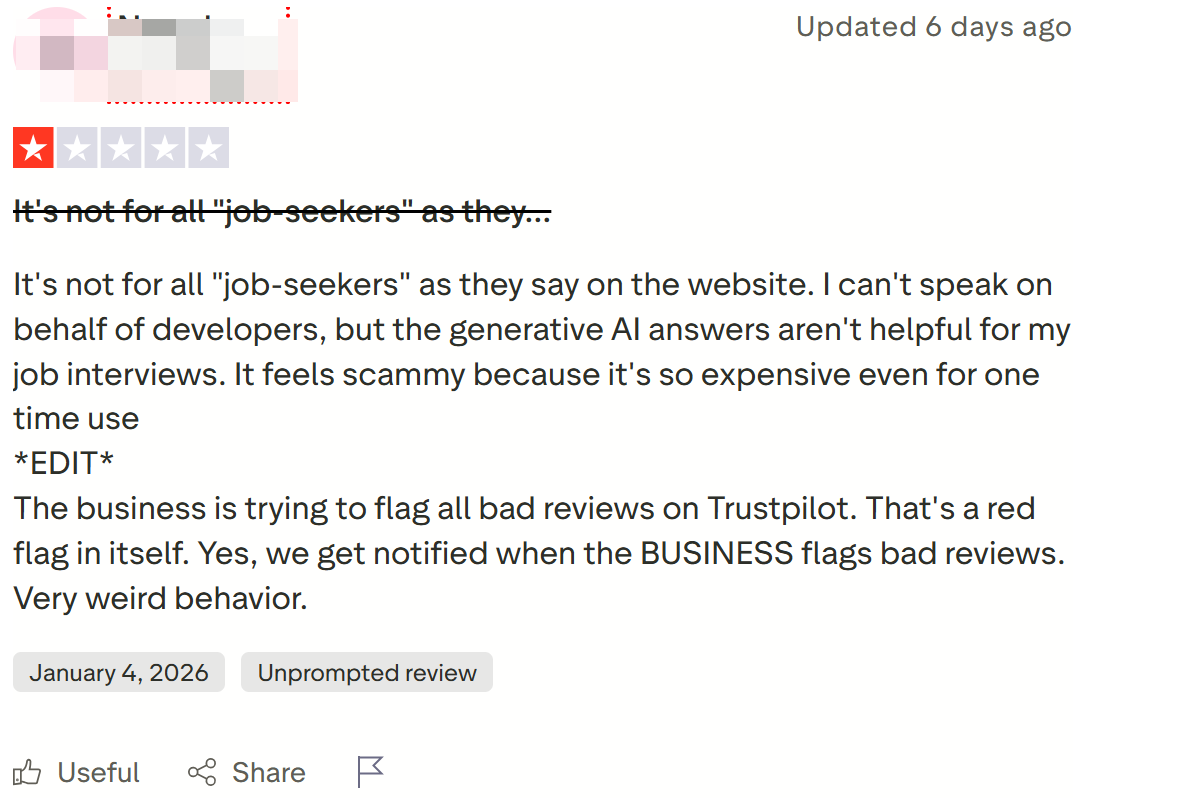
"LockedIn AI looks smooth in promotional clips, but during my live system design interview, the 5-second audio delay caused long, awkward pauses that made me look unprepared on camera." — Verified Candidate Review on Tech Forum
Parakeet AI Community Reputation and Operational Flaws
Parakeet AI positions itself as a lighter, credit-based interview assistant supporting audio listening and screenshot analysis. Despite its lower starting barrier, public community feedback and third-party reviews (where Parakeet AI sits at a low 2.9 out of 5 stars on Trustpilot) reveal recurring technical failures:
Credit Expiration Freezes: Parakeet AI uses a credit-based system where 1 credit equals 1 hour. Candidates report that when a credit expires mid-interview, the software completely freezes, forcing the user to manually click buttons to continue while live on camera.
Process Detection Vulnerabilities: Security researchers and candidate forums note that Parakeet AI runs under identifiable background process names (such as
pmodule), which modern proctoring platforms actively monitor and flag.Coding Hallucinations: When faced with complex algorithms or dynamic requirement changes, Parakeet AI frequently returns generic, conversational text or loops on previous syntax errors instead of offering executable code.
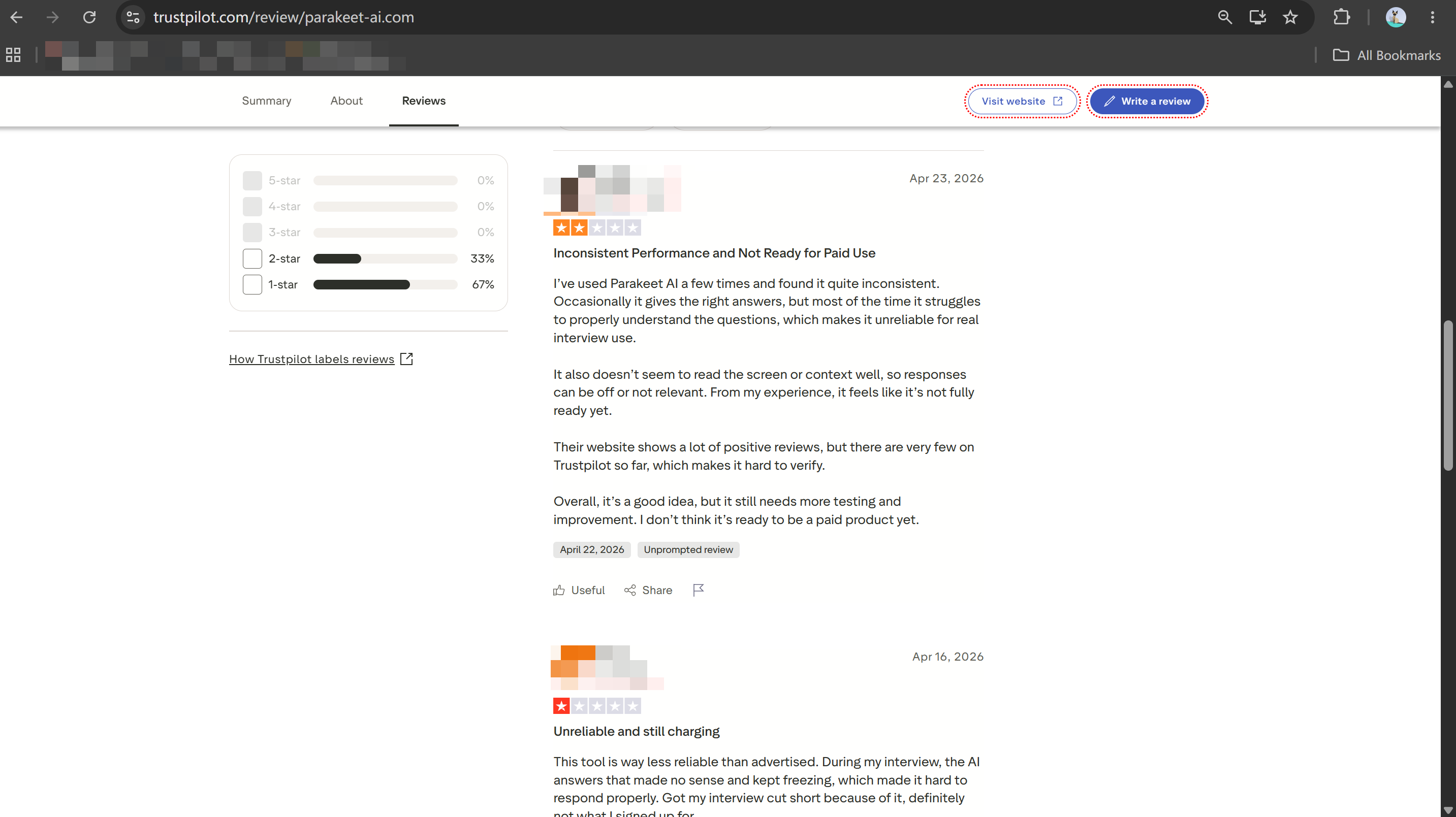
"Parakeet AI froze right when my interviewer asked a follow-up coding question because my hourly credit expired. Clicking around to renew it mid-call completely blew my focus." — Trustpilot Reviewer
Live Interview Benchmarks: LockedIn AI VS Parakeet AI
I set up a benchmarking environment using two laptops to evaluate the two co-pilots under the pressure of a real technical interview.
While the other laptop joined the session via Zoom as the interviewer and was using ChatGPT Live, my main laptop ran the interview assistant during the simulated 45-minute technical screening. I asked the virtual interviewer to ask questions about dynamic system design and to make mid-interview changes to the CoderPad document.
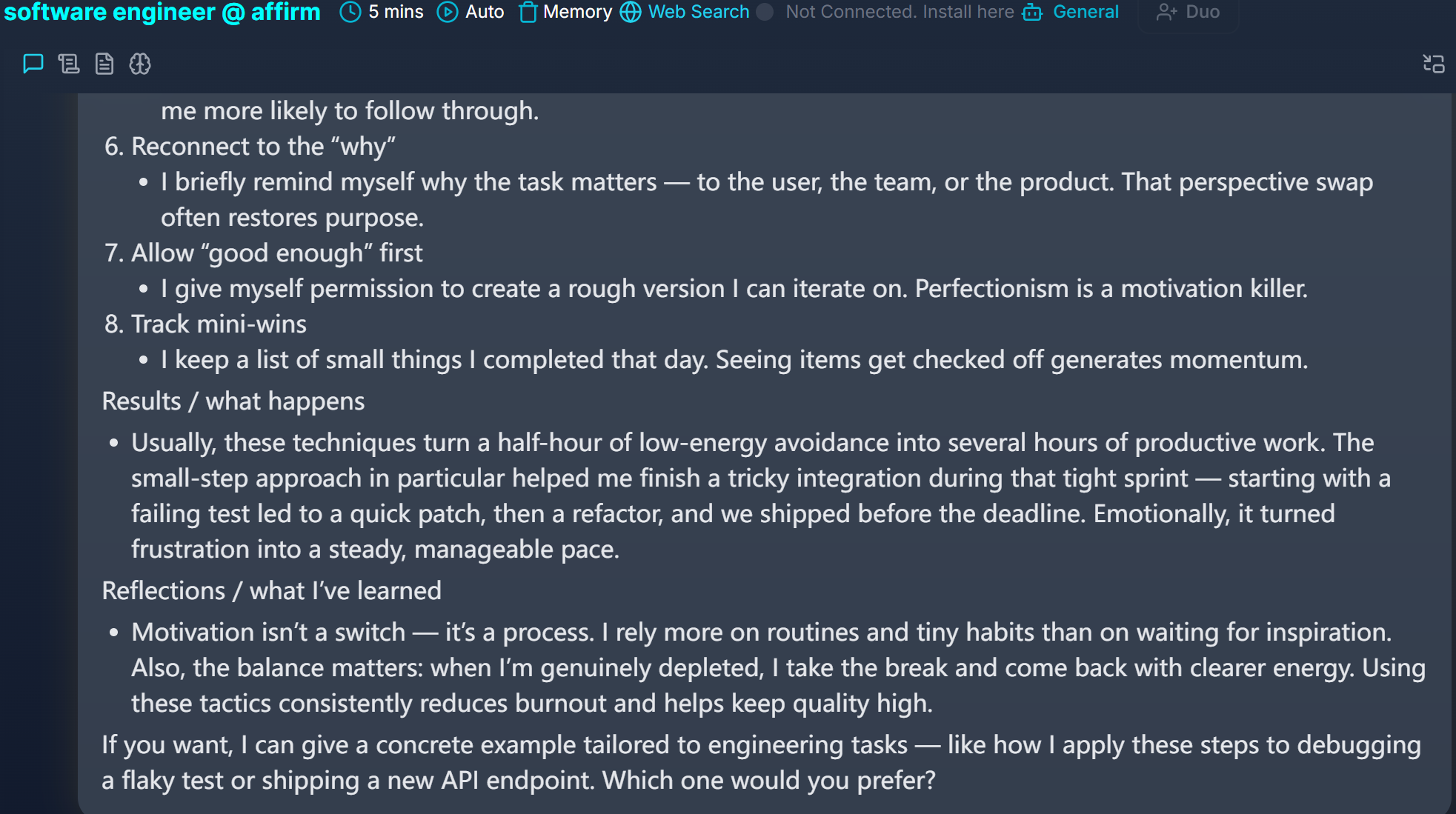
Real-Time Speech Processing Delays vs Visual Capture
In the demonstration of the real-time system design, traditional voice-driven assistive tools often find themselves lagging behind in keeping up with the rapid technical discussion. So, when the interviewer asked about how to deal with a distributed rate-limiting service that supports 100,000 requests per second, traditional speech-to-text assistants have to go through a long process before they can even offer something:
Local Sound Ingestion: Capturing the interviewer's voice through microphone inputs or virtual sound drivers.
Cloud Speech-to-Text Conversion: Converting spoken audio into written text, where technical terms like "token bucket algorithm" were occasionally mistranscribed due to spoken accents.
LLM Prompt Assembly: Sending transcribed text to cloud models and waiting for streaming generation.
UI Response Rendering: Displaying suggested text on screen after an uncomfortable 4 to 6-second pause.
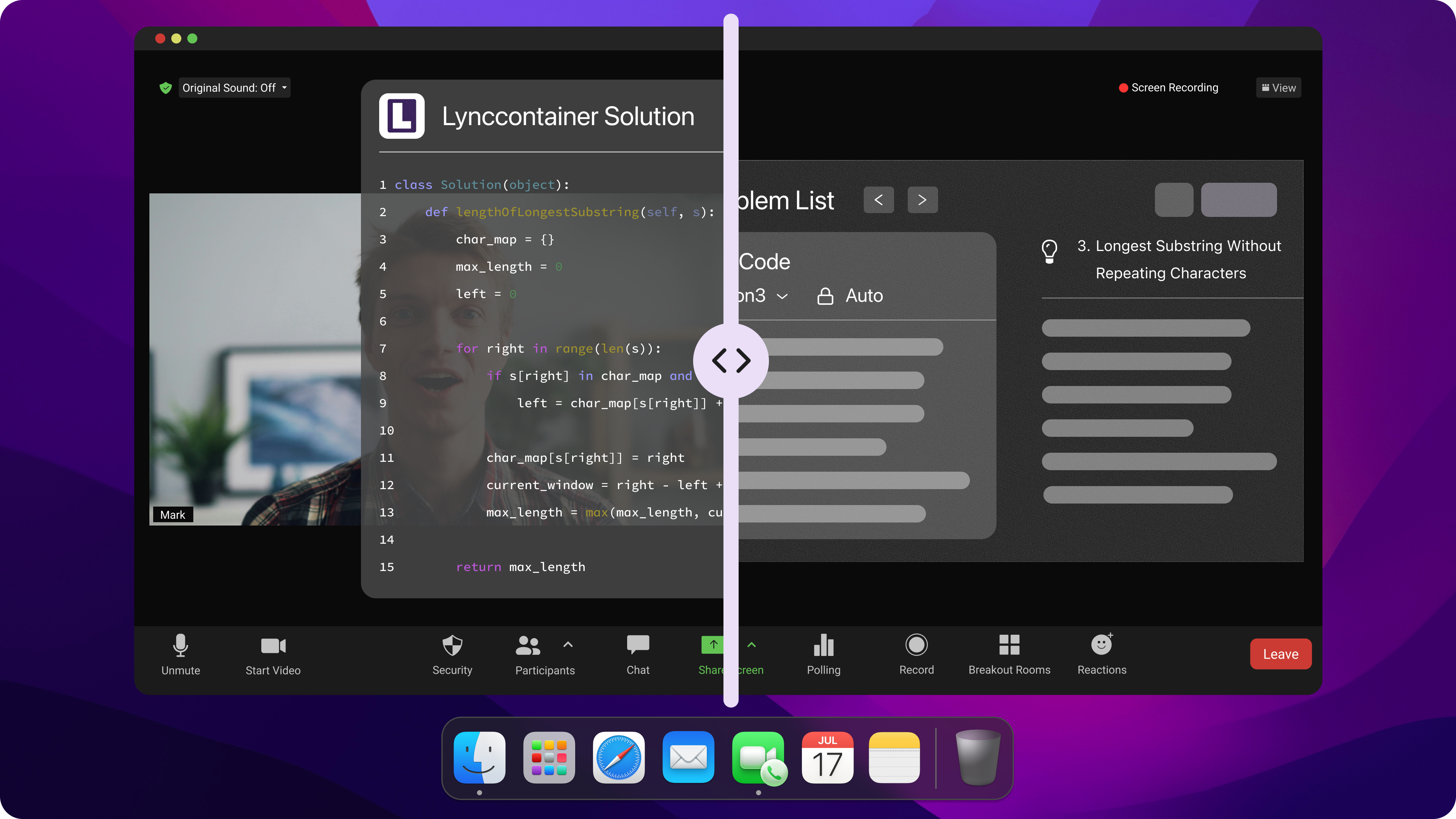
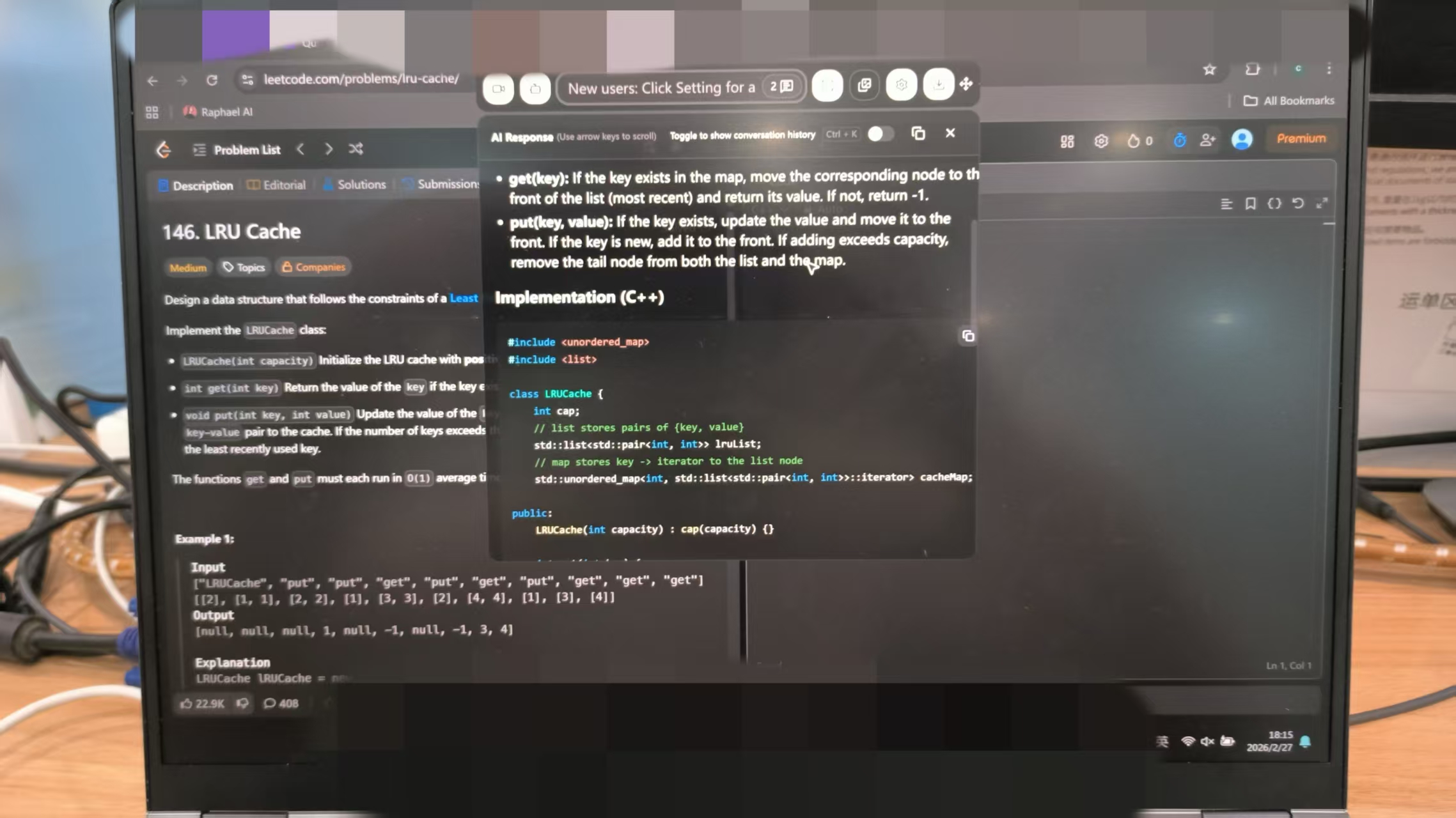
In contrast, audio processing latency disappears when replacing speech transcription with instant visual context capture. Linkjob AI utilizes Smart Screenshot Capture to take an instantaneous snapshot of your target screen area and pass the visual context directly to multi-modal AI models. Instead of waiting 5 seconds for speech transcription, Linkjob AI processes live IDE code, LeetCode problems, or system diagrams in 1 to 2 seconds, streaming precise technical answers without missing context.
Dynamic Coding Depth and System Design Benchmarks
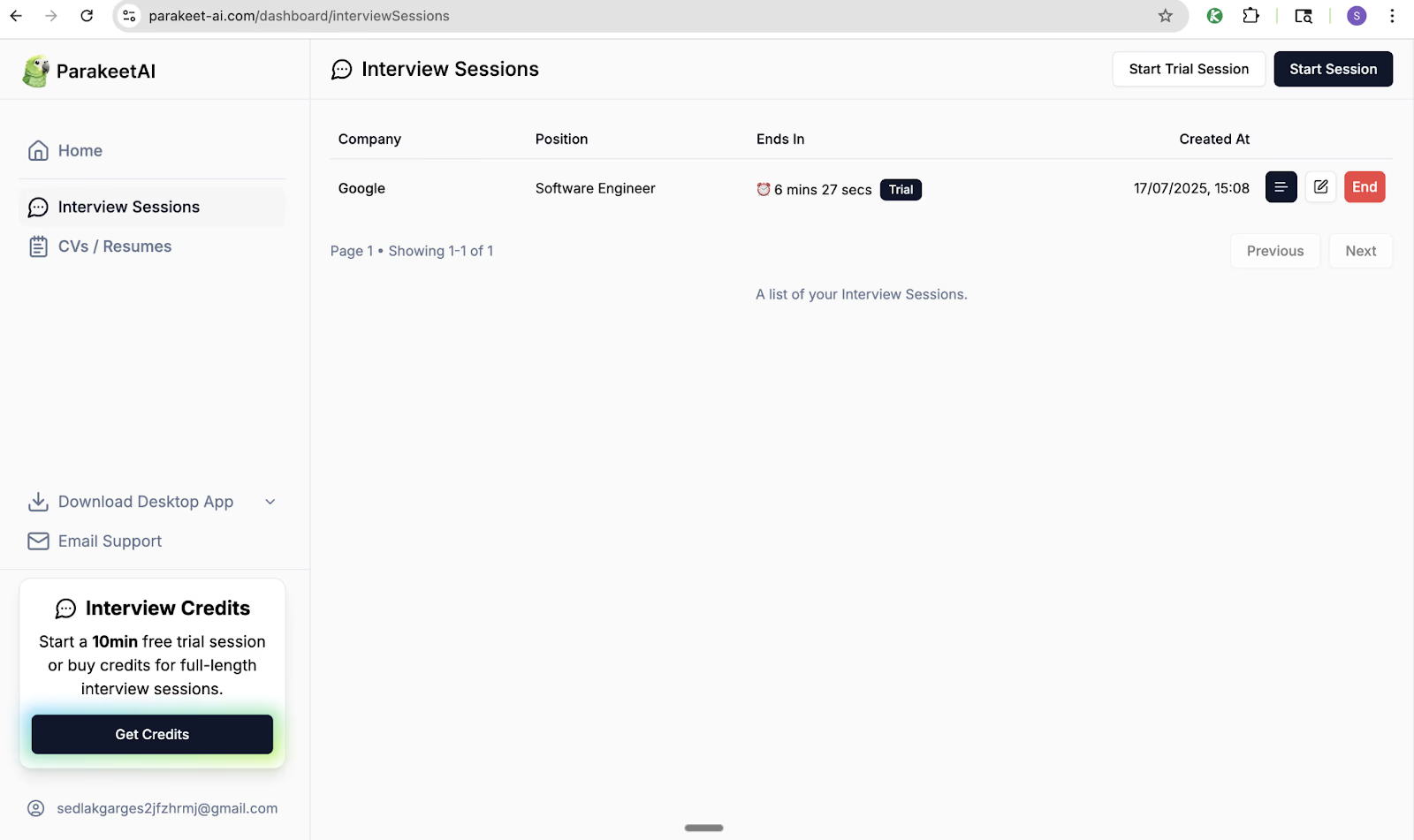
When my mock interviewer introduced dynamic constraints—such as switching from a Redis-backed rate limiter to a sliding-window log counter—both legacy tools struggled to adapt seamlessly without manual intervention.
LockedIn AI: The speech parser truncated the interviewer's sentence mid-explanation, leading to incomplete architectural recommendations that omitted database indexing and caching strategies.
Parakeet AI: Returned generic, high-level STAR-method paragraphs that were too verbose to scan visually while speaking naturally on camera.
Technical Benchmark | LockedIn AI | Parakeet AI | Linkjob AI |
Primary Input Tech | Speech Audio & Desktop Capture | System Audio & Screen Snaps | Smart Screenshot Capture |
Response Speed | 3.5 – 6.0 Seconds | 3.0 – 5.0 Seconds | 1.0 – 2.0 Seconds |
System Design Depth | Medium (Audio Truncation) | Low (Generic Text) | High (Multi-Model Precision) |
Stealth Mode | Soft Desktop Overlay | Browser/App Process ( | Hidden Background Process |
Starting Cost | $109.98 / month | $49.99 - $74.90 / month | $29.99/mo (Annual) / $99.99 Monthly |
LockedIn AI VS Parakeet AI: Stealth Check
When you're checking out AI interview tools, security's got to be your number one priority. If the tool leaves visible window traces when sharing your desktop in full-screen mode or triggers browser-level focus monitoring mechanisms, you might risk being instantly disqualified and blacklisted by the recruitment platform.
Zoom Screen Sharing Risks and Overlay Detection
During technical interviews, recruiters routinely ask candidates to share their entire desktop—not just a single browser tab—so they can observe your live problem-solving workflow. During my desktop screen-sharing tests on Zoom and Microsoft Teams, both traditional tools exhibited severe visibility flaws:
Soft Desktop Window Overlays: LockedIn AI uses a floating desktop overlay. Because standard software overlays sit inside the operating system window hierarchy, Desktop Window Manager (DWM) flattens all layers during a full desktop share. As a result, the interviewer sees the floating prompt window directly on their Zoom screen.
Identifiable Background Processes: Parakeet AI runs background processes (like
pmodule) that proctoring software actively scans for. Furthermore, if its overlay pops up during full-screen sharing, window artifacts flicker across the video feed.
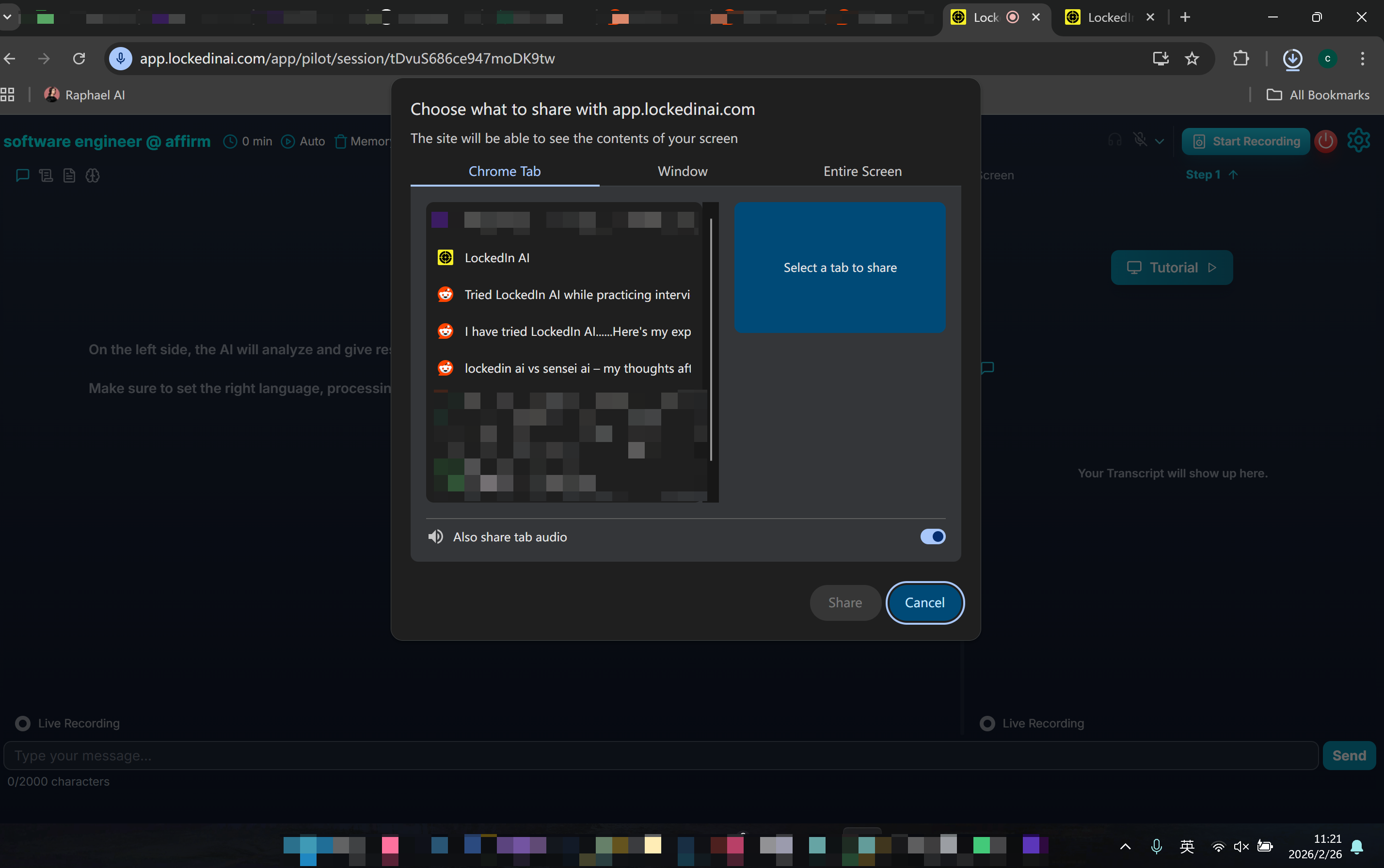
To eliminate screen-sharing detection entirely, Linkjob AI was engineered with a dedicated desktop stealth architecture that bypasses standard window capture frameworks:
Linkjob AI Stealth Architecture Execution Pipeline:
[Desktop Screen Region Capture] ➔ [Hidden Background Process Processing] ➔ [Screen-Share Invisible Overlay] ➔ [0% Visibility on Zoom/Teams Share]
By operating as an invisible background process and using specialized overlay concealment, Linkjob AI remains completely invisible during full-desktop Zoom, Microsoft Teams, and Google Meet screen shares, letting candidates view answers with complete peace of mind.
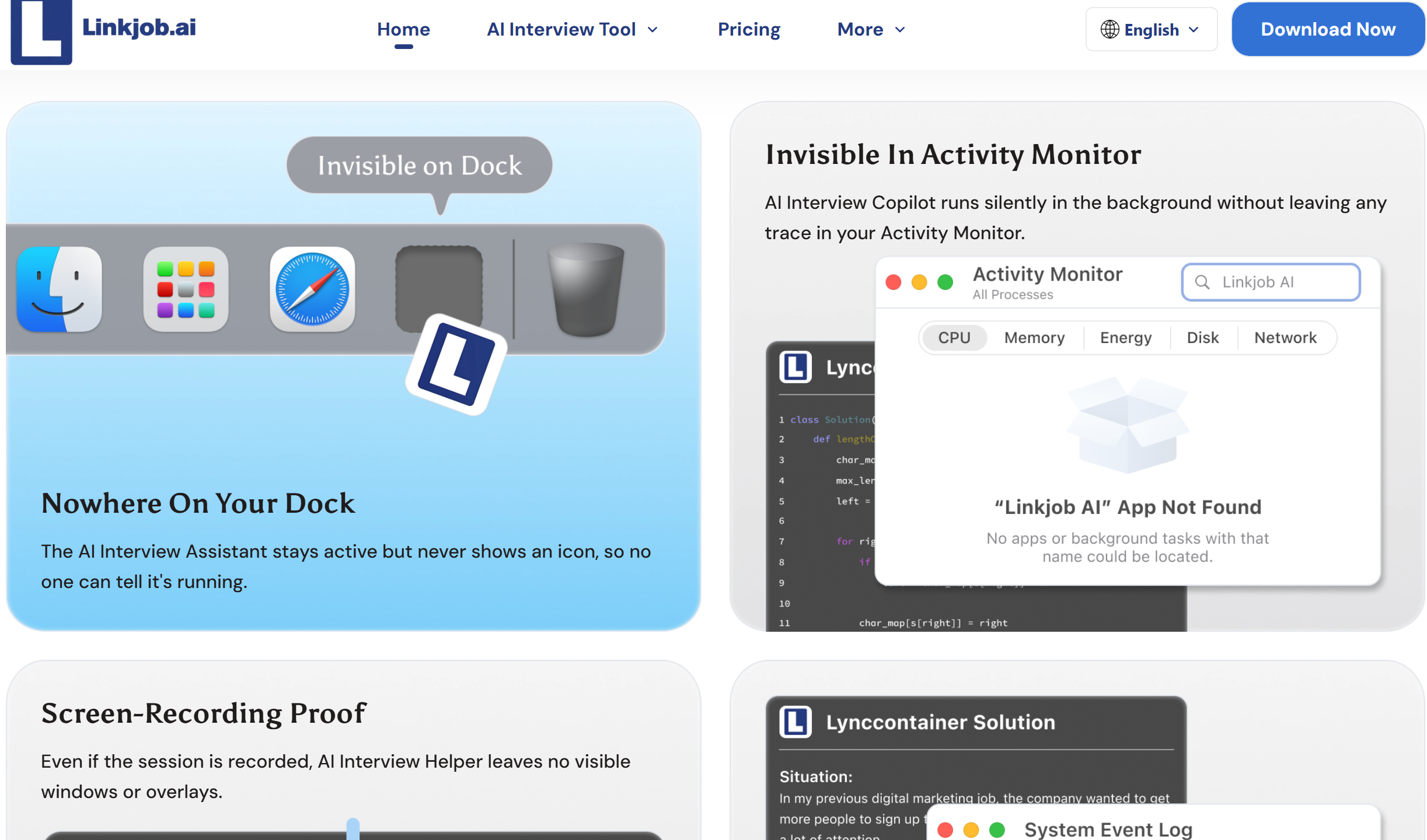
Browser Focus Interception and DOM Anti-Cheat
Modern online assessment platforms like HackerRank, CoderPad, HirePro, and TestGorilla utilize aggressive client-side JavaScript monitoring to detect unauthorized external tools:
Tab-Switching Tracking: Clicking on external pop-ups or browser extension overlays shifts window focus away from the test window, triggering
window.onbluranddocument.visibilitychangeevents.Keyboard Event Interception: Shortcut keys that activate browser-based extensions trigger standard
keydownevents that anti-cheat scripts flag as suspicious automation.
// How Proctored Assessment Platforms Detect Window Focus Loss
window.addEventListener('blur', () => {
    console.warn('Candidate shifted focus away from assessment window.');
    ReportAntiCheatViolation({ type: 'TAB_SWITCH_DETECTED', timestamp: Date.now() });
});
Because Linkjob AI operates completely outside the browser sandbox as an independent desktop application via hidden background processes, it avoids triggering DOM focus-blur events entirely during online technical assessments.
Pricing and Value Breakdown: LockedIn AI VS Parakeet AI
Evaluating the overall value of LockedIn AI VS Parakeet AI requires looking beyond initial marketing promises to analyze exact billing tiers, credit limits, model choices, and cancellation policies.
Subscription Tier Costs and Credit Limits
When comparing pricing structures, job seekers should carefully review whether a platform charges expensive monthly fees or imposes strict session caps that interrupt live interviews:
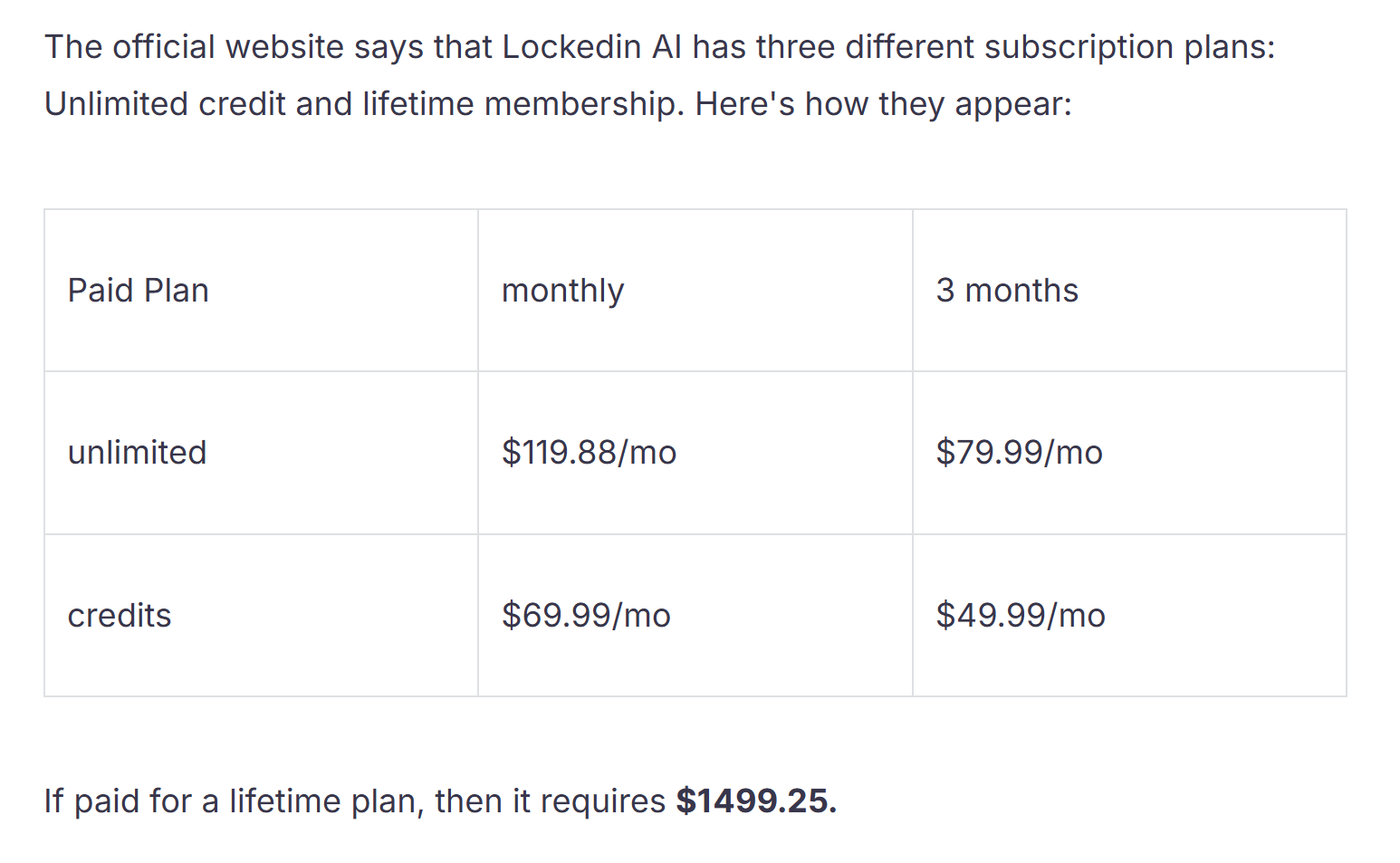
LockedIn AI: Pricing starts at $109.98 per month for monthly billing, or $39.99 per month when paid quarterly ($109.98 billed every 3 months). While it provides broad features, the high monthly entry price and strict refund policies make it a costly investment for multi-week job hunts.
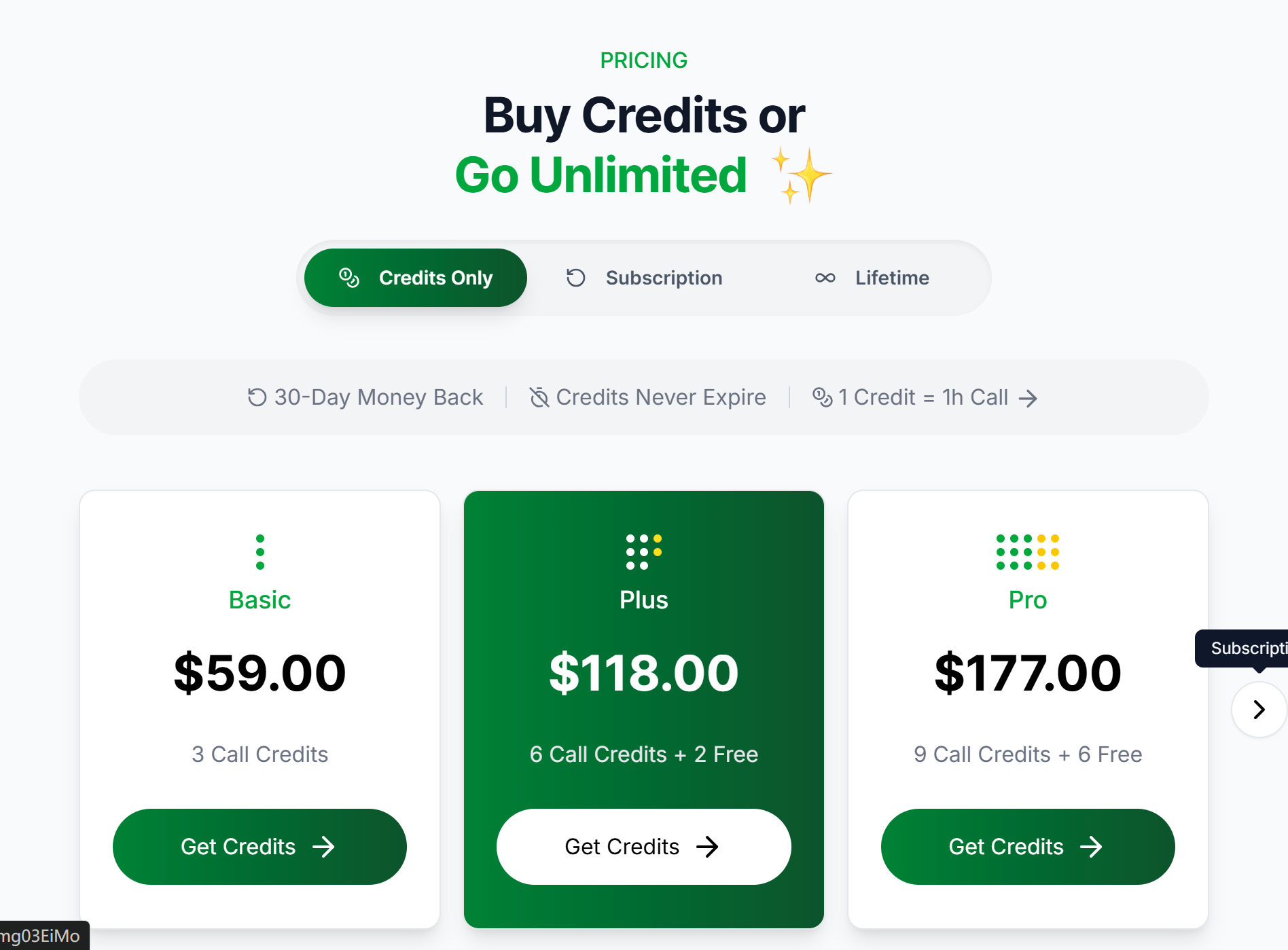
Parakeet AI: Utilizes a credit-based model where pricing ranges from $49.99 to $74.90 per month, or hourly credit packs starting around $29. However, because credits expire hourly, a session can freeze mid-interview if a call runs long, requiring manual credit renewal.
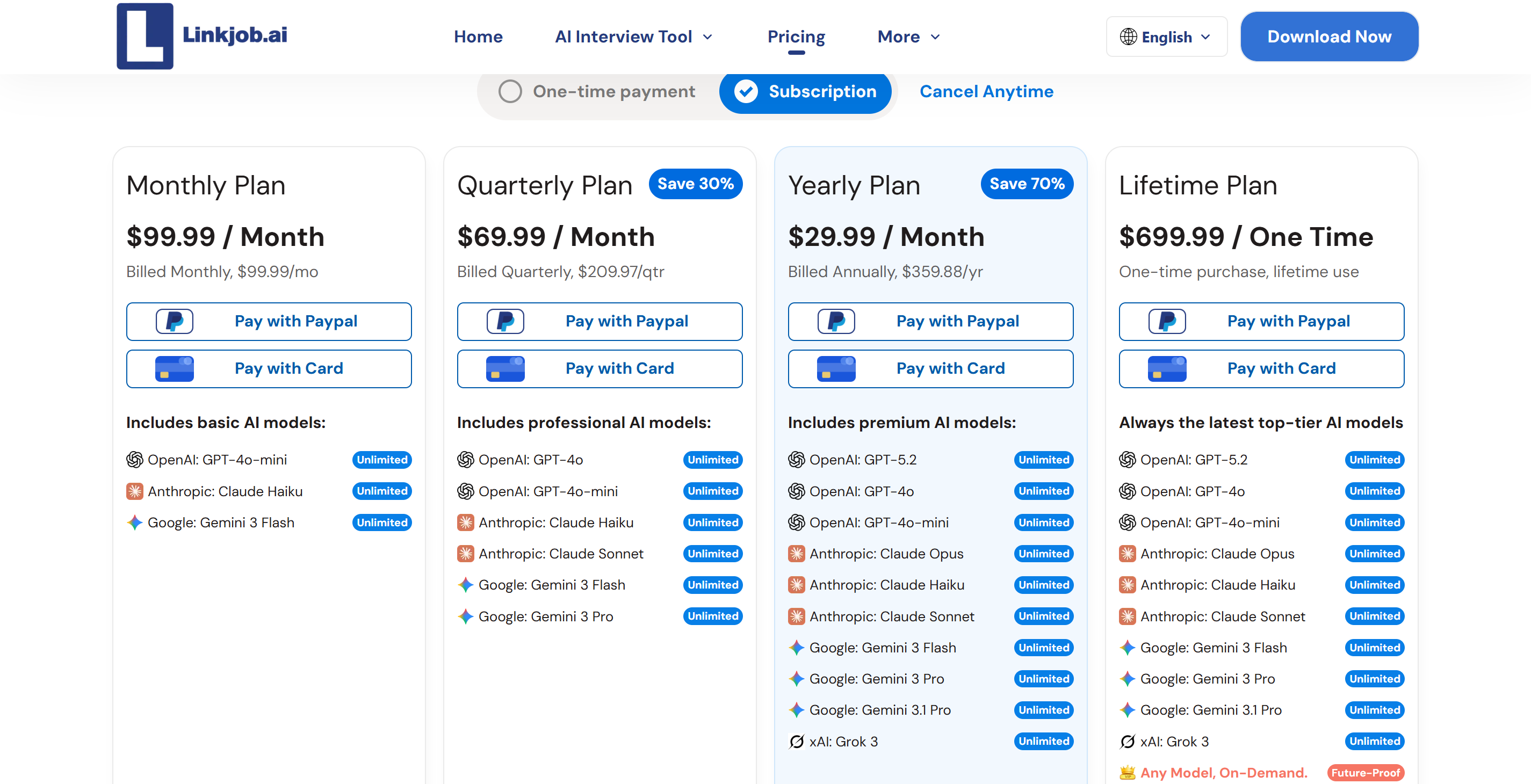
Linkjob AI: Offers simple, developer-friendly pricing without hidden session limits. Candidates can choose the $29.99 per month annual plan (billed at $359.88 per year) or a $99.99 per month flexible monthly plan. Both options unlock access to over 80+ top-tier AI models (including GPT-5, Claude Opus, and Gemini 3 Pro), unlimited usage, hidden background process stealth, Smart Screenshot Capture, and transparent self-service cancellation.
Final Verdict: LockedIn AI VS Parakeet AI
I did some real-time interview tests on both platforms, and it's pretty clear what I think of LockedIn AI and Parakeet AI. Neither tool can meet every single one of the requirements for high-stakes software engineering interviews. Unfortunately, they don't support response times of under two seconds, true screen-sharing stealth mode or the technical depth required.
LockedIn AI's steep $109.98/month price tag and 3-to-6 second speech processing lag create awkward silences on live calls. Parakeet AI's credit expiration freezes and process detection risks (pmodule) make it an unreliable option under real pressure.
Why I Replaced Both Tools with Linkjob AI
Switching to Linkjob AI solved every performance bottleneck I encountered during technical interview loops:
1 to 2-Second Latency: Smart Screenshot Capture delivers instant code and system design answers without slow audio speech processing cycles.
True Screen Share Invisibility: Hidden background processes stay completely uncaptured during full-desktop Zoom, Teams, and Meet screen shares.
80+ Advanced AI Models: Powered by top-tier models (including GPT-5, Claude Opus, and Gemini 3 Pro) for unmatched technical depth on complex algorithms.
Transparent Pricing: $29.99/month on annual plans ($359.88/yr) or $99.99/month on flexible monthly billing with self-service cancellation.
FAQ
What is the primary difference between LockedIn AI and Parakeet AI?
LockedIn AI has more comprehensive general-purpose interview features, but it's a bit pricey, and only its premium plan offers full anonymity. Parakeet AI, on the other hand, uses credit packages that are billed by the hour, and these credits can expire in the middle of an interview.
Are AI interview copilots detectable during Zoom screen shares?
When you share your screen in full-screen mode on Zoom, things like desktop window overlays and browser extension pop-ups are often captured. There are tools out there, like Linkjob AI, that are designed to do just that. They run in the background, using special techniques to conceal the overlay, so your screen sharing isn't detected.
Why do software engineers choose Linkjob AI over Parakeet AI?
Software engineers choose Linkjob AI because it delivers 1- to 2-second response speeds via Smart Screenshot Capture and guarantees complete screen-share invisibility for $29.99 per month on annual plans. Parakeet AI often freezes when hourly credits expire mid-call and runs identifiable background processes (pmodule) that anti-cheat systems can detect.
Can AI interview assistants handle live coding and system design diagrams?
Yeah, tools like Linkjob AI can help with interviews by analysing screenshots in real-time. They can also process code in an IDE, LeetCode problems and system design diagrams in 1 to 2 seconds. This AI can look at the visual context of the code to suggest accurate syntax and architecture.
See Also
LockedIn AI vs Cluely: Real Experience (And Why I Switched)
Parakeet AI vs Interview Coder: Worth It or Just a Scam?
Parakeet AI Review: Real Interview Performance, Pros and Cons
I have tested 20+ Lockedin AI Alternatives and Here are my top 5 picks in 2026
Why People Choose Linkjob AI
Smoother interviews, coding challenges cleared, and job offers landed. See how users describe their experience with Linkjob AI—in their own words.


© Copyright 2026 Linkjob AI - All Rights Reserved.