My Subcue AI Review: Is It Stealth Or Not

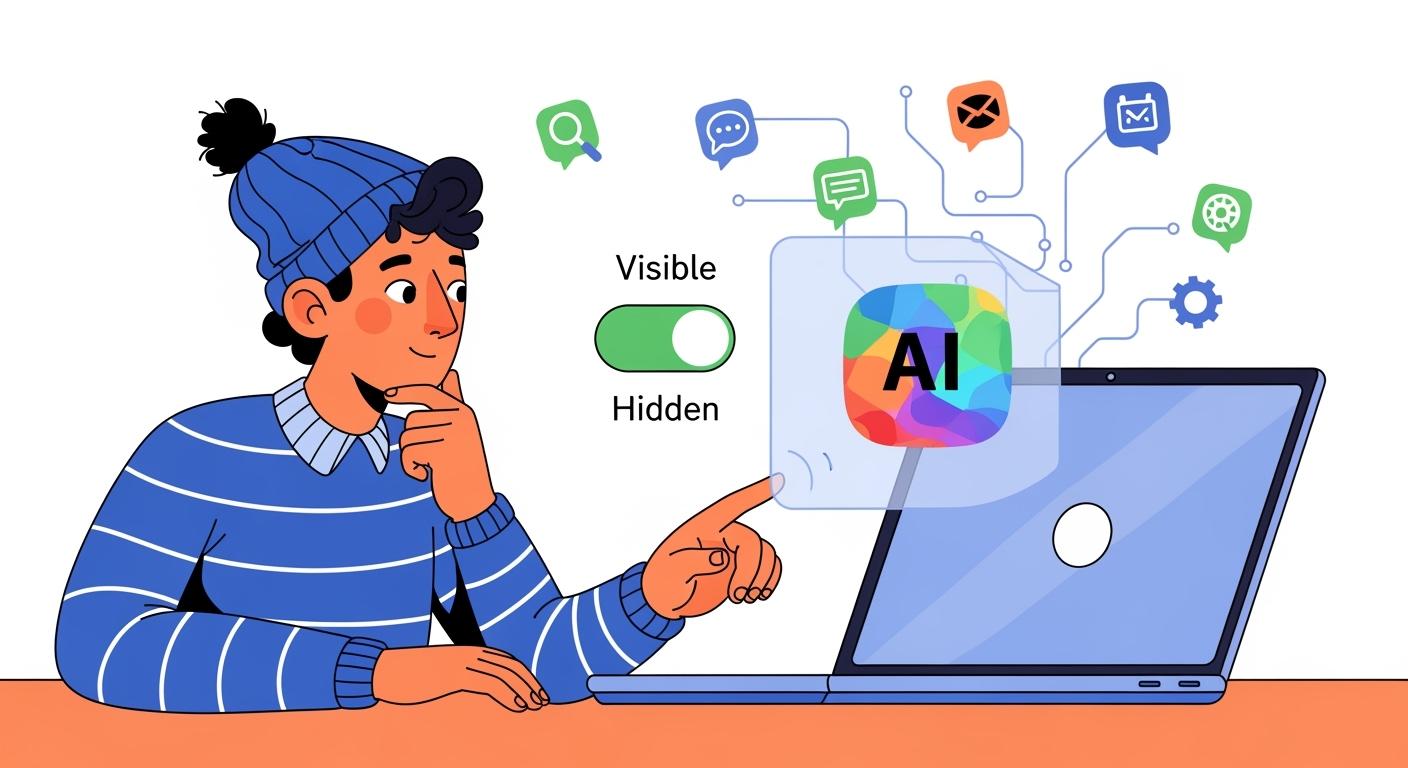
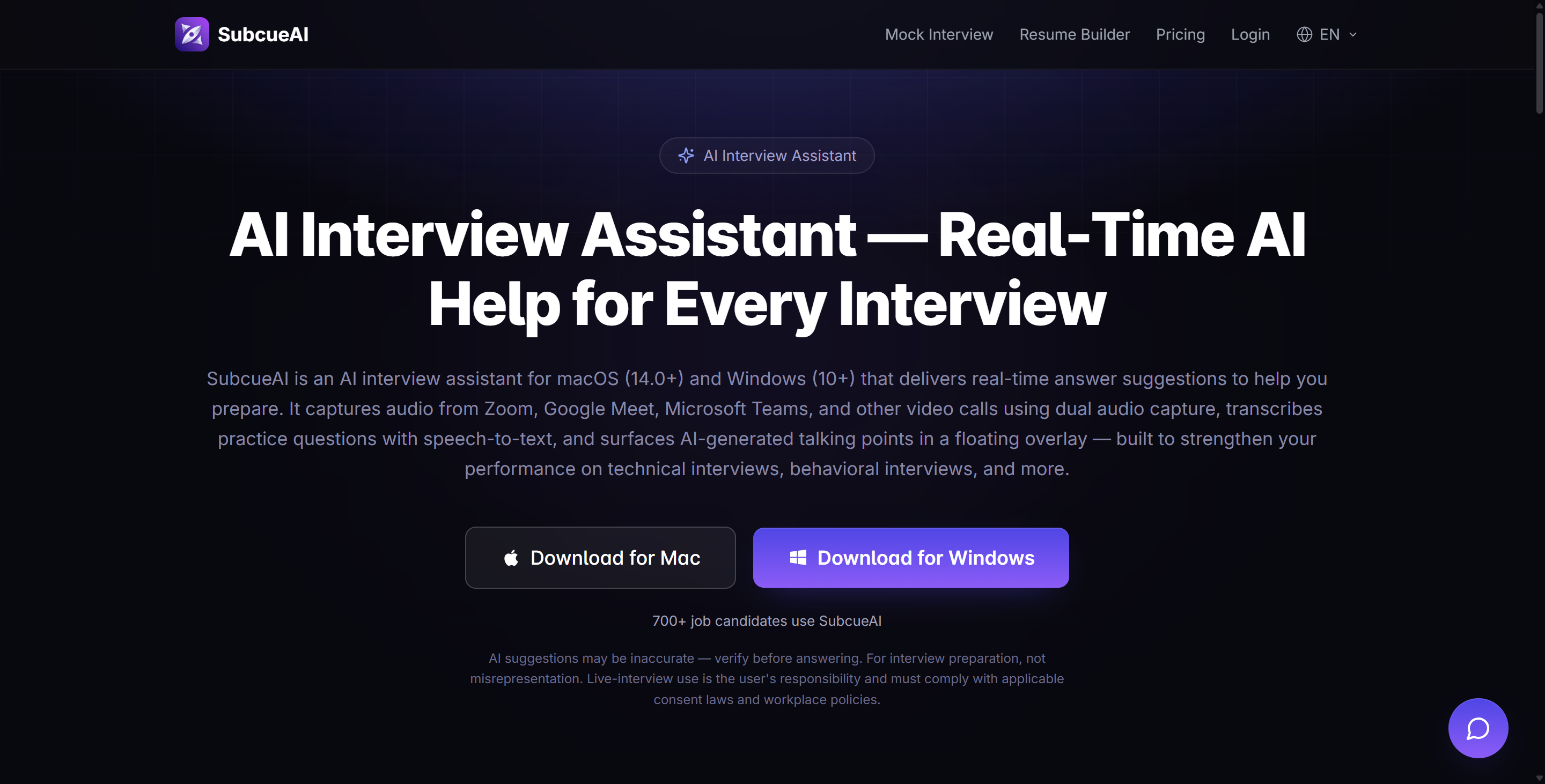
Yes, there are already a lot of unique AI interview aides out there, and the market has welcomed a new app: Subcue AI. When it comes to helping you pass interviews, Subcue AI is still pretty new — it's only been out for a few months and it doesn't have a lot of features. Here's the lowdown:
If you're after something like:
The interviewer won't detect the real-time assistance.
Want your conversation to sound natural and fluid.
Don’t want to disrupt the interview process.
Then you've picked the wrong app.
Even though Subcue AI is supposed to run on your desktop without needing browser plugins or bots, the name sounds just like the advanced model that was recently leaked, the SubQ model from Subquadratic (it's hard to believe this isn't a coincidence). Also, it can't seem to stay hidden no matter what.
If you'd like to see more reviews of new interview assistants, and pros and cons of each, check out my InterviewMan Review, ShadeCoder Review, and Ultracode AI Review.
Subcue AI Features & How It Acted During Tests
Does Not Automatically Generate Answers
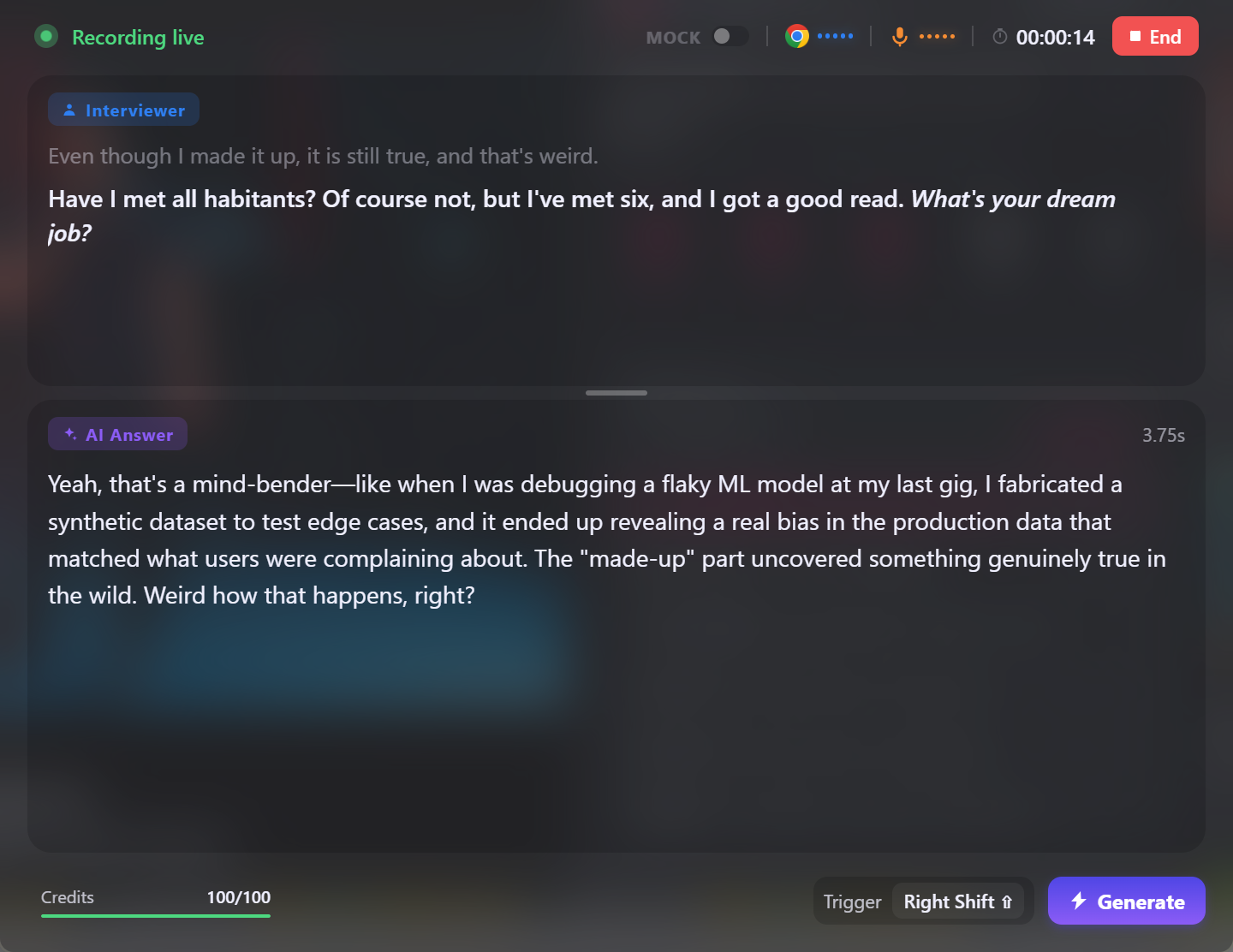
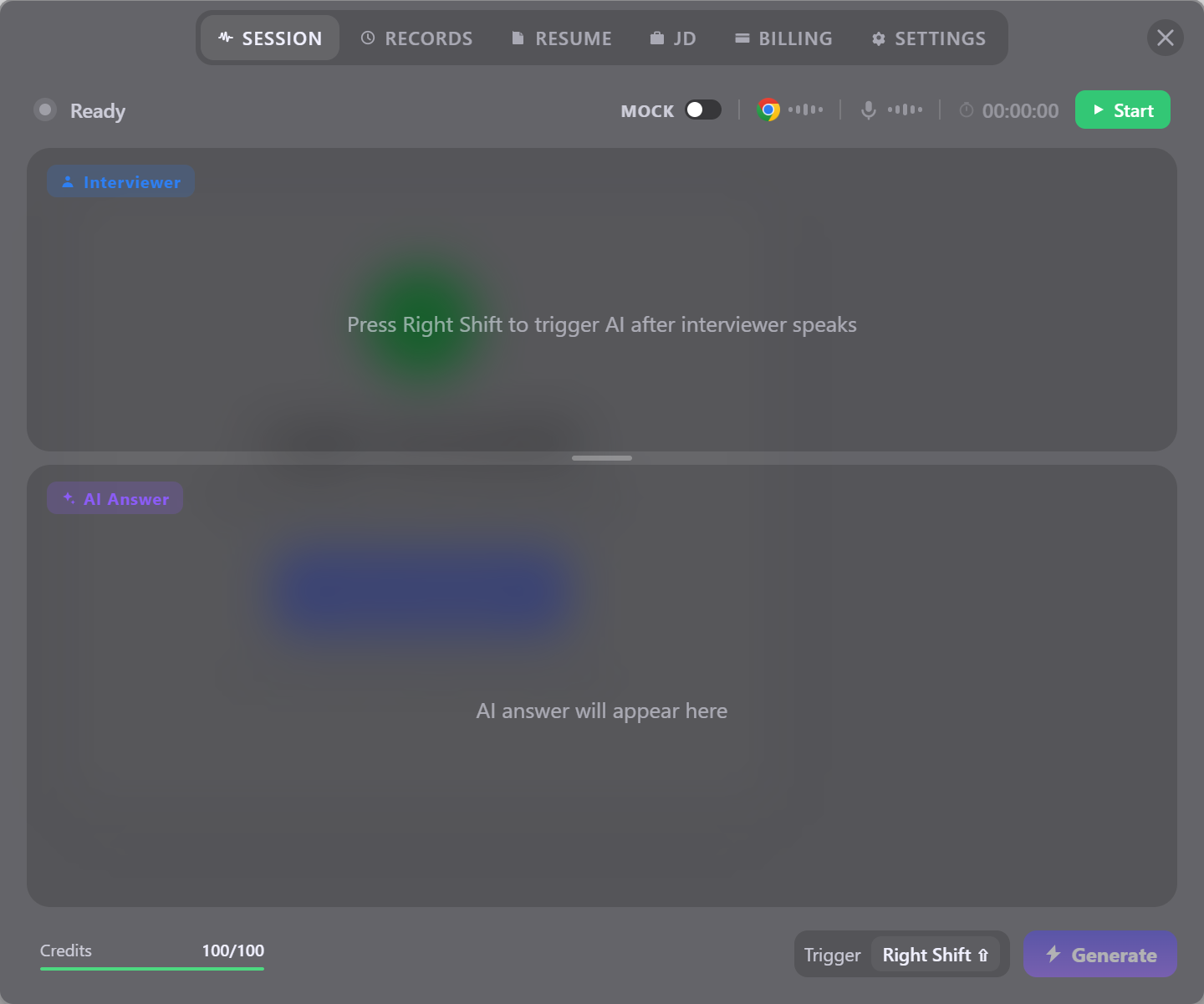
This is pretty much the most obvious issue. As soon as I opened Subcue AI's interview interface and played the mock interview audio, I realized it couldn't automatically recognize the audio and generate answers. There's even a special setting that lets you change the shortcut key to access the answer to a specific question.
While this means users always have control, it's not the most convenient. Sometimes, GPT-4o makes mistakes. It might misidentify questions or mess up the audio and then spit out a long, nonsensical response.
If we had a model similar to that of Linkjob AI—automatic transcription, automatic question recognition, and automatic answer generation—my experience in mock and actual interviews would be way better. Also, Linkjob AI is an AI interview tool that can automatically generate answers. It can even switch to a manual mode, so you can trigger the answers manually. Using manual mode on the regular is quite different from having no choice but to use it, right?

Poor Answer Quality & Great Transcribing Speed
One cool thing about Subcue is its ability to listen to and transcribe speech quickly. When I tested it, Subcue AI generally ran smoothly, with latency within an acceptable range.
But, to be honest, the quality of the answers I got back was a bit of a bummer. Even after I uploaded the job description for the target position and my resume, most of the responses I got were just full of meaningless clichés. After testing it for a while and giving it enough context, Subcue AI's answers weren't as good as we'd hoped. Subcue AI is different from Linkjob AI because it doesn't support custom prompts. So, I eventually gave up on trying to get it to provide high-quality, tailored answers.
It's important to note that this tool doesn't store any sound. All of the processing takes place on a different computer. After taking a look at the privacy policy, I didn't find any reason to worry about privacy issues. This AI helps you focus on answering questions, making the whole process as simple and smooth as possible.
Stealth? Or Completely Visible?
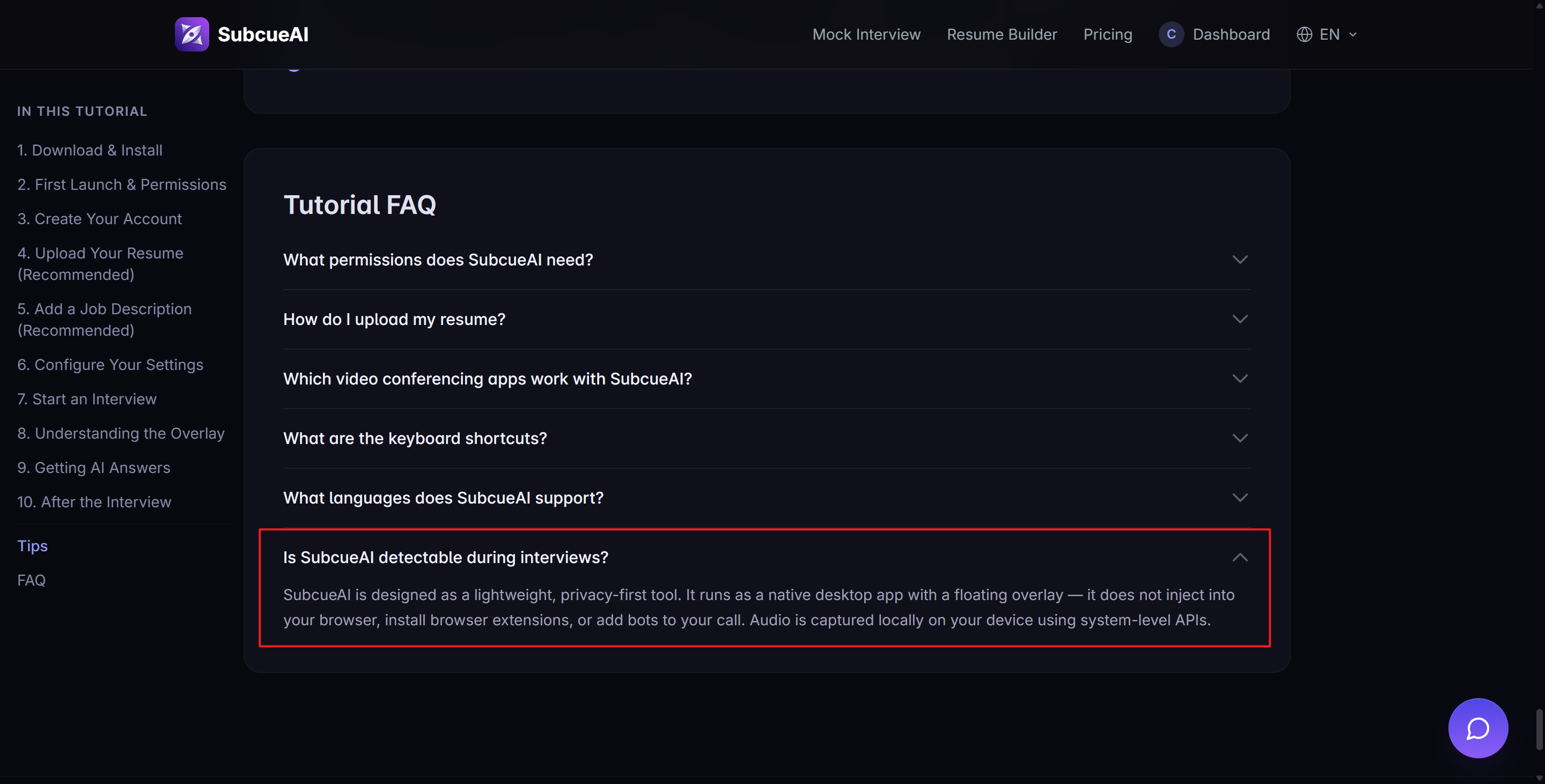
If you've read my reviews of different AI interview assistants, you might've noticed: Subcue AI doesn't have any features designed to make it "invisible." It's just a tool that gives quick access to GPT-4o, and the user interface could be made with Vibe Coding.
As I mentioned in my Cluely review, if you can see an AI interview assistant's transparent overlay in a screenshot, then it's not invisible. Only those tools that require me to resort to the old-school trick of taking a photo of my computer screen with my phone to prove they’re working are truly invisible.
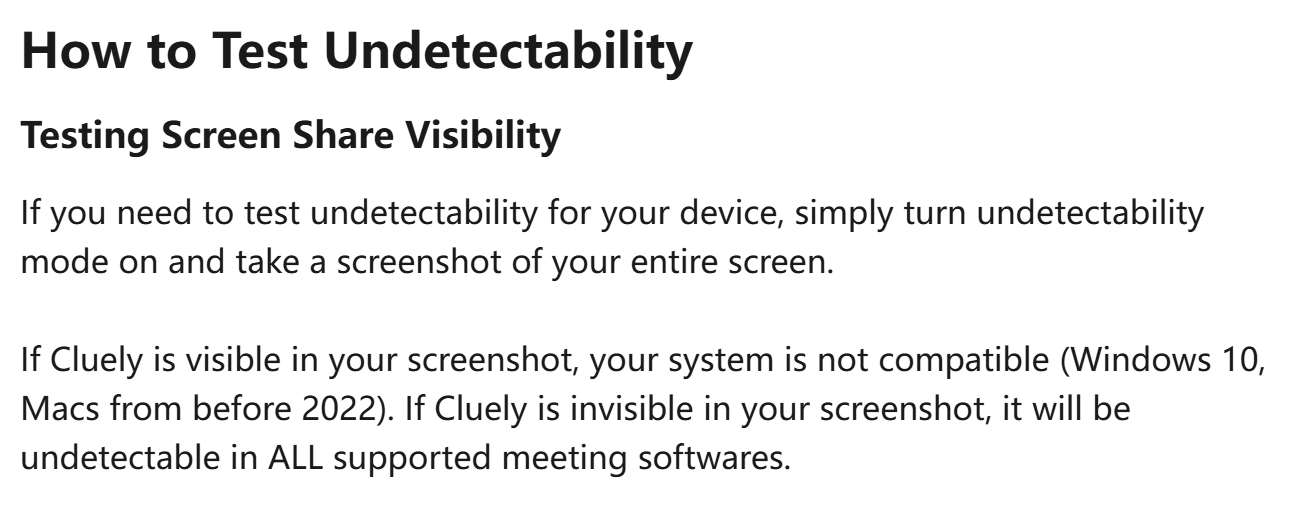
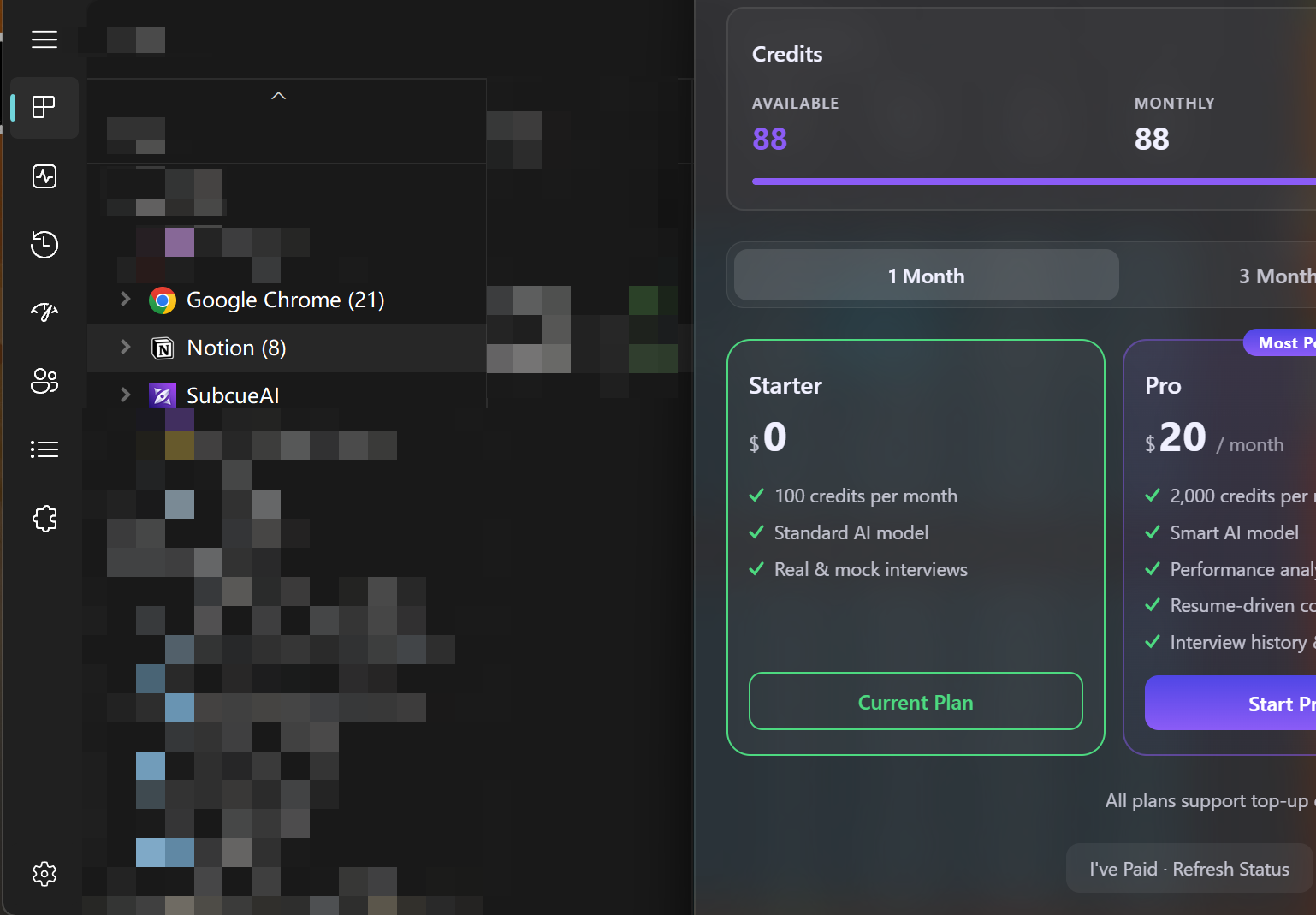
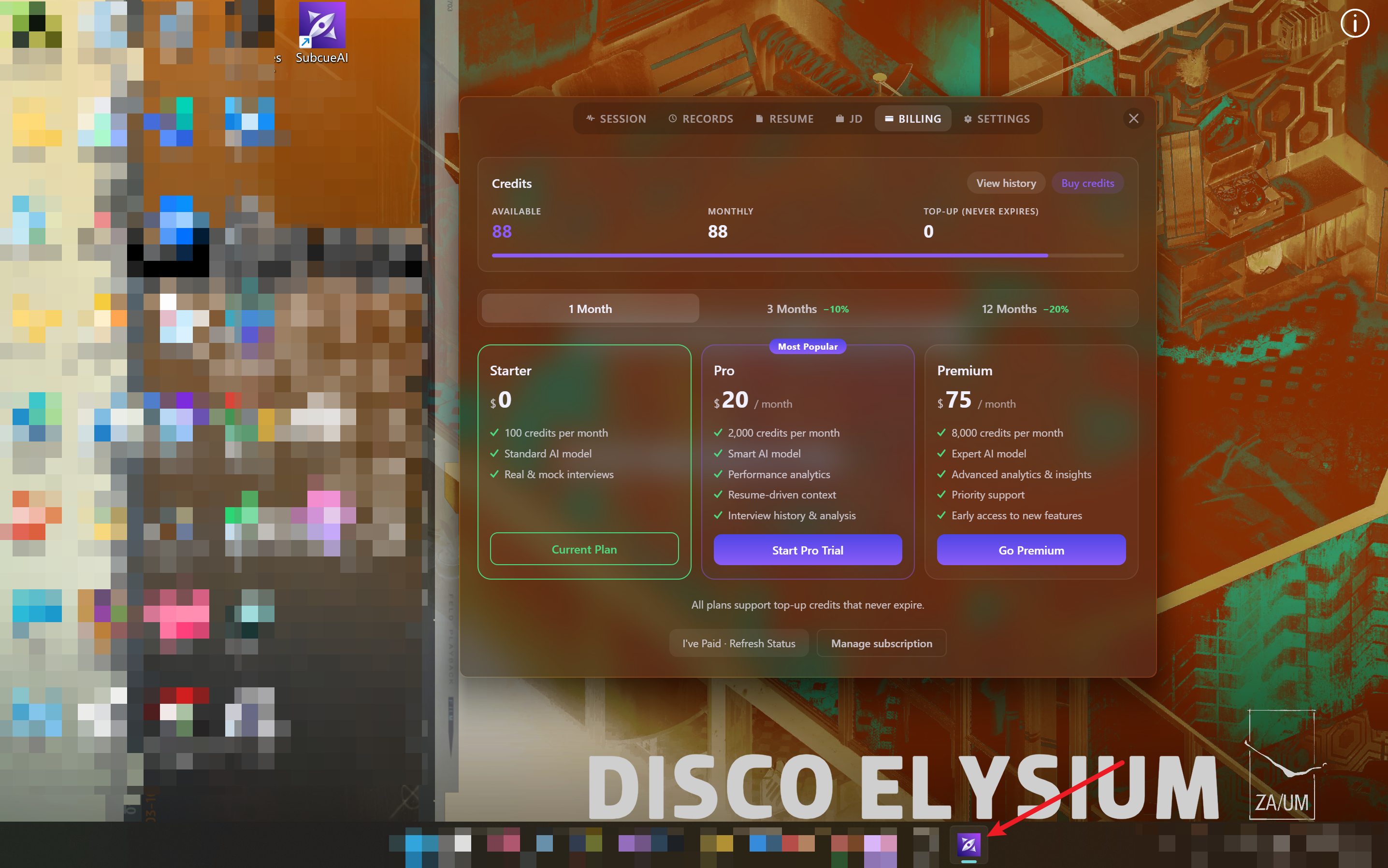
I've got a few screenshots that show Subcue AI is completely visible. You'll definitely spot it as soon as you share your full screen.
Credit System
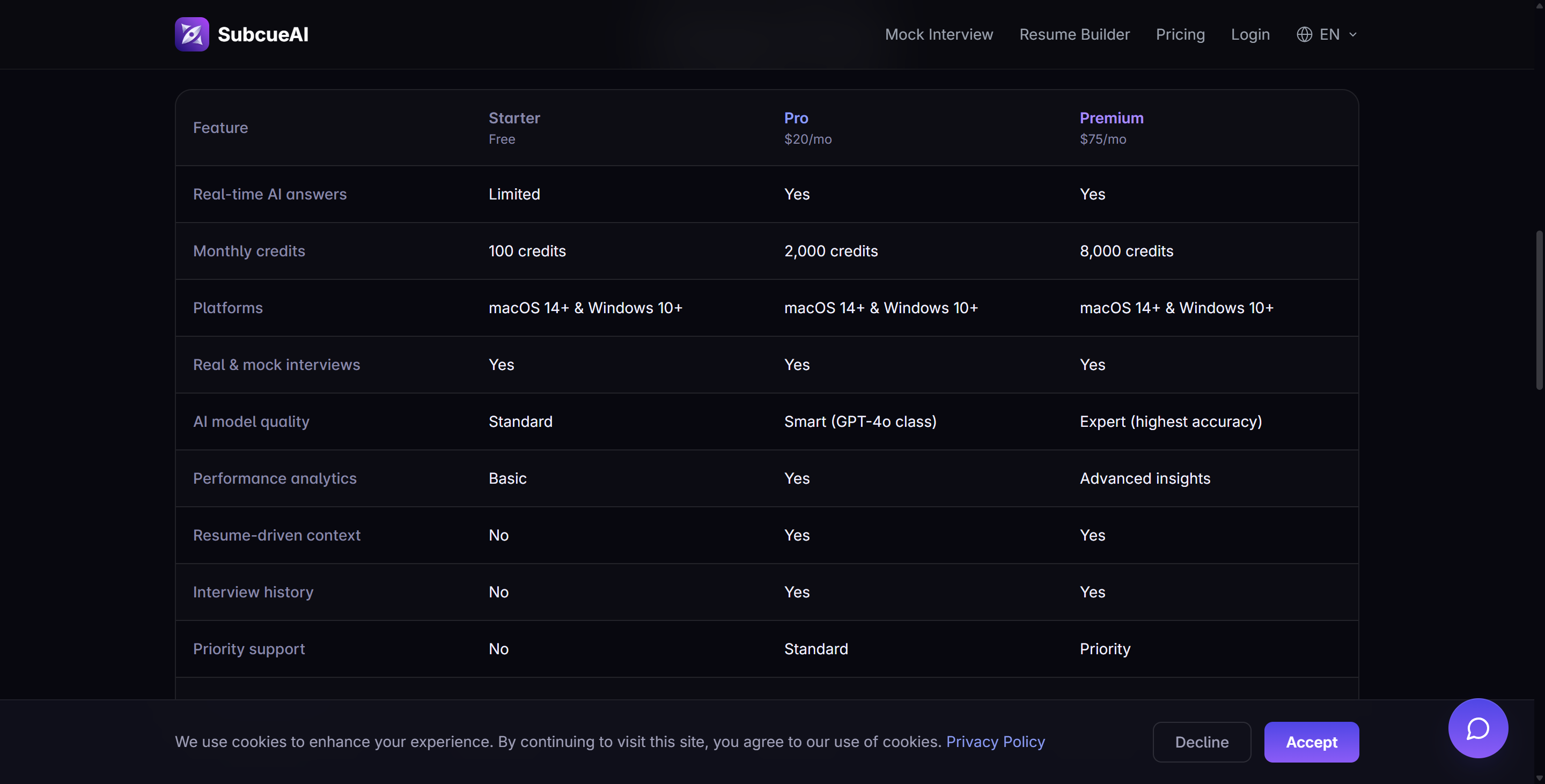
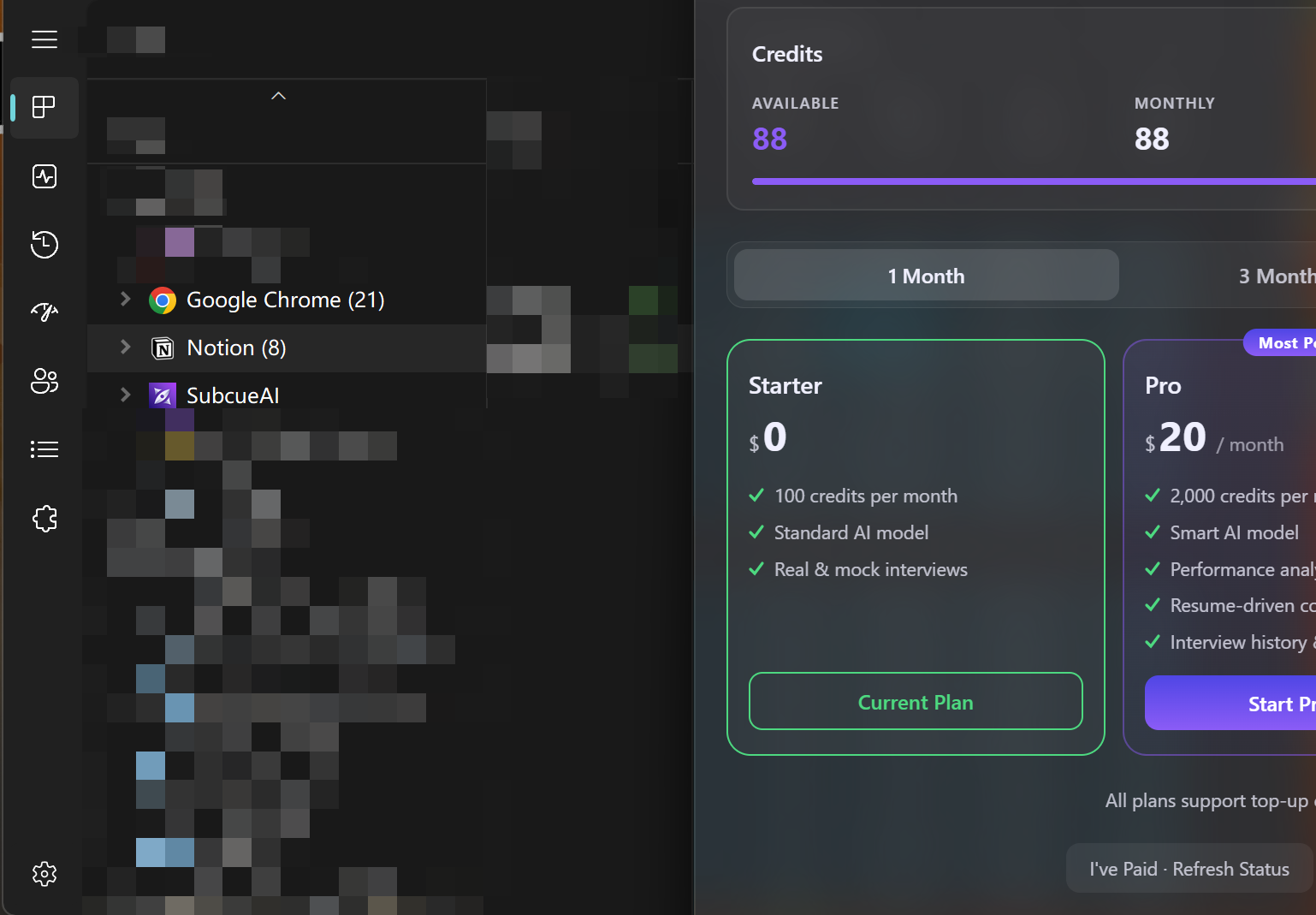
Subcue AI uses a credits model. You get credits based on your subscription. Competing tools may use flat-rate plans or pay-per-use options. You can see the structure in the table below.
Subscription Tier | Monthly Cost | Credits Provided | Additional Notes |
|---|---|---|---|
Starter | Free | 100 credits | - |
Pro | $20 | 2,000 credits | - |
Premium | $75 | 8,000 credits | Top-up packs available and never expire. |
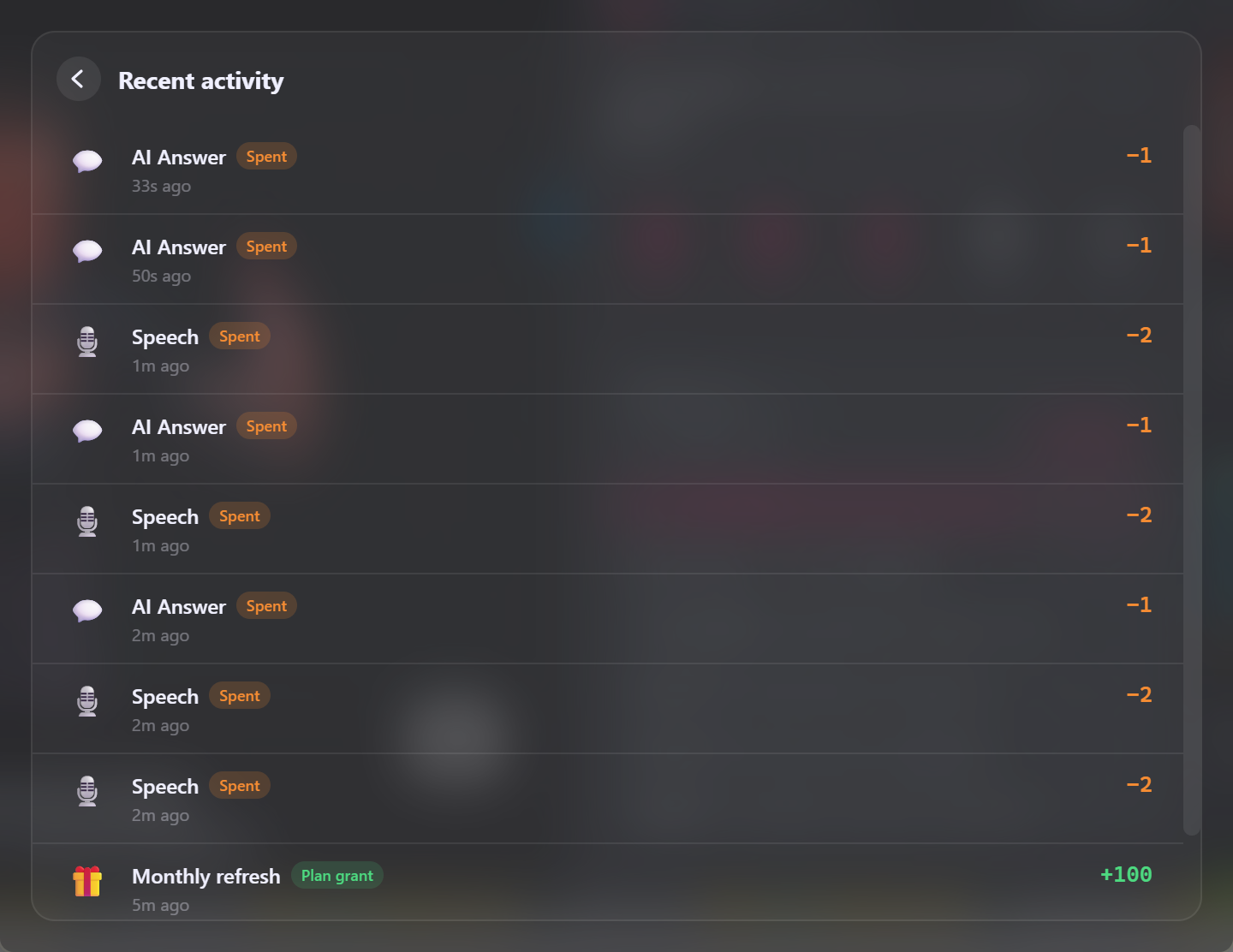
But, as you can see in the image above, Subcue AI doesn't use the same "one point per interview" method as Parakeet AI. Based on my test results:
Here's the lowdown on the points:
1 credit for an AI-generated answer
2 credits for transcribing a text segment
But it's not clear how "segment of text" is defined. From what I've seen, sometimes just two sentences would cost 4 credits, while other times it would take a full minute to use up just 2 credits.
This makes it harder for candidates to get interviews for mid- to senior-level positions. The higher the position, the harder and longer the interview is. Who knows if Subcue AI might just shut down midway through an interview because it runs out of points? I wouldn't put my job on the line with a system like that.
Subcue AI Review: User Experience and Limitations
Usability & My Personal Experience
First of all, aside from the issue of having to log in repeatedly due to the separate login status, Subcue AI is generally very easy to use. All I have to do is:
Go ahead and open the app, then get the audio set up.
After that, you can start the interview process.
It listens in real time and gives me suggested answers by clicking or using keyboard shortcuts.
This way, I can focus on answering the questions. As for the issue with people having to log in over and over, I think it's because Subcue AI doesn't have an AI interview assistant for browser tabs. That means the standalone app can't access the login status from the browser. So, even if I'm already logged in on the web version, the app still makes me log in again to access subscription info and stuff.
Overall, Subcue AI's interface is pretty intuitive and easy to navigate. All the features mentioned are also easily accessible. The user experience is actually pretty good.
Risks & Possible User Cases
No tool is perfect. Even a stealthy app can have risks. Here are some common risks with AI interview tools:
Risk Type | Description |
|---|---|
Visibility during real interviews | Subcue AI cannot be invisible from any point of view; thus, when you need to share your screen, it would be spotted |
Inability to Understand Nuances | Subcue AI's LLM model is GPT-4o, which is quite an old-fashioned AI model. It might miss small hints like tone or body language. |
Data Security and Privacy Concerns | AI tools see private info. This can cause privacy problems or legal trouble. |
Potential Biases in AI Assessments | Studies show AI tools can be unfair. Some show gender or race bias. |
But if you're only using Subcue AI for mock interviews, its pretty good transcription speed and the ability to control the answers it generates make it a great choice.
Subcue AI Review: Other Features That Need Consideration
Privacy Worries
You might be wondering if others can detect Subcue AI. I ran some tests to see if it leaves any digital traces.
You don’t need to use any browser extensions or bots.
The app runs on your computer and processes audio locally.
On Mac, it uses ScreenCaptureKit.
On Windows, it uses the WASAPI loopback feature.
Your interview audio is always stored on your computer; no audio waveforms are saved to any server.
You can quickly delete transcriptions and AI analysis results from the dashboard.
Here’s a simple table showing how Subcue AI manages audio and data:
Feature | Description |
|---|---|
Audio Handling | Interview audio always stays on your computer. |
Captured Locally | Uses ScreenCaptureKit (Mac) and WASAPI loopback (Win) for audio capture. |
Zero Server Persistence | Audio waveform is never saved to a server. |
Transcript Ownership | You can erase transcripts and AI analysis from your dashboard anytime. |
However, Subcue AI is not good for proctored coding platforms. It works best for video calls where you use your own device. If you share your screen, others can definitely see the app.
Tip: Only use Subcue AI on your own device. Do not share your screen in interviews. This keeps your AI tools hidden and helps you do well.
Refund & Other Policies
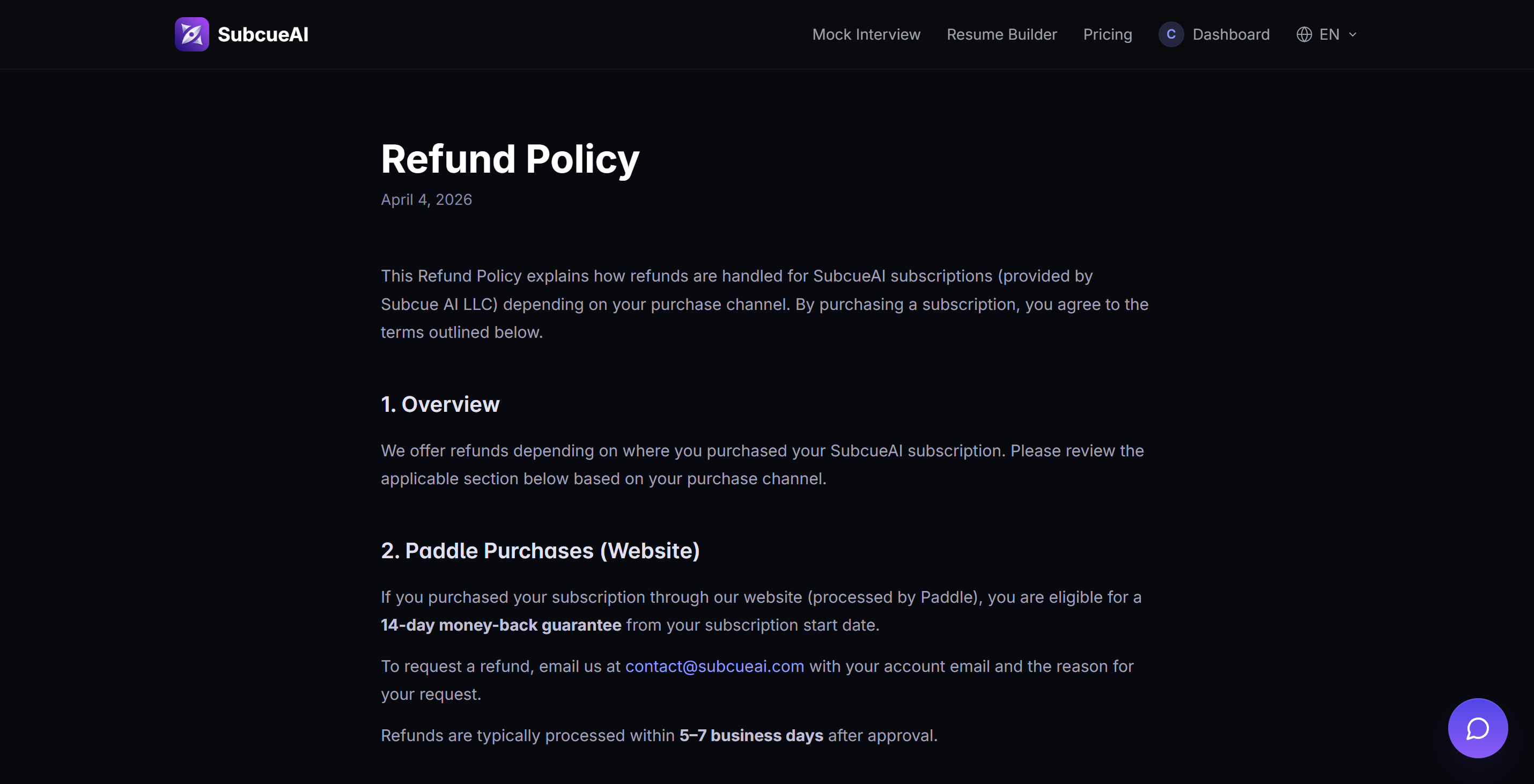
Subcue AI's refund policy is pretty simple.
You can get a full refund any time within 14 days of buying something.
Refund requests should be sent via email.
Once approved, you'll get the refund back in your original account within 5–7 business days.
But if you're a Mac user and bought it through the Apple App Store, you'll need to file a refund request through Apple's official channels. In this case, the 14-day refund guarantee doesn't do much good.
So, I still suggest testing out Subcue AI's different features before buying, or using my review to compare it with other AI interview assistants to choose the one that best fits your needs.
Alternatives to Subcue AI
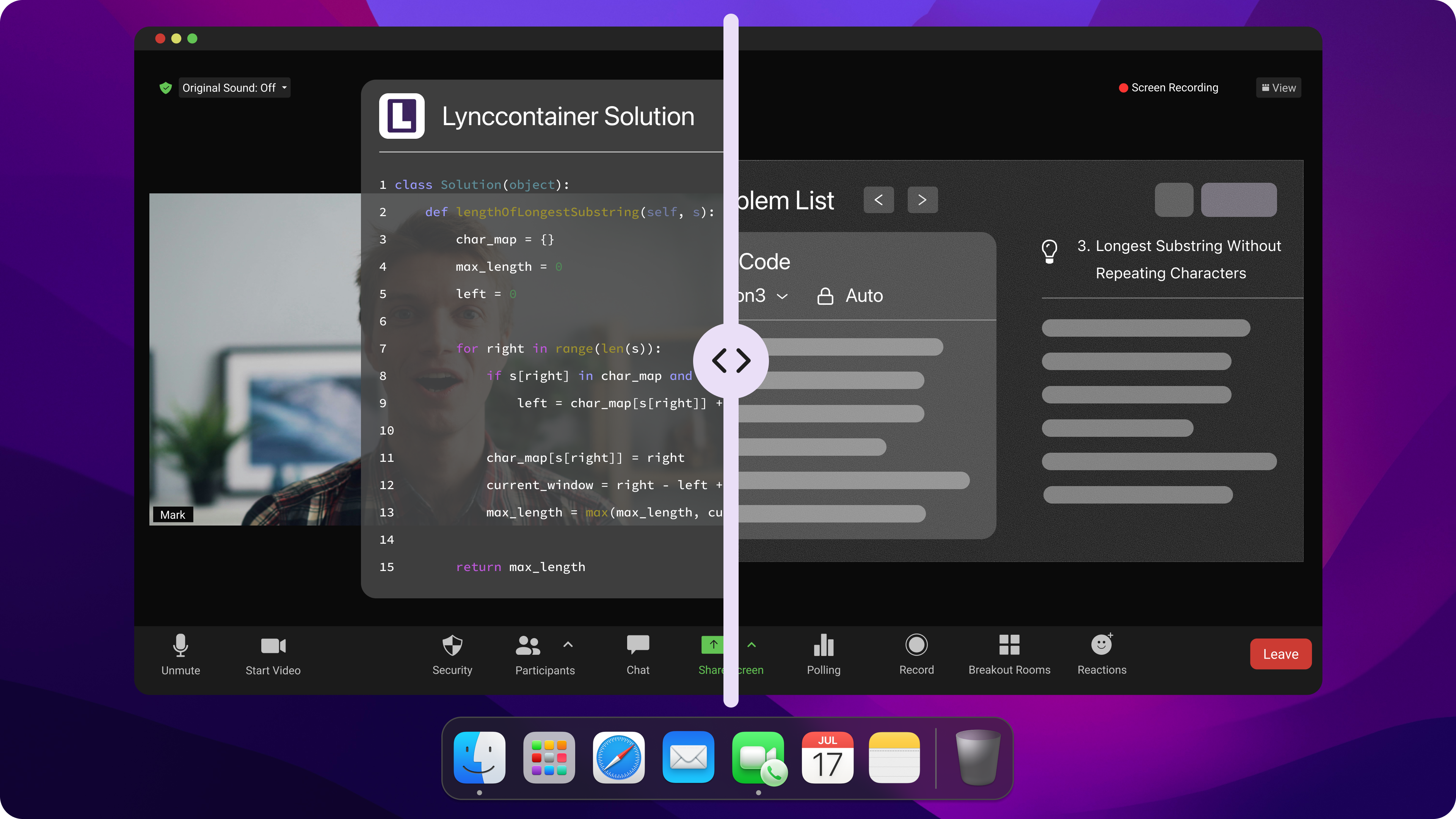
Comparison with Other AI Tools
You might be wondering how Subcue AI compares to other interview preparation tools. A lot of AI apps offer real-time feedback, but not all of them guarantee your audio privacy. Some tools use browser extensions or just run in a separate tab to provide limited stealth, like Final Round AI and Verve AI. These might show up during the interview or be left on your device.
Other AI tools, like Linkjob AI, have found ways to be invisible on the screen, even in the dock and Activity Monitor, thanks to some cool tech breakthroughs.
When picking an AI interview tool, there are a few things to keep in mind:
Does it store your audio on your device?
Do we need plugins or bots?
Can you delete your transcripts and data?
Does it provide real-time assistance without making you sound like a robot?
You should also be aware of relevant laws and ethical guidelines. Companies have to protect your data and let you know how they use AI. Some states require companies to say during interviews if they're using AI. We make sure that our tools are up to scratch by doing reviews every year. They also use different data to avoid bias.
Why I Chose Linkjob AI as the Best Subcue AI Alternative
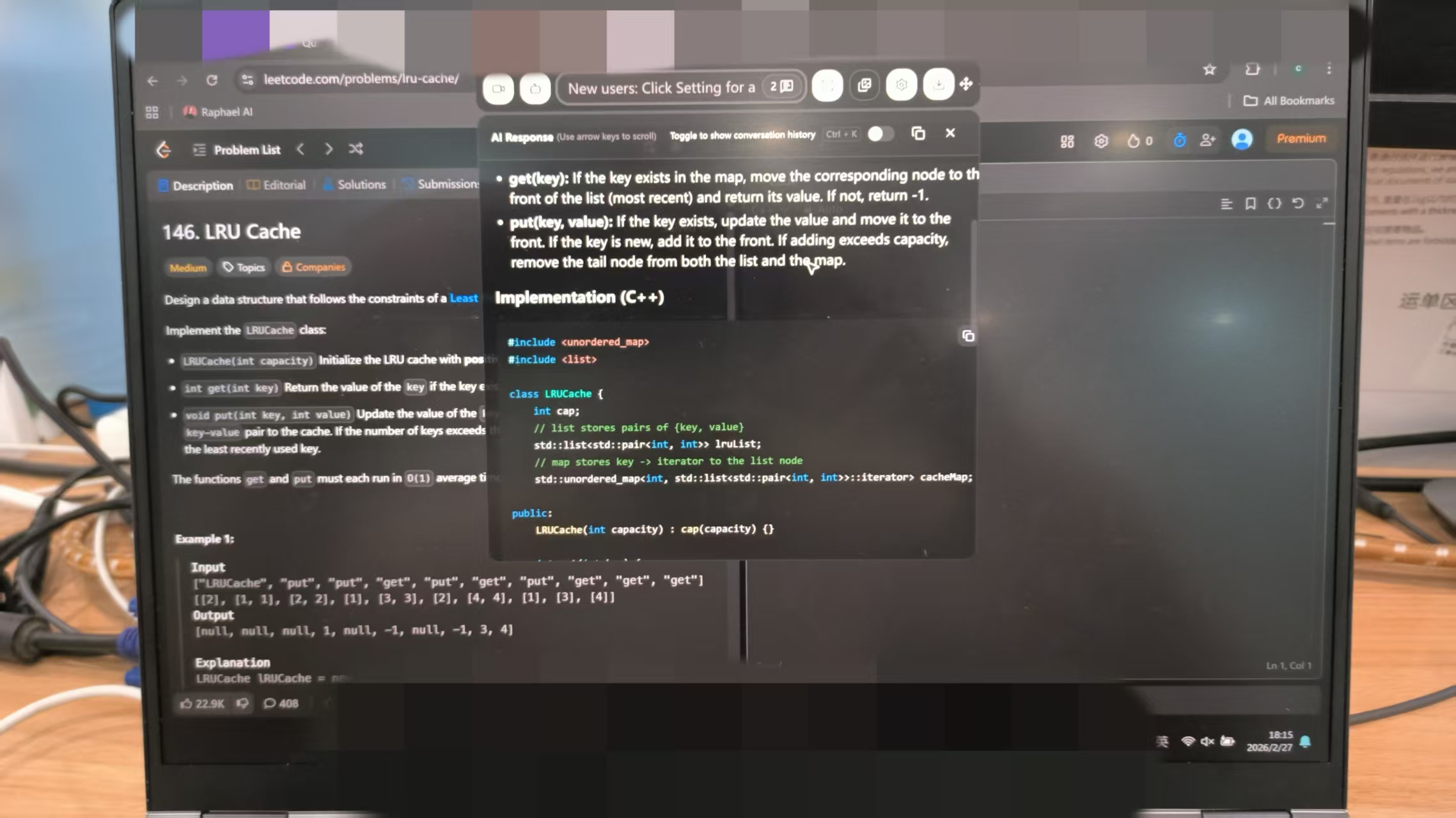
When it comes to the risk of being caught, that's exactly why I didn't use any browser-extension-based AI interview tools during my interviews. Luckily, I found another option that's technically undetectable: a desktop-based tool that can make up for subcue AI's shortcomings.
One of these tools—and the one that worked best for me in my testing and real-world use—is Linkjob AI. It runs in the background without any problems. When I tested it during video calls and meetings, I ran it in the background on my Windows system and shared my screen multiple times, yet I never saw it pop up or interfere with my workflow.
And the best part is, everything kept working. I love that I can upload multiple screenshots at once. It's great for those tricky coding problems that are split into multiple parts. It's awesome that Linkjob AI can take both image and voice input and provide real-time suggestions without any switching.
FAQ
How do you set up Subcue AI for your first interview?
You just download the app, install it, and open it. Pick your audio source. Start your interview. Subcue AI listens and gives feedback right away. No plugins or bots needed.
Can anyone detect if you use Subcue AI during a call?
Yes. Subcue AI can be seen during screenshots and screen-sharing scenarios, though it does not join calls as a bot or plugin. If you do not share your screen, no one can see it.
What should you do if you want to delete your Subcue interview data?
Go to your dashboard. Find your transcripts or AI analysis. Click delete. Subcue AI erases your data from your account. You stay in control.
Does Subcue AI work for coding interviews or proctored tests?
No, Subcue AI is not good for proctored coding platforms. Use it for video calls on your own device. Avoid sharing your screen.
How do you get more credits if you run out?
You can buy more credits from the Subcue AI website. Choose a plan or top up your account. Credits never expire if you use the premium plan.
See Also
Sharing My Authentic Experience With xAI CodeSignal Assessments
Secrets to Accessing Invisible AI Support for CodeSignal Tests
Best AI Resources for Invisible Assistance During Job Interviews
My Reasons for Leaving Cluely AI and Better Alternatives
User Opinions on AI Mock Interview Tools in 2026
