How I Crushed HubSpot CodeSignal Assessment: My Interview Story


I just crushed my HubSpot CodeSignal Assessment as a backend developer role, which turned out to be really successful.
I'm really grateful to Linkjob AI for helping me pass my interview, which is why I'm sharing my interview preparation experience here. Having an undetectable AI interview copilot for OA indeed provides a significant edge.
HubSpot CodeSignal Assessment Questions for Backend Developer Interview
I approached the HubSpot CodeSignal Assessment by treating it like a real coding challenge. It's an online coding test. You'll need to write code in your own IDE: fetch data from their endpoint, process it, and send the results back to their endpoint. If your output is correct, you can upload your code. I recommend practicing a bit beforehand -- there's even a simulated backend server on GitHub that you can run locally with a data source endpoint.
During the testing process, I used Linkjob AI interview assistant, and it's really incredibly useful. Even when screen sharing, you can't see the software running at all, and directly using the AI problem-solving feature is indeed very convenient.
Behavioral Questions

SQL Questions


System Design and Algorithm Questions

You'll use some libraries for handling request inputs, which might take a little time to set up initially, but once that's done, processing the data goes quickly. The problem is a classic one: "Meeting Times" and "Visitor Sessions". If your environment and libraries are ready to go, you'll have plenty of time.

AI Interview Assistant for Codesignal
Linkjob AI worked great and I got through my interview without a hitch. It's also undetectable, I used it and didn't trigger any CodeSignal detection.
HubSpot Post -- CodeSignal Interview Process and HubSpot Coding Interview Questions
Virtual Onsite: You can knock it out in one go or split it into two sessions -- I opted to split mine.
Round 1: Coding
Two interviewers and one shadow. The task was to merge two sorted arrays. It's not exactly like the LeetCode original, but the algorithm is straightforward -- just be mindful of edge cases, which are mostly boundary issues.
Round 2: System Design
The prompt: Design a weather app. The interviewer was pretty chill and gave me hints on a few design parts, plus we discussed them together. There are some solutions floating around online, but I couldn't find a really standard one, so I had to wing it on the spot.
Round 3: System Design
The prompt: Design Netflix. Two interviewers and one shadow. A few follow-ups: How would search work? How to provide examples for each type of movie to users? Pro tip: Practice with drawing tools ahead of time so you don't get flustered during the system design round.

Your Real-Time AI Interview Copilot
Key Takeaways from HubSpot Assessment Experience
Create a clear study plan. Break down your preparation into small, manageable goals to stay organized and focused.
Practice on multiple platforms. Use resources like LeetCode and HackerRank to expose yourself to different coding styles and challenges.
Search real coding questions and experiences from different companies, such as Capital One CodeSignal Questions.
Manage your time wisely during the assessment. Allocate specific durations for each task and prioritize questions you feel confident about.
Preparation Guide for HubSpot OA and Interview
Study Plan
I broke down my preparation into small, manageable goals. First, I reviewed the basics of data structures and algorithms. I made a checklist of topics that often appear in the hubspot coding round, like arrays, strings, and hash maps. I also made sure to understand the API key requirement. Every request in the assessment needs a unique API key, so I practiced using it in my code.
Practice Resources
I tried out several online platforms to sharpen my skills for the hubspot codesignal assessment. Here are the ones that helped me the most:
LeetCode -- Tons of coding challenges for software interviews.
HackerRank -- Great for technical contests and mock interviews.
GeeksforGeeks -- Helpful articles and tutorials.
Codewars -- Fun, community-driven problems.
CodeSignal -- Directly relevant to the hubspot online assessment.
Linkjob AI -- Whether for simulated interview practice or real-time interview assistance, it's extremely useful.
I also collected questions and experience shared by other candidates, such as how to ace the BCG X CodeSignal Assessment.
Tip: Mix up your practice. Try different platforms to get a feel for various question styles.
Daily Routine
I set aside one hour each day for focused practice. I started with warm-up problems, then tackled at least one medium or hard problem. I also practiced practical problems like log discrepancy detection, which often show up in hubspot assessments.
HubSpot CodeSignal Strategies: Assessment Format, Time Management, and Problem Solving
Assessment Format
I had three hours to complete the online assessment. The questions focused on practical scenarios, not just algorithms. I noticed that the assessment included tasks like log discrepancy detection and API integration. The scoring system rewarded me for the number of questions I completed successfully. Here's how the scores break down:
Score Range | Description |
|---|---|
200-600 | Coding scores based on the number of questions successfully completed. Higher scores indicate more questions completed. |
200 | Score for test-takers who do not submit any tasks. |
HubSpot sets a high bar for scores, so I aimed to complete as many questions as possible with solid solutions.
Time Management
Here's how I managed my time:
I allocated specific durations for each task.
I skimmed through every question first and started with the ones I felt most confident about.
I set time limits for each problem.
Tip: Don't let one tough question eat up your whole assessment. Move on and come back if you have time.
Problem Solving
Solving questions in the hubspot codesignal assessment required more than just knowing algorithms.
Here's my step-by-step approach:
I wrote an integration test for the main script before diving into the core logic.
I used test-first programming for the business-logic module. This made debugging much faster.
I ran into bugs, mostly typos, but I fixed them through trial and error and by running my tests.
I balanced speed with code quality. I wanted my solutions to work, but I also wanted them to be clean and readable.
Interview Process
After the hubspot codesignal assessment, the interview process continued with several rounds. I received targeted feedback after each round.
The interview process at HubSpot included technical rounds and behavioral interviews. In the technical round, I answered questions about HubSpot tools, CRM, and inbound marketing strategies. The behavioral interview focused on how I work in a team, solve conflicts, and handle challenges as an engineer.
I noticed that the process at HubSpot felt more practical than other software engineer interview experiences. The questions tested my real-world skills, not just textbook knowledge.
How I Passed My 2026 HubSpot CodeSignal Assessment
When my HubSpot CodeSignal invitation arrived after applying to HubSpot's Cambridge, Remote North America, and Dublin engineering pipelines (spanning Spring/Fall SWE Co-ops, Summer Interns, New Grads, and Experienced Backend/Full-Stack roles), I almost prepared for the wrong test completely. Half of Reddit insists HubSpot only sends a 3-hour local-IDE REST API script, while newer 2026 threads warn about getting stuck at minute 50 inside a 90-minute, 4-level progressive CodeSignal Cloud IDE build! Both camps are describing real tests—because in 2026, HubSpot routes Co-op, Intern, and New-Grad SWE cohorts onto CodeSignal's 90-minute 4-level progressive screen, while deploying its 3-hour GET -> Transform -> POST API Work Sample across experienced lateral tracks (and select post-screen pipelines)!
On the 90-minute CodeSignal track, the #1 reason strong candidates run out of time at Level 3 is writing flat dictionary hacks during Level 1. Because Level k + 1 stays 100% locked until every unit test on Level k passes—the exact progressive gate I also encountered in my Dropbox CodeSignal assessment guide—retrofitting point-in-time TTL expirations and historical at_timestamp reads onto unencapsulated dicts burns 25 minutes of frantic refactoring!
Even more important, HubSpot's CodeSignal lobby enables screen, audio, and keystroke replay recording alongside CodeSignal's AI Suspicion Score, where desktop overlays or external 50-line pastes trigger post-test audit flags. To keep my laptop monitor 100% clean, I paired Linkjob AI in Dual-Device Mode: scanning the desktop QR code with my phone camera to open Linkjob AI on my phone's mobile webpage, turning OFF the desktop answer-display toggle before opening Chrome so zero floating UI ever rendered on my computer screen, and checking Level 3 timestamp boundaries 1 inch below my webcam lens (while saving Desktop Floating Window Mode strictly for unproctored web practice and compatible live video calls). Below is my complete 2026 guide to both HubSpot assessment tracks, four 100% original, runnable Python 3 solutions with unit tests, and what follows in HubSpot's HEART culture and system design loop.
HubSpot's Two 2026 Assessments (90-Min CodeSignal vs. 3-Hour API)
Before writing a single line of practice code, check the sender and timer inside your invitation email so you study the exact environment you are entering:
Track 1 —
90-Minute,4-Level Progressive CodeSignal Screen (SWE Co-op, Intern & Early-Career SWE):
Runs inside CodeSignal's multi-file Cloud IDE (occasionally configured at 70 minutes on select regional pilots, with 90 minutes standard in 2026):One Evolving Codebase, Sequential Unlocks: All four levels extend one stateful backend component (
such as an indexed CRM property engine, a multi-tenant deal ledger, or a scheduled task coordinator). You cannot view Level3until100%of Level2's visible and hidden unit tests pass!How the
4Levels Escalate:Level 1 (
Target 10–12 Minutes): Core record creation, field updates, conditional compare-and-swap mutations, and deletions.Level 2 (
Target 16–20 Minutes): Filtered prefix/category scans formatted in strict deterministic tie-break order (sorted by field_name ASC or metric DESC, id ASC).Level 3 (
Target 25–28 Minutes): Timestamped operations (put_at,delete_at,scan_at) with per-fieldTTLexpiration (where a field written at ts with ttl is alive strictly on [ts, ts + ttl)!).Level 4 (
Target 25–30 Minutes): Historical point-in-time lookbacks (querying exact field state as of any past timestamp query_ts!) or atomic record merging / compaction—similar in progressive state rigor to my Ramp CodeSignal assessment walkthrough.
Track 2 —
3-Hour Local-IDEREST APIWork Sample (Experienced Backend & Full-Stack SWE):
Instead of CodeSignal's browser IDE, HubSpot gives you a personal API key and3hours in your own local editor (VS Code, PyCharm, IntelliJ) toGETa JSON payload of5,000+raw CRM events (visitor pageviews, partner calendar dates, or subscription invoices), compute grouped domain aggregates (such as 10-minute inactivity sessionization or consecutive 2-day country availability), andPOSTthe exact JSON response back for instantHTTP 200schema grading!How CodeSignal Proctoring Audits Track 1 Submissions:
As detailed in my breakdown of how CodeSignal detects cheating, HubSpot's proctored Cloud IDE records yourEntire Screenmonitor stream, room audio, webcam gaze,window.onblurfocus exits, and keystroke-by-keystroke replay to verify organic incremental development across all four levels.
4 Representative HubSpot Assessment Problems (With Python 3 Solutions)
Every solution below is 100% original, clean-room Python 3 engineered from scratch: Blocks 1 and 2 build a zero-rewrite 4-level progressive CRM property engine (so Level 4 historical time-travel requires zero edits to Level 1–2 logic!), while Blocks 3 and 4 solve HubSpot's two classic REST API JSON aggregation archetypes—all verified via assert unit tests.
1. 90-Minute CodeSignal Progressive Engine (Levels 1 & 2): Append-Only CRM Property Store & Deterministic Prefix Scans
The Secret That Saves
22Minutes at Level 3 & Level 4:
Most candidates implement Level1asself._records[entity_id][prop_name] = value—which destroys historical versions and forces a total rewrite when Level4asks"What was entity E's property P at past timestamp T?"!
Instead, store each(entity_id, prop_name)as an append-only list of_PropVersion(written_at, expires_at, value)revisions from minute00:01! Level1and Level2simply passnow_ts = 0(with monotonic synthetic sequence numbers or explicit timestamps), and Levels3and4unlock in15effortless lines!
from bisect import bisect_right
from dataclasses import dataclass


@dataclass(frozen=True)
class _PropVersion:
    written_at: int
    expires_at: int | None  # Alive on [written_at, expires_at); None == deleted tombstone if val is None
    value: str | None


class CRMPropertyEngine:
    """
    Levels 1 & 2 progressive CRM store built on append-only version lists so
    Level 3 TTLs and Level 4 point-in-time historical reads require zero rewrites.
    """

    def __init__(self) -> None:
        # entity_id -> prop_name -> chronologically appended _PropVersion list
        self._store: dict[str, dict[str, list[_PropVersion]]] = {}

    def _resolve_at(self, versions: list[_PropVersion], query_ts: int) -> str | None:
        if not versions:
            return None
        # Binary search latest version with written_at <= query_ts
        times = [v.written_at for v in versions]
        idx = bisect_right(times, query_ts) - 1
        if idx < 0:
            return None
        ver = versions[idx]
        if ver.value is None:
            return None
        if ver.expires_at is not None and query_ts >= ver.expires_at:
            return None
        return ver.value

    def set_prop(self, entity_id: str, prop_name: str, value: str) -> None:
        props = self._store.setdefault(entity_id, {})
        props.setdefault(prop_name, []).append(
            _PropVersion(written_at=0, expires_at=None, value=value)
        )

    def get_prop(self, entity_id: str, prop_name: str) -> str | None:
        props = self._store.get(entity_id)
        if not props or prop_name not in props:
            return None
        return self._resolve_at(props[prop_name], query_ts=0)

    def compare_and_delete(self, entity_id: str, prop_name: str, expected_val: str) -> bool:
        cur = self.get_prop(entity_id, prop_name)
        if cur != expected_val:
            return False
        self._store[entity_id][prop_name].append(
            _PropVersion(written_at=0, expires_at=None, value=None)
        )
        return True

    def scan_props(self, entity_id: str, prefix: str = "") -> list[str]:
        props = self._store.get(entity_id)
        if not props:
            return []
        out: list[str] = []
        for p_name in sorted(props):
            if p_name.startswith(prefix):
                val = self._resolve_at(props[p_name], query_ts=0)
                if val is not None:
                    out.append(f"{p_name}={val}")
        return out


def test_hubspot_levels_1_and_2() -> None:
    db = CRMPropertyEngine()
    db.set_prop("deal_1", "stage_curr", "qualified")
    db.set_prop("deal_1", "stage_prev", "lead")
    db.set_prop("deal_1", "owner", "rep_7")

    assert db.get_prop("deal_1", "stage_curr") == "qualified"
    assert db.scan_props("deal_1", prefix="stage_") == [
        "stage_curr=qualified",
        "stage_prev=lead",
    ]
    assert db.compare_and_delete("deal_1", "stage_prev", "wrong") is False
    assert db.compare_and_delete("deal_1", "stage_prev", "lead") is True
    assert db.scan_props("deal_1", prefix="stage_") == ["stage_curr=qualified"]


test_hubspot_levels_1_and_2()
2. 90-Minute CodeSignal Progressive Engine (Levels 3 & 4): Half-Open TTL Expiry, Historical get_as_of & Contact Record Merge
Zero-Rewrite Payoff: Because
_resolve_at(versions, query_ts)already binary-searcheswritten_at <= query_tsand checksquery_ts < expires_at:Level 3 (
set_prop_atwithttl_ms,delete_prop_at,scan_props_at) works immediately on half-open intervals[ts, ts + ttl_ms)(meaning at exact ts + ttl_ms the property has expired!).Level 4 (
get_prop_as_ofHistorical Time-Travel +merge_contactsDeduplication): Querying any historical timestamppast_ts(even after later overwrites or deletions!) works out-of-the-box via_resolve_at(versions, past_ts)! And when HubSpot CRM merges duplicatesource_entityintotarget_entityatmerge_ts, copying alive source properties that do not overwrite alive target properties preserves full audit history!
class TimeTravelCRMEngine(CRMPropertyEngine):
    """
    Levels 3 & 4 extension adding half-open [ts, ts + ttl) expirations,
    arbitrary historical get_prop_as_of(past_ts) queries, and CRM contact merges.
    """

    def set_prop_at(
        self,
        ts: int,
        entity_id: str,
        prop_name: str,
        value: str,
        ttl: int | None = None,
    ) -> None:
        if ttl is not None and ttl <= 0:
            raise ValueError("ttl must be > 0 when provided")
        exp = None if ttl is None else (ts + ttl)
        props = self._store.setdefault(entity_id, {})
        props.setdefault(prop_name, []).append(
            _PropVersion(written_at=ts, expires_at=exp, value=value)
        )

    def delete_prop_at(self, ts: int, entity_id: str, prop_name: str) -> bool:
        props = self._store.get(entity_id)
        if not props or prop_name not in props:
            return False
        if self._resolve_at(props[prop_name], ts) is None:
            return False
        props[prop_name].append(_PropVersion(written_at=ts, expires_at=None, value=None))
        return True

    def get_prop_as_of(self, query_ts: int, entity_id: str, prop_name: str) -> str | None:
        props = self._store.get(entity_id)
        if not props or prop_name not in props:
            return None
        return self._resolve_at(props[prop_name], query_ts)

    def scan_props_at(self, query_ts: int, entity_id: str, prefix: str = "") -> list[str]:
        props = self._store.get(entity_id)
        if not props:
            return []
        res: list[str] = []
        for p_name in sorted(props):
            if p_name.startswith(prefix):
                val = self._resolve_at(props[p_name], query_ts)
                if val is not None:
                    res.append(f"{p_name}={val}")
        return res

    def merge_entities_at(self, ts: int, target_id: str, source_id: str) -> int:
        if target_id == source_id or source_id not in self._store:
            return 0
        src_props = self._store[source_id]
        tgt_props = self._store.setdefault(target_id, {})
        copied = 0

        for p_name, src_vers in list(src_props.items()):
            if not src_vers:
                continue
            # Check latest live state on source at ts
            idx = bisect_right([v.written_at for v in src_vers], ts) - 1
            if idx < 0:
                continue
            latest_src = src_vers[idx]
            if latest_src.value is None or (latest_src.expires_at is not None and ts >= latest_src.expires_at):
                continue

            # Target wins conflicts if target already holds an active value at ts
            tgt_live = self._resolve_at(tgt_props.get(p_name, []), ts)
            if tgt_live is None:
                tgt_props.setdefault(p_name, []).append(
                    _PropVersion(written_at=ts, expires_at=latest_src.expires_at, value=latest_src.value)
                )
                copied += 1

            # Tombstone source property at ts so post-merge reads see source retired
            src_vers.append(_PropVersion(written_at=ts, expires_at=None, value=None))

        return copied


def test_hubspot_levels_3_and_4() -> None:
    crm = TimeTravelCRMEngine()
    crm.set_prop_at(10, "contact_a", "tier", "trial", ttl=30)   # Alive on [10, 40)
    crm.set_prop_at(25, "contact_a", "tier", "pro", ttl=50)     # Alive on [25, 75)
    crm.set_prop_at(30, "contact_b", "phone", "555-0199", ttl=60)
    crm.set_prop_at(30, "contact_b", "tier", "starter")

    # Level 4 historical time-travel lookbacks!
    assert crm.get_prop_as_of(20, "contact_a", "tier") == "trial"
    assert crm.get_prop_as_of(40, "contact_a", "tier") == "pro"
    assert crm.get_prop_as_of(75, "contact_a", "tier") is None  # Exact boundary 75 expired!

    # Merge contact_b into contact_a at t=50: 'tier' stays 'pro', 'phone' copies over with original expiry 90!
    assert crm.merge_entities_at(50, "contact_a", "contact_b") == 1
    assert crm.scan_props_at(55, "contact_a") == ["phone=555-0199", "tier=pro"]
    assert crm.get_prop_as_of(90, "contact_a", "phone") is None


test_hubspot_levels_3_and_4()
3. HubSpot 3-Hour REST API Classic #1: 10-Minute Visitor Sessionization From Unordered Pageview Events
The Classic HubSpot Analytics Work Sample: Raw webhook events
(visitor_id, url, timestamp_ms)arrive completely out of chronological order. Grouping per-visitor events sorted ascending bytimestamp_ms, two consecutive pageviews belong to the same browsing session whenevernext_ts - prev_ts <= 600_000(10minutes in milliseconds); any gap strictly> 600_000 mscloses the current session (duration = last_ts - first_ts, or0for single-pageview sessions!) and opens a new one!
from collections import defaultdict
from typing import Any


TEN_MIN_MS = 600_000


def build_sessions_by_visitor(
    events: list[dict[str, Any]],
    max_gap_ms: int = TEN_MIN_MS,
) -> dict[str, list[dict[str, Any]]]:
    """
    Groups unordered pageview events per visitorId into chronological sessions
    where adjacent timestamps separated by <= max_gap_ms merge into one session.
    """
    by_visitor: dict[str, list[tuple[int, str]]] = defaultdict(list)
    for ev in events:
        vid = str(ev["visitorId"])
        ts = int(ev["timestamp"])
        url = str(ev["url"])
        by_visitor[vid].append((ts, url))

    sessions_by_user: dict[str, list[dict[str, Any]]] = {}
    for vid, hits in sorted(by_visitor.items()):
        hits.sort(key=lambda pair: (pair[0], pair[1]))
        user_sessions: list[dict[str, Any]] = []

        start_ts = hits[0][0]
        prev_ts = hits[0][0]
        pages = [hits[0][1]]

        for ts, url in hits[1:]:
            if ts - prev_ts <= max_gap_ms:
                pages.append(url)
                prev_ts = ts
            else:
                user_sessions.append(
                    {
                        "duration": prev_ts - start_ts,
                        "pages": pages,
                        "startTime": start_ts,
                    }
                )
                start_ts = ts
                prev_ts = ts
                pages = [url]

        user_sessions.append(
            {
                "duration": prev_ts - start_ts,
                "pages": pages,
                "startTime": start_ts,
            }
        )
        sessions_by_user[vid] = user_sessions

    return sessions_by_user


def test_visitor_sessionization() -> None:
    raw = [
        {"visitorId": "v_1", "url": "/pricing", "timestamp": 1_700_600_000},  # +600,000 ms exact boundary!
        {"visitorId": "v_1", "url": "/home",    "timestamp": 1_700_000_000},
        {"visitorId": "v_1", "url": "/signup",  "timestamp": 1_701_200_001},  # +600,001 ms -> new session!
    ]
    out = build_sessions_by_visitor(raw)
    assert out == {
        "v_1": [
            {"duration": 600_000, "pages": ["/home", "/pricing"], "startTime": 1_700_000_000},
            {"duration": 0,       "pages": ["/signup"],           "startTime": 1_701_200_001},
        ]
    }


test_visitor_sessionization()
4. HubSpot 3-Hour REST API Classic #2: Optimal Two-Day Consecutive Country Summit Date Selector (ISO-8601 Calendar Math)
The Subtle Month/Leap-Year Boundary Trap: Given partner records
(email, country, available_iso_dates), pick for each country the2-day consecutive window(day_d, day_d + 1 day)attended by the maximum count of partners available on BOTH days (breaking ties by the earliest start date, or returning startDate: None with 0 attendees if no 2-day window has >= 1 attendee!). Never check"consecutive"via string slicingint(d[-2:]) + 1—"2026-02-28"followed by"2026-03-01"spans a month boundary! Always usedatetime.date.fromisoformat(s)+timedelta(days=1)!
from collections import defaultdict
from datetime import date, timedelta
from typing import Any


def select_country_summit_windows(
    partners: list[dict[str, Any]],
) -> list[dict[str, Any]]:
    """
    Finds per country the earliest 2-day consecutive window maximizing partners
    available on BOTH d and d + 1 day using exact datetime.date arithmetic.
    """
    by_country: dict[str, list[tuple[str, set[date]]]] = defaultdict(list)
    all_countries: set[str] = set()

    for p in partners:
        country = str(p["country"])
        email = str(p["email"])
        avail = {date.fromisoformat(d_str) for d_str in p.get("availableDates", [])}
        all_countries.add(country)
        by_country[country].append((email, avail))

    results: list[dict[str, Any]] = []
    one_day = timedelta(days=1)

    for country in sorted(all_countries):
        roster = by_country[country]
        cand_starts: set[date] = set()
        for _, avail in roster:
            for d in avail:
                if (d + one_day) in avail:
                    cand_starts.add(d)

        best_start: date | None = None
        best_emails: list[str] = []

        for d in sorted(cand_starts):
            nxt_d = d + one_day
            attendees = sorted(
                email for email, avail in roster if d in avail and nxt_d in avail
            )
            if len(attendees) > len(best_emails):
                best_emails = attendees
                best_start = d

        results.append(
            {
                "attendeeCount": len(best_emails),
                "attendees": best_emails,
                "name": country,
                "startDate": None if best_start is None else best_start.isoformat(),
            }
        )

    return results


def test_country_summit_selector() -> None:
    sample_partners = [
        {"email": "a@hs.io", "country": "Ireland", "availableDates": ["2026-02-28", "2026-03-01"]},
        {"email": "b@hs.io", "country": "Ireland", "availableDates": ["2026-02-28", "2026-03-01", "2026-03-02"]},
        {"email": "c@hs.io", "country": "Spain",   "availableDates": ["2026-05-10", "2026-05-12"]},
    ]
    res = select_country_summit_windows(sample_partners)
    assert res == [
        {
            "attendeeCount": 2,
            "attendees": ["a@hs.io", "b@hs.io"],
            "name": "Ireland",
            "startDate": "2026-02-28",  # Cross-month Feb 28 -> Mar 01 handled cleanly!
        },
        {
            "attendeeCount": 0,
            "attendees": [],
            "name": "Spain",
            "startDate": None,
        },
    ]


test_country_summit_selector()
4 Subtle Schema & Boundary Bugs That Sink HubSpot Submissions
Whether your link opens CodeSignal's 90-minute Cloud IDE or HubSpot's 3-hour POST endpoint, 90% of failed attempts come down to four deterministic data-contract slips rather than algorithmic complexity:
Exact
camelCaseJSON Key &Nonevs.""Serialization (3-Hour API):
HubSpot's automatedPOSTvalidator compares your JSON payload strictly against its OpenAPI schema—returning an instantHTTP 400if you serialize"start_date"instead of"startDate", emit""instead of JSONnull(Python None) when a country has zero qualifying summit dates, or omit countries that received zero valid two-day windows! Always test against HubSpot's sample sandboxGETendpoint (which returns the exact expected answer alongside sample input) before hitting the production grading URL!Half-Open
[ts, ts + ttl)vs. Inclusive Expiration (CodeSignal Level 3):
On CodeSignal progressive sittings, writingquery_ts > ver.expires_atinstead ofquery_ts >= ver.expires_atkeeps expired records alive for one extra millisecond and fails4of10Level3hidden tests—keeping Level4permanently locked!Splitting Midnight-Straddling Call or Billing Intervals Across
UTCDays:
One recurring HubSpot API variant asks for peak concurrent customer support calls per calendarUTCdate (where a single phone call starting at 23:50 UTC on May 1 and ending at 00:15 UTC on May 2 contributes concurrency to BOTH May 1 and May 2!). Clipping each[start_ms, end_ms)interval against[day_start_utc_ms, day_end_utc_ms)before running your+1 / -1event sweep handles multi-day calls cleanly!Frontend Track Specifics (
DOM/PromiseConcurrency):
If you applied specifically to HubSpot's Frontend SWE track (React / TypeScript), be ready to implement boundedPromiseconcurrency pools (running at most K fetches simultaneously without Promise.all hammering rate limits) alongside clean state reducers.
What Follows Your OA: HubSpot's HEART Culture & System Design Loop
Clearing either the 90-minute CodeSignal build or the 3-hour API Work Sample unlocks HubSpot's virtual final loop (typically 3 to 4 rounds of 45–60 minutes each, with recruiter feedback delivered rapidly between stages):
Coding / Craft Round (
45–60Minutes): Clean data-structure manipulation (merging intervals, top-K CRM event streams, pagination cursors) with emphasis on readable helper decomposition and edge tests.System Design Round (
60Minutes — Intern/New-Grad Simplified, Senior Deep): Multi-tenant SaaS prompts (designing a video catalog search & recommendation service, a high-throughput marketing email/webhook dispatcher, or a multi-tenant CRM workflow engine—comparable to the multi-tenant rigor in my Atlassian system design interview guide).Behavioral Culture Code Round (
HEART): HubSpot scores behavioral stories explicitly against Humble, Empathetic, Adaptable, Remarkable, and Transparent (HEART)—rewarding candid ownership of mistakes and customer-centric trade-offs over ego.
My Pacing & Zero-Flag Setup Playbook for HubSpot's CodeSignal OA
To unlock and pass Level 4 inside 90 minutes while keeping a spotless CodeSignal audit log, I stick to four habits on test day:
Spend Minutes
0–3Writing_PropVersionAppend-Only Storage:
Even when Level1never mentions timestamps or history, storing versioned dataclasses from minute1saves you from tearing down your entire class at minute55!Enforce
12 / 30 / 58 / 90-Minute Checkpoints:
Keep Level1under12minutes and Level2under30minutes (double-checking lexicographical sort keys!) so over60minutes remain forTTLhalf-open intervals[ts, ts + ttl)and Level4time-travel merges.Deduplicate Input Arrays on the
3-Hour API Assessment:
Real HubSpotGETpayloads occasionally include duplicate(email, date)entries—convertingavailableDatesinto a Pythonsetimmediately prevents double-counting an attendee on the same day!Partitioning My Linkjob AI Setup Across Proctored Cloud IDE vs. Local Practice:
Because HubSpot's90-minute CodeSignal Cloud IDE recordsEntire Screenvideo, audio, and keystroke replay (LockDown Browser-grade session monitoring), I kept my Linkjob AI configuration strictly separated:Mode 1 — Dual-Device Mode (For Proctored
90-Minute CodeSignal Cloud IDE Rounds): Before opening Chrome, I disconnected external monitors, scanned the desktop QR code with my phone camera to open Linkjob AI on my phone's mobile webpage, and switched OFF the desktop answer-display toggle so zero floating UI ever rendered on my computer screen. Tapping remote capture on my phone (1inch beneath my webcam lens) produced0laptop hotkeys,0window.onblurfocus drops, and0clipboard paste flags while typing every method organically.Mode 2 — Desktop Floating Window Mode (For Unproctored Practice & Compatible Live Video Prep): When practicing on unproctored sessions or compatible live video calls with one-time
"Advanced Capture with Window Filtering"enabled beforehand, I finalized 100% of settings before opening the editor—never clicking Settings mid-session and never pressingCmd + \orCtrl + \during an active timer.
Frequently Asked Questions About the HubSpot CodeSignal Assessment
Is the HubSpot CodeSignal test the same as the 3-hour HubSpot API project?
No—they are two separate assessments for different tracks! The HubSpot CodeSignal assessment is a 90-minute, 4-level progressive coding build inside CodeSignal's proctored Cloud IDE (used heavily for SWE Co-op, Intern, and New-Grad cohorts), whereas the 3-hour API challenge runs inside your own local IDE (fetching JSON via GET and submitting aggregated JSON via POST, used primarily for experienced backend and full-stack roles).
What score or level passes HubSpot's 90-minute CodeSignal OA?
Passing Levels 1, 2, and 3 at 100% plus partial or complete hidden tests on Level 4 (placing you in the 550–600 band on CodeSignal's 200–600 scale) consistently moves Co-op, Intern, and New-Grad packets forward to recruiter and final-loop scheduling, whereas stalling on Level 2 due to unencapsulated state rarely advances.
When do HubSpot SWE Co-op and Internship applications open?
HubSpot recruits on a fast rolling headcount calendar: Spring Co-op and Summer SWE Internship / Full-Time New-Grad requisitions typically open in mid-August through September (with Fall Co-op listings opening in January–February). Submitting your application and completing your CodeSignal link within 48 to 72 hours of invitation matters enormously before final-loop slots fill!
FAQ
Can I use any programming language for the HubSpot take home assessment Github?
Yes! I pick the language I feel most comfortable with. The platform lets me switch languages during the test, but I stick with one to save time.
What should I do if I get stuck on a coding problem?
CodeSignal requires screen sharing, so many AI tools become ineffective. This is also where Linkjob AI excels; it remains completely undetectable even during screen sharing, so you can confidently use AI assistance. You may follow the instructor How to Cheat on CodeSignal Proctored Tests in 2026: My Tricks.
In short, using Linkjob AI directly to pass the test is better than anything else.
Is it important to write tests during the HubSpot coding assessment?
Yes! I always write simple tests for my code. This helps me catch bugs early and shows my problem-solving skills to the reviewers.
How do I prepare for SQL questions?
I practice basic SQL queries like SELECT, JOIN, and GROUP BY. I use online platforms to solve real SQL problems. Reviewing sample queries helps me feel ready for any database question.
What if I don't have much time to prepare for HubSpot Leetcode?
I focus on quality over quantity.
I pick one or two problems each day.
Even short, focused practice sessions help me improve.
See Also
How I Passed the 2026 TikTok CodeSignal Online Assessment: Tips, Strategies, and Preparation Guide
How I Navigated the Visa CodeSignal Assessment and What I Learned
How I Cracked the Ramp CodeSignal Assessment and What You Can Learn
I Cracked the Coinbase CodeSignal Assessment: My Insider Guide
How I Succeeded in the eBay CodeSignal Assessment Without Stress
Why People Choose Linkjob AI
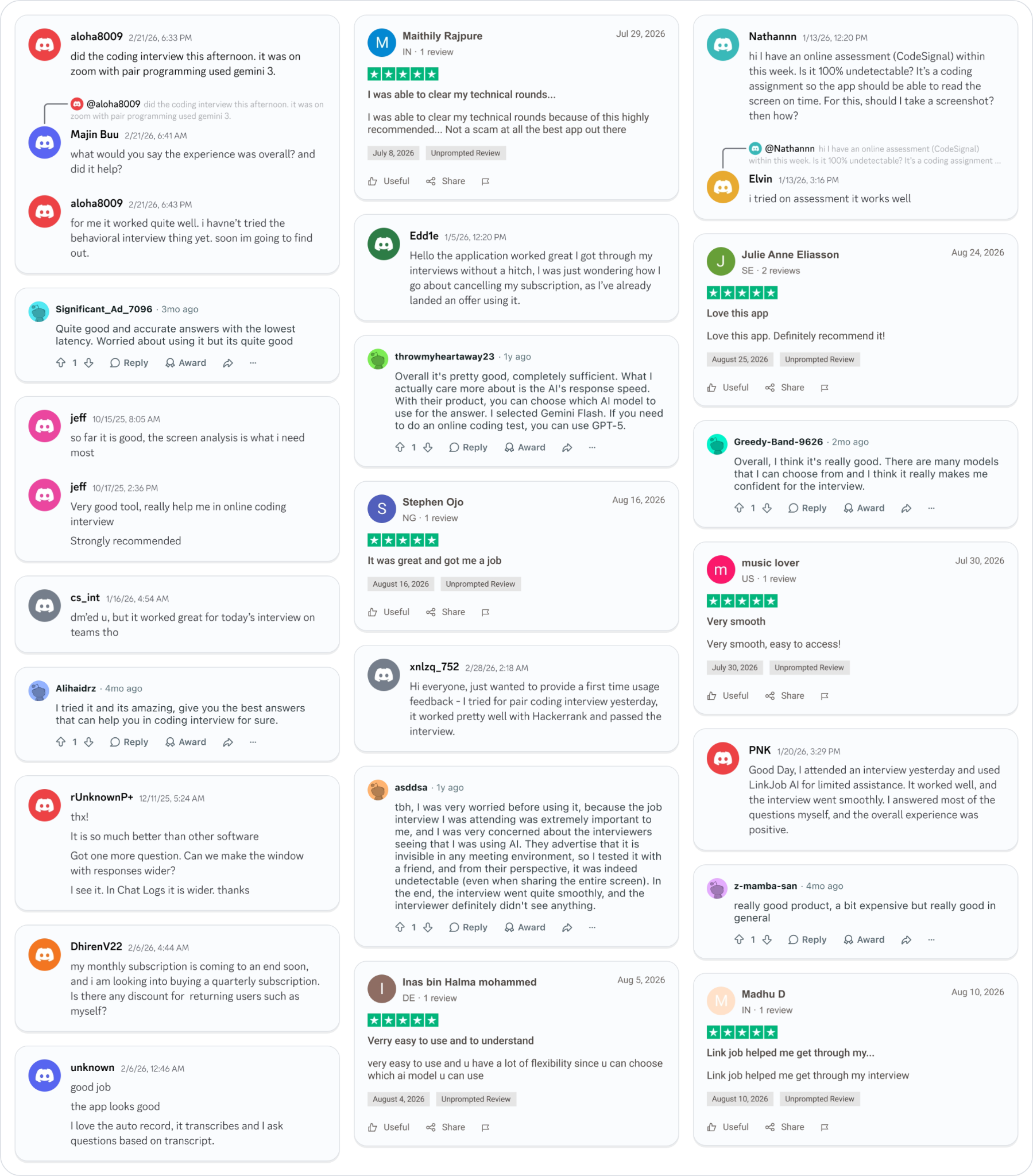
Smoother interviews, coding challenges cleared, and job offers landed. See how users describe their experience with Linkjob AI—in their own words.

© Copyright 2026 Linkjob AI - All Rights Reserved.