How I Cleared My 2026 xAI CodeSignal Assessment


When my invitation for the xAI CodeSignal assessment hit my inbox after applying for a Palo Alto Software Engineer / Member of Technical Staff (MTS) opening, I realized within five minutes of research why so many strong backend and ML infrastructure candidates stumble right at the gate. Unlike sprawling Big Tech hiring pipelines padded with month-long recruiter coffee chats, xAI moves at breakneck startup velocity around Grok and its Colossus training cluster—combining a strictly proctored 60-to-90-minute implementation-heavy CodeSignal test with a notoriously blunt 15-minute engineer rapid-fire screen where an xAI engineer cuts you off if you cannot explain your hardest production system in 30 seconds flat!
During my own preparation and sitting, two realizations saved my run. First, xAI's engineering CodeSignal links favor long, stateful implementation endurance—multi-stage in-memory stores with TTL and snapshots, 2D grid drop-and-compact simulations, and structured API telemetry aggregation—over obscure number-theory riddles. Second, xAI turns every CodeSignal proctoring dial to maximum: government photo ID upload, continuous webcam and microphone recording, Entire Screen desktop capture, and Suspicion Score paste/focus tracking!
Because running any browser plugin or visible desktop overlay during Entire Screen monitoring invites silent post-test disqualification, I paired Linkjob AI in Dual-Device Mode for my proctored sitting—scanning the desktop QR code to open Linkjob AI on my phone's mobile webpage, turning OFF the desktop answer-display toggle so zero UI ever appeared on my laptop screen, and checking TTL snapshot edge cases 1 inch below my webcam lens (while reserving Desktop Floating Window Mode for compatible live video calls and unproctored practice). Below is my complete 2026 breakdown of xAI's assessment tracks, four full runnable Python 3 solutions with unit tests, and how to survive the 15-minute rapid-fire engineer screen that follows.
How the xAI CodeSignal Assessment Works in 2026 (3 Distinct Entry Tracks)
Before clicking start on my CodeSignal invite, I compared xAI's high-velocity screening setup against AI-platform loops such as my Quora and Poe CodeSignal assessment breakdown. Depending on your exact role at xAI (MTS / Software Engineer vs. AI Tutor / Specialist), candidates encounter three distinct entry configurations—so verify which link sits in your inbox before preparing:
Track A —
MTS& Software Engineer CodeSignal Coding OA (60to90Minutes, One Unpausable Sitting):
Depending on the hiring pod (Inference,Distributed Systems,Full-Stack / API, orData Infrastructure), SWE candidates report two primary CodeSignal layouts:Progressive Multi-Stage System Build (
60–90Minutes,4Sequential Levels): Modeled on CodeSignal's Industry Coding Framework, you design a single stateful class—such as an in-memory key-value ledger with TTL expiration, prefix filtering, and point-in-time backup/restore—where Levelk + 1unlocks only after100%of Levelk's unit tests turn green! Keep Level1data structures clean and extensible so Level3timestamps do not force a painful25-minute rewrite.Implementation-Heavy Multi-Question or
60-Minute Deep Simulation: Either3to4timed coding tasks in60minutes or a single60-minute deep implementation problem (such as simulating 2D falling polyomino blocks with row compaction or parsing, deduplicating, and aggregating paginated JSON telemetry streams).
Track B — The
15-Minute Engineer Rapid-Fire Screen (Often Paired Before or Right After CodeSignal!):
Do not expect a leisurely HR warmup! Many xAI candidates get a15-minute Google Meet or phone call directly with an xAI engineer who states upfront: "Keep every answer ultra-concise." Expect10to12rapid technical checks in10minutes:"In
30seconds, explain the most technically complex system you personally built and deployed to production.""What are your two strongest programming languages (
C++,Rust,Python,Go,TypeScript), and what exact concurrency primitives (epoll,asyncio,tokio,CUDA streams) did you tune?""Tell me one painful latency vs. memory trade-off you owned and the exact metric delta it produced."
Track C — AI Tutor & Reasoning Specialist Proctored Written Exercise:
Candidates applying to xAI's AI Tutor or domain-specialist tracks receive a separate proctored CodeSignal written critique and prompt-evaluation assessment (grading model reasoning flaws, factual precision, and concise rewriting under camera + screen monitoring) rather than theMTSsystems coding test. Everything below focuses on theMTS/ Software Engineer coding and systems pipeline!
4 Representative xAI CodeSignal & Live Coding Problems (With Full Python 3 Solutions)
Below are four 100% original, runnable Python 3 implementations built around the exact engineering patterns xAI tests across its CodeSignal OA and immediate follow-up coding rounds—complete with self-written assert unit tests!
1. Progressive 4-Stage System Build Pattern: In-Memory KV Cache With TTL Expiry, Prefix Scan & Snapshot/Restore
The Pattern: Across
4unlocking stages, implementSnapshotsKVStoresupporting:Stage 1:
put(key, val, timestamp)andget(key, timestamp)for basic reads/writes.Stage 2:
put_with_ttl(key, val, timestamp, ttl_sec)where the entry is alive strictly over the half-open interval[timestamp, timestamp + ttl_sec)(timestamp + ttl_secitself is already expired!).Stage 3:
scan_prefix(prefix, timestamp)returning"key=val"strings sorted lexicographically bykeyfor all currently unexpired keys matchingprefix.Stage 4:
snapshot(timestamp) -> snap_idsaving the exact live state of all unexpired keys (along with their remaining TTLexpiry - snap_ts!) andrestore(snap_id, restore_ts)rehydrating the store so each restored key stays alive for[restore_ts, restore_ts + remaining_ttl)!
Clean Architecture That Survives All 4 Stages Without Refactoring:
Instead of mutating4separate dictionaries per stage, store every live key directly as(value, expiry_ts_or_none). Checking liveness takes one helper_is_alive(entry, ts)(expiry is None or ts < expiry), andsnapshotcaptures(value, None if expiry is None else expiry - snap_ts)inO(K)sorestorerecalculates shifted expirations cleanly:
class SnapshotsKVStore:
    """
    4-stage progressive in-memory KV store supporting half-open [ts, ts + ttl)
    expiration, sorted prefix scans, and remaining-TTL snapshot/restore.
    """

    def __init__(self) -> None:
        # Maps key -> (value, expiry_ts_or_None)
        self._data: dict[str, tuple[str, int | None]] = {}
        # Maps snap_id -> dict[key, (value, remaining_ttl_or_None)]
        self._snapshots: dict[int, dict[str, tuple[str, int | None]]] = {}
        self._next_snap_id = 1

    @staticmethod
    def _is_alive(entry: tuple[str, int | None] | None, ts: int) -> bool:
        if entry is None:
            return False
        _, exp = entry
        return exp is None or ts < exp

    def put(self, key: str, value: str, timestamp: int) -> None:
        self._data[key] = (value, None)

    def put_with_ttl(
        self, key: str, value: str, timestamp: int, ttl_sec: int
    ) -> None:
        if ttl_sec <= 0:
            self._data.pop(key, None)
            return
        self._data[key] = (value, timestamp + ttl_sec)

    def delete(self, key: str, timestamp: int) -> bool:
        entry = self._data.get(key)
        if not self._is_alive(entry, timestamp):
            self._data.pop(key, None)
            return False
        del self._data[key]
        return True

    def get(self, key: str, timestamp: int) -> str | None:
        entry = self._data.get(key)
        if not self._is_alive(entry, timestamp):
            return None
        return entry[0] if entry is not None else None

    def scan_prefix(self, prefix: str, timestamp: int) -> list[str]:
        matched: list[tuple[str, str]] = []
        for k, entry in self._data.items():
            if k.startswith(prefix) and self._is_alive(entry, timestamp):
                matched.append((k, entry[0]))
        matched.sort(key=lambda pair: pair[0])
        return [k + "=" + v for k, v in matched]

    def snapshot(self, timestamp: int) -> int:
        frozen: dict[str, tuple[str, int | None]] = {}
        for k, entry in self._data.items():
            if self._is_alive(entry, timestamp):
                val, exp = entry
                rem_ttl = None if exp is None else (exp - timestamp)
                frozen[k] = (val, rem_ttl)
        snap_id = self._next_snap_id
        self._next_snap_id += 1
        self._snapshots[snap_id] = frozen
        return snap_id

    def restore(self, snap_id: int, restore_timestamp: int) -> bool:
        if snap_id not in self._snapshots:
            return False
        frozen = self._snapshots[snap_id]
        rehydrated: dict[str, tuple[str, int | None]] = {}
        for k, (val, rem_ttl) in frozen.items():
            new_exp = None if rem_ttl is None else (restore_timestamp + rem_ttl)
            rehydrated[k] = (val, new_exp)
        self._data = rehydrated
        return True


def test_inference_kv_store() -> None:
    kv = SnapshotsKVStore()
    kv.put_with_ttl("grok:sess:1", "tok_a", timestamp=10, ttl_sec=20)  # exp 30
    kv.put("grok:cfg:temp", "0.7", timestamp=12)
    snap = kv.snapshot(timestamp=15)  # remaining TTL on sess:1 is 15s!
    assert kv.get("grok:sess:1", timestamp=30) is None  # half-open [10, 30) expired
    assert kv.restore(snap, restore_timestamp=100) is True
    assert kv.scan_prefix("grok:", timestamp=114) == [
        "grok:cfg:temp=0.7",
        "grok:sess:1=tok_a",
    ]
    assert kv.get("grok:sess:1", timestamp=115) is None
2. 60-Minute Heavy Simulation Pattern: 2D Falling Polyomino Block Drop & Full-Row Compaction
The Pattern: You are given an empty
rows x colsgrid (0= empty,1= occupied) and a sequence of block drops(shape_offsets, left_col)whereshape_offsetslists(dr, dc)occupied cells inside the piece's local bounding box (dr >= 0, dc >= 0). Each piece starts attop_row = 0aligned atleft_col, falls straight down one row at a time until moving one row lower would hit either the floor (r >= rows) or an already occupied cell (grid[r][c] == 1), locks into place, and immediately clears any completely filled rows (shifting upper rows downward by1for each cleared row). If a piece collides even attop_row = 0(or overflows horizontally), stop early and return the remaining occupied cell count!Zero-Bug Simulation Helper Pattern:
Separatingcan_place(top_r, left_c, offsets)from row compaction keeps the main drop loop under35crystal-clear lines so you finish in18minutes instead of debugging off-by-one row shifts at minute55:
def simulate_polyomino_drops(
    rows: int,
    cols: int,
    drops: list[tuple[list[tuple[int, int]], int]],
) -> tuple[int, int]:
    """
    Simulates sequential falling polyomino drops with full-row compaction.
    Returns (total_cleared_rows, final_occupied_cells).
    """
    grid = [[0] * cols for _ in range(rows)]
    cleared_total = 0

    def can_place(top_r: int, left_c: int, cells: list[tuple[int, int]]) -> bool:
        for dr, dc in cells:
            r, c = top_r + dr, left_c + dc
            if r < 0 or r >= rows or c < 0 or c >= cols or grid[r][c] == 1:
                return False
        return True

    for cells, left_c in drops:
        if not cells or not can_place(0, left_c, cells):
            break

        # Advance downward while next row remains collision-free
        landing_r = 0
        while can_place(landing_r + 1, left_c, cells):
            landing_r += 1

        for dr, dc in cells:
            grid[landing_r + dr][left_c + dc] = 1

        # Compact full rows in a single clean pass from bottom to top
        kept_rows = [row for row in grid if not all(cell == 1 for cell in row)]
        num_cleared = rows - len(kept_rows)
        if num_cleared > 0:
            cleared_total += num_cleared
            grid = [[0] * cols for _ in range(num_cleared)] + kept_rows

    occupied = sum(sum(row) for row in grid)
    return cleared_total, occupied


def test_block_compaction() -> None:
    # 4x4 board: drop two 1x2 horizontal bars across bottom row -> clears 1 full row!
    horiz_2 = [(0, 0), (0, 1)]
    square_2x2 = [(0, 0), (0, 1), (1, 0), (1, 1)]
    cleared, occ = simulate_polyomino_drops(
        rows=4,
        cols=4,
        drops=[(horiz_2, 0), (square_2x2, 2)],
    )
    # Bottom row fills all 4 columns -> clears 1 row, leaving top half of 2x2 (2 cells)
    assert (cleared, occ) == (1, 2)
3. Practical API Telemetry Pattern: Deduplicated Model Inference Log Aggregator & Exact p95 Latency
The Pattern: Given batched JSON-like telemetry dicts
recordsemitted by Grok inference gateways (request_id,model,status_code,latency_ms,tokens,timestamp), deduplicate retry duplicates keeping the earliesttimestampperrequest_id, filter strictly tostatus_code == 200within[start_ts, end_ts], and return per-model summaries(model, ok_requests, total_tokens, p95_latency_ms)sorted by(-total_tokens, model)!
import math
from collections import defaultdict


def summarize_inference_telemetry(
    records: list[dict[str, str | int]],
    start_ts: int,
    end_ts: int,
) -> list[tuple[str, int, int, int]]:
    """
    Deduplicates gateway logs by earliest request_id timestamp, filters valid
    HTTP 200 completions inside [start_ts, end_ts], and computes nearest-rank p95.
    """
    earliest_by_req: dict[str, dict[str, str | int]] = {}
    for rec in records:
        rid = str(rec["request_id"])
        ts = int(rec["timestamp"])
        prev = earliest_by_req.get(rid)
        if prev is None or ts < int(prev["timestamp"]):
            earliest_by_req[rid] = rec

    latencies_by_model: dict[str, list[int]] = defaultdict(list)
    tokens_by_model: dict[str, int] = defaultdict(int)

    for rec in earliest_by_req.values():
        ts = int(rec["timestamp"])
        if int(rec["status_code"]) == 200 and start_ts <= ts <= end_ts:
            mdl = str(rec["model"])
            latencies_by_model[mdl].append(int(rec["latency_ms"]))
            tokens_by_model[mdl] += int(rec["tokens"])

    summary: list[tuple[str, int, int, int]] = []
    for mdl, lats in latencies_by_model.items():
        lats.sort()
        # Nearest-rank 95th percentile index (1-based ceil(0.95 * N) - 1)
        p95_idx = max(0, math.ceil(0.95 * len(lats)) - 1)
        summary.append((mdl, len(lats), tokens_by_model[mdl], lats[p95_idx]))

    summary.sort(key=lambda row: (-row[2], row[0]))
    return summary


def test_telemetry_aggregator() -> None:
    logs: list[dict[str, str | int]] = [
        {"request_id": "r1", "model": "grok-fast", "status_code": 200, "latency_ms": 110, "tokens": 400, "timestamp": 50},
        {"request_id": "r1", "model": "grok-fast", "status_code": 200, "latency_ms": 999, "tokens": 400, "timestamp": 52},
        {"request_id": "r2", "model": "grok-fast", "status_code": 503, "latency_ms": 20, "tokens": 0, "timestamp": 55},
        {"request_id": "r3", "model": "grok-deep", "status_code": 200, "latency_ms": 340, "tokens": 950, "timestamp": 60},
    ]
    assert summarize_inference_telemetry(logs, 40, 80) == [
        ("grok-deep", 1, 950, 340),
        ("grok-fast", 1, 400, 110),
    ]
4. Post-OA Live Technical Round Classic: Strict O(1) LFU Prompt-Prefix Cache (min_freq + OrderedDict Buckets)
Why xAI Tests
O(1)LFU Cache Right After CodeSignal:
Prefix KV-cache eviction across high-throughput GPU inference nodes relies directly on frequency-plus-recency policies, makingO(1)LFU Cache one of xAI's top reported live coding rounds! Maintainingfreq_buckets[freq] = OrderedDict()alongsidemin_freqachieves trueO(1)worst-casegetandputwith clean LRU tie-breaking insidemin_freq:
from collections import OrderedDict, defaultdict


class LFUPromptCache:
    """
    O(1) time LFU cache breaking frequency ties via LRU eviction order,
    powered by per-frequency OrderedDict buckets and tracked min_freq.
    """

    def __init__(self, capacity: int) -> None:
        self._cap = capacity
        self._key_val_freq: dict[str, tuple[str, int]] = {}
        self._freq_buckets: dict[int, OrderedDict[str, None]] = defaultdict(OrderedDict)
        self._min_freq = 0

    def _touch(self, key: str, new_val: str | None = None) -> str:
        val, freq = self._key_val_freq[key]
        updated_val = val if new_val is None else new_val

        bucket = self._freq_buckets[freq]
        del bucket[key]
        if not bucket:
            del self._freq_buckets[freq]
            if self._min_freq == freq:
                self._min_freq += 1

        next_freq = freq + 1
        self._freq_buckets[next_freq][key] = None
        self._key_val_freq[key] = (updated_val, next_freq)
        return updated_val

    def get(self, key: str) -> str | None:
        if key not in self._key_val_freq:
            return None
        return self._touch(key)

    def put(self, key: str, value: str) -> None:
        if self._cap <= 0:
            return
        if key in self._key_val_freq:
            self._touch(key, new_val=value)
            return

        if len(self._key_val_freq) >= self._cap:
            evict_bucket = self._freq_buckets[self._min_freq]
            evict_key, _ = evict_bucket.popitem(last=False)
            if not evict_bucket:
                del self._freq_buckets[self._min_freq]
            del self._key_val_freq[evict_key]

        self._key_val_freq[key] = (value, 1)
        self._freq_buckets[1][key] = None
        self._min_freq = 1


def test_lfu_prompt_cache() -> None:
    cache = LFUPromptCache(capacity=2)
    cache.put("sys_a", "vec1")
    cache.put("sys_b", "vec2")
    assert cache.get("sys_a") == "vec1"  # sys_a freq=2, sys_b freq=1
    cache.put("sys_c", "vec3")  # evicts sys_b (min_freq=1)
    assert cache.get("sys_b") is None
    assert cache.get("sys_a") == "vec1"
    assert cache.get("sys_c") == "vec3"
How xAI's Strict CodeSignal Proctoring Works in 2026 (And My Stealth Setup)
Candidates consistently describe xAI's CodeSignal proctoring as one of the strictest configurations in Silicon Valley, matching the full certified-mode lobby I detailed in does CodeSignal record your camera:
Mandatory ID Upload + Continuous Webcam, Mic &
Entire ScreenShare:
Before your60-to-90-minute timer starts, CodeSignal requires a clear government photo ID snapshot, locks onto your webcam and microphone, and enforces full-monitorEntire Screensharing (displaySurface === "monitor", while checkingwindow.screen.isExtendedfor secondary displays).Clipboard, Focus-Loss & Playback Scrutiny:
CodeSignal records keystroke cadence,window.onblurtab departures, andinsertFromPasteevents into your post-session review timeline—so switching tabs to read docs or pasting code blocks immediately spikes review flags!
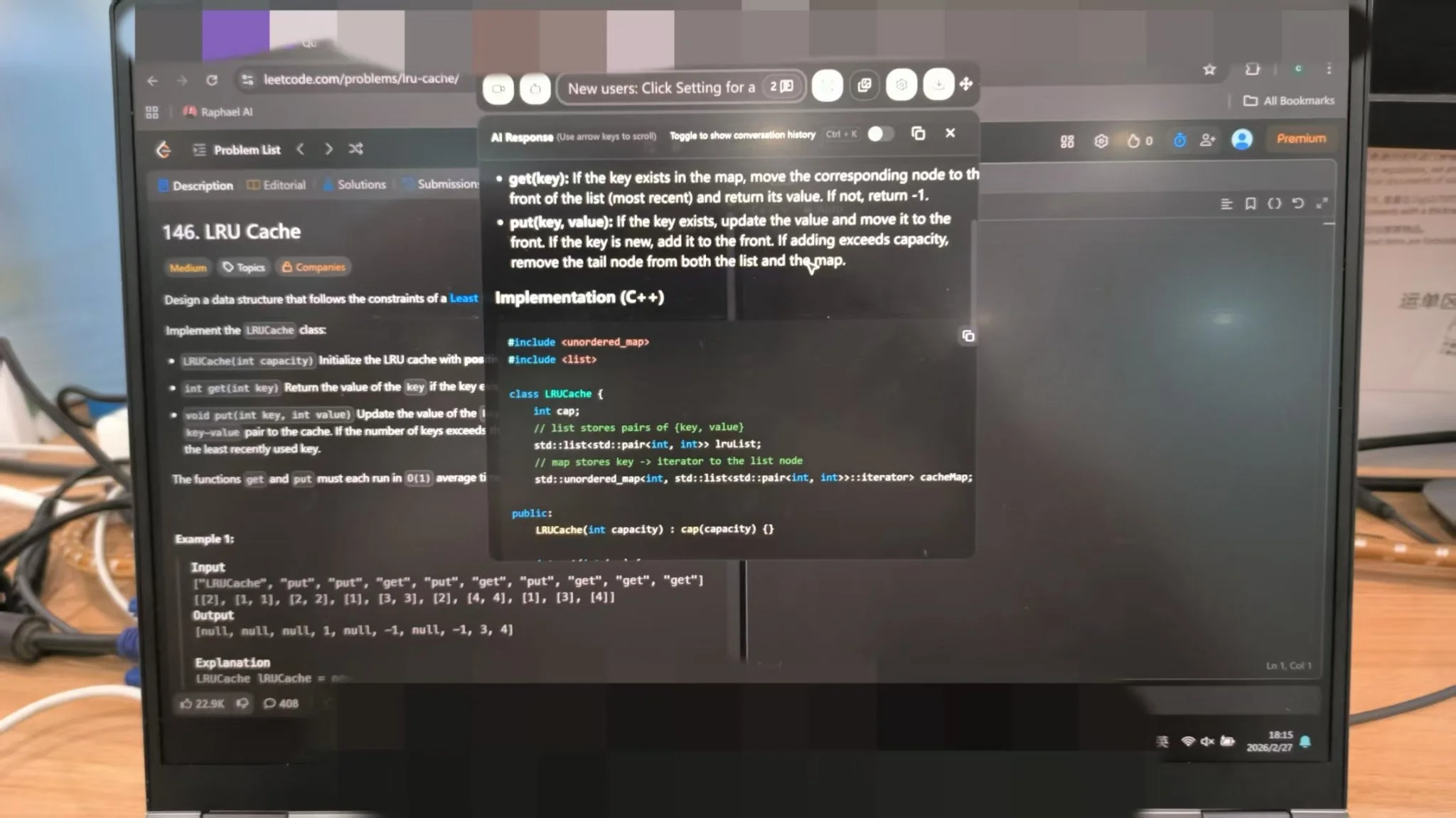
How I Pair Linkjob AI Safely Across xAI's OA & Live Engineer Rounds
To keep my Entire Screen recording, clipboard telemetry, and eye-line 100% clean during the proctored CodeSignal OA—and stay sharp during live technical rounds—I pair an undetectable AI coding interview assistant to match each stage:
Mode 1: Dual-Device Mode (My Non-Negotiable Setup for xAI's Proctored CodeSignal OA):
First,15minutes before entering CodeSignal's ID verification lobby, I unplug external monitors (window.screen.isExtended === false), launch the Linkjob AI desktop client on my laptop, scan the dashboard QR code with my phone camera to open Linkjob AI on my phone's mobile webpage, and turn OFF the desktop answer-display toggle. Zero UI, zero overlays, and zero floating windows ever render on my laptop display—keepingEntire Screenrecordings (and locked environments like LockDown Browser) 100% clean.
Second, whether advancing through Stages1–4of the TTL snapshot store or checking polyomino boundary bounds, I tap capture silently on my phone's mobile webpage—triggering0laptop hotkeys,0promptCtrl + Ccopies, and0window.onblurfocus drops.
Third, I prop my phone 1 inch directly below my webcam lens. My eyes remain aligned right along my monitor's top bezel while I hand-type clean Python 3 and run custom edge cases inside CodeSignal's console!Mode 2: Desktop Floating Window Mode (For Unproctored Practice & Compatible Live Video Rounds):
When rehearsing timed60-minute implementation sprints on unproctored web editors (or joining compatible live video calls where Zoom desktop has"Advanced Capture with Window Filtering"enabled once beforehand), I finish 100% of my model and prompt settings prior to the session (never clicking Settings mid-test) and never pressCmd + \orCtrl + \during an active clock.
How to Nail xAI's 15-Minute Rapid-Fire Call & Follow-Up Loop
Passing CodeSignal is only half of xAI's initial filter—the engineering culture moves with the same intense first-principles rigor I prepared for in my OpenAI Software Engineer interview prep. Here is how I structured my 30-second pitch so I survived the 15-minute engineer screen:
Memorize a
3-Sentence (30-Second) Production Impact Script:
Skip team org charts and buzzwords! Deliver three crisp sentences: (1) Scale & Bottleneck ("I owned the C++/Python async ingestion router handling180,000events/sec where lock contention spiked p99 latency to140 ms"), (2) Exact Mechanism You Built ("I replaced the shared mutex queue with per-core ring buffers and batched zero-copy flush workers"), and (3) Hard Metric Result ("Cut p99 to9 msand dropped CPU utilization by42%across60nodes").Expect Deep Follow-Ups on Systems Internals & Live Demos:
Subsequent rounds test Trie-based BPE tokenizers,O(1)LFU caches, distributed KV/training checkpoint fault tolerance, and a hands-on deep dive into code/architecture you personally wrote—know every failure mode of any project listed on your resume!
My 4-Step Pre-Test Checklist Before Launching the xAI CodeSignal Assessment
Verify Which xAI Track You Received (
MTSCoding vs. AI Tutor Written): Confirm your exact timer (60vs.90minutes) and have your physical government photo ID ready on your desk before opening the CodeSignal lobby.Design Clean Stage-1 Data Structures on Multi-Level Builds: Leave room on every record tuple for
(value, expiry_ts)and monotonic timestamps from minute1so Stage3TTLs and Stage4snapshots take10lines instead of a full rewrite!Pair Dual-Device Mode
15Minutes Before Clicking Start: Confirm single-monitor mode, open Linkjob AI on your phone's mobile webpage via QR scan, verify the desktop answer-display toggle is OFF, and mount your phone 1 inch below your webcam lens.Draft Your
30-Second Project Pitch Right After Submitting: xAI engineers often schedule the15-minute rapid-fire screen within24to72hours of a strong CodeSignal submission!
Frequently Asked Questions About the xAI CodeSignal Assessment
How long is the xAI CodeSignal assessment in 2026?
For Software Engineer and Member of Technical Staff (MTS) roles, candidates typically receive a 60-to-90-minute unbroken CodeSignal session featuring either a 4-stage progressive system build, 3–4 practical coding tasks, or a single 60-minute deep simulation problem (while AI Tutor applicants receive a separate timed written-reasoning exercise).
Is the xAI CodeSignal assessment proctored?
Yes—strictly. Expect government photo ID verification, continuous webcam and microphone recording, Entire Screen desktop sharing, and Suspicion Score focus/clipboard telemetry throughout the entire timer.
Does the xAI CodeSignal test ask "explainable AI" (LIME/SHAP) questions?
No! Do not confuse xAI (Elon Musk's frontier AI company building Grok and Colossus) with the academic acronym "XAI" (Explainable AI). xAI's engineering CodeSignal assessment tests hardcore software implementation, stateful systems (KV stores with TTL/snapshots, 2D simulations, API log aggregation), and algorithmic efficiency!
What languages can I use on xAI's CodeSignal OA?
Standard MTS / SWE CodeSignal coding assessments allow Python 3, C++, Rust, Go, Java, and TypeScript/JavaScript (unless you applied for a specialized Frontend React/TS or CUDA/C++ kernel track that locks a domain-specific environment).
What happens right after passing the xAI CodeSignal assessment?
Advancing candidates usually move within days into either xAI's 15-minute rapid-fire engineer technical screen or a 30–60-minute team-lead/implementation coding call (LFU cache, Trie tokenizer, async data pipeline), followed by 2–3 deep technical rounds and a hands-on project defense.
See Also
How I Aced the BCG X CodeSignal Assessment in 2026
How I Passed the 2026 TikTok CodeSignal Online Assessment: Tips, Strategies, and Preparation Guide
How I Navigated the Visa CodeSignal Assessment and What I Learned
How I Cracked the Ramp CodeSignal Assessment and What You Can Learn
I Cracked the Coinbase CodeSignal Assessment: My Insider Guide
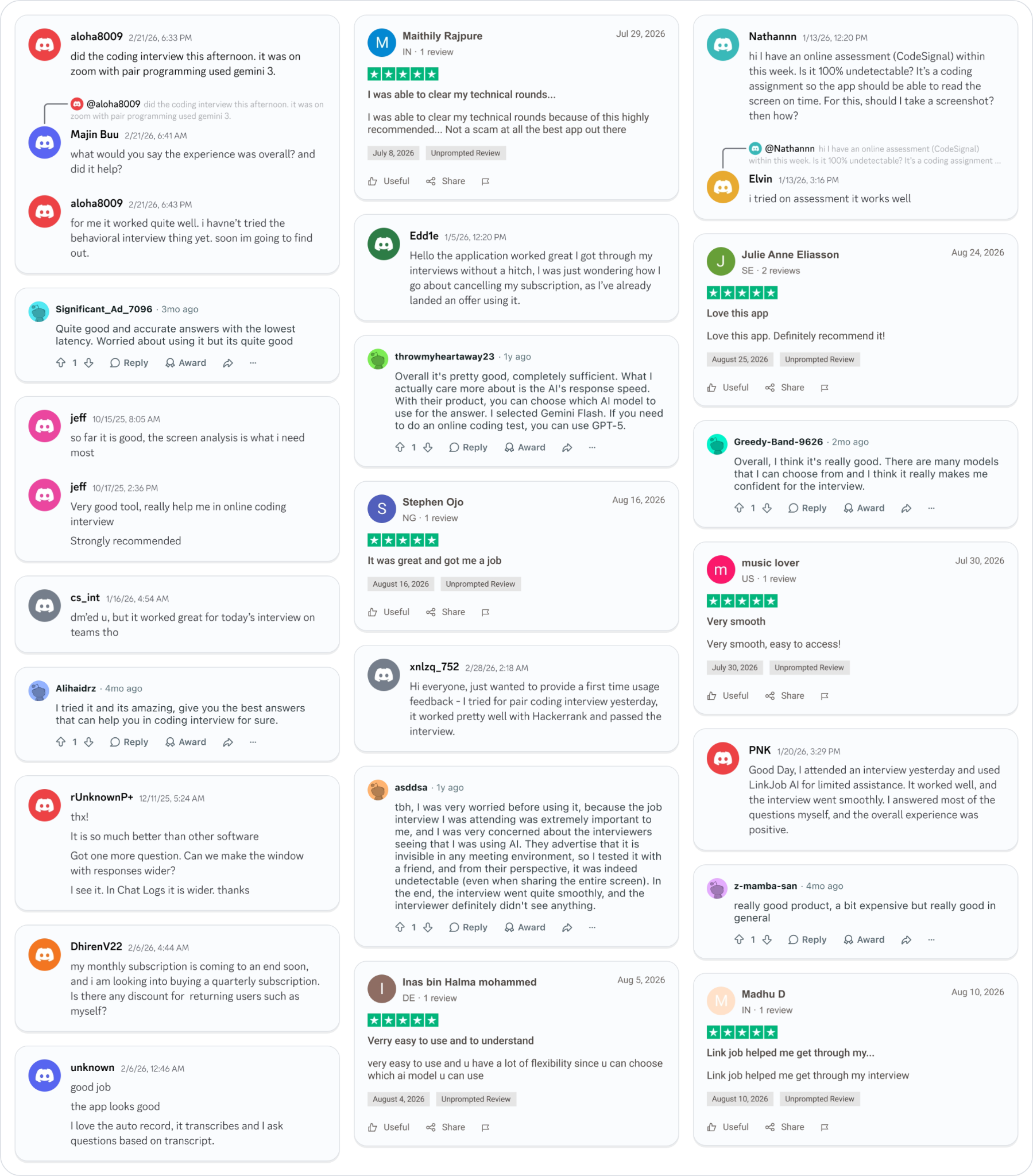
Why People Choose Linkjob AI
Smoother interviews, coding challenges cleared, and job offers landed. See how users describe their experience with Linkjob AI—in their own words.

© Copyright 2026 Linkjob AI - All Rights Reserved.