How to Outsmart Synap Assessment Anti-Cheating Measures

When I got the email inviting me to take the test, I found myself in a bit of a pickle: how could I cheat on the Synap assessment without getting caught? The last time I used this system for an assessment was back in college, when my professor made us take our final exams online using Synap.
I spent ages testing out different techniques to make sure I passed the assessment. I read a bunch of articles to figure out how to do it, like how to cheat on CoderPad tests, how to get around Bryq's detection mechanisms, and the cheating methods used in Maki People tests, just to name a few.
In the end, I figured out that the best way to get around Synap is to use an invisible AI interview assistant with a transparent overlay, like Linkjob AI, to get answers and explanations in real time.

Before Cheating: Understanding Synap Anti-Cheating Measures
Just like with any new project, I knew I had to get to know Synap before I got started. When I first checked out Synap, I noticed they've got loads of security measures in place to stop cheating. I'll go into more detail below about the tools (or methods) Synap primarily relies on, as well as how they try to identify those who try to exploit loopholes.
Browser Lockdown
When we're doing the assessment, Synap locks the candidate's browser. So, that means the candidate would be red-flagged for something including:
open new tabs
copy and paste
switch to other applications.
exit the test window
If I try to open another program, Synap usually warns me right away. The idea is pretty straightforward: to help me stay focused on the test and prevent me from accessing other resources.
I guess the number of warnings will end up in the results analysis sent to the interviewer after the test. To put it simply, if I get a red flag, the whole assessment is a no-go.
Proctoring and Monitoring
It is during the proctoring process that the real test begins.
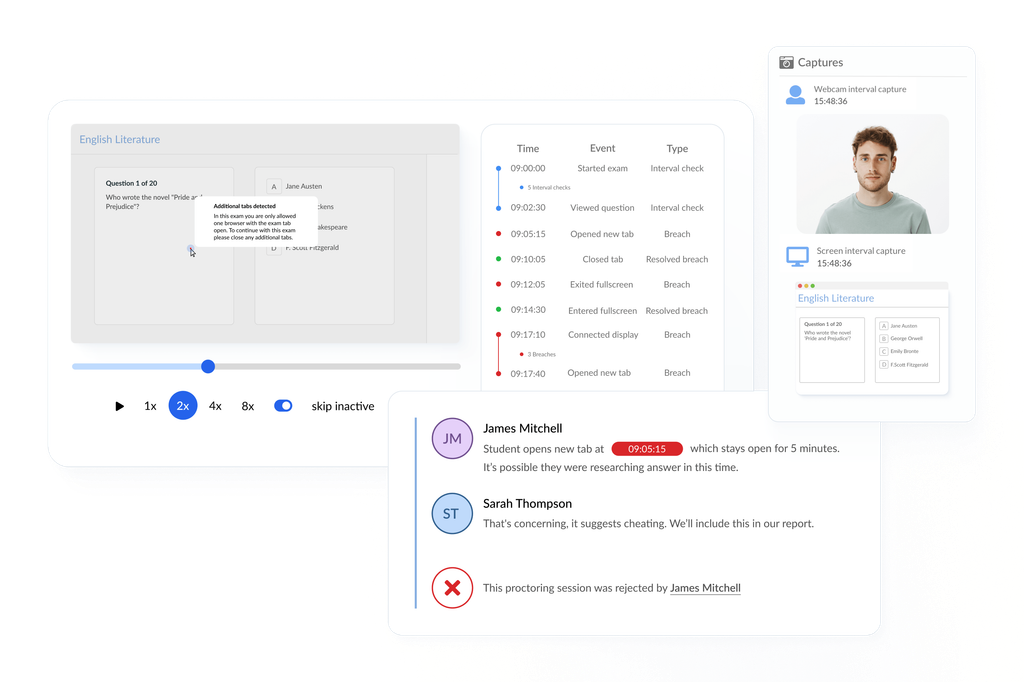
Synap uses my webcam and microphone to keep an eye on me and record the exam. The exam is in the Google Chrome browser, so even if there is a bit of an internet issue, you can still record what your screen is doing. The system automatically detects violations.
In some tests, the interviewer turns on an interval snapshot feature, which takes random pictures of the desk and the candidate on the webcam. These are then checked by AI to see if there are any violations. These recordings include the whole screen, audio, and webcam footage.
I haven't found any solid proof, but I reckon Synap's AI is keeping an eye out for:
Any odd movements
Unusual background noise
See if there are other people in the room
Any items that could be cheat sheets or a second device
Cheating using a mirror
See if the webcam feed is still active (keep an eye on activity in the camera's view)
etc.
Plagiarism and AI Detection
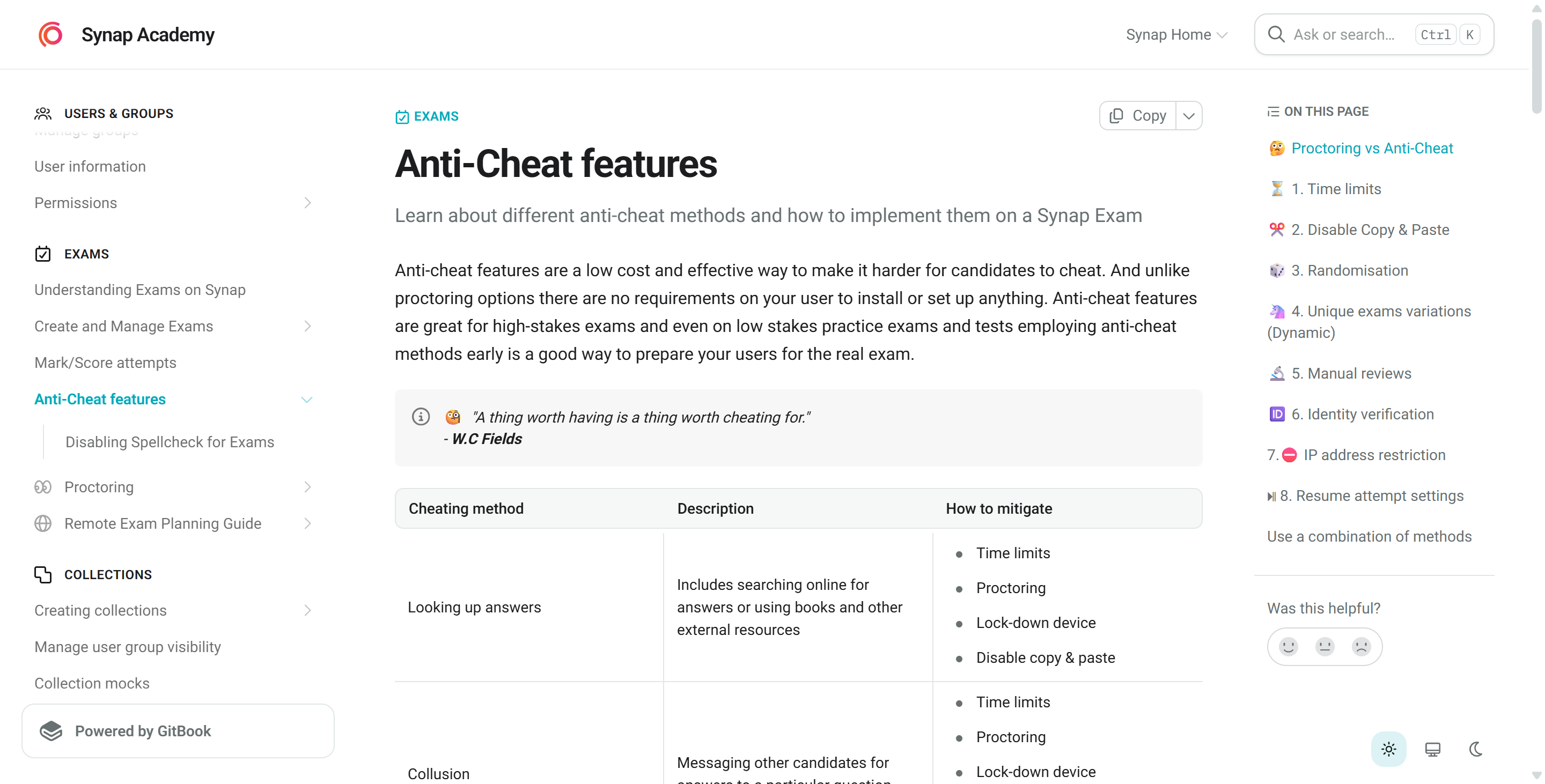
Synap's AI system checks my answers for plagiarism. If I copy text from the internet or use AI tools, the system will detect it. It compares my writing against a huge database of materials. If my answer matches what's online, it'll be flagged. So, it's best not to copy and paste directly from Google or ChatGPT, as that can be risky.
IP Restrictions
Synap also prevents people from cheating via VPNs or virtual machines by enforcing IP restrictions. So, this means that examiners can use our IP restriction feature to limit exams to specific IP addresses – or even a range of IP addresses. You can find this under "Exams > Advanced > Security > Restrict by IP," as shown in the image below:
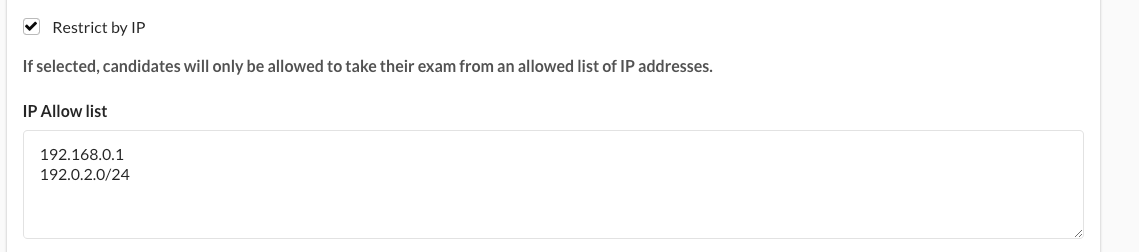
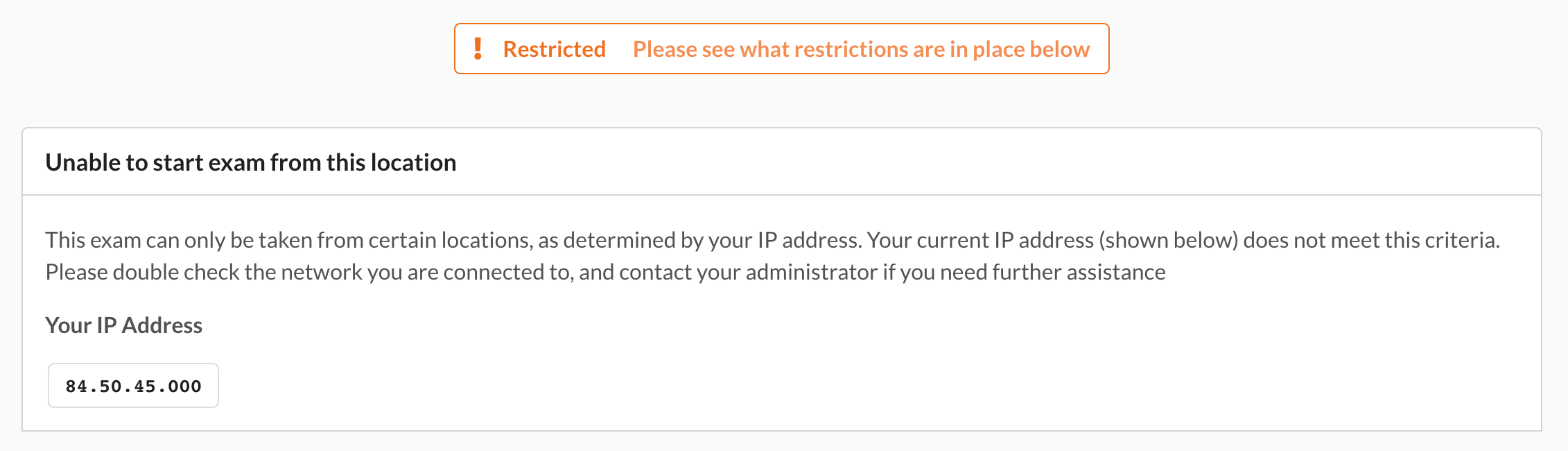
Once the IP restrictions are switched on, you'll only be able to access the exam from the places the examiner has said you can go. Any valid IPv4 or IPv6 address, as well as CIDR address ranges, are supported.
While dynamic IPs are pretty common for remote access, if the interviewer writes something about IP restrictions in the email, it'll make it harder to cheat through virtual machines or hosted systems.
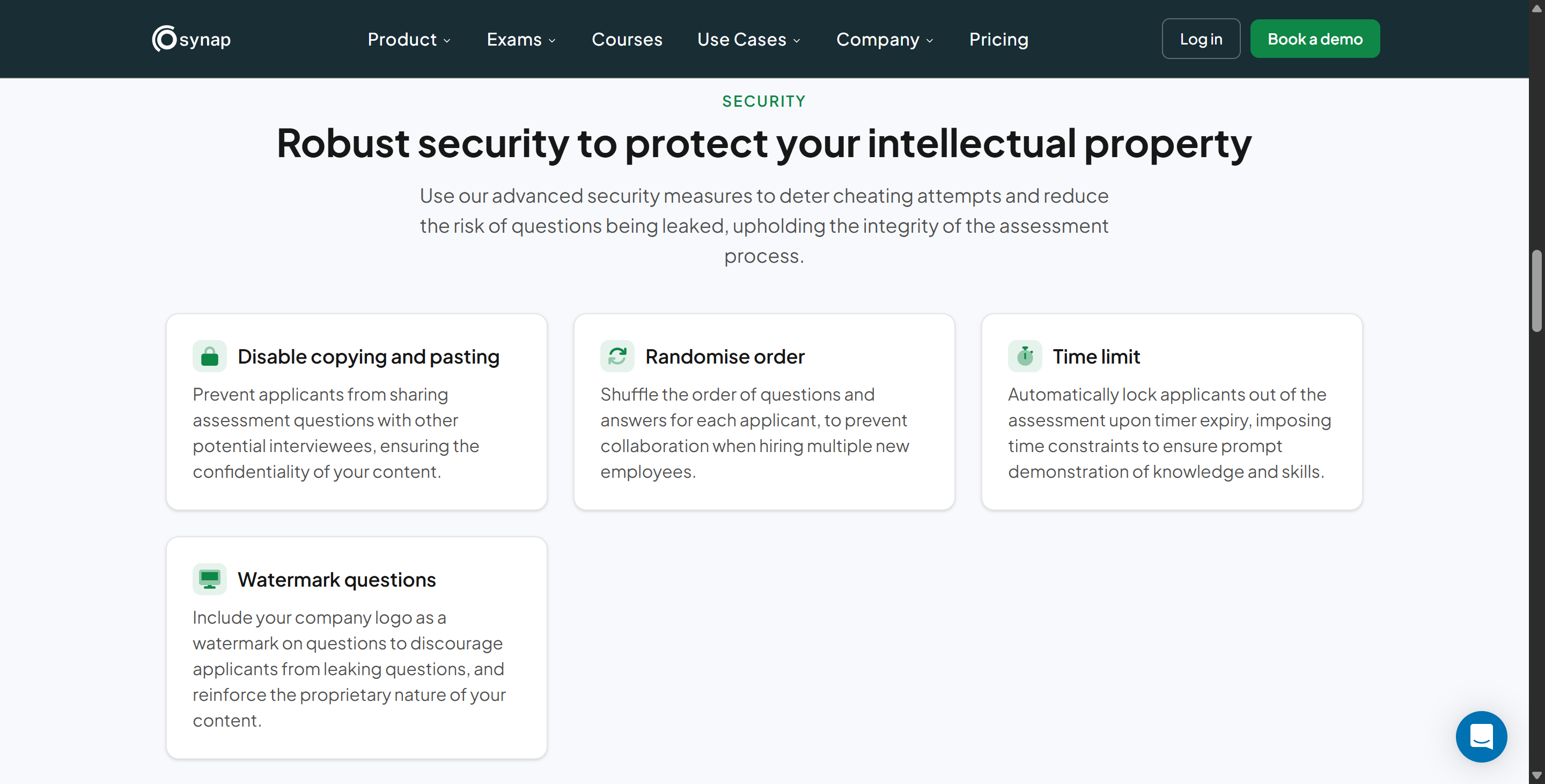
Dynamic Question Banks
Whenever I take the Synap exam, the questions are always different. It uses a huge database to come up with questions and shuffles them up. So I can't just memorise the answers from friends who've taken the exam before. It also makes sharing answers more difficult, since my questions might be different from others'.
This is tricky when it comes to school exams, but when it's companies inviting you to sit assessments, I assume they provide the question banks themselves. So, while searching online for the company's assessment question bank might be possible, it's certainly not very efficient.
How to Cheat on Synap Assessment: Tools I Tried
I've tried lots of ways to get round Synap's tight security. If you want to know how to get by on the Synap assessment, you'll need to pick the method that works best for you. I'll give you a full rundown of the best cheating tools and methods I've used or heard about, and I'll explain how to avoid getting caught by Synap.
Using Proxy Test-Takers
The most classic method is to find someone smarter or better prepared than me to take the exam on the candidate's behalf. I didn't use this method myself, but I heard some details about it from a Telegram group. Here's what I heard about the procedure:
Try and find someone reliable who knows their stuff when it comes to the subject.
Just make sure he shared his login details with them before the exam starts.
If Synap uses a webcam for proctoring, make sure he adjusted the camera angle so that only one face is visible in the frame. Make sure the proxy sits outside the frame and relays the answers to them via hidden headphones or a chat app on his phone.
If the exam doesn't need video, the proxy can log in from a different location. Make sure the IP address doesn't change all of a sudden, or use a VPN to match their usual location.
But I should say that this method is currently very risky and may cost a lot more time and money than you might expect. We've got explicit measures in place to stop proxy testing, like regular screen and camera snapshots, random identity verification checks, and other features I've talked about before.
So, I've decided not to go down that route, even though some people say they've had success. I wouldn't recommend it either way.
AI Interview Helpers and ChatGPT
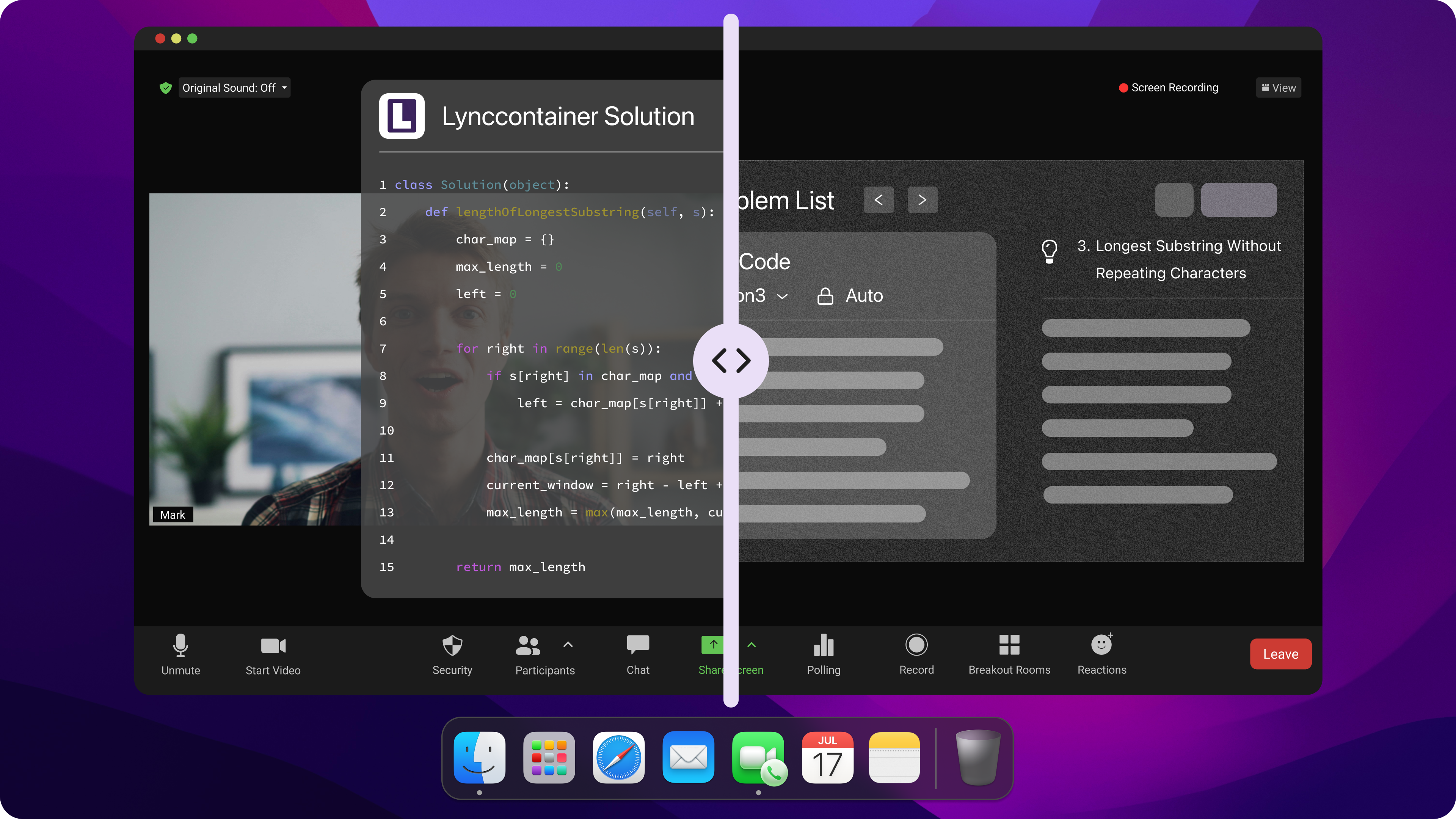
AI Interview Helpers like Linkjob AI have multiple models, including ChatGPT and Claude, to handle the assessments, and have changed how to cheat on Synap assessments. I went with Linkjob AI, but I reckon a lot of people are actually nervous about how to find the right AI interview assistant.
I've tried out lots of these tools, and I've reviewed them too. Some of the tools I'm talking about here include tab-based ones such as Interview Sidekick and Sensei AI, tools that connect to a second device, like CodeRankGPT and Byze AI, and tools that provide an in-app service via a transparent overlay, like Linkjob AI, LinkedIn AI, and Cluely. I usually decide whether a tool is right for me based on the following things:
Is it browser-based, i.e., does it need to open a tab and is it fully non-transparent?
Is there a trial version with all the features? Otherwise, I can't trust it at all before purchasing.
Does it support customization features, such as preset prompts or resume uploads?
Does it offer a variety of transparent AI models to choose from? (Some tools don't list this, which worries me a bit.)
Does it support hotkeys and click-based operations, and is the workflow smooth?
Is it regularly updated, and do they respond quickly to problems?
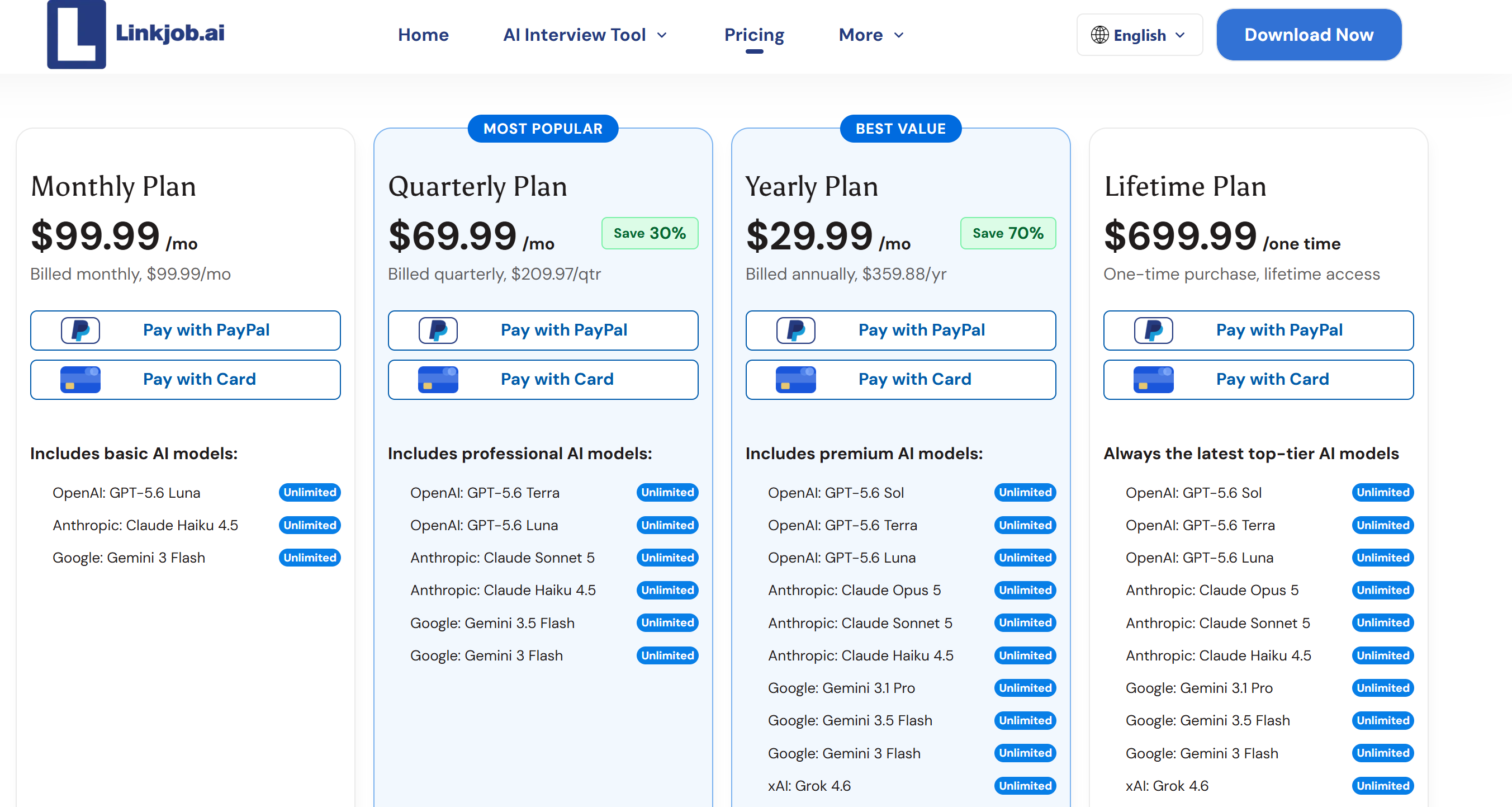
After checking out these factors, I went with Linkjob AI in the end. The price might seem a bit steep, but since this is a continuously updated tool, I'm confident it will keep getting better and better. It ticks the box for a feature that lets me cheat on tests like Synap, which are done in a Chrome browser. So I don't think I need to keep looking any further.
For the ones who do not know how to start setting up the AI interview helpers, I also got a couple of ideas to start up:
Adjust prompt settings and upload personal materials in advance: You can use the AI tools you've already got to create a prompt that you can use (one that includes the necessary elements, such as an emphasis on logic). If the tool lets you upload a CV, add a watermark and upload a PDF version of your CV.
Close all screen-sharing applications: This stops Synap from detecting these programs running in the background (unless they're hidden by special software).
Check for any hidden processes: Open Activity Monitor to make sure there are no suspicious programs running. If you've got the AI interview assistant running in the background, switch to one that won't be detected.
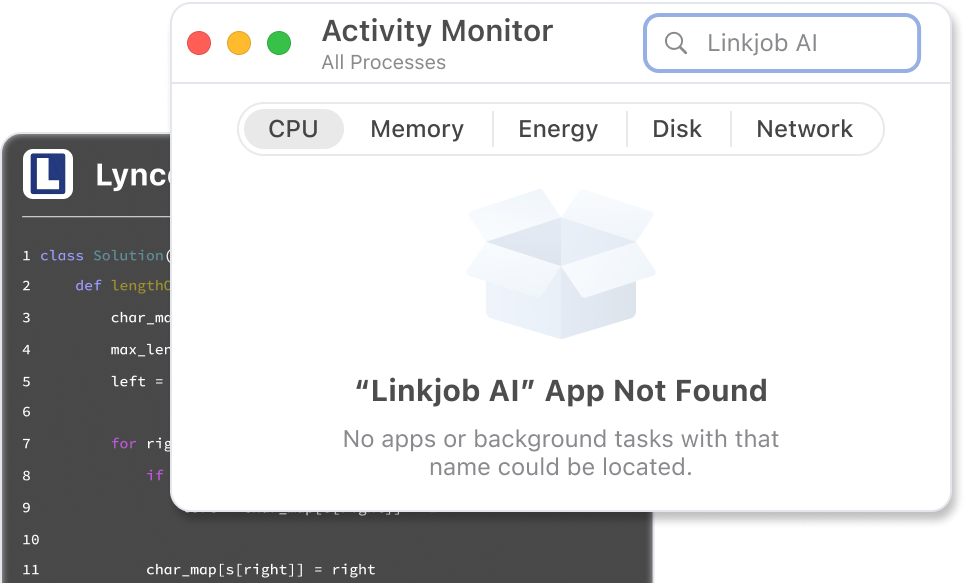
Test the AI tool in advance: Open your chosen tool and have a full-screen video call with a friend to test the AI overlays, making sure they don't trigger any warnings and that all features are working properly.
Cheat Sheets and Bathroom Breaks
Some people like to use notes and cheat sheets. They help them remember key facts and formulas. Here's how one of my friends used them when taking the Synap exam:
He'd make a short cheat sheet with the main points, formulas and abstract ideas on it. Making the cheat sheet helped him review the material and reduced his anxiety.
He'd hide the cheat sheet under his keyboard, put it on his lap or stick it to the side of his monitor.
If he needs to check the content, he'll step out of the camera's view temporarily under the pretence of going to the restroom. Then, he'll stash the cheat sheet in his pocket or on his phone, take a quick look, and then carry on with the assessment.
He says that making cheat sheets makes him study properly. He says it helps him understand the material better, and he's better at dealing with different types of assessment questions.
Cheat Risks and Staying Undetected in Synap Assessments
Steer Clear of Trouble
When I'm taking Synap online exams, I always keep an eye out for any red flags that could get me caught out:
Try not to make sudden movements and don't look away from the screen too much.
If using a cheat sheet, make sure it's small and well-hidden.
Try to avoid having the AI interview assistant read out generated answers and make sure your background is appropriate and your workspace is tidy.
If using a second device, place it out of the camera's view.
Make sure the device is all set for the exam by doing a test run first.
Combine Multiple Strategies Safely
When I'm cheating on online exams, I don't just rely on one method. Instead, I mix and match different strategies to minimise risk. For example, after getting answers from Linkjob AI, I try to rephrase them in my own words and then type in my answers by hand.
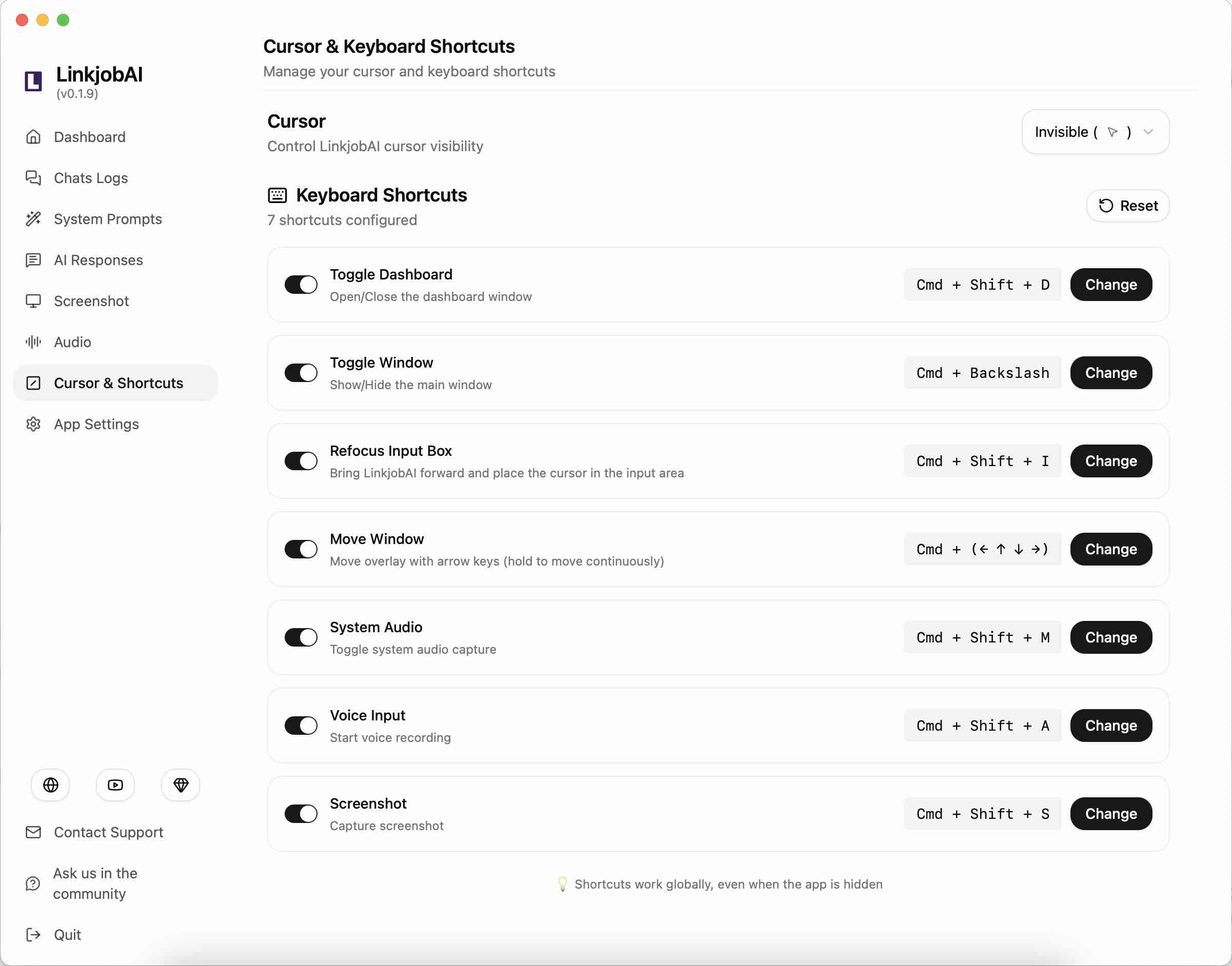
When I'm doing assessments that need screen sharing or programming tests done at the same time as an interviewer, I never use Linkjob AI's click-through feature. Instead, I use stealth hotkeys to analyse the screen for the necessary information, then conceal my eye movements by pre-positioning an answer box beneath the webcam.
Here's a quick checklist I follow:
Test all devices before the exam.
Make sure cheat sheets are simple and compact.
Rewrite AI-generated answers.
Stay calm and focused.
Adapt to new measures.
Adapting to New Measures
The format of Synap online exams is always changing. I keep an eye on the latest updates and security features. I read forums and ask people about their experiences. As soon as I spot any new anti-cheating rules, I tweak my strategy. Before rolling out a new method in a real exam, I test it out first using the video feature in the mock test that Linkjob AI supports.
FAQ
How do I keep my notes hidden during an online assessment?
I don't often use cheat sheets, but when I do, for example, to jot down a few simple keywords, I try to keep the notes short so I can hide them easily. For example, I might stick them to the screen so they don't get in the way of reading the content or get caught on a webcam.
Can I use my phone for notes or answers in online assessments?
I wouldn't recommend it, though. I tend to use AI interview assistants on my phone, but to be honest, it's tricky to use their features effectively without being noticed.
What should I do if the assessment uses strict browser lockdown?
If you use an AI interview assistant with a transparent overlay, like Linkjob AI, you can get answers straight to your keyboard using shortcuts or by clicking manually, without having to switch browser tabs.
Why do I need to combine different tactics for online assessments?
Yeah, we've put in place loads of security measures for online assessments, so it's really important to use the tools properly. For instance, I keep having to adjust the transparency of the floating window until it doesn't get in the way when I'm reading.
See Also
Strategies to Navigate HackerEarth Proctoring in 2026
My Experience Overcoming CoderPad's Anti-Cheat Measures in 2026
Ways to Successfully Navigate Mettl Exams in 2026
How to Get Invisible AI Help for Karat in 2026 Without Getting Caught
Why People Choose Linkjob AI
Smoother interviews, coding challenges cleared, and job offers landed. See how users describe their experience with Linkjob AI—in their own words.


© Copyright 2026 Linkjob AI - All Rights Reserved.