How I Managed to Outsmart VidCruiter in 2026 Remote Interviews


If you want to know how to get one over on VidCruiter in 2026, I can share the trick that's worked best for me: use a completely invisible AI interview assistant. I went for Linkjob AI, which supports the latest LLM models and various interview formats, plus real-time updates to make sure it stays invisible at all times.
If your interview is on a different platform, you might be wondering how to cheat on a Microsoft Teams interview. If you're getting ready for an OA, my guide on getting around HackerRank might come in handy. You can also take a look at my piece on how to bend the rules on CoderPad.
What Can VidCruiter Do to Prevent Cheating?
Before Interview: Identity Checks
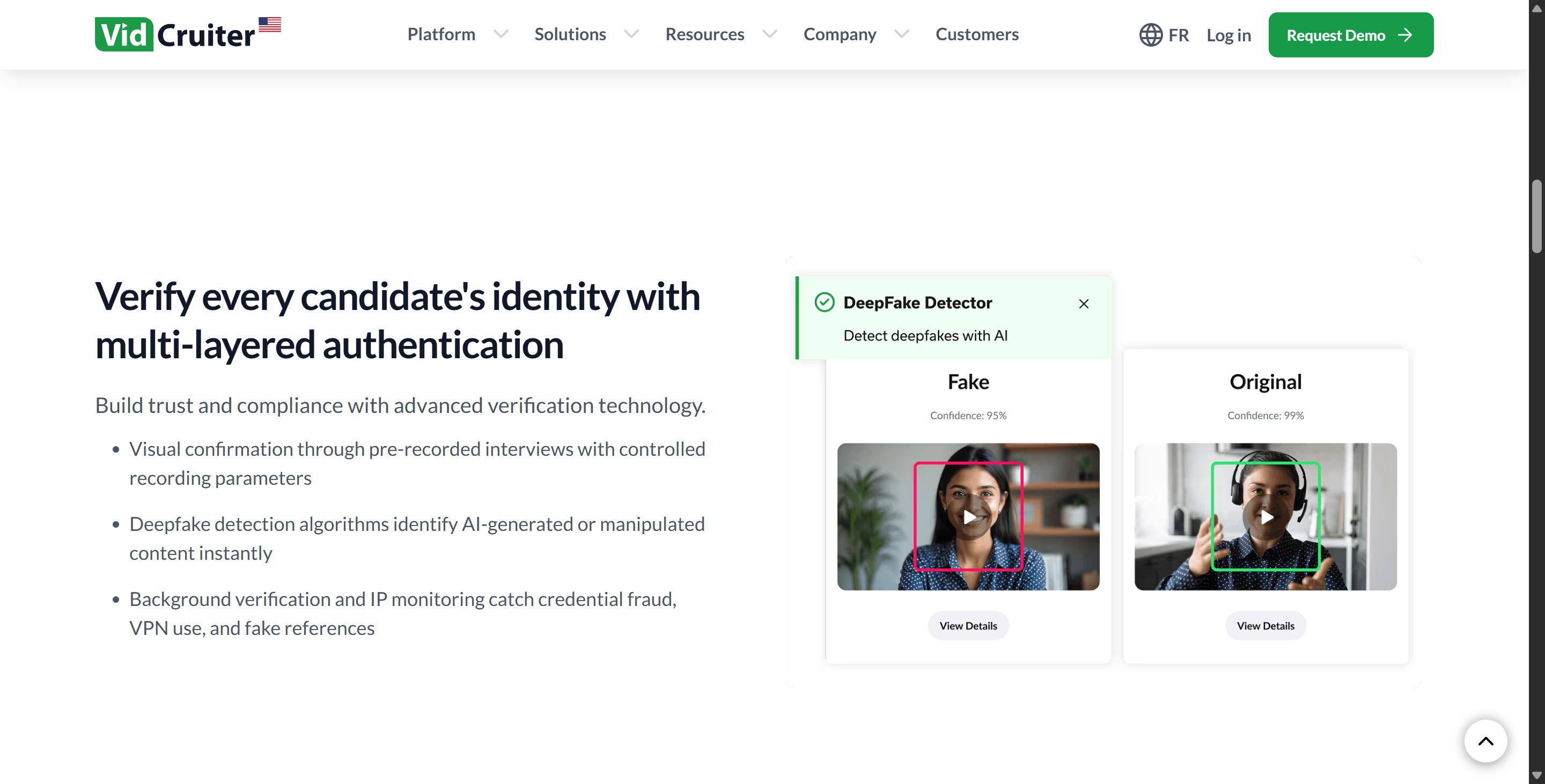
VidCruiter says it supports facial recognition and IP checks to stop candidates using AI-generated avatars to answer interview questions, as you can see in the image above.
It also says it can detect AI profiles, which I guess involves comparing them against a database of AI content templates.
This anti-cheating measure is a piece of cake to pass: all you need to do is turn up in person and connect to the meeting as normal — there's no need to fret! And because the technology isn't quite there yet, there's no point in going to the effort. I don't think there's much of a challenge in passing this.
Keystroke & Browser Control
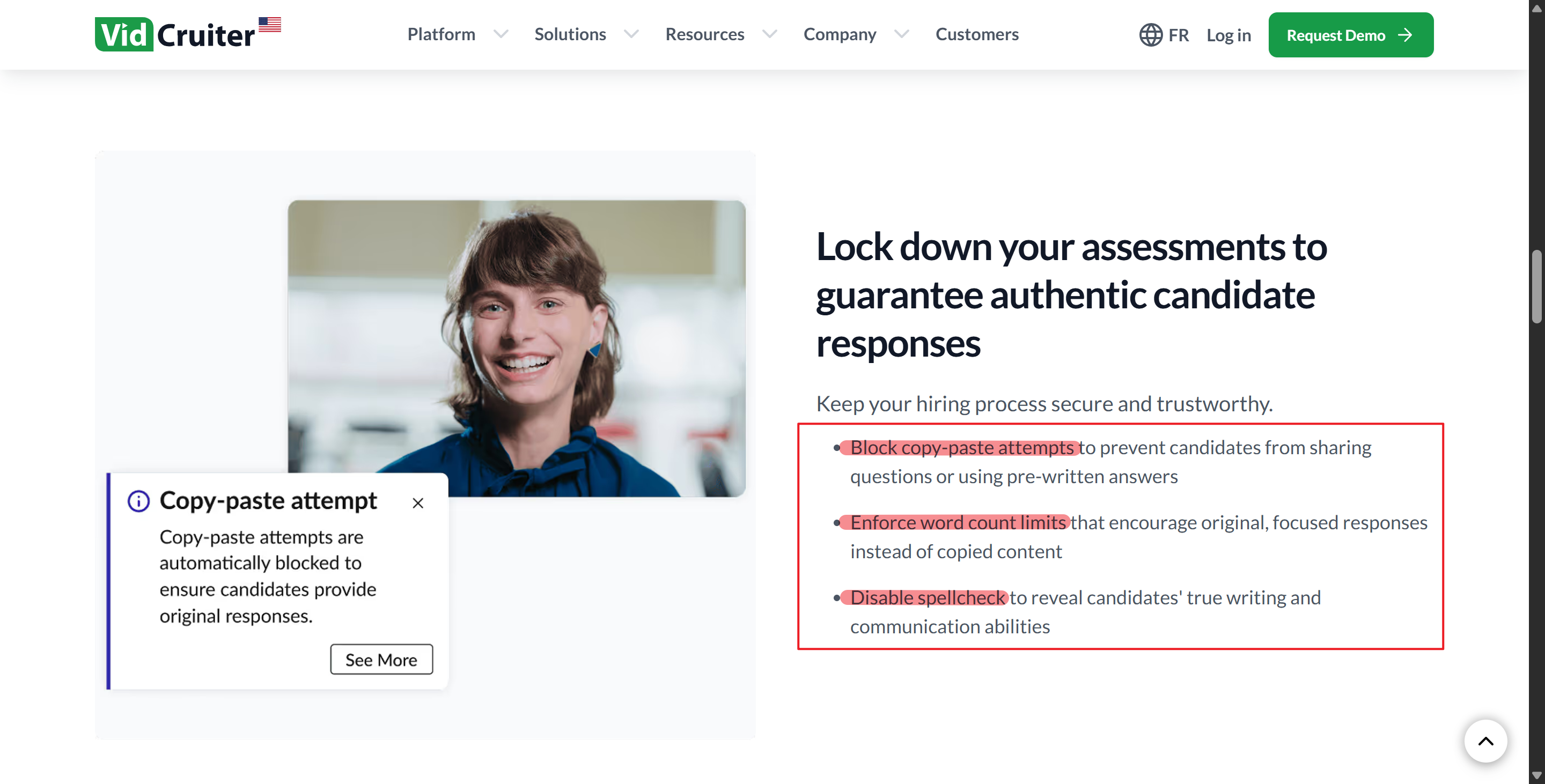
When it comes to keystrokes, Vidcruiter says it's no copying and pasting, there are character limits in place, and spell-checking is disabled to get people to respond with their own words. It can be a bit of a pain for some interviews, but it's not the end of the world as long as you've got Linkjob AI.

I find it helps to type out answers in advance, even during technical rounds. Linkjob AI lets me use a global hotkey for one-click screenshot analysis, so I can quickly get the answers I need. All I need to do now is get my head around the logic and then either paraphrase it or incorporate it into my own reasoning.
Linkjob AI's latest model ensures the answers are based on the latest solutions, not just on real-time detection of responses that match AI-generated templates.
Screen Sharing & Webcam Protoring
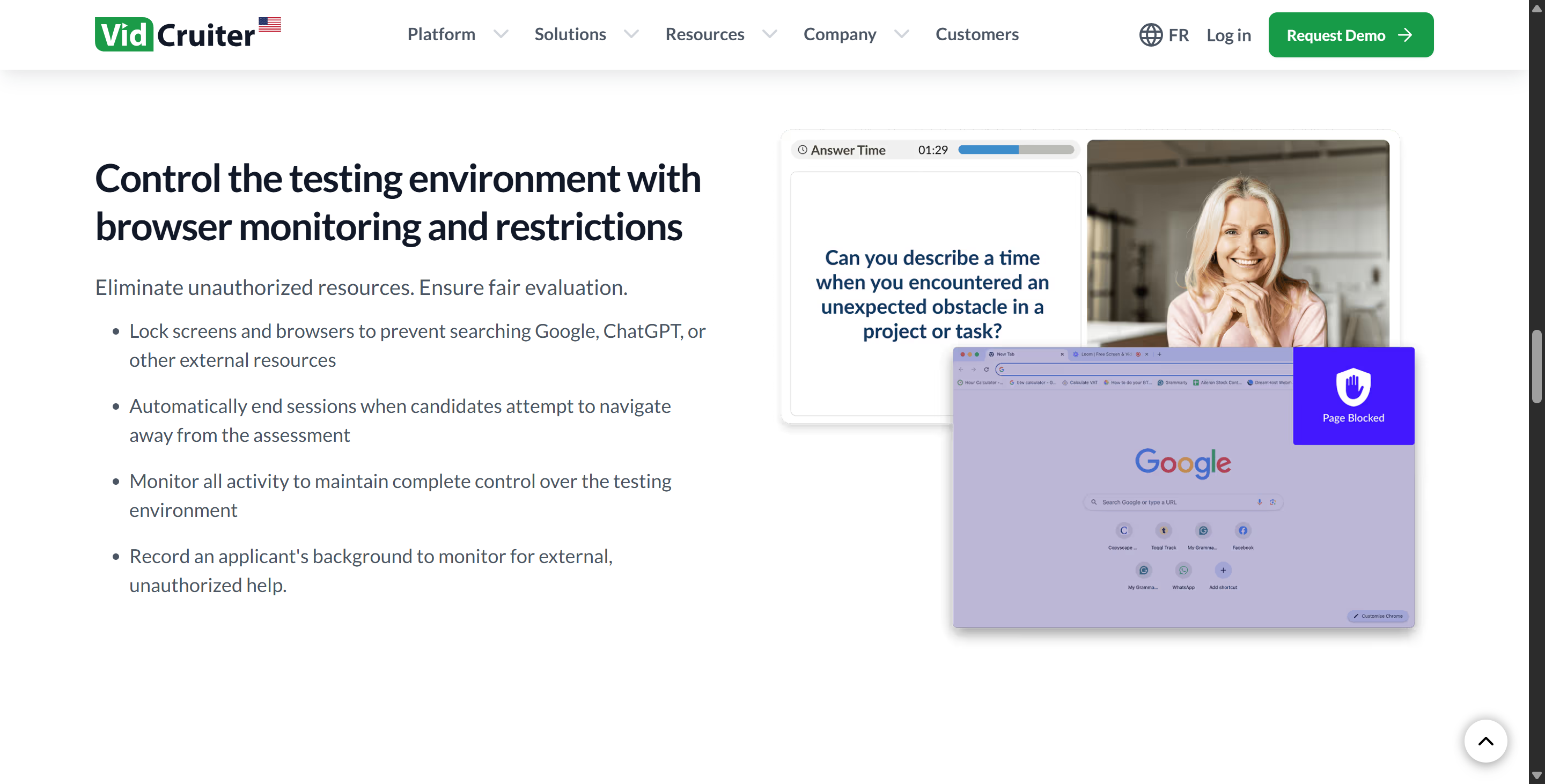
During the interview process, Vidcruiter says it can:
Keep an eye on what a candidate's been up to
See all the programs they're using to make sure they've got their own stuff
Put the brakes on new browser tabs and tools like ChatGPT.
But in my experience, that's not always the case.
To start, VidCruiter doesn't make candidates use its desktop software for interviews, so loads of them choose to use a browser instead. Modern browsers don't support monitoring external data. It's more likely you'll find it's detected when active tabs are open or if full-screen sharing or webcam monitoring is being used.
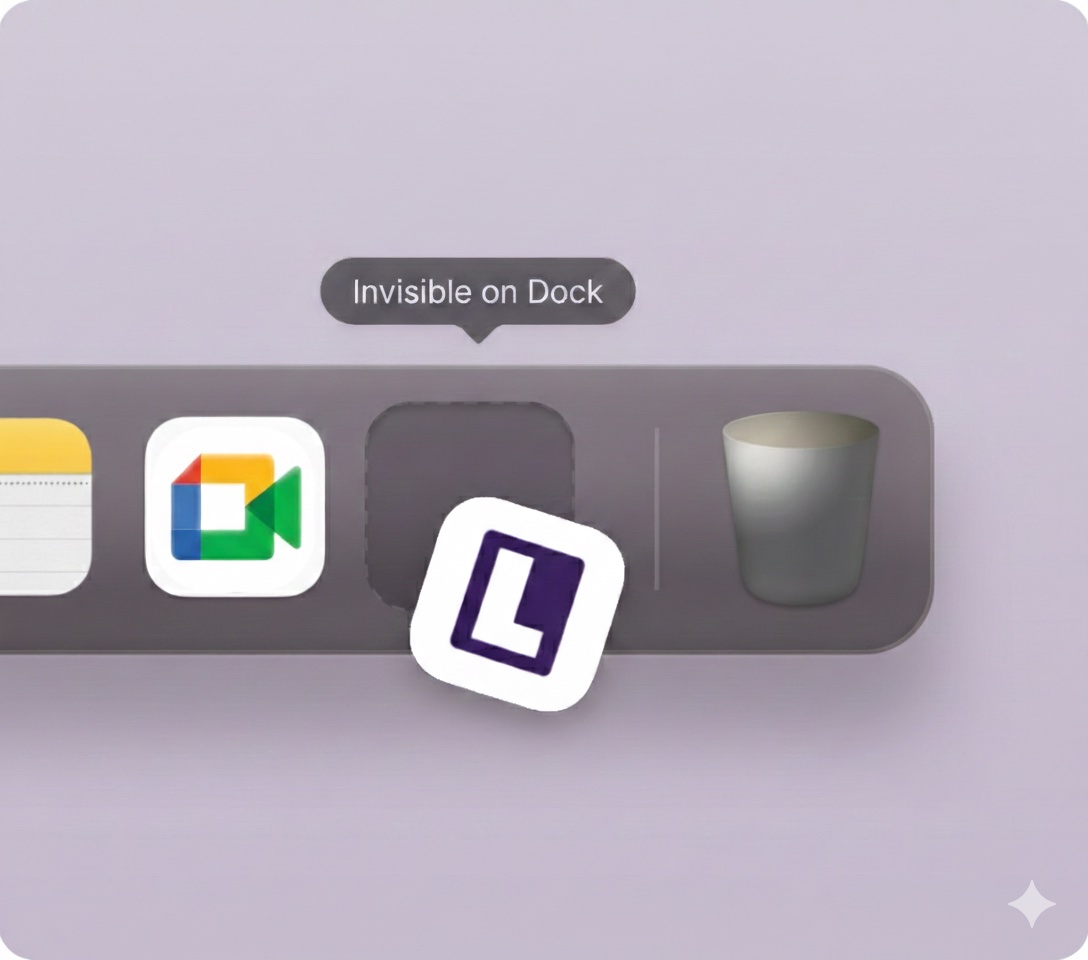
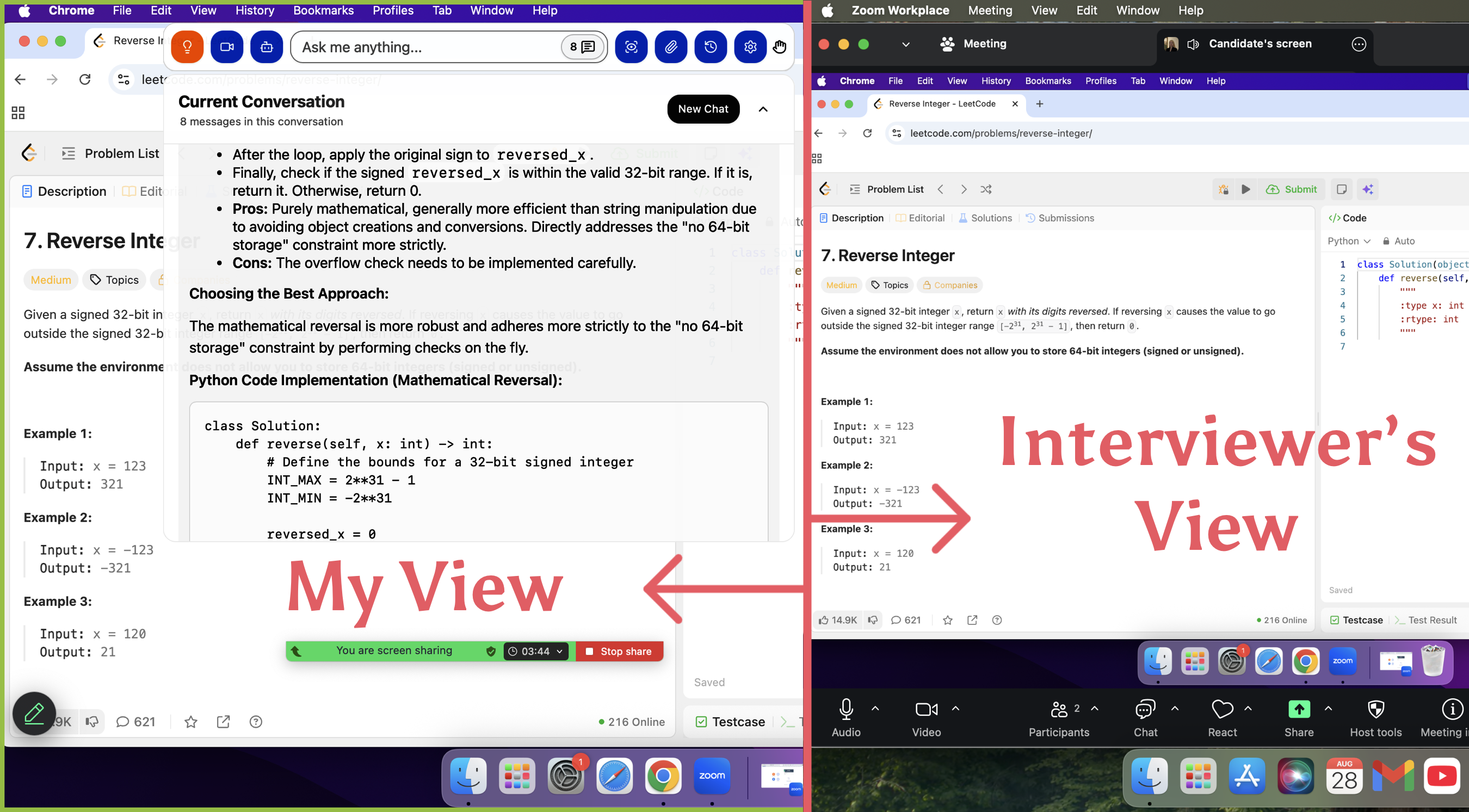
That's one of the reasons I trust Linkjob AI — it really stays out of sight when you're sharing your screen. You can also set it so it doesn't show up in the Dock, and it won't appear as a running process in the Activity Monitor, so you'll never see it.
Setting Up for Success Before Cheating on VidCruiter Interview
Preparing Your Space
I'm always on the lookout for a quiet and distraction-free interview environment. I go for a quiet room and close the door. When I'm about to have a really important interview, I make sure to switch my phone to silent mode and turn off notifications on my computer.
As for the other basic computer settings I'm wondering about, I'd like to talk about them when we're setting up Linkjob AI's parameters.
Here’s what I do every time:
Choose a quiet spot with a door I can close.
Tell family or roommates about my interview time.
Mute my phone and silence computer alerts.
Schedule interviews when the house is usually quiet.
A peaceful environment helps me think clearly and keeps the interviewer focused on me, not on background noise.
Pre-prompts For Better Answers
Linkjob AI's default prompt is great for the first round of screening, but for the next ones, I customise the prompt in advance to make sure the content generated matches my CV and personal story.
I usually do things like:
Convert my CV into text format and send it to the Linkjob AI's chatbox.
Add some notes so that the model I use a lot in Linkjob AI highlights certain keywords in its responses.
Run a mock interview to make sure everything's working properly before moving on to the actual VidCruiter interview.
Positioning AI Overlay
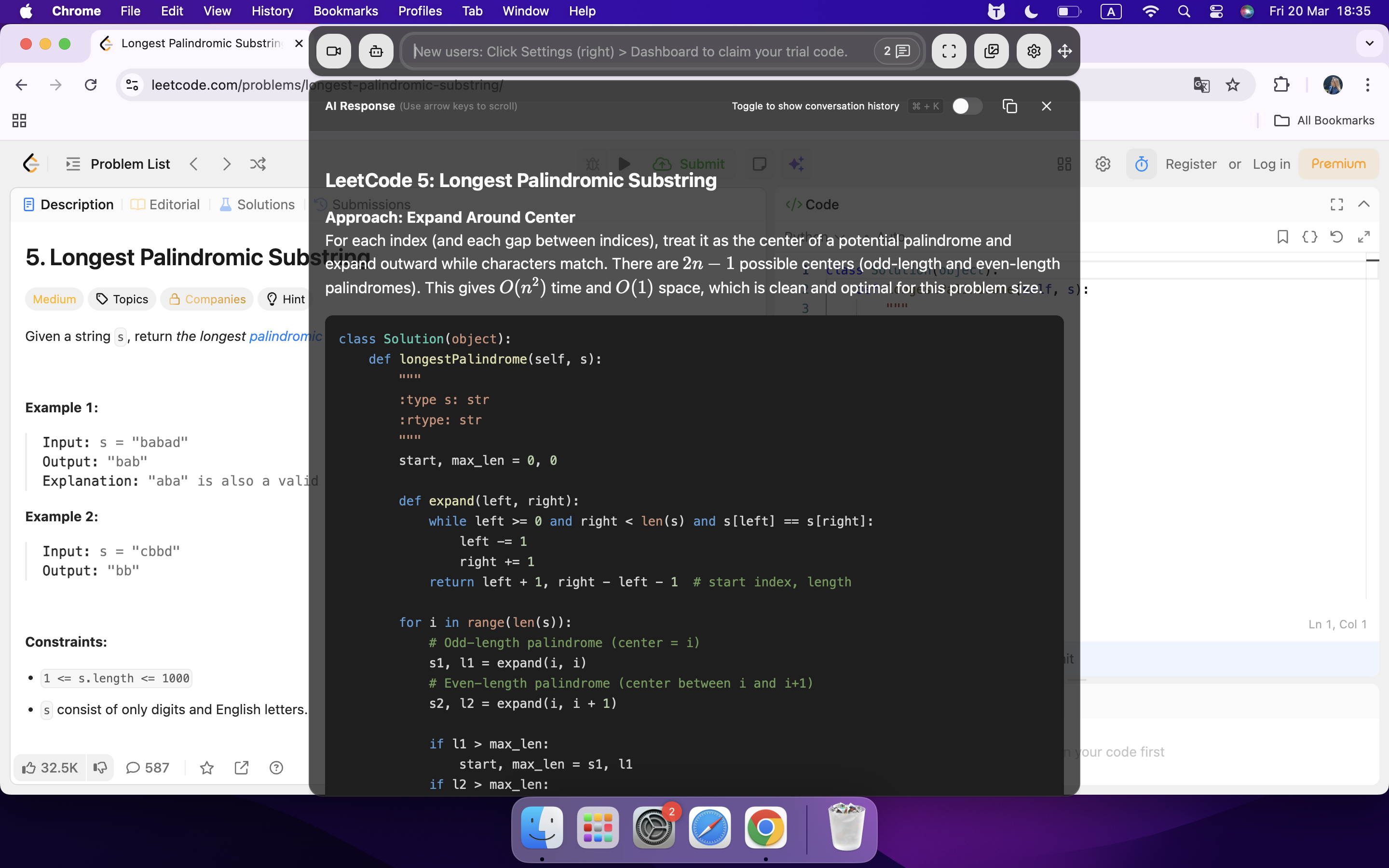
Regarding the full-screen sharing and camera detection that was talked about before, I usually just tweak the position of the AI response window to make sure that my reactions and gaze look natural.
I normally put the window just below the camera or the interviewer's face, then adjust the transparency so I can keep eye contact with them and read the stuff on the screen without any problems.
How to Cheat on VidCruiter: Tactics and Tools
Using Notes and Cheat Codes
I realised that having the right notes could make or break my VidCruiter interview, so I never scribble answers on a big sheet. Instead, I use small cue cards or sticky notes with bullet points just outside the camera's view.
Sometimes, I write key phrases on a whiteboard behind my laptop. I keep my answers short and easy to scan. This way, I can glance at them quickly without moving my head too much.
Here’s my quick checklist for using notes:
Write only keywords or short phrases.
Place notes at eye level, near the camera.
Practice glancing at notes without obvious eye movement.
Use props like water bottles or coffee mugs to hide sticky notes.
Tip: Practice your setup with your webcam on. Record yourself and watch for any suspicious eye movement.
I also use “cheat codes” for common questions. For example, I memorize a few stories that fit multiple behavioral questions. I jot down the STAR (Situation, Task, Action, Result) points for each story. This helps me answer confidently, even if I get nervous.
Leveraging Phones and AI Tools
Smartphones and AI tools have totally changed the way people cheat on Vidcruiter. A friend told me he did things that included:
Hide his phone out of sight
Propped up on a stand
Used it to quickly Google info or get real-time prompts from AI chatbots
Used an interview assistant app running on his phone
But I thought it all looked a bit unnatural. No interviewer wants to see someone who's looking down or wandering around.
Linkjob AI is a standalone real-time AI interview tool that runs on a computer and gives me instant feedback during the interview.
Some apps show me my speaking time ratio or give me a warning when I interrupt the interviewer too much. Linkjob AI helps me speak more naturally and keep a balanced response.
I also use AI to come up with model answers before the interview, so I've got a ready-made library of responses I can draw on at any time.
Avoiding Detection After Cheating on VidCruiter
Manage Following-up Checks
I was also checking out the Vidcruiter website and saw they do post-interview follow-ups for interviewers, asking about their experience during the interview and details about the interview content, usually by email.
Obviously, Linkjob AI lets you get to past interview records, including audio transcripts of the interviewer and yourself, as well as responses that have already been generated. You can use the text there to refresh your memory and answer any questions you might have.
FAQ
Can VidCruiter detect if I use physical notes?
I tried to place my notes just outside the camera’s view. VidCruiter can’t spot them unless I make obvious eye movements. But it was quite inconvenient, so I turned to other options like using real-time interview AI.
Is it risky to use an AI copilot during the interview?
The answer is no—as long as you stay calm, prepare your prompts in advance, and set up your computer environment.
How can I prepare for unexpected tech updates from VidCruiter?
I check forums and tech blogs for the latest changes. And I am always staying informed, which helps me adapt quickly.
See Also
Navigating AI Assistance During My Webex Interview Experience
Strategies for Excelling in DevOps Interviews with AI Support
Using AI Tools to Navigate HireVue Interviews Successfully
