How to Use AI Tools to Pass Codejudge 2026 Effectively


When it comes to coding interviews and assessments, there are so many platforms and tools out there, it's sometimes hard to know which one to use. For instance, I got an Altair assessment invite a while back that said the platform used would be Codejudge. I've looked into some of the other coding assessment platforms out there. For example, I found out how to use AI to cheat on HackerRank, and I really went through the mechanisms of CoderPad, eventually figuring out how to bypass CoderPad's detection system.
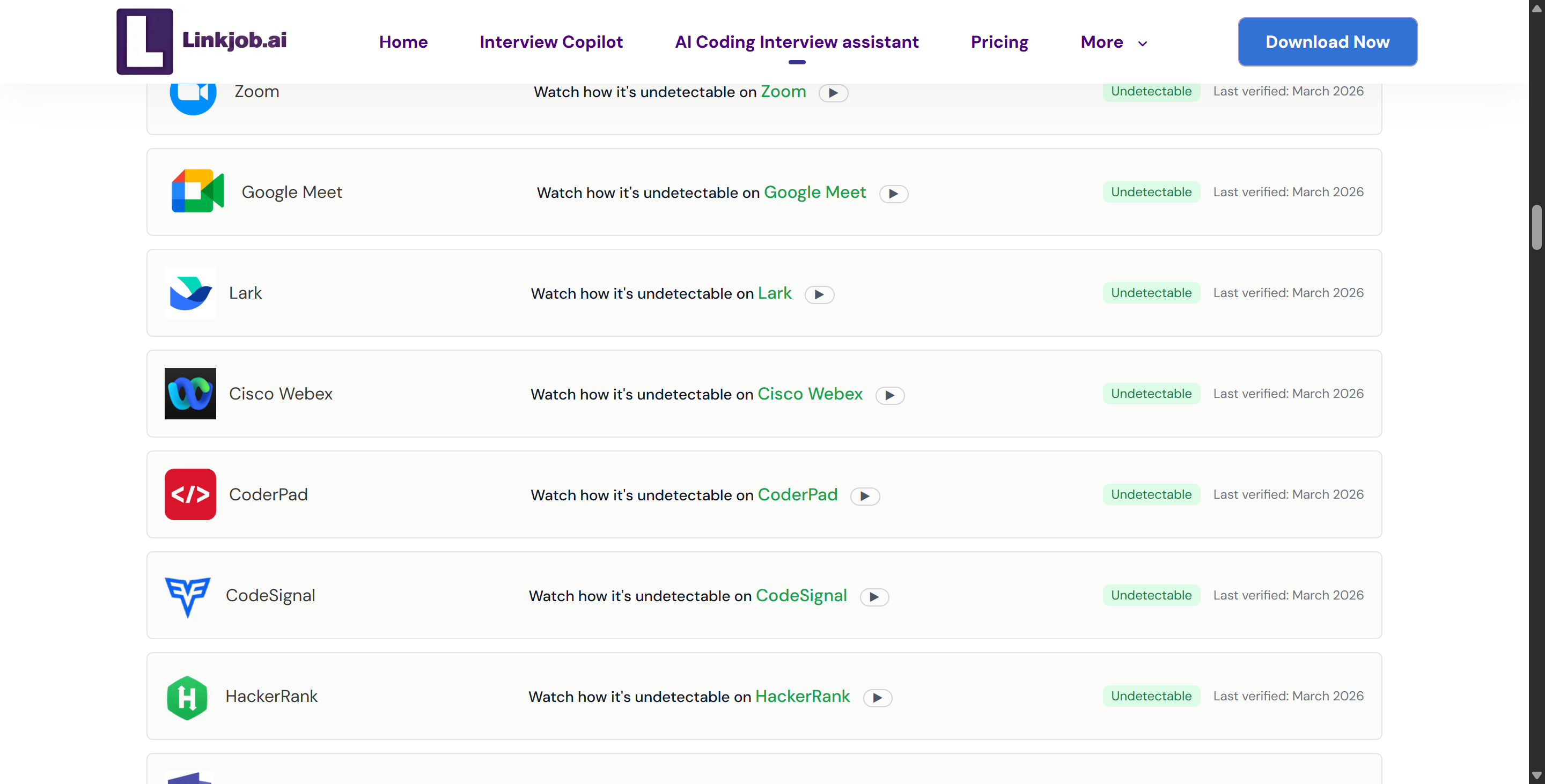
But from what I've seen, it doesn't matter what they use, I can still get round the proctoring system and cheat by using an invisible AI interview assistant once I know how it works. I went with Linkjob AI for my AI tool. This might not be the best solution for you, but you can still pick the one that suits you best from the best free AI interview tools out there.

What is Codejudge? A 2026 Overview
Platform Focus & Solutions
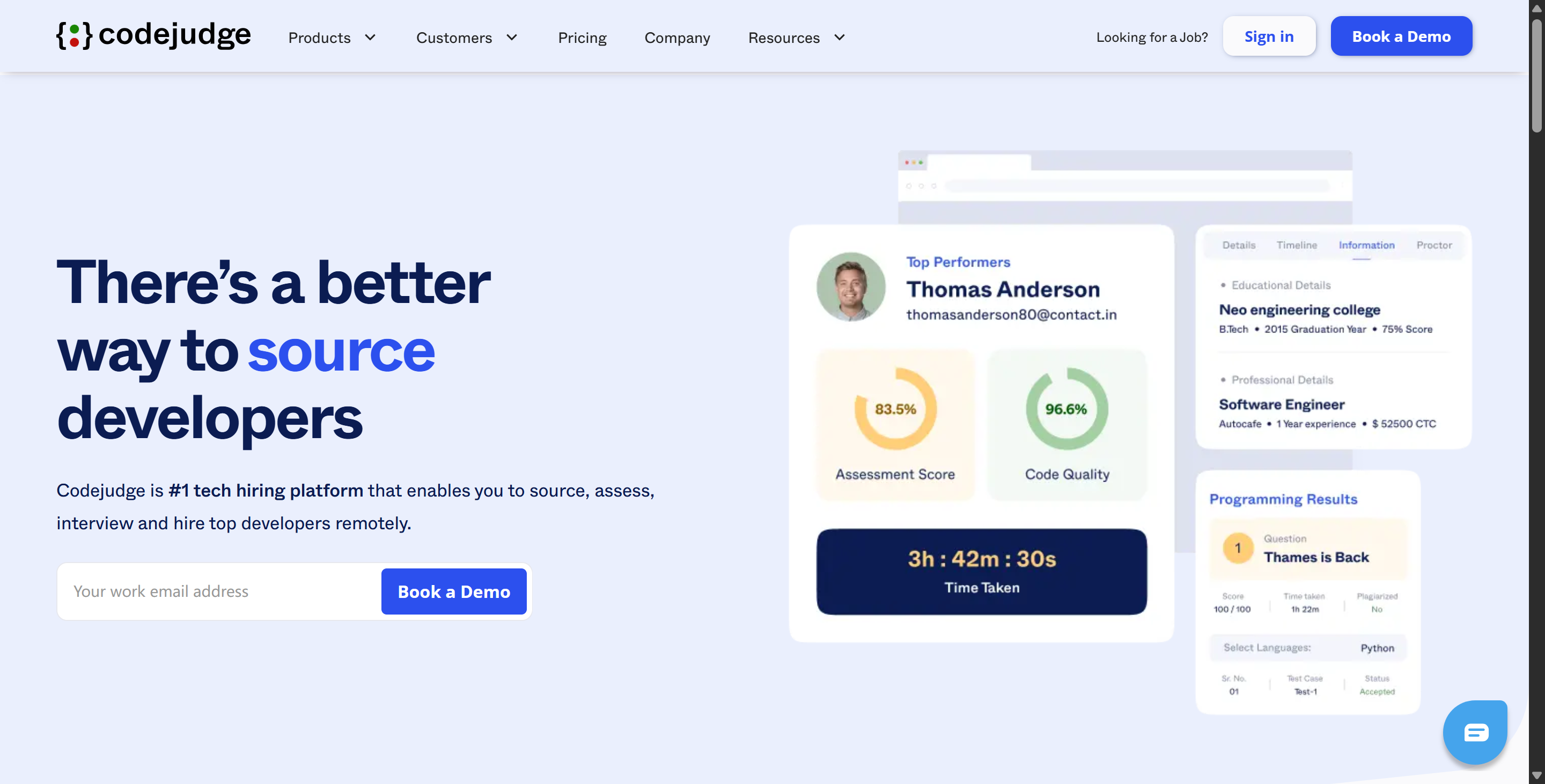
Codejudge is all about getting you ready to deal with the real-world coding situations you'll actually face. From what I've seen, it really tries to recreate what a developer's day-to-day is like. By getting candidates to build small projects in an IDE, Codejudge can verify that the code runs and also evaluate its quality, checking over 127 different metrics like how easy it is to maintain, how well it can be scaled up, and how proficient the framework is (according to the official website, though in practice a single assessment probably doesn't involve all that many metrics!).
Here is an overview of Codejudge's core features in the recruitment process:
Codejudge Feature Overview
Feature Category | Specific Capability | What it Achieves |
Project-Based Testing | Real-world micro-projects (Git-based or instant IDE) | Tests practical job skills rather than theoretical puzzle-solving. |
Broad Tech Support | Supports 20+ coding languages and 50+ frameworks | Allows hiring managers to test exact stacks (e.g., React, Node, Python). |
Question Variety | Programming, MCQs, Subjective, and Projects | Provides a holistic view of a candidate's logic and syntax knowledge. |
Deep Reporting | Analytics on 127+ code metrics | Grades code on quality, time complexity, and functionality automatically. |
AI Integration | AI-assisted JD parsing and test generation | Helps recruiters create custom role-based assessments in minutes. |
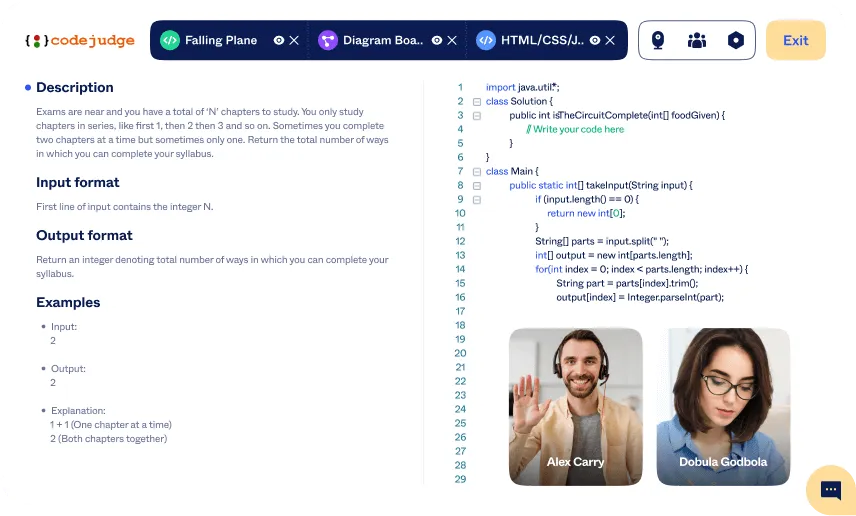
Live Interviews | Integrated pair-programming environment | Enables interviewers to code alongside candidates in real-time. |
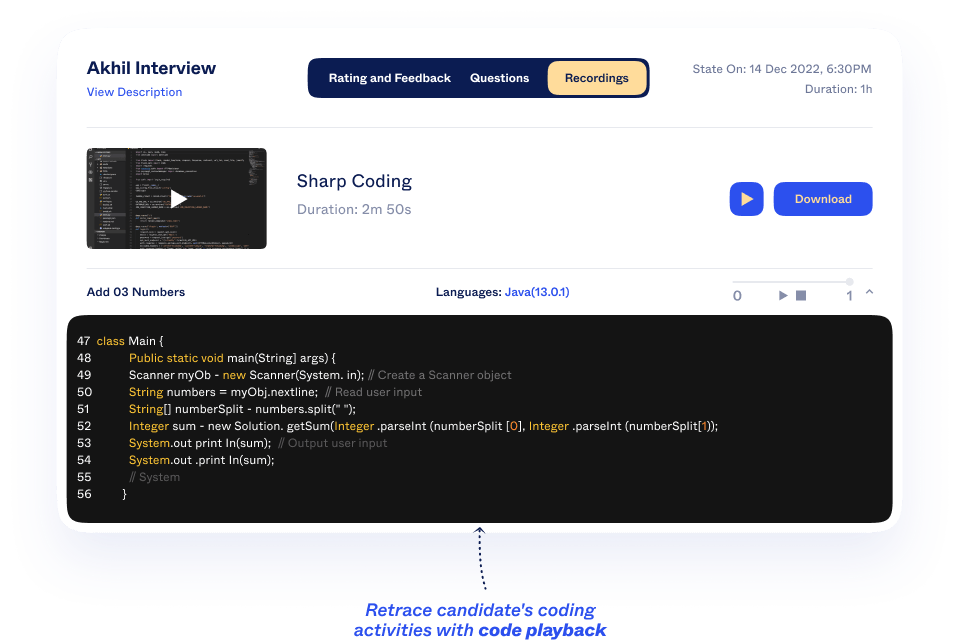
Proctoring Suite | Tab tracking, webcam snapshots, code playback | Prevents cheating, copy-pasting, and plagiarism during the test. |
How Codejudge Prevents and Detects Cheating?
1. Digital Environment Lockdown
Codejudge stops candidates using certain browser environments to look for answers or use developer tools.
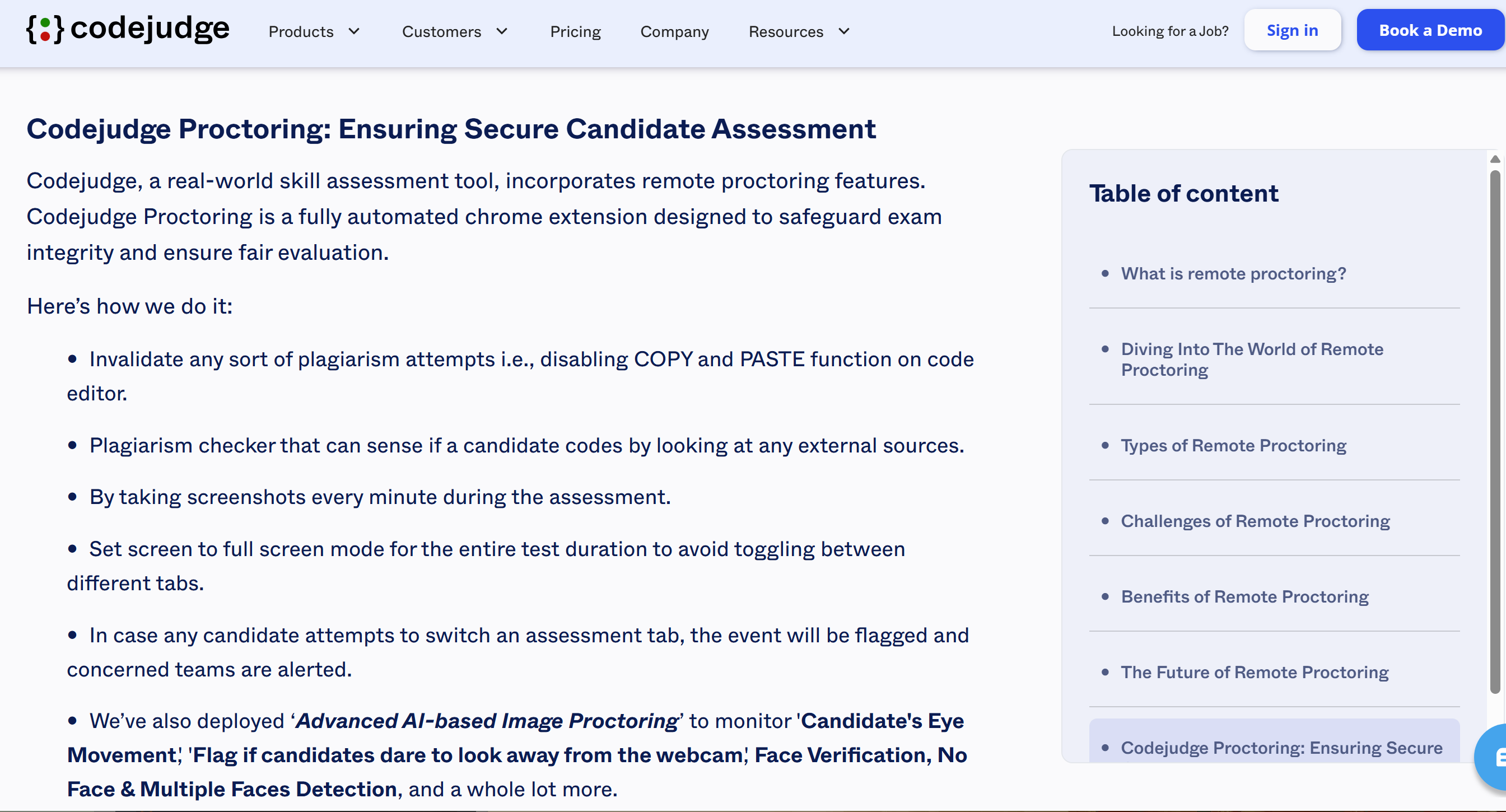
Tab Switching Detection: If someone leaves the active test tab, the platform tracks where they lost their focus. Recruiters can set strict limits on the number of allowed tab switches. If you go over this limit, the test will be sent in automatically and will be over.
Full-screen Mode Enforcement: Candidates should be aware that the test must be taken in full-screen mode. The system keeps track of how many times full-screen mode is exited. If the number of exits goes over the limit, the test will be sent in automatically.
Disabling Right-Click Menus and Developer Tools: Codejudge stops you right-clicking in the browser so you can't inspect page elements, open the developer console or monitor network requests to mess with the assessment data.
External Copy/Paste Restrictions: Just so you know, pasting code from outside is a no-no on the platform. You can only copy and paste code that's already in the assessment editor window.
2. Automated Visual and AI Proctoring
If the recruiter enables the Codejudge Proctoring Chrome extension, the platform will keep an active eye on the candidate's physical environment.
Minute-by-Minute Snapshots: While you're in the system, it'll take a screenshot of your webcam every minute. This lets recruiters check the candidate's presence visually and make sure there aren't any unauthorised people in the room who might be helping them.
AI Monitoring: The automated proctoring system flags anything suspicious, like the candidate leaving the camera frame or their eyes wandering off for a while. This could mean they're using a second device or looking at something else.
3. Plagiarism Detection and Code Analysis
Codejudge analyses the code that's actually submitted, which means there's a lot less pre-existing code in the final output. This makes the traditional method of copying code from existing repositories much less effective.
Point-to-Point Similarity: So, the backend plagiarism detector is going to compare your code with the code that everyone else has submitted. If there's a lot of overlap in the code structure, the system flags the submission as Plagiarism: Yes.
External Source Matching: The platform uses static analysis and token-based comparisons to see if the logic or code structure matches templates or solutions that are out there in public code repositories.
Code Quality and Metrics Tracking: As well as just passing test cases, Codejudge looks at things like execution time and memory usage. If a complex solution is submitted really quickly, the system will create an audit trail for recruiters to check if AI-generated or pre-written code has been used.
4. Identity and Location Tracking
Geolocation Logging: When this feature is switched on, Codejudge will track where the candidate is physically based during the test. This helps to check where candidates say they are and will flag if someone is using a proxy if there's a sudden IP address change or if the IP address is from a data centre or a VPN rather than a home network.
Webcam On Mode: During assessments, the interviewer can switch the webcam on to ask candidates to keep their cameras on throughout the assessment. This can prevent proxies and some fake webcam tools from being used.
How to Cheat on Codejudge in 2026 with AI Tools
Choosing the Right AI Assistant
Whenever I feel like cheating on a coding interview, my first thought is to have a quick look online for a suitable AI assistant. Just to flag, not all AI tools work in the same way. Some of these tools give better answers for programming tasks, while others may have biases in certain areas or simply vibe coding slops (I'd like to highlight InterviewMan here—there are so many problems with it that I don't even want to list them here. Check out my article "Is InterviewMan Legit?" for more details).
I've spent hours looking for tools to help me show examples, break problems down, and produce clear, structured output. Here are the things I look for when I'm choosing one:
Criteria | Description |
|---|---|
Few-shot prompting | I gave examples of good and bad answers to guide the AI. |
Step decomposition | I broke big problems into smaller steps so the AI can solve them one by one. |
Criteria decomposition | I set clear, single goals for the AI to focus on, through basic prompting at first. |
Evaluation template | I used scoring rubrics to check if the AI’s answers meet the test requirements. |
Constrained to structured outputs | I asked for answers in a set format, not just plain text, to avoid confusion. |
After a series of searches and tests, I came across some awful AI interview tools that claimed to be 100% stealth but didn't work discreetly at all during my tests with my friends. Such as Sensei AI Copilot, which has shown a lot in AI recommendations, but actually works better as a mock interview tool rather than real-time support, and also Beyz AI and Lockedin AI. I would just pass these and move to the AI interview copilot that can really help, like Linkjob AI.
Integrating AI into Your Workflow
I use AI for more than just getting the final answer. When I'm solving Codejudge problems, I make sure it's part of my whole workflow.
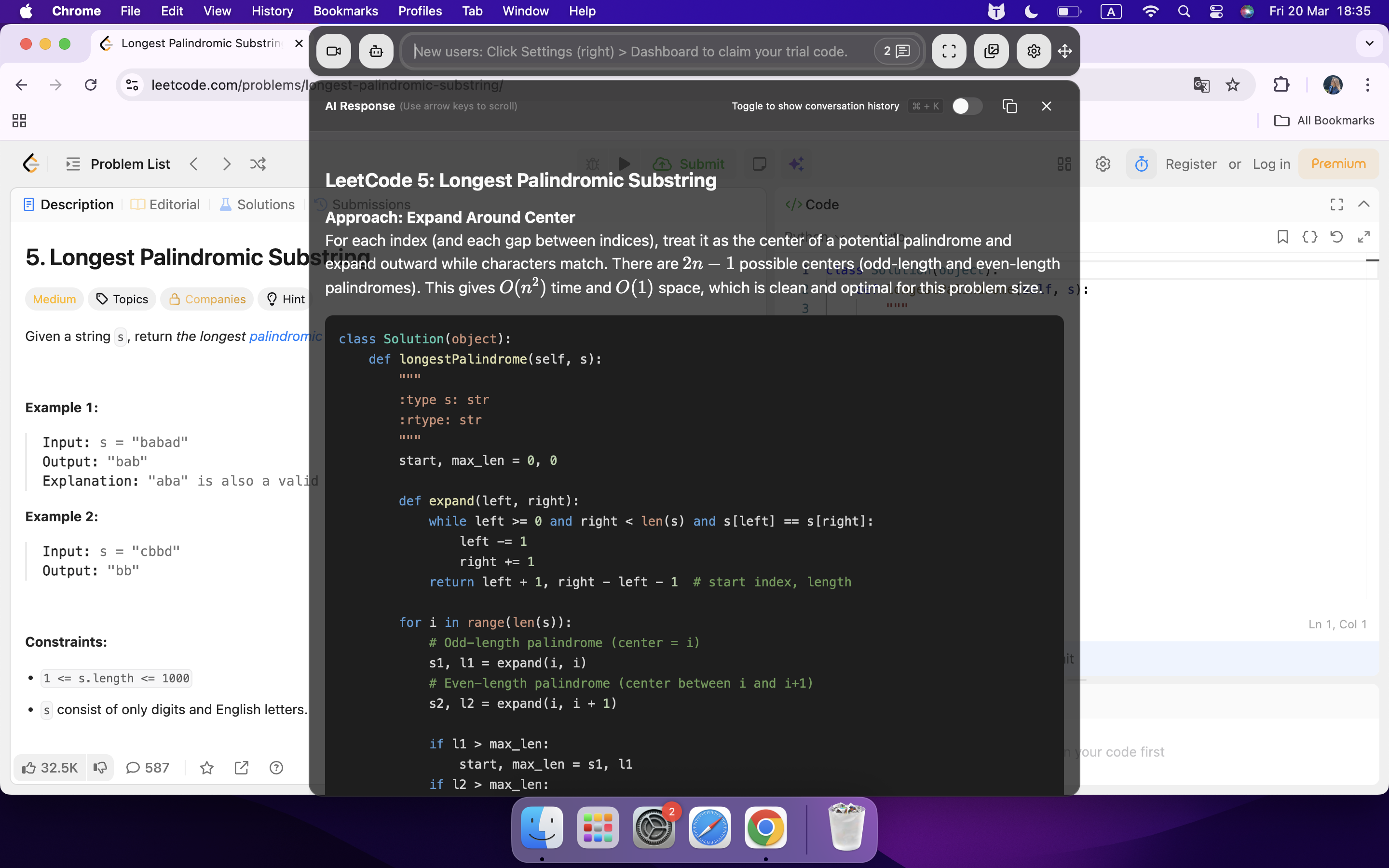
First, I use a global hotkey to swiftly upload screenshots to my Linkjob AI assistant, then (using a predetermined prompt) obtain an explanation of the problem in plain language.
Then, I ask the AI to come up with a decent code solution. To make sure it isn't too much of a standard solution, I write my own version based on that one. If I hit a roadblock, I ask Linkjob AI for help with the details, like writing functions or fixing errors.
Before submitting my code, I always review the AI-generated code. Sometimes, if the context is missing or I've uploaded the screenshots in the wrong order, I might spot errors or parts that don't meet the test specs. I just either fixed those bits myself ASAP or just reused the hotkey to resubmit the screenshots.
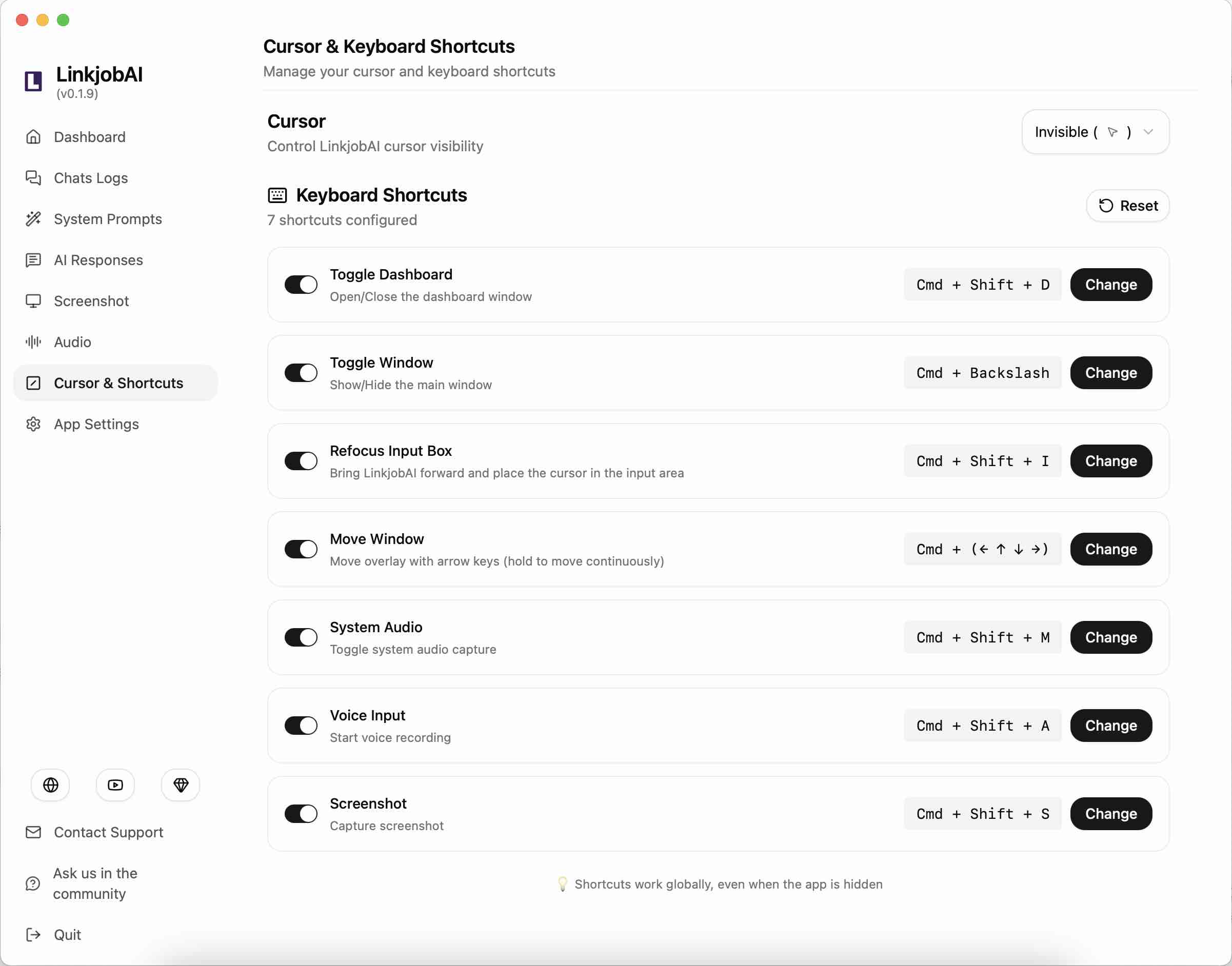
Here’s how I used Linkjob AI step by step:
First, I set up the chatbot to help out with the interview. Then, I tweaked the transparency and position of the chatbot window, placing it right under my webcam. This meant I could read the questions clearly without straining my eyes.
Once the assessment began, Linkjob AI ran in the background. Whenever I came across something I wasn't sure about, I just pressed Cmd+Shift+S to take a screenshot, and Linkjob AI would give me the answer.
When I got the answer, I'd scroll through the explanation, pretending to think – hovering my mouse over the question and highlighting keywords, as if I were really thinking hard about the problem.
Once I got the logic behind the question, I just clicked to select the answer or typed in the answer given by Linkjob AI, then moved on to the next question.
Are Remote Access and Control Software Useful?
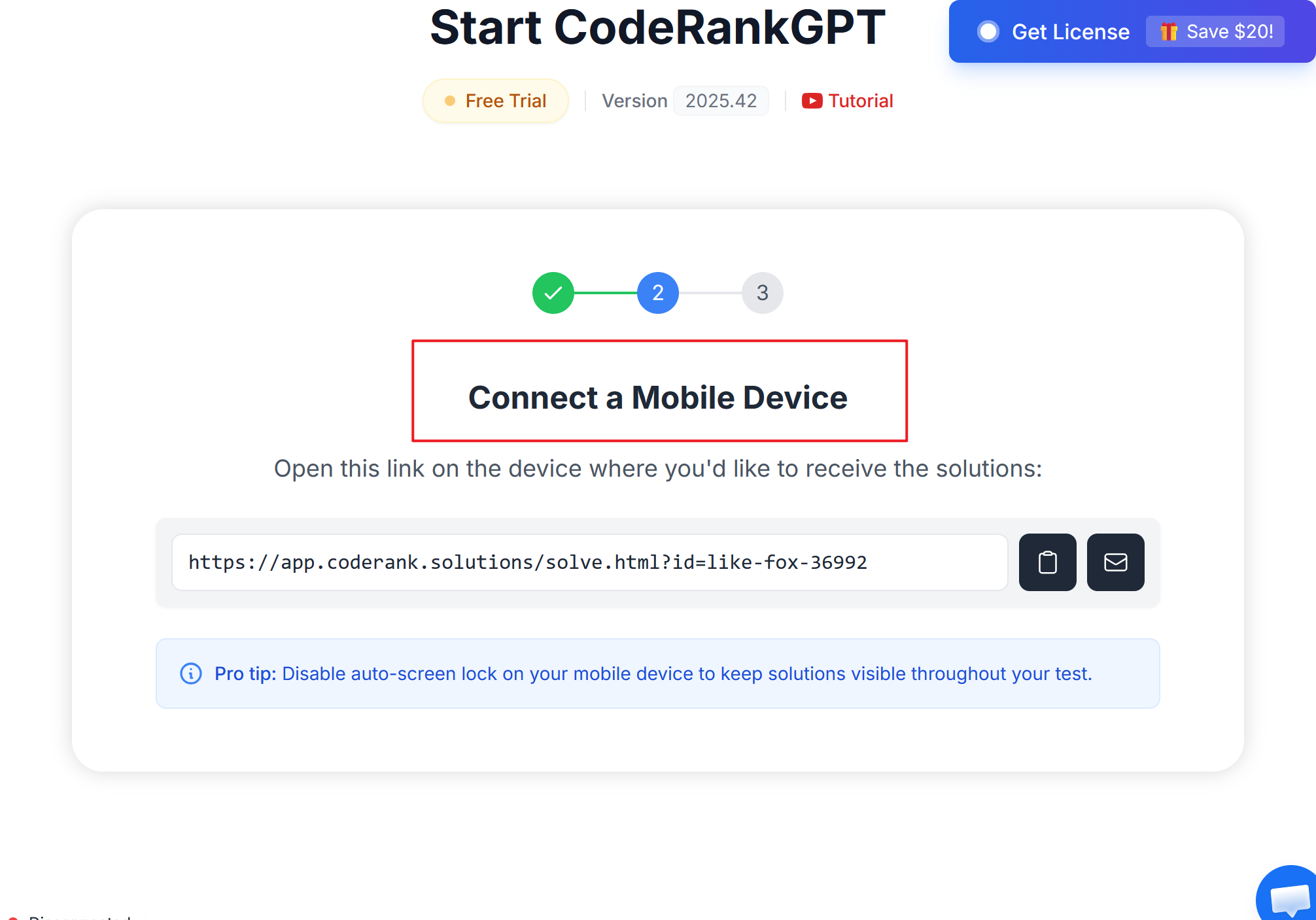
I've heard that some people use remote access and control software to get help from another device or a friend. That way, they can use AI tools on another computer or phone while they're focusing on their exam.
Here's what I heard from a friend:
Make sure you set up the remote desktop app before the exam.
Then log in to my AI tool on the other device.
Just use your phone or tablet to send the code bits to the AI.
You can get the AI's response without having to switch screens on the main computer.
Some AI tools also offer dual-device support, which means users can get solutions to problems on their own device via a second device. This bypasses Codejudge's detection mechanisms, but are these methods really effective and safe?
First off, since the Codejudge system supports full-process recording via webcam, recording the whole problem-solving process for each question during the contest, any network latency would be a problem, as it would make it tricky to explain pauses, lag, and other anomalies during the contest.
Second, IP tracking can detect some remote control software. I haven't tried this myself yet, so I'm not sure if there are truly foolproof tools available. I'm also a bit wary of making a definitive judgement. But to be honest, I think it's a bit too risky.
At the end of the day, I really think that setting up a second device is way more of a hassle than trying to pull off some sneaky stuff on your only device. Plus, it's way easier to get caught out for things like cheating. Honestly, I couldn't do it. I couldn't keep up with the questions on screen and pretend to answer them on my phone.
Avoiding Detection in Codejudge Assessments in 2026
Discreet AI Usage Tips
I have learned a few tricks to use AI tools without drawing attention. Here are my best tips:
Make sure each AI tool I use has a clear, specific purpose. For example, one tool helps me debug, while another helps me plan my code.
Avoid using too many overlapping tools. Too many options can confuse me and slow me down.
Group related tools together. This makes it easier to pick the right tool at the right time.
Choose tools that give me high-quality, relevant answers. I do not waste time with tools that are too flexible or off-topic.
When I follow these steps, I can work faster and stay under the radar. I always keep my workflow simple and organized.
Common Pitfalls to Avoid
I have seen many people make mistakes when they try to cheat codejudge 2026. Here are some common pitfalls:
Copying and pasting large code blocks directly into the platform.
Using AI tools that generate code in a style very different from my own.
Switching between devices or tabs too often during the test.
Forgetting to review AI-generated code for errors or suspicious patterns.
Note: I always double-check my code and make small edits to match my usual style. This helps me avoid raising red flags.
By staying careful and using AI tools wisely, I can minimize my risk and get the most out of my assessments.
Ethical Considerations of Cheating
Impact on Skill Development
When I use AI tools to cheat on Codejudge 2026, I notice my skills don’t grow as fast. I rely on Cluely or similar assistants for quick answers, but I miss out on learning how to solve problems myself. Coding is like a muscle. If I don’t practice, I lose strength. Sometimes, I feel confident after getting a perfect score, but deep down, I know I didn’t earn it. I want to build real competence, not just pass a test.
Here’s what happens when I let AI do all the work:
I skip the hard parts and never learn how to debug.
I forget how to break down problems into steps.
I lost the chance to develop my own coding style.
Note: Cheating with AI might help me pass today, but it holds me back tomorrow. I want to grow as a coder, not just get by.
Risks and Consequences
I always think about the risks before I use AI tools to cheat. If someone discovers I used, for example, Cluely, since it had problems being seen during the middle of the assessments and interviews, my reputation could take a hit.
Trust matters in coding and in life. I want people to believe in my skills. Operating in secret feels wrong and goes against professional standards.
Let me show you some ethical arguments against cheating with AI:
Argument Type | Evidence |
|---|---|
Against | Using AI tools like Cluely can lead to broken trust, data breaches, and career consequences. |
Against | Cluely may provide confidence but undermines personal competence and growth. |
Against | If discovered using Cluely, it could retroactively damage your integrity and reputation. |
Against | The use of Cluely can compromise your career and relationships, even without formal detection. |
Against | Operating in secret, Cluely contradicts professional standards of trust and transparency. |
I don’t want to risk my future for a shortcut. Even if I don’t get caught, I know I’m not being honest with myself or others. Cheating with AI can cause data breaches and hurt my relationships at work. I choose to use AI as a helper, not a crutch. I want to build trust and stay true to my values.
Tip: If you want to succeed long-term, use AI tools to learn and grow—not to cheat.
Pro Tips for Success
Combining AI with Your Skills
I always get the best results when I blend my own coding skills with smart AI tools. I don’t just let the AI do all the work. Instead, I use it to boost my strengths and fill in my weak spots. For example, I often use a mix of different AI models—what some call a "jury of LLMs"—to get a range of answers. This helps me see different ways to solve a problem. I also like using custom judges with tools like AutoJudge. These let me set my own rules for what counts as a good answer. When I want to check my work, I use the .judge() method to get feedback and a score, which helps me understand where I can improve.
Strategy | Description |
|---|---|
Jury of LLMs | I combine answers from several AI models for better results. |
Custom Judges with AutoJudge | I create my own rules to evaluate code quality. |
Evaluation with .judge() | I get detailed feedback and scores to guide my learning. |
I notice that AI tools help me move faster, especially with boring or repetitive code. Still, I always make sure the AI’s suggestions fit my style and needs. This way, I stay in control and don’t become too dependent on the tool.
Time Management Strategies
Time always feels tight during Codejudge 2026 assessments. I break my work into small steps and use AI to handle routine parts, like writing boilerplate code. This saves me time for the tricky sections. I set a timer for each task and check my progress often. If I get stuck, I ask the AI for a hint instead of wasting minutes on one bug. I also avoid switching between too many tools, which can slow me down. By keeping my workflow simple, I stay focused and finish on time.
Tip: Use AI to speed up easy tasks, but save your energy for the parts that need real thinking.
Reviewing and Improving Solutions
I never submit my code without a review. I use AI tools to create custom tests that match the challenge. These tools give me structured feedback, so I know exactly what to fix. Sometimes, I ask the AI to check my code for errors or suggest improvements. I also compare my solution with others using large language models, which helps me spot mistakes I might miss.
Here’s what I do before I submit:
Run my code through AI-powered tests.
Read the feedback and fix any issues.
Double-check that my code matches my usual style.
AI tools make my reviews more consistent and fair. They help me catch errors, improve my code, and feel confident about my submission.
FAQ
How do I pick the best AI tool for Codejudge 2026?
I tested every tool I had decided to use before my assessment, and I had looked for one that could understand my prompts and produce clear, structured code.
What should I do if AI-generated code looks suspicious?
Pre-review every answer before submitting. Sometimes I even need to edit the code to match my style. I also checked for errors or patterns that might raise red flags on Codejudge.
Is it safe to copy and paste code from AI tools?
I avoid copying large blocks. I type code myself or make small edits. This keeps my work looking natural and helps me avoid detection.
Will using AI tools hurt my learning?
If I rely only on AI, I really think you would miss out on real skill growth. I use AI as a helper, not a crutch. I practice solving problems myself to build confidence.
See Also
Using AI Tools to Successfully Pass the Glider AI Exam
Leveraging AI Technology for Live Coding Interviews in 2026
My Journey with a LeetCode AI Assistant for Coding
Why People Choose Linkjob AI
Smoother interviews, coding challenges cleared, and job offers landed. See how users describe their experience with Linkjob AI—in their own words.


© Copyright 2026 Linkjob AI - All Rights Reserved.