How I Used AI to Bypass Geektastic Assessment Challenges

Yes, if you've come here, you've probably already noticed that Geektastic takes a totally different approach to preventing cheating compared to traditional proctoring tools. Actually, browser locking, webcam monitoring, and other similar proctoring mechanisms are not really needed. Instead, Geektastic uses human-centered assessment systems and test questions designed to avoid AI-based cheating, at least that's what they say. If you're facing some different OA tests, have a look at my other passages, including one for how to cheat on HackerRank, one for tactics to bypass Coderpad's anti-cheating methods, and one for how to get invisible AI help for Codility.
When it comes to exploiting loopholes in Geektastic through simple automation, it's a tough nut to crack. The judges who make the final decisions are all engineers with a lot of experience. They'll take a close look at your code's style and logic. So, if I was just a candidate who copied and pasted answers from an AI, I wouldn't stand a chance of passing the subjective quality review—and I definitely wouldn't be able to write this walkthrough with a real-time interview assistant: Linkjob AI.
Cheat Geektastic 2026: Choosing AI Tools
Top AI Models For Coding Assistants
Before picking a tool, I knew I had to first pick the ones that came with the right models.
For the ones that don't release their models publicly, I figured it'd be better to use them locally myself and just pull the open-source documentation. It's a bit of a hassle, but it's a one-time thing.
If there's a good tool out there, I'm totally down to pay a little extra to skip all that setup (like Linkjob AI, which I found works best for me).

Claude Opus 4.6
A lot of people think Claude Opus 4.6 is the best model for handling high-stakes software engineering and ambiguous specifications.
Why it’s a good fit for Geektastic: It excels at deep, multi-step reasoning. Geektastic's tests often have messy data and architectural decisions, but Opus 4.6 is great at writing concise, human-readable code and giving detailed, logical explanations that human reviewers expect.
Best suited for: System design, complex logic, and documenting the thought processes required for coding.
GPT-5.4
OpenAI's GPT-5.4 is the top model for autonomous agent workflows, multi-step pipelines, and tool usage.
Why it’s a good fit for Geektastic: It possesses exceptional scientific and logical reasoning capabilities. If you're working on a Geektastic challenge that involves building working microservices, handling complex routing, or interacting with the environment, GPT-5.4 is a great tool for planning project architecture.
Best suited for: A wide range of tasks related to production, ecosystem, projects that include several files, and real-world business logic.
Claude Sonnet 4.6
Sonnet 4.6 is just as good as Opus when it comes to reasoning. It's one of the most popular models used in modern AI programming IDEs, like Claude Code and Cursor.
Why it's a good fit for Geektastic: It's really good at writing idiomatic code—code that follows the natural style and best practices of a specific programming language. Geektastic's human reviewers check out your coding style, and Sonnet 4.6 makes sure the code you generate isn't too wordy.
Best for: refactoring, making code easier to read, and ensuring submitted code adheres to standard naming conventions.
4. Gemini 3.1 Pro
The Gemini 3.1 Pro is a reliable, cutting-edge model that strikes a balance between robust coding capabilities and an ultra-large context window.
Why it's a good fit for Geektastic: If you're working on cleaning up a big codebase or a huge, disorganized dataset, Gemini 3.1 Pro lets you input the whole project structure. This lets it understand the project's scope before writing a solution.
Best for: There are a lot of data challenges, we're dealing with large codebases, and we're doing a lot of problem-solving.
Open-Source Options (Kimi K2.5 and GLM-5)
If you're running a local proxy for privacy reasons, by 2026, the open-source space will have closed the gap significantly with commercial products.
Why It's a Great Fit for Geektastic: Models like Kimi K2.5 (which is great at generating code) and GLM-5 (which is really good at fixing bugs) show almost no difference in performance compared to proprietary APIs.
Best for: Generating complex code in a private, on-premises coding environment where you want to operate without relying on commercial telemetry data.
Key Features for Cheating
When I want to beat Geektastic's timed assessments, I focus on specific features. These features make the process smoother and reduce the risk of getting caught:
Stealth Mode: Some tools work right in my editor, while others use screenshot analysis to help me answer questions. Since I don't need to copy and paste code, my actions look natural.
Code Quality: It's crucial to have high-quality code. Only models that have been properly trained and have proper bias alignment can generate code that meets the requirements.
Prompt Flexibility: I like tools that let me set custom prompts, so I can use ChatGPT or Gemini to understand the context better and get answers that are right for me.
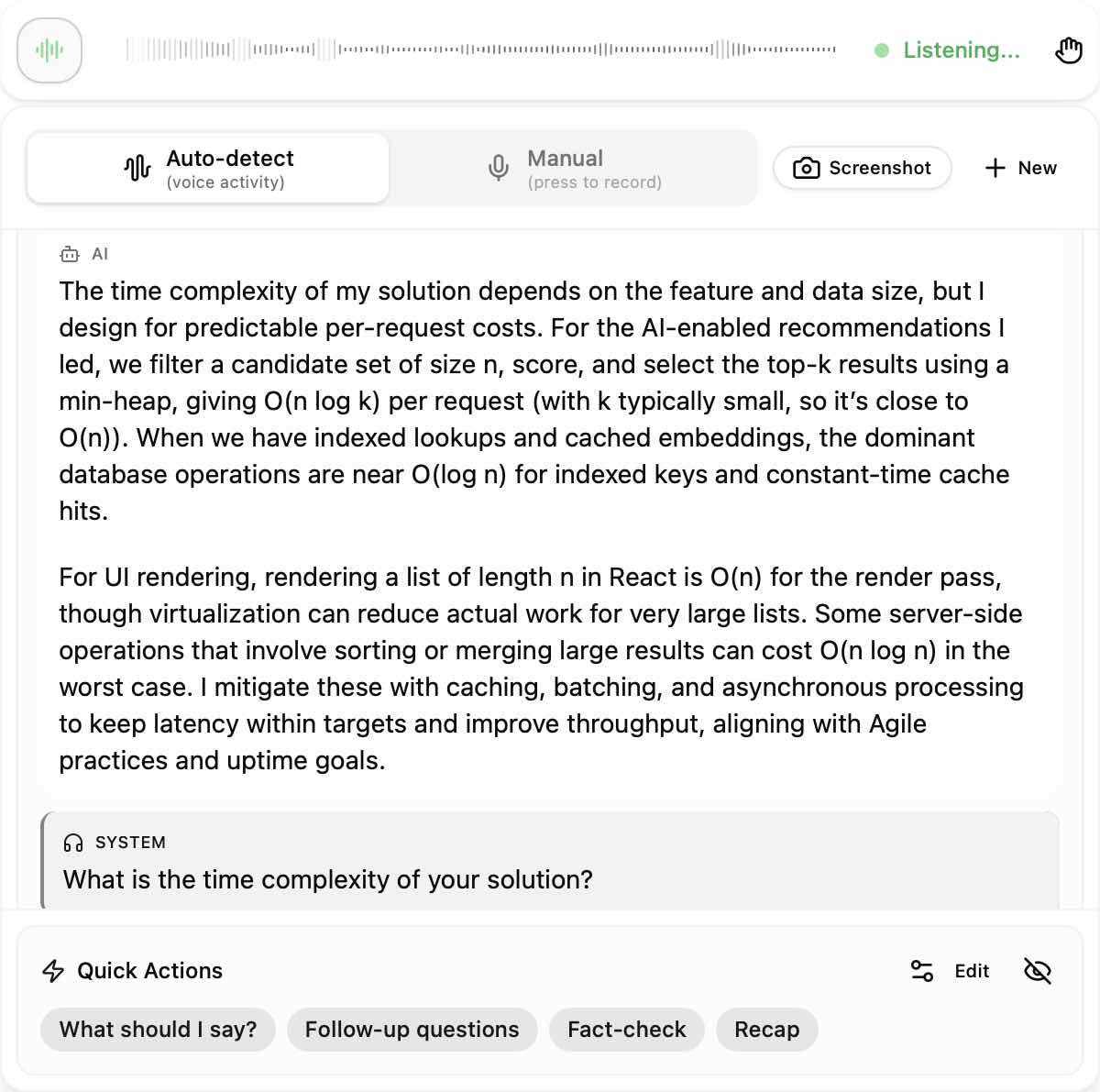
Language Support: I pick tools that support the languages used in Geektastic coding assessments. Most AI assistants can handle languages like Python, JavaScript, and Java.
Debugging Assistance: Some tools, like Ghostwriter, are really helpful for catching errors. I can ask for explanations or suggestions for improvements.
Best Models Comparison Table
I compare AI tools based on ease of use, stealth, and code quality. Here’s a quick table that shows what I found:
Model Name | Core Strength | Primary Assessment Use Case | Why It Excels |
Claude Opus 4.6 | Deep Reasoning & Logic | System Design & Thought Documentation | Generates exceptionally clear, logical architectural explanations and highly maintainable, clean code. |
GPT-5.4 | Agentic Workflows | Multi-File Projects & Complex Logic | Best for autonomous task completion, structured pipelines, and navigating real-world business scenarios. |
Claude Sonnet 4.6 | Idiomatic Code Quality | Refactoring & Code Readability | Writes highly standard, natural code that closely mimics experienced human styling and programming conventions. |
Gemini 3.1 Pro | Massive Context Window | Data-Heavy Challenges & Existing Repositories | Ideal for parsing massive datasets, long-form problem statements, or analyzing pre-existing codebases. |
Kimi K2.5 / GLM-5 | Open-Source Performance | Local, Private Coding Environments | Delivers top-tier code generation and debugging capabilities locally without relying on commercial APIs. |
Anti-Cheating and Detection Methods Geektastic Uses
1. Expert Manual Code Review
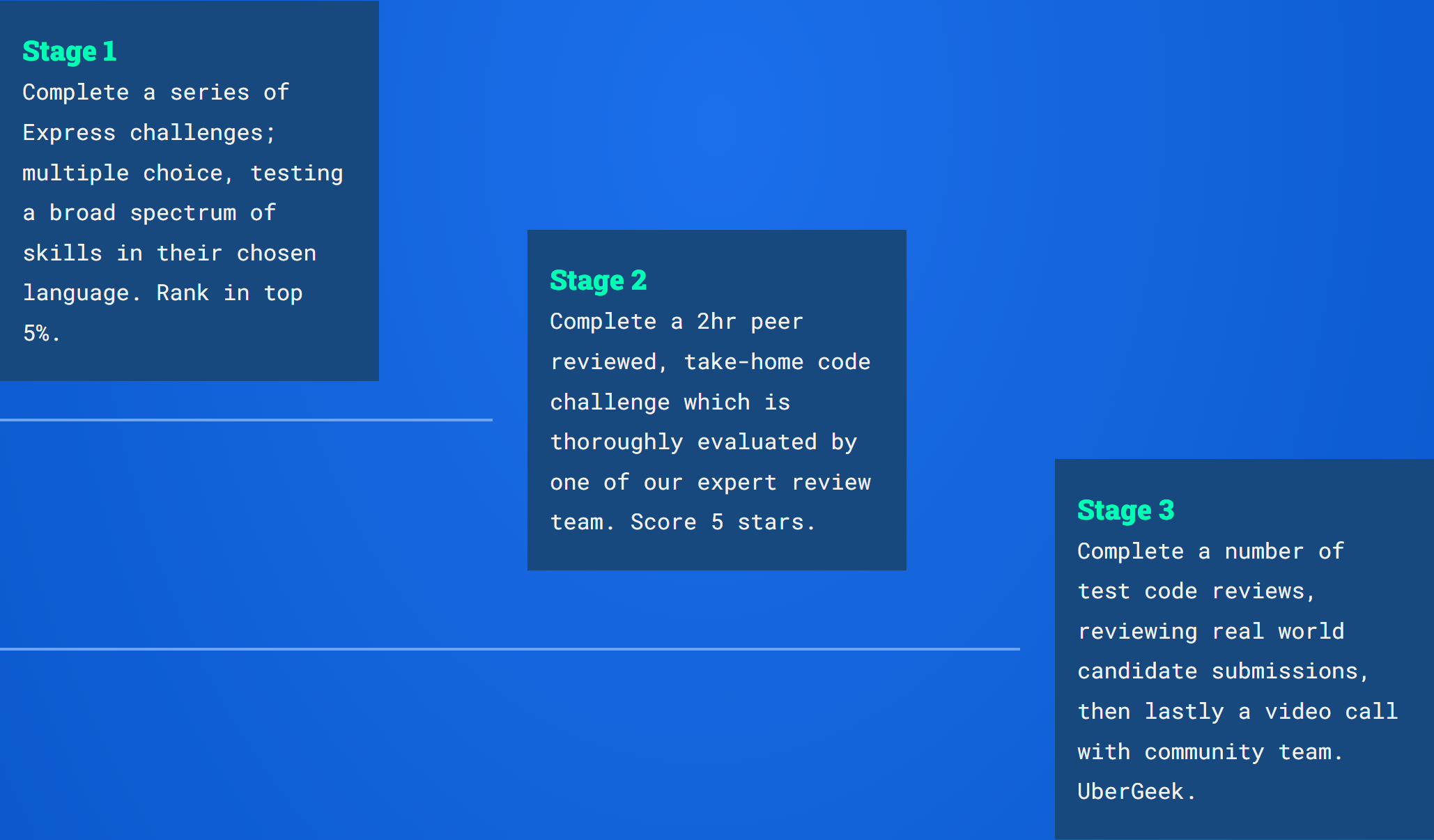
Geektastic's best defense against cheating—especially against generative AI tools like ChatGPT or Copilot—is its peer-review-style system.
Expert Analysis: Geektastic uses a network of certified senior developers to manually review candidates' take-home challenges.
Context and Quality Scoring: The folks doing the reviews look at the little details in the code. They might look at things like how easy the code is to read, how easy it is to maintain, the architecture choices, and if it follows the usual best practices.
Finding AI Traces: Experienced developers usually know how to spot AI-generated code. Reviewers are on the lookout for red flags like AI misunderstanding complex instructions, writing overly complicated solutions for simple problems, using patterns with broken logic, or providing code that runs but lacks human intuition and standard commenting conventions.
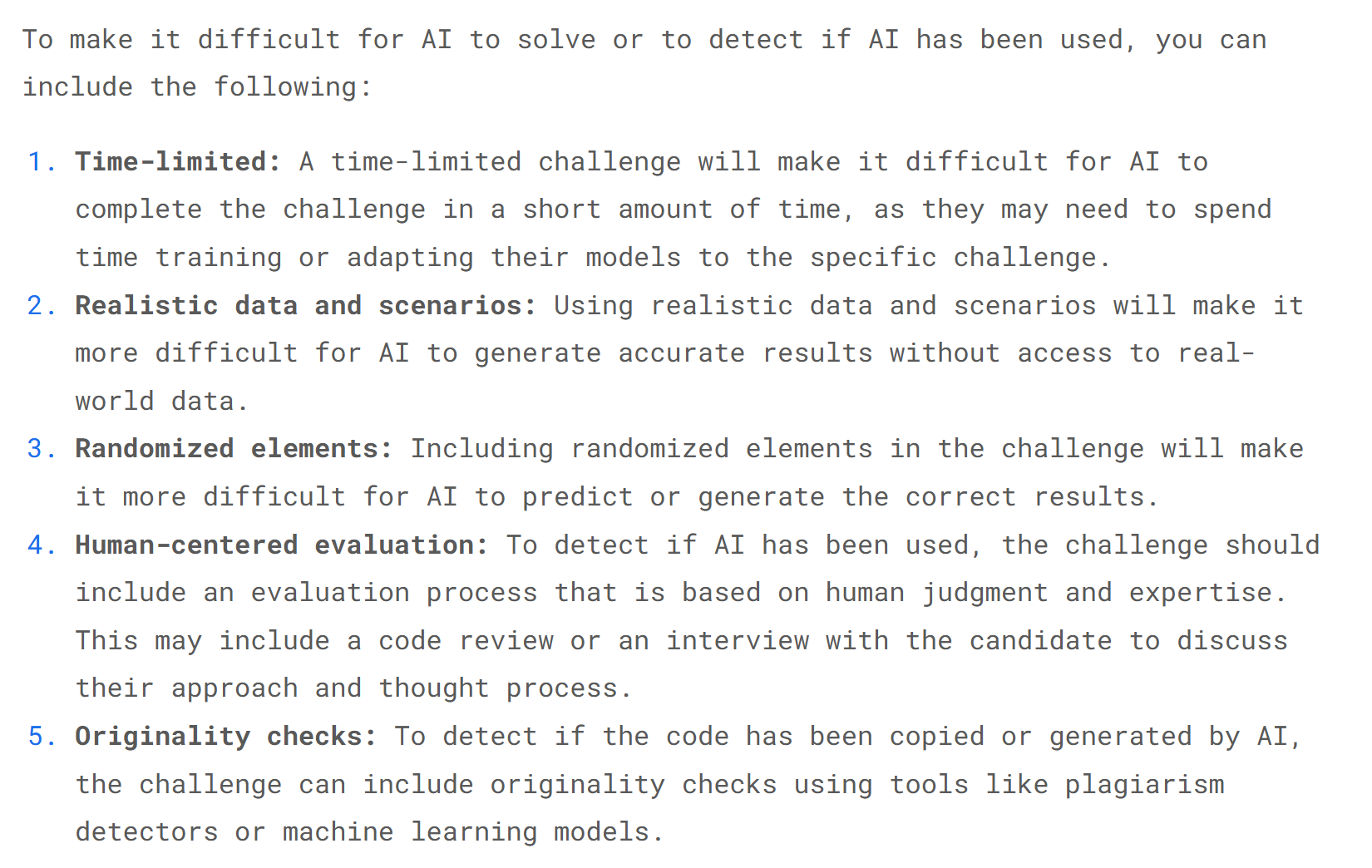
2. Designing Challenges to Counter AI
Geektastic deliberately designed challenges to break AI logic and prevent candidates from simply copying and pasting prompts into LLMs.
Real-world complexity: They steer clear of the usual abstract algorithmic puzzles (like the ones AI models have been trained on, like LeetCode) because they're generic and abstract. They use realistic business scenarios that demand context understanding.
Randomized Elements and Real-World Data: The challenges include random variables and messy, realistic datasets. This makes it pretty hard for AI to generate perfect results until the candidate has actively cleaned and understood the data.
Explanation Requirements: Typically, candidates are expected to document and explain their thought process. Then, human reviewers cross-check these explanations against the submitted code.
3. Anti-Search Technology
Geektastic says they've got this built-in anti-cheating feature that's designed to stop candidates from using ChatGPT, searching for questions on Google, or going to StackOverflow.
The specific mechanisms are kept confidential, and the risk controls are well-implemented. However, such systems generally impose strict time limits on each question and use technical measures to prevent copying, pasting, or scraping the question text. The methods of implementation might differ, but as long as these measures can be gotten around, there's not a big difference.
4. Plagiarism Detection
Automated Originality Check: Before we send code to reviewers, we use automated plagiarism detectors and machine learning models to analyze it.
Database Comparison: Geektastic will compare the candidate's code logic and syntax against a big collection of public code, known AI solution templates, and all submissions from past Geektastic candidates to make sure the code isn't a direct copy.
Preparing My Geektastic Assessment Setup
Environment Configuration
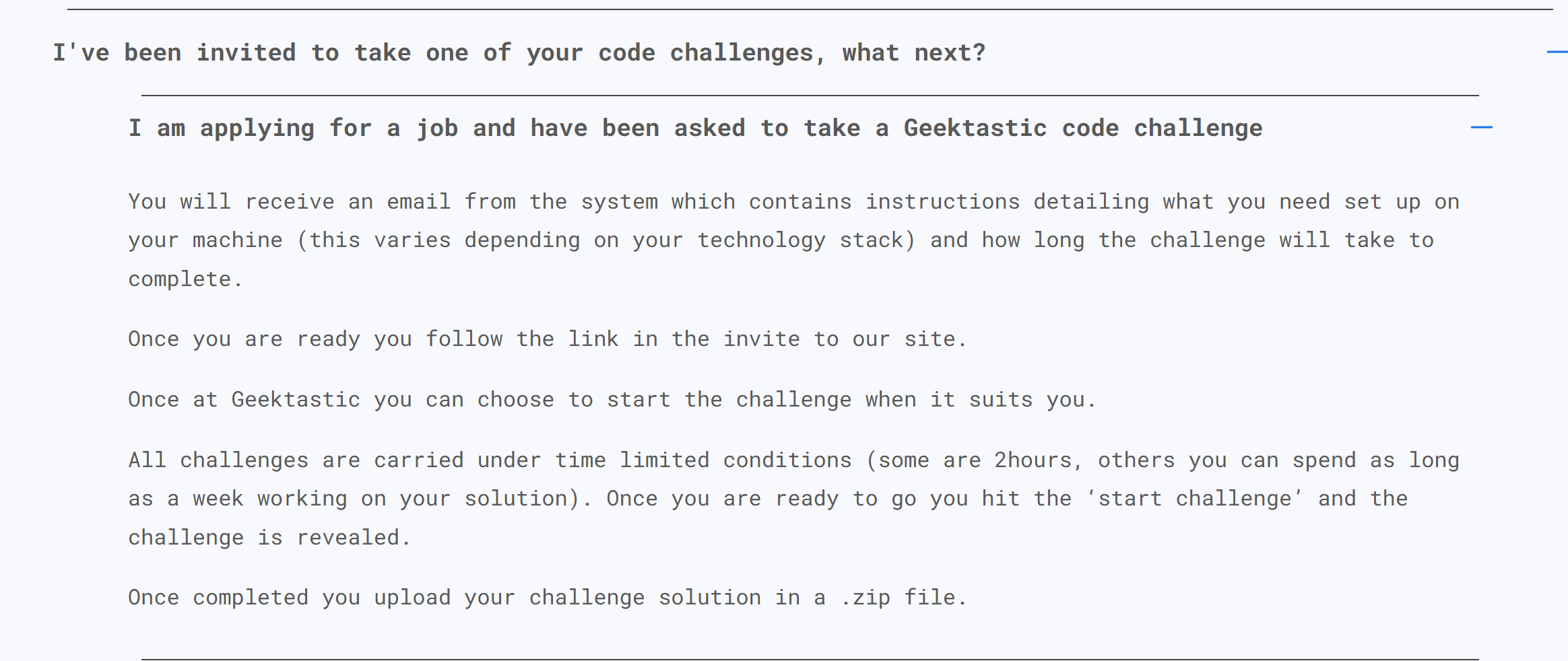
Before I start a Geektastic assessment, I always make sure my work environment is set up.
Geektastic lets you use your own IDE, so I pick a code editor that works well with my chosen AI tool. I use Visual Studio Code with GitHub Copilot, for example.
I make sure my internet connection is stable. I close unnecessary tabs and apps to avoid distractions.
I make sure my AI assistant is installed and ready to go. To avoid detection or to deal with my employer's extra proctoring requirements, I like tools that stay hidden even during screen recording or full-screen sharing—like Linkjob AI—to get around these proctoring options that aren't related to the Geektastic assessment questions.
I also have to adjust my editor settings to make it easy to use and reconfigure the keyboard shortcuts to access Linkjob AI quickly. These prep strategies help me stay focused and get things done.
Tip: Test your environment before the assessment. Run a sample problem to check if everything works smoothly.
Practicing with AI Tools
Practice makes perfect, and cheating becomes easier, too.
I spent some time looking into how different AI tools respond to different prompts, and it seems like one of the best approaches is to structure the prompt and then give the AI as much clear context as possible.
I mean, even though Geektastic itself doesn't record the process, I can't guarantee your employer won't ask for a screen recording or something similar. With the job market being so bad right now, we all need to be prepared. So, it's best to avoid copy-pasting as much as possible. One thing to avoid is copying and pasting a question and then feeding it directly to the AI to get the answer.
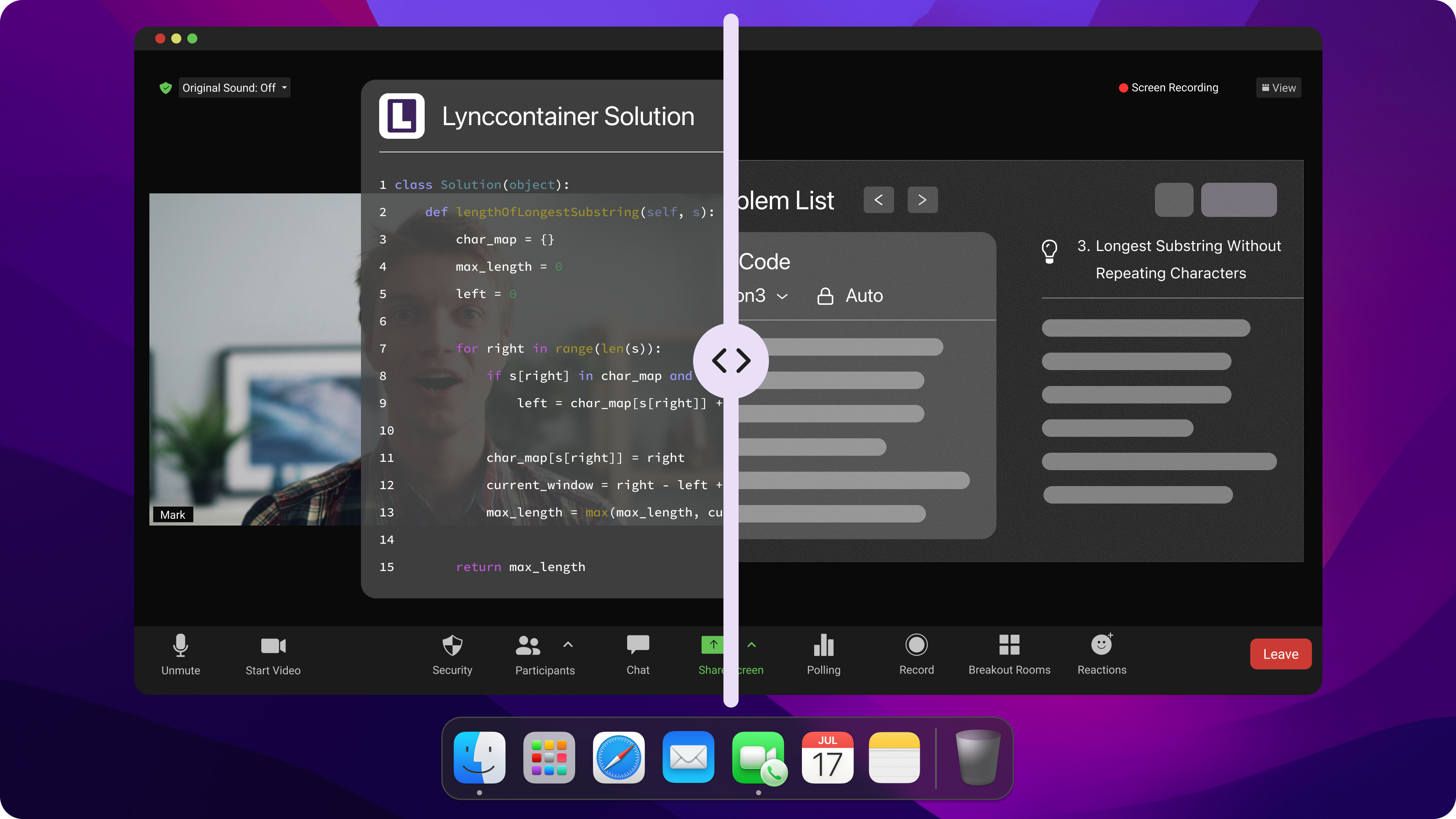
For me, it's easiest to use a keyboard shortcut to upload several images at once to Linkjob AI, and then get real-time AI-assisted answers (code-specific version).
Using AI During Geektastic Assessment
How I Used Linkjob AI to Avoid Detection (Step by Step)
Here's how I set up my workflow to cheat safely on Geektastic:
First, I set up the Linkjob AI chatbot to help out with the interview. The prompt was already set. Then I adjusted the chatbot window's transparency and position so that it sat directly below my webcam. This way, I could read the questions clearly without straining my eyes.
Next, I did a full-screen shared online session with a friend to confirm that Linkjob AI was working properly and that my hardware wasn't having any sudden problems.
Once the programming test started, Linkjob AI was running in the background. When I was stuck with something and needed a screenshot, I'd press Cmd+Shift+S, and Linkjob AI would analyze the screenshots and give me the answer.
Then, after getting the answer, I'd go over it carefully to make sure I got how the methods and reasoning fit together.
Once I really got it—or at least a good part of it—I'd just type up the code using my own understanding and throw in some of my own ideas.
Refining AI Output
After I get the AI’s answer, I never submit it right away. I read the code line by line. I look for mistakes or odd variable names. Sometimes, the AI gives a solution that works but looks generic. I want my code to look unique.
Here’s what I do to refine the output:
Change variable and function names to match my style.
Add or remove comments.
Rearrange code blocks if needed.
Test the code with sample inputs from the prompt.
Ask the AI to explain tricky parts if I don’t understand.
If the code fails a test case, I copy the error message and paste it back into the AI. I ask for a fix. I repeat this until the code passes all tests.
Note: I always make small edits so the code doesn’t look like it came straight from an AI. This helps me cheat geektastic 2026 without raising red flags.
Here’s a quick checklist I use:
Step | Action |
|---|---|
Read code | Look for errors |
Rename variables | Make code look original |
Test with samples | Check for correct output |
Edit comments | Add or remove as needed |
Ask for help | Use AI for explanations |
Submitting Answers
When I’m happy with the code, I get ready to submit. I copy the final version from my editor. I paste it into the Geektastic code window. I check the formatting. I make sure there are no extra spaces or weird line breaks.
Before I hit submit, I do a final review:
Run the code one last time.
Check for typos or leftover AI comments.
Make sure the code matches the prompt exactly.
Callout: I never rush this step. A small mistake can give me away or cost me points.
If the platform has a “Run Tests” button, I use it. I fix any errors that pop up. Only then do I submit my answer.
Sometimes, Geektastic asks for a short explanation. I write a simple summary in my own words. I avoid copying the AI’s explanation. This makes my submission look more human.
That’s my process for using AI tools during the assessment. With practice, I can finish fast and keep my risk low.
Avoiding Detection
I use several tricks to avoid getting caught. I keep my workflow smooth and natural. I never copy large chunks of code all at once. I paste code in small sections and edit as I go. I change variable names and add comments that match my style. I avoid switching tabs unless I need to. I practice using keyboard shortcuts to speed up my work. I always test my code before submitting.
Here’s a quick list of my strategies:
Paste code in small pieces.
Edit the AI-generated code to look original.
Use keyboard shortcuts for navigation.
Limit tab switching during the assessment.
Add comments that sound like me.
Tip: I stay calm and avoid rushing. Nervous actions can trigger alerts.
Obfuscating AI Code
I make sure my code doesn’t look like it came from an AI. I use code obfuscation techniques to hide the source. I change function names and rearrange code blocks. I add extra lines or remove unnecessary parts. Sometimes, I rewrite loops or conditionals in a different way. I use my own formatting style.
Here’s a simple example:
# AI-generated
def add_numbers(a, b):
    return a + b

# My version
def sum_two_values(x, y):
    result = x + y
    return result
I always test the obfuscated code to make sure it works. This step helps me cheat on Geektastic without raising suspicion.
Risks of Cheating on Geektastic in 2026
Disqualification and Consequences
I always remind myself that cheating on Geektastic can lead to immediate disqualification. If the system detects AI-generated code, I risk losing my chance at the job. The hiring process feels faster, but it becomes less reliable. Sometimes, I notice that candidates get filtered out because their answers miss important keywords or look unusual. Automated systems may reject strong candidates if their career paths don’t fit the expected mold. I feel like the human touch disappears, and the process starts to feel cold and mechanical.
I might get overlooked even if I have valuable experience.
The hiring process can alienate me, making me feel like I’m talking to a machine.
My confidence drops when I realize the system doesn’t recognize my real skills.
Callout: Getting caught cheating can ruin my reputation and make future applications harder.
Lack of Real Understanding
When I rely on AI tools, I notice my real coding skills suffer. I score high on conceptual questions, but my understanding drops when I use AI for code generation. Here’s what I’ve seen:
Usage Pattern | Quiz Score Range | Cognitive Engagement Level |
|---|---|---|
Conceptual Questions | 65%-86% | High engagement and understanding |
Code Generation Requests | 24%-39% | Low engagement and understanding |
Sometimes, I use complex terms that I don’t fully understand. I sound more formal than usual, and I struggle with follow-up questions. When interviewers ask unexpected questions, I can’t keep my answers consistent. This shows I lack genuine understanding.
I use advanced terminology but can’t explain it.
My speech style changes, making me sound less authentic.
I fail to answer rapid or tricky questions logically.
Tip: Relying on AI makes it harder for me to build real skills and handle new challenges.
Ethical Considerations
I think about the ethics every time I use AI to cheat. Professional organizations worry about the impact on credentialing. They see AI cheating as a threat to trust in certifications. Employers start to question what these credentials mean. The KPMG incident made me realize that AI can pass big exams, which changes how people view professional qualifications. Research shows AI can pass CPA and CFA exams, so the value of certifications shifts.
Note: Cheating with AI doesn’t just affect me. It undermines trust in the whole industry and forces organizations to rethink their standards.
FAQ
How do I choose the best AI tool for Geektastic?
I look at the coding language, the challenge type, and my workflow. I tested tools like Linkjob AI, Cluely, Lockedin AI, and Sensei AI before the assessment. In the end, I picked the one that gives me the most accurate and stealthy answers, which was Linkjob AI.
Can Geektastic detect AI-generated code?
Yes, Geektastic uses anti-cheat systems. I always edit AI code to make it look original. I change variable names, add comments, and test my code. This helps me avoid detection.
What should I do if copy-paste is blocked?
I type the prompt by hand into my AI tool. It takes longer, but it works. I use keyboard shortcuts to speed things up. I stay calm and avoid rushing.
Is it risky to use AI for Geektastic assessments?
Definitely, I risk disqualification and reputational damage. I always weigh the risks before I cheat. Getting caught can hurt my chances for future jobs.
See Also
Leveraging AI Tools to Ace the Glider AI Exam
Using AI Strategies to Succeed on TestGorilla 2026
Tips for Beating HackerEarth Proctoring in 2026
Why People Choose Linkjob AI
Smoother interviews, coding challenges cleared, and job offers landed. See how users describe their experience with Linkjob AI—in their own words.


© Copyright 2026 Linkjob AI - All Rights Reserved.