Interview Hammer Review: Instant AI Interview Copilot Tested

As usual, I was looking for a useful AI interview assistant to help me ace my interviews and online assessments. That's how I found Interview Hammer on Reddit and decided to try it out.
I've got to be real with you: When Interview Hammer's running smoothly, the answers it gives are good enough for entry-level jobs. But most of the time, it just freezes up and stops responding, and no matter how many times you restart, refresh, or reinstall, it won't fix it.
Also, Interview Hammer needs two devices to run, which makes it easy for interviewers to spot during a test. Plus, its comments aren't all that great—they've just been subject to controlled reviews and tons of buzz on Reddit. I talked about some of these issues in my InterviewMan review, so I did some more research to find the best AI interview assistant real time. After trying a few different options, I chose Linkjob AI.
To sum it up, if you're on the hunt for a truly invisible AI interview assistant, I suggest steering clear of dual-device solutions like Interview Hammer. Instead, try out tools like Linkjob AI, which have a transparent overlay.

Interview Hammer Review: What It Is
Main Purpose
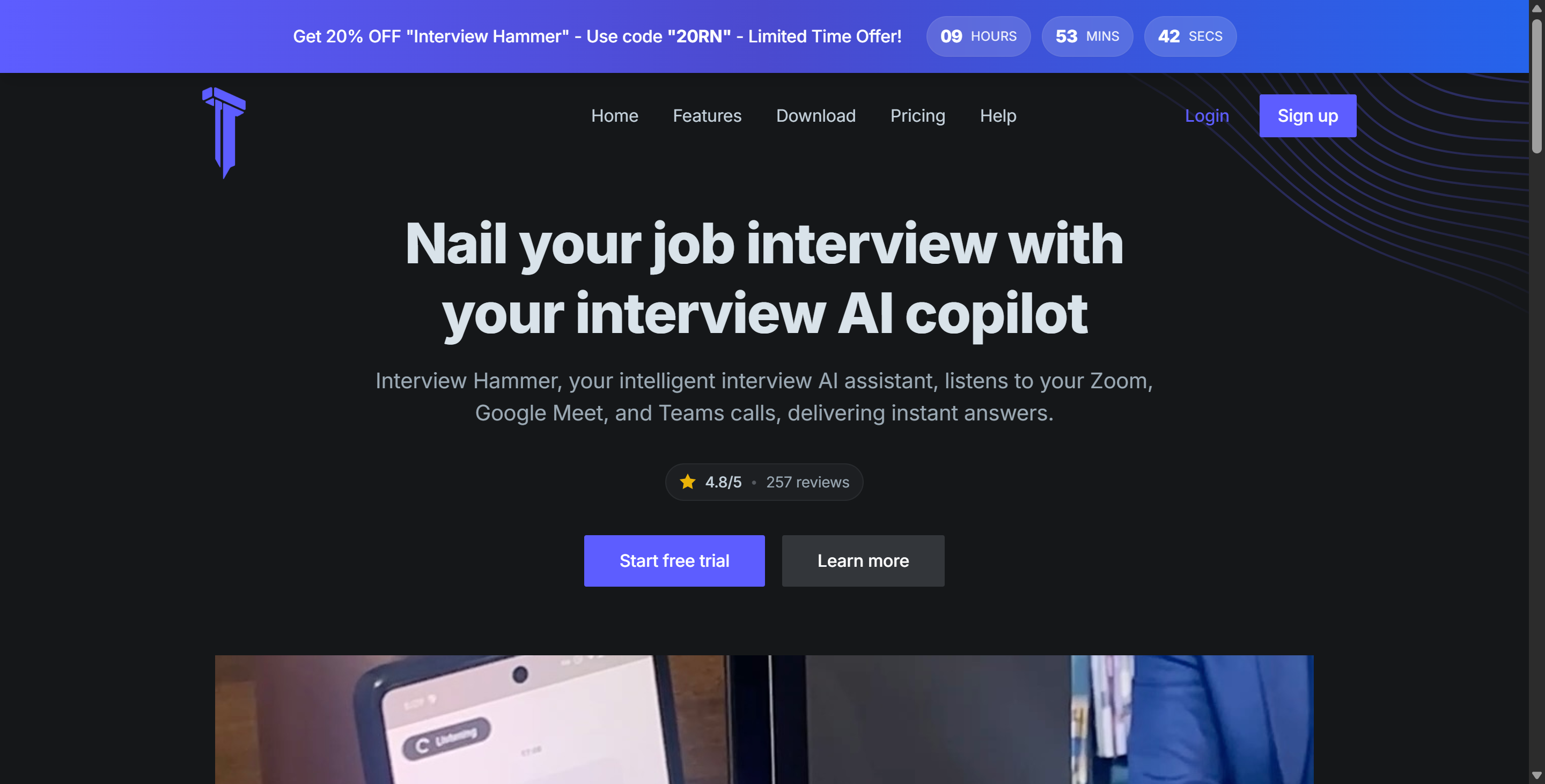
When I started my Interview Hammer review, I wanted to know what this tool actually does. Interview Hammer acts as a real-time AI copilot for job interviews. My original aim was to get good, detailed answers to my job questions quickly, while also making sure software and online platforms couldn't spot me. But is that really the case? Well, that's exactly what I was hoping for when I tested it.
Here’s how I used it:
picked the job role I wanted to apply for.
started an interview session with a YouTube video.
connected to an online meeting with my friend, full-screen sharing on.
watched if AI listens to and analyzes the computer audio.
checked the answer quality and also the generating speed.
evaluated whether it would be seen during full-screen sharing or webcam-on scenarios.
I had done millions of tests like this, so I guessed there were no big mistakes; maybe the biggest challenge for this kind of test was to find a friend who wanted to help. The test results of Interview Hammer will be mentioned a little later.
Supported Platforms
I checked which platforms Interview Hammer supports during my Interview Hammer review. You can use it on several devices, so you don’t have to worry about compatibility. The tool works on:
Windows computers
Mac laptops
Android phones
iPhones (iOS)
I tried it a few times, and it's clear that this app doesn't run independently. So, even if you download the Interview Hammer desktop app, you still need to install Interview Hammer on a second device—like a phone or a computer—and use the link button within the app to get the answers.
I had a hard time with this because I'm used to apps that run on their own, but this method does provide a decent level of stealth, so I decided to keep testing it.
Then, I tested some popular coding platforms and meeting software with my friend again:
Platform | Invisibility |
|---|---|
Zoom | ❌ |
Amazon Chime | ✅ |
Google Meet | ✅ |
Teams | ✅ |
Hackerrank | ✅ |
Coderpad | ✅ |
Codesignal | ❌ |
Lark | ❌ |
Cisco Webex | ❌ |
About the problem with Zoom being found, I checked the official website and found that it doesn't support the latest version of Zoom on Mac, so it will be found. This is a big drawback.
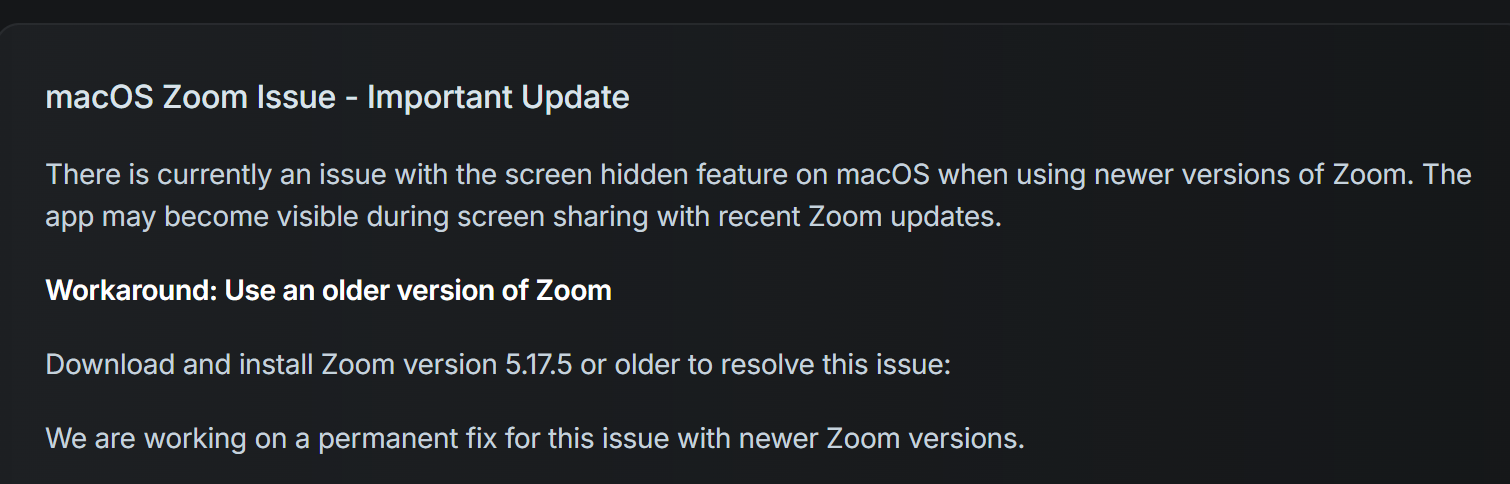
On top of that, the official team doesn't have an answer for this issue right now. They can only mention it in the help documentation.
I also tried out some tools not included in the docs with a friend, and the results showed they were totally transparent and visible even when I connected to another device.
Interview Hammer Review: Real Performance Tested
Real-Time Feedback
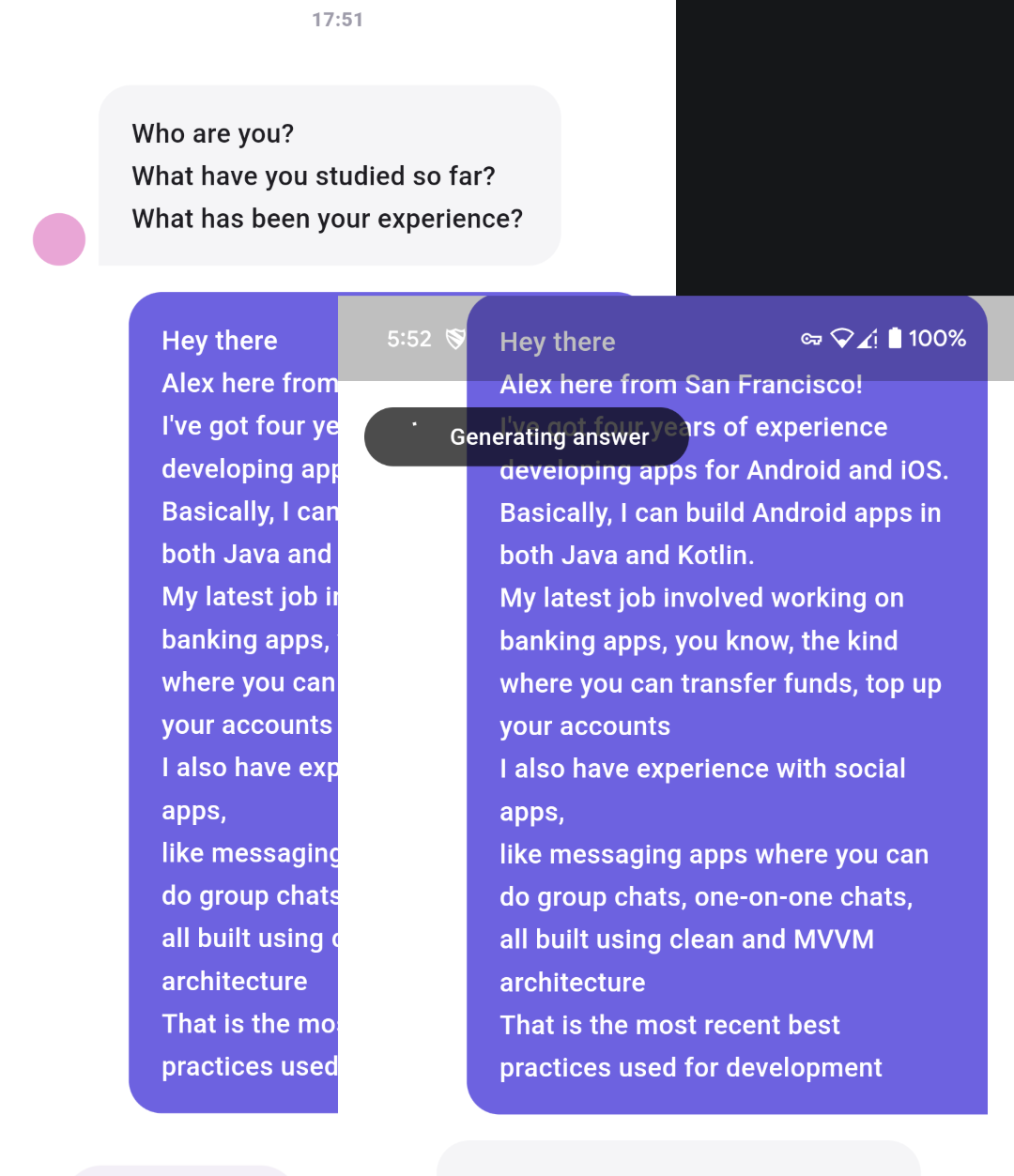
I was curious about how fast and accurate the feedback would be when I first started using Interview Hammer to prepare for interviews. To be honest, its responses were just average.
As soon as I started getting questions that went beyond basic info and into more specialized topics, the answers were no better than what you'd get by randomly opening Grok. Also, the AI's hallucinations were pretty intense. Even after I fine-tuned the prompt ahead of time, it would often lose track of the context and give unclear answers.
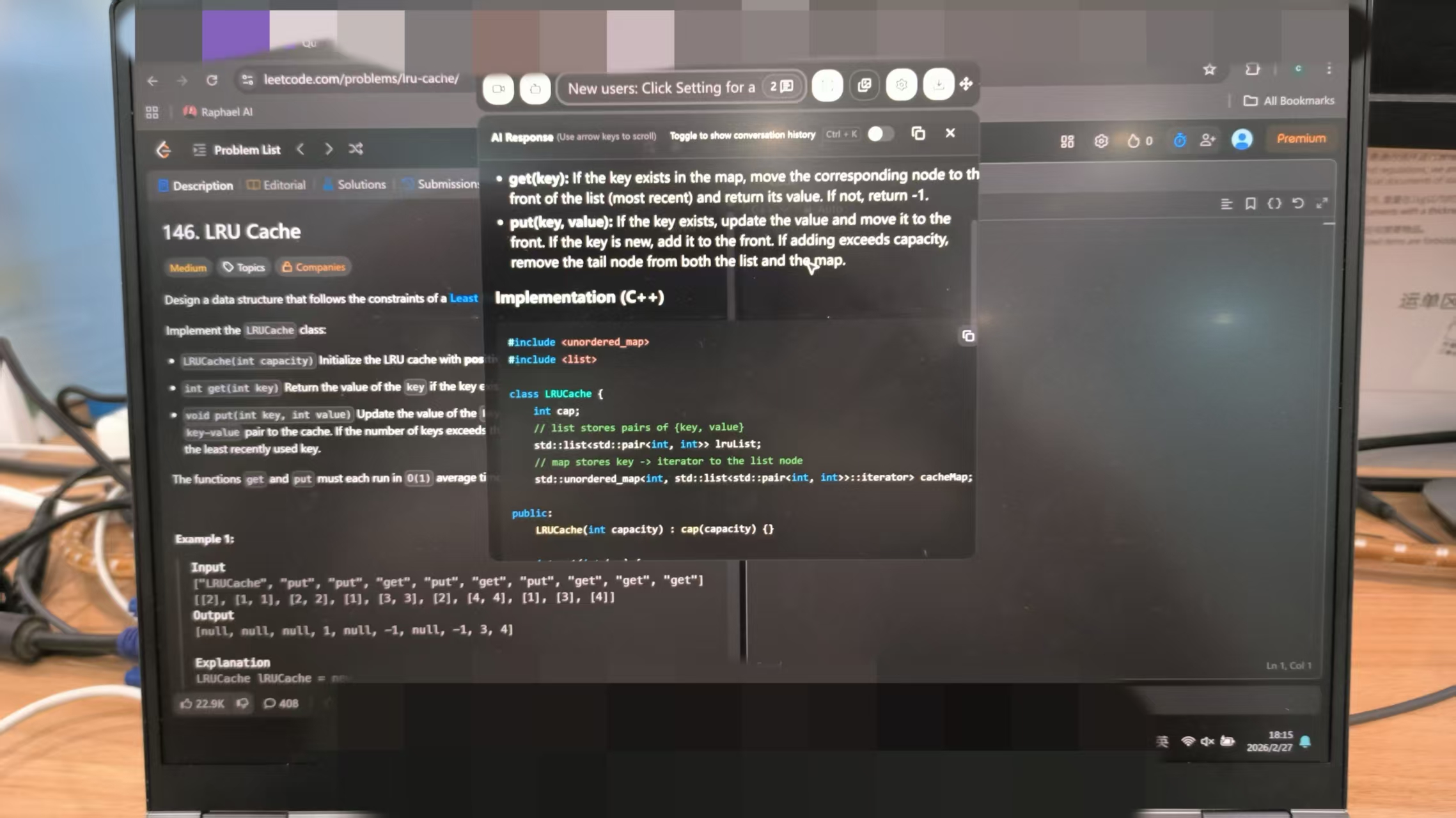
I also noticed that Interview Hammer doesn't cover coding interviews. Well, honestly, it doesn't really support coding questions at all. More often than not, it gives the wrong answers and doesn't explain or break down the logic behind it. When it comes to this, it doesn't measure up to Linkjob AI.
AI Answer Suggestions
I wanted to know if the AI suggestions would actually help me sound better. During my Interview Hammer review, I tested several job roles and got tailored answer ideas for each question. The suggestions felt natural and matched the tone I needed for professional interviews, if prompted beforehand and if you are aware of what you have put in it.
Here’s what users think about the quality and relevance of the AI answer suggestions:
Rating | Description |
|---|---|
4/5 | Users have rated Interview Hammer - Realtime AI positively, indicating satisfaction with the quality and relevance of the AI answer suggestions provided by the tool. |
Customization Level
If you're using AI tools for interviews, you want the AI's responses to be more personalized, and I'm no exception. Exploring customization options is also a priority for me.
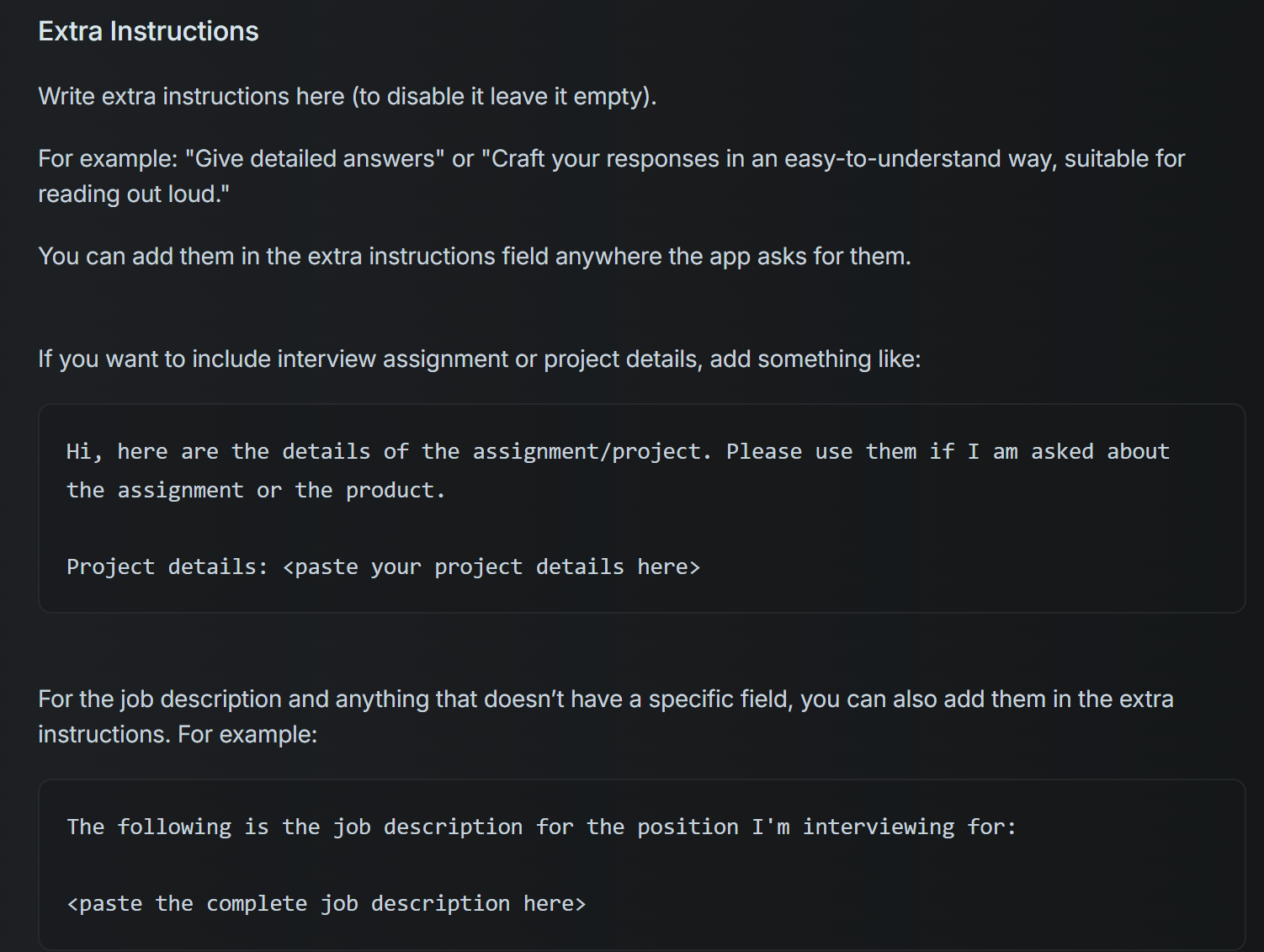
Interview Hammer lets you pick job types and tweak how hard the questions are. I can also adapt the interview style based on the target company's characteristics. But compared to other tools, its customization features seem a bit limited. It only accepts prompts that are entered in advance and supports surprisingly few formats. If you don't have any coding experience, you might hit a wall here.
As you can see in the official documentation (see the image below), it supports some basic prompt definitions, but it doesn't allow you to upload resumes or documents in other formats. So, you can only input text.
Here’s a quick look at the customization features:
Feature | Interview Hammer |
|---|---|
Customization Level | Basic customization available |
Role-Specific Personalization | Lacks deep, role-specific options |
Career Tools | Focuses solely on interview assistance |
Interview Hammer primarily assists with interviews, lacking broader career tools like resume builders or job application automation.
Users report that the app does not provide the deep, role-specific personalization that some candidates may require.
If you want to practice for a specific role or industry, you might find the options a bit shallow. I wished for more advanced settings, like custom question banks or company-specific scenarios.
Tip: Use the available customization to focus your practice, but don’t expect advanced personalization.
Hands-On Interview Hammer Experience
Setup and Usability
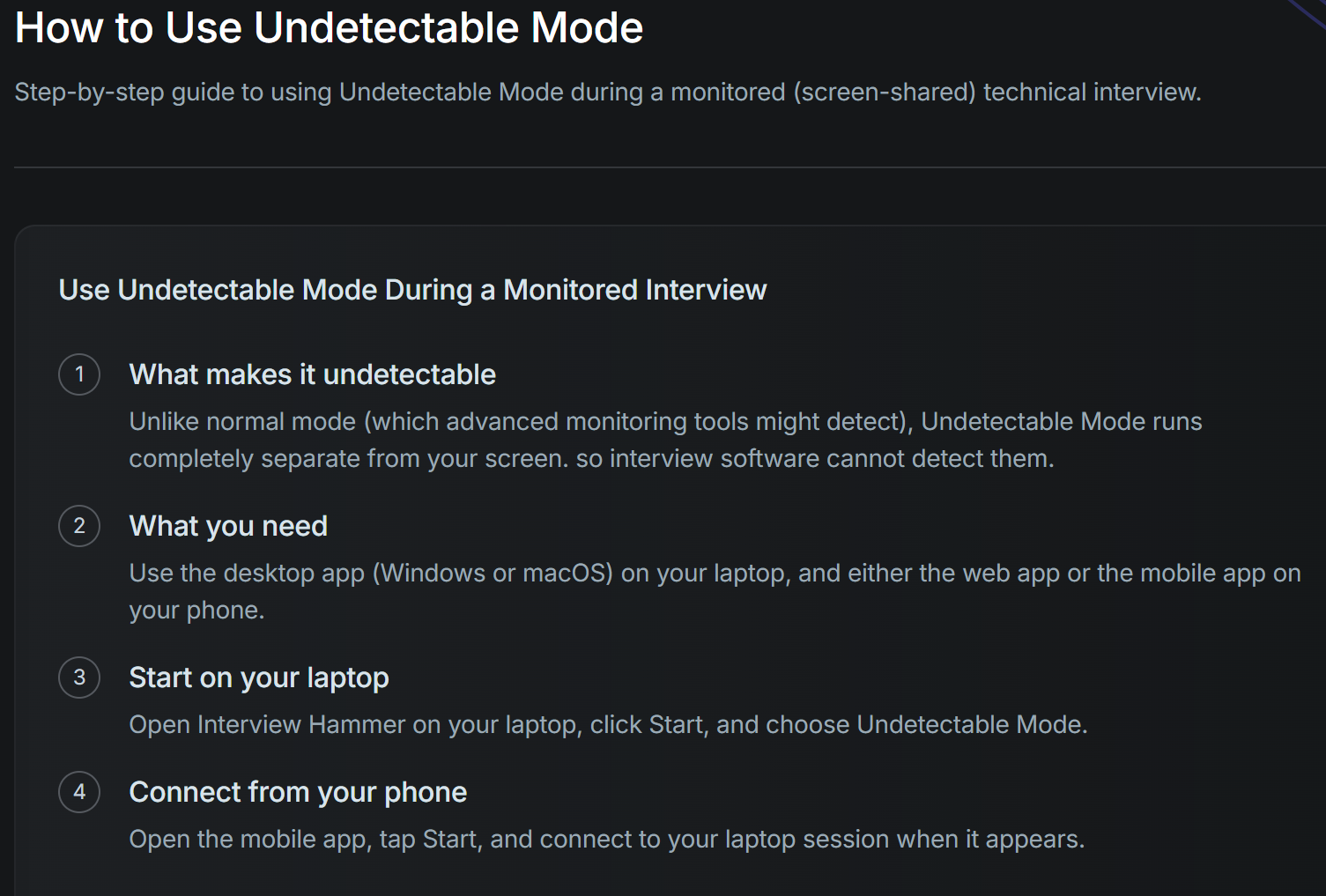
Getting started with Interview Hammer felt simple. I signed up with my email and created a profile in less than five minutes. The dashboard looked clean and easy to understand. I saw clear buttons for starting a new mock interview or checking my progress. I liked that I could switch between my laptop and phone without losing any data.
Here’s how I set up my first session:
Logged in on my laptop.
Pre-promoted the type of interview—phone, video, or in-person, and also some job descriptions.
Clicked start and chose "Undetectable Mode", then connected to the Interview Hammer App on my phone.
Waited for the Interview Hammer to generate answers based on the computer audio.
Setting it up and getting started is just like with CodeRankGPT—it's very simple and only takes a few clicks. However, out of the five tests I ran, I only managed to connect to the app on the first try. The other four times, the desktop app just froze, or the mobile app stopped working. Either way, it was completely unusable.
So I checked out the online reviews and joined the Interview Hammer Discord group, hoping to find a solution. Unfortunately, I found that a lot of others were in the same boat as me—people who couldn't even get a refund and were left with no choice but to give Interview Hammer a low rating online and move on to the next option.
Feedback Quality
In my first test, a friend and I took turns asking and answering questions. Sometimes, we'd have the computer read a question aloud, and then one of us would answer it. Here's what we found:
Interview Hammer's transcription speed and accuracy are both excellent.
The feedback seems a bit formulaic, but usually, it's pretty spot on.
It was a bit sluggish in terms of how long it took to respond to the screenshots, but the quality of the answers was fine.
The answers to the technical coding questions weren't that great. I've used other tools that were better.
My friend said she could tell right away that I was peeking at my phone screen, but at least the Interview Hammer interface wasn't visible during full-screen sharing on the computer.
Pros and Cons of Interview Hammer
Okay, before I go through the pros and cons, I want to talk about an issue I've noticed on a bunch of third-party review sites:
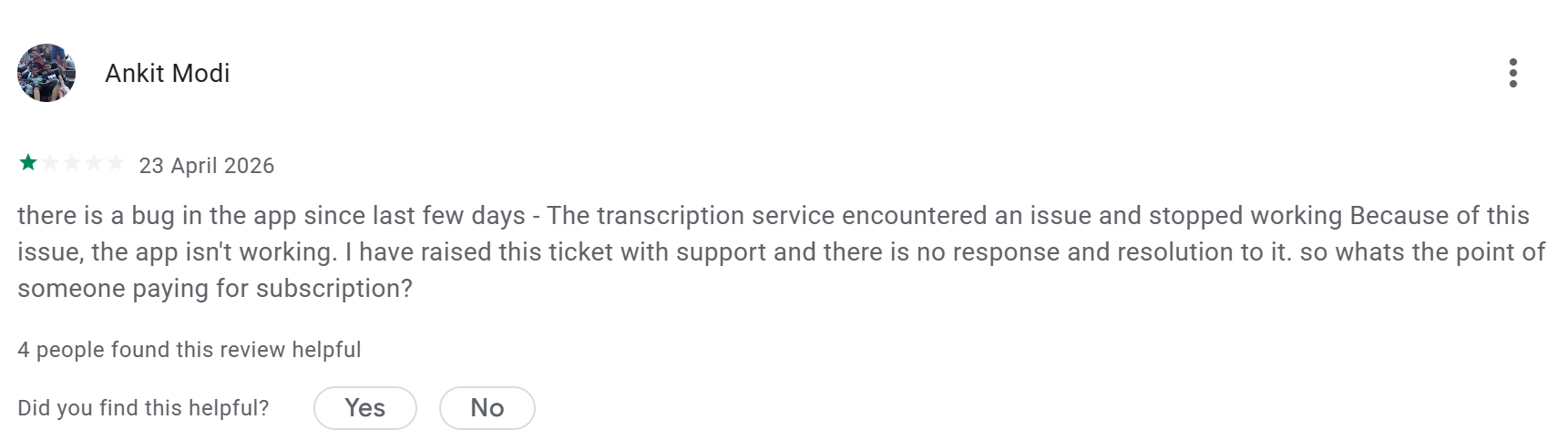
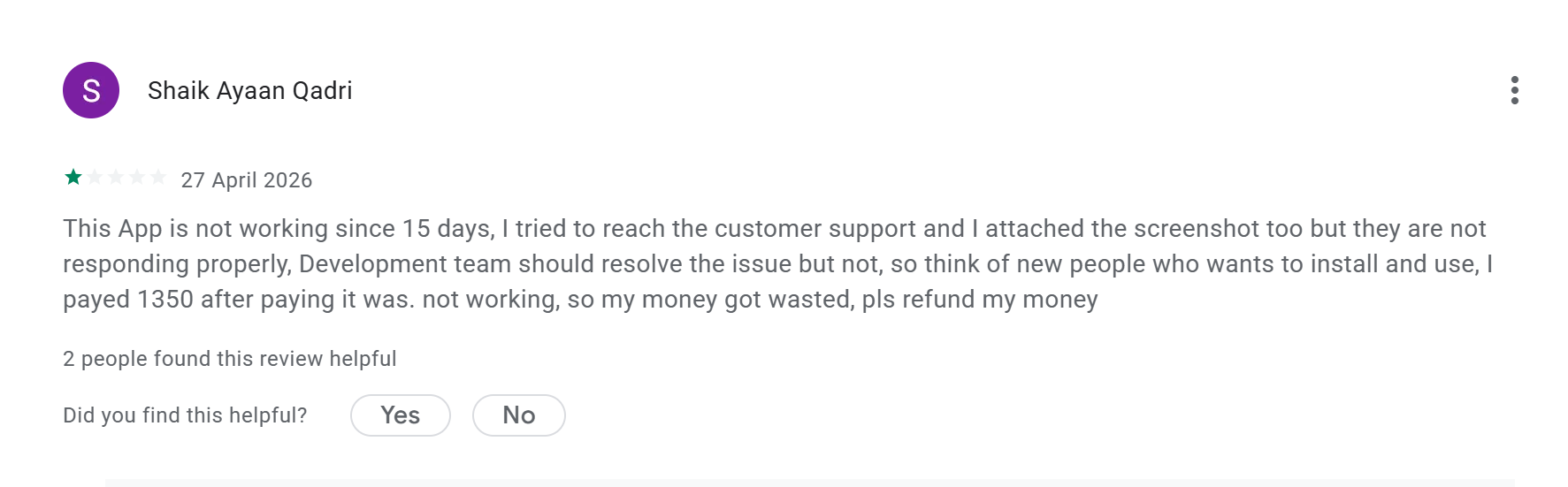
As you can see from the image, even though Interview Hammer gets high ratings and a lot of five-star reviews in many places, there are still consistent one-star reviews every month. And they're all pointing to the same problem: the Interview Hammer software just freezes up and becomes completely unusable.
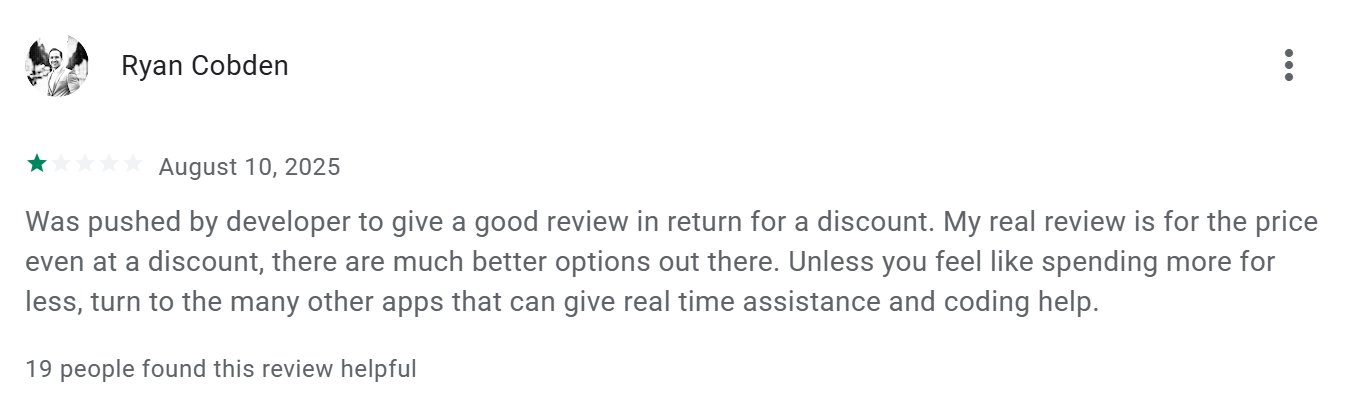
I ran into the same issue, so I tried lurking in the Discord group for answers, but I didn't find any. Later, I came across a comment that gave me some insight. It's pretty clear that a lot of people leave good reviews on Interview Hammer just to get a discount on a subscription, and they probably left those reviews before paying for the service. This is a pretty major problem.
Strengths
When I used Interview Hammer, I noticed several things that worked well. Here’s what stood out for me:
Natural Answer Suggestions: The AI gave me responses that sounded like real people. I didn’t feel robotic or stiff during practice.
Basic Role Focus: If you want to prepare for tech or business interviews, this tool covers the most common questions. I found the feedback especially helpful for communication and soft skills.
Confidence Boost: Practicing with real-time feedback made me feel ready for the real thing. I saw my nerves drop after a few sessions.
Easy to Use: I jumped in without reading a manual. The setup took just minutes.
Flexible Access: I switched between my laptop and phone without losing progress.
Tip: If you want to sound more polished and confident, use Interview Hammer’s instant feedback to rehearse your answers out loud.
Weaknesses
I also ran into a few issues that might matter to you. Here’s what I think you should watch out for:
No Coding Interview Support: If you need to practice coding questions, this tool won’t help. I had to use another app for technical coding prep.
Price Feels High: I paid more than I expected for the features offered. Some users online agree that the cost is steep.
Limited Customization: I wanted deeper, role-specific practice. The options felt basic, especially for niche jobs.
Mixed User Reviews: Not everyone loves the feedback quality. Some people say it feels generic at times. And a lot of people complained about the app stopping working for over 5 days every month, while none of them got their money back.
No Guided Interview Flow: I missed having a step-by-step path or structured practice plan.
Strengths | Weaknesses |
|---|---|
Natural answers | Limited coding support |
Basic focus | Price is a bit high |
Confidence boost | Limited customization |
Easy setup | Mixed reviews |
Flexible access | No guided flow |
Note: If you want a tool for coding interviews or deep customization, you may want to look at other options.
Interview Hammer Alternatives Comparison
Interview Hammer vs. Linkjob AI
I tried both Interview Hammer and Linkjob AI. I noticed some big differences right away. Linkjob.ai felt smoother and more user-friendly. The setup took less time. The interface looked modern and easy to understand. I liked how Linkjob.ai gave me a guided interview flow. It walked me through each step, so I never felt lost.
When I practiced answers, Linkjob.ai offered more detailed feedback. It broke down my responses and showed me exactly where I could improve. I also saw that Linkjob.ai supports coding interviews, which Interview Hammer does not. This made a huge difference for me when I wanted to prep for technical roles.
Pricing matters to me. Linkjob.ai costs less for the same or better features. I got more value for my money. Many users online agree with this. They say Linkjob.ai feels like a complete package, while Interview Hammer feels basic.
If you want a tool that covers both soft skills and coding, Linkjob.ai is the better pick. It saves you time and money.
Feature | Interview Hammer | Linkjob AI |
|---|---|---|
Coding Support | ❌ | ✅ |
Guided Interview Flow | ❌ | ✅ |
Price | Average | Lower |
Customization | Basic | Advanced |
User Experience | Mixed | Smooth |
Other AI Interview Tools
I explored other AI interview tools to see what else is out there. Here’s what I found:
LockedIn AI: Super fast. It gives feedback in about 116 milliseconds. Great if you want speed and stealth. Better for interview prep, see more at my Lockedin AI review.
Sensei AI: Offers a full prep suite and hands-free operation. It has a free tier with 15-minute sessions. No desktop app, and can be seen when need a full-screen sharing, though.
Interview Sidekick: Huge question bank with over 10,000 real questions. It has a live interview copilot and a free tier. No mobile apps.
InterviewMan: Supports coding interviews and integrates with HackerRank. Claimed over 57,000 users and a 4.8-star rating. Full of fake hype and comments, real experience is not so smooth and is very unsatisfying.
Cluely: Free starter tier and a low-cost Pro plan. Strong transcription accuracy. The undetectable mode costs more. Some comments mentioned not working and high latency.
Each tool has strengths. Some focus on coding, others on speed or price. I still think Linkjob.ai gives the best balance of features, price, and user experience. Most users will get more out of Linkjob.ai than Interview Hammer or the other options.
FAQ
How do I start my first mock interview with Interview Hammer?
I logged in, picked my job role, and hit “Start Practice.” The app guided me step by step. Sometimes it would just get stuck there and not work for ages, no way to fix this so when this happened, I just quit the app to test other instant interview AI.
Can I use Interview Hammer for coding interviews?
No, I can’t practice coding questions there. Even though it claimed to do that, the overall code quality was a bit disappointing, so I just felt it's better to call it does not have coding features.
Is there a way to customize my interview questions?
I can choose job roles and adjust question difficulty. However, I can’t create custom question banks or add company-specific scenarios. The customization feels basic. The only way to prepare for different roles is to change the prompt, like:
<custom_qa_pairs>
 <qa_pair>
   <question>What is your experience with React hooks?</question>
    <answer>I have 3 years of experience with React hooks, particularly useState, useEffect, and useContext for production applications.</answer>
 </qa_pair>
</custom_qa_pairs>
Instructions: follow the style of these answers when generating the answers.
What devices can I use with Interview Hammer?
I use Interview Hammer on my laptop, phone, or any web browser. It works on Windows, Mac, Android, and iOS. I switch devices without losing my progress.
See Also
The Comprehensive Resource for AI Interview Tools in 2026
Strategies for Excelling in DevOps Interviews with AI Assistance
Top Five AI Overlay Solutions for Interview Success in 2026
Why People Choose Linkjob AI
Smoother interviews, coding challenges cleared, and job offers landed. See how users describe their experience with Linkjob AI—in their own words.


© Copyright 2026 Linkjob AI - All Rights Reserved.