My Verdict: Is Linkjob AI the Best InterviewMan Alternative?

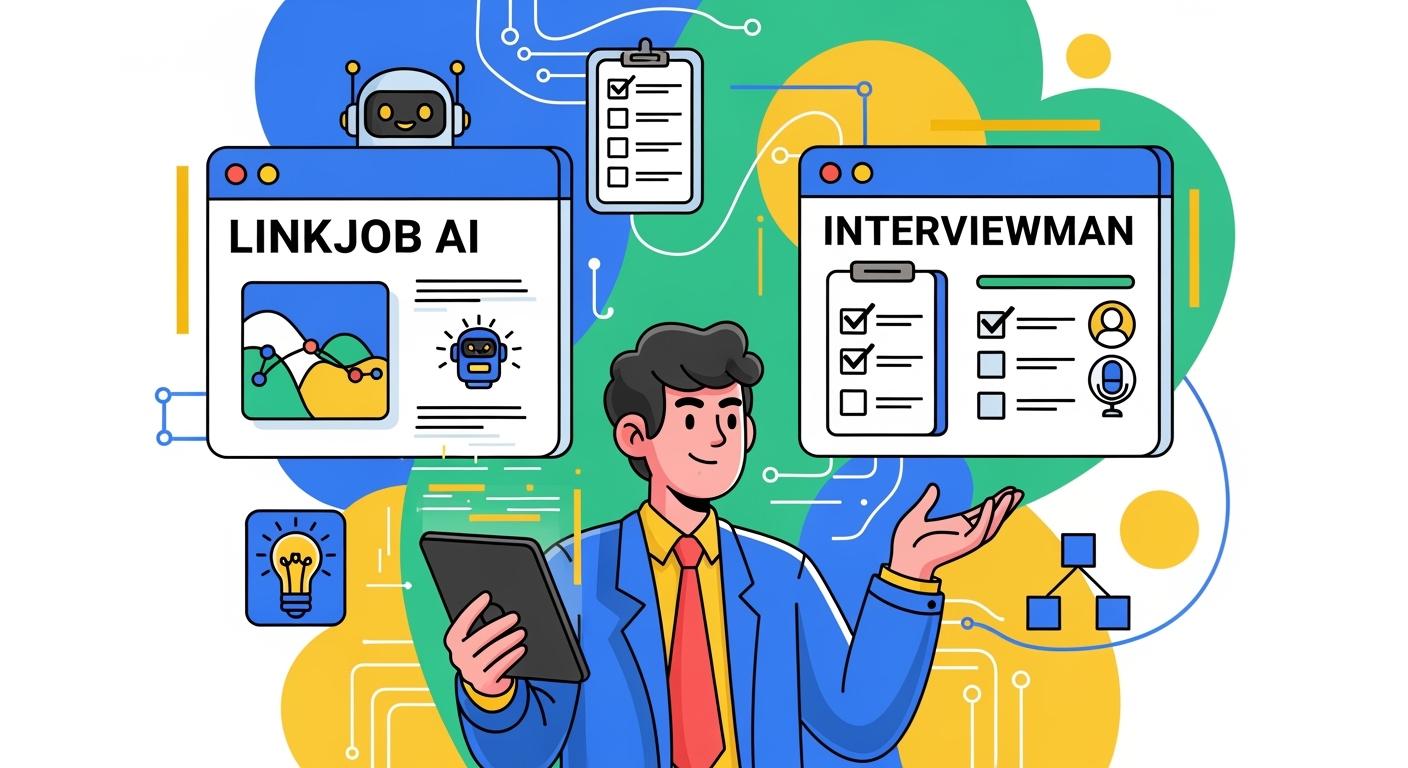
Why Compare InterviewMan and Linkjob AI?
Like I said in my InterviewMan review, I started using it because of all the ads I kept seeing for it on every video platform. I also saw it regularly in Google search results. I decided to give it a proper shot, so I set a one-month trial period: if it could impress me in a month, I'd admit it was a good tool.
I had a few issues with it, so in the end I decided not to renew my InterviewMan subscription. But I had a look for other stealth AI interview tools, hoping to find one with a better system. After reading various articles about the best free AI interview assistants, the best LinkedIn AI alternatives, and the best AI models for AI Interview Copilot, I started using the Linkjob AI platform.
I tried both tools for a month each and I reckon Linkjob AI is the ideal InterviewMan alternative for most job seekers. I'm really impressed with how Linkjob AI gets the balance just right between stealth, effectiveness and ease of use in any interview. It's pretty reasonably priced, especially when you look at how transparent they are about their AI models, how they update regularly, and how quickly they respond to technical and usage-related issues.

But everyone has their own way of doing things and their own career goals, so make sure you think about what you need to make your final decision.
Quick Comparison Of InterviewMan Alternative
When I started looking for the best InterviewMan alternative, I wanted a clear side-by-side view. Here’s a quick table that helped me compare the two tools at a glance:
Features | InterviewMan | Linkjob AI |
|---|---|---|
Interview Process Coverage | Full loop, a little weak in coding | Covers behavioral and coding |
Platform Support | Desktop app, tab-based mode, and second device involved mode | Desktop app |
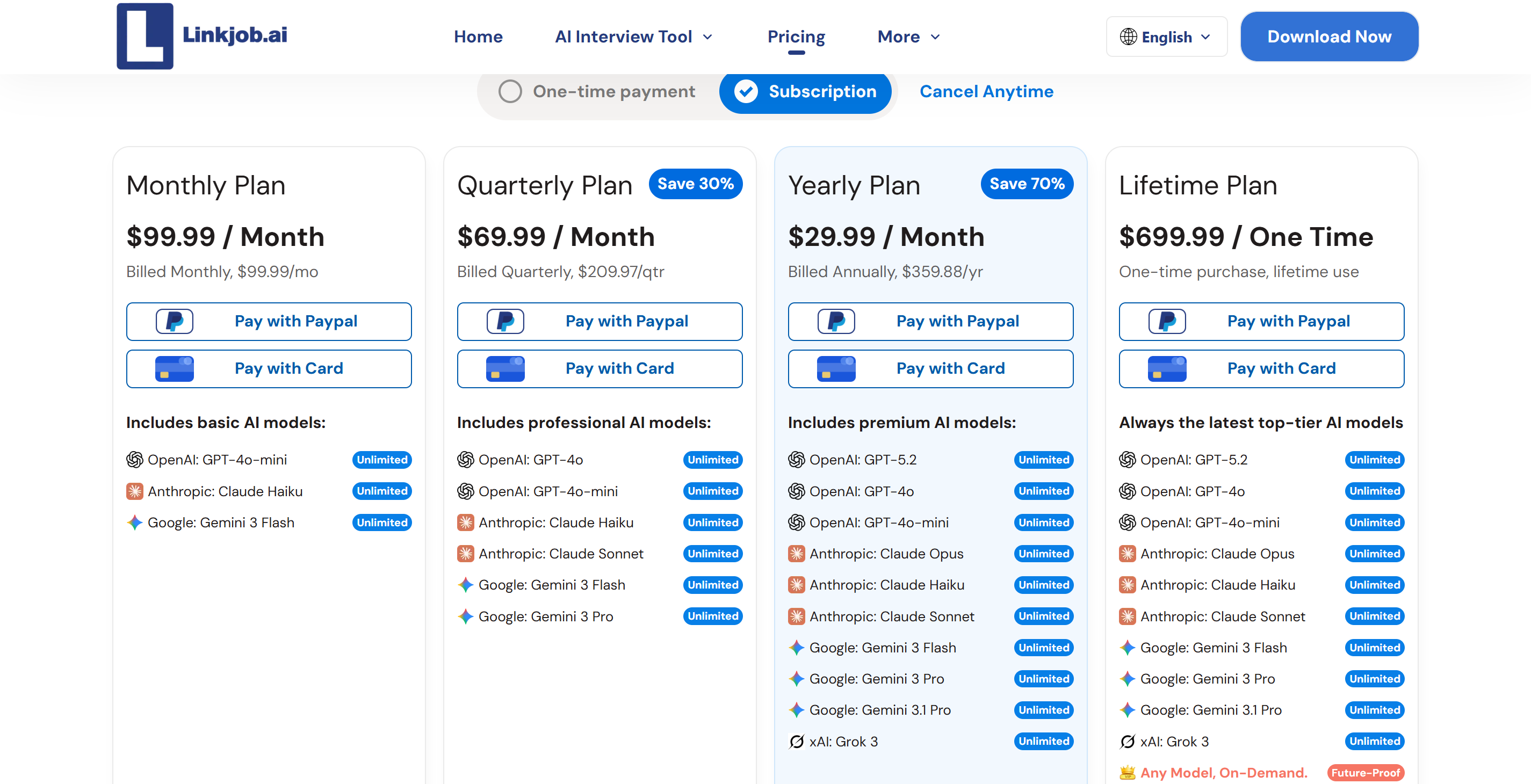
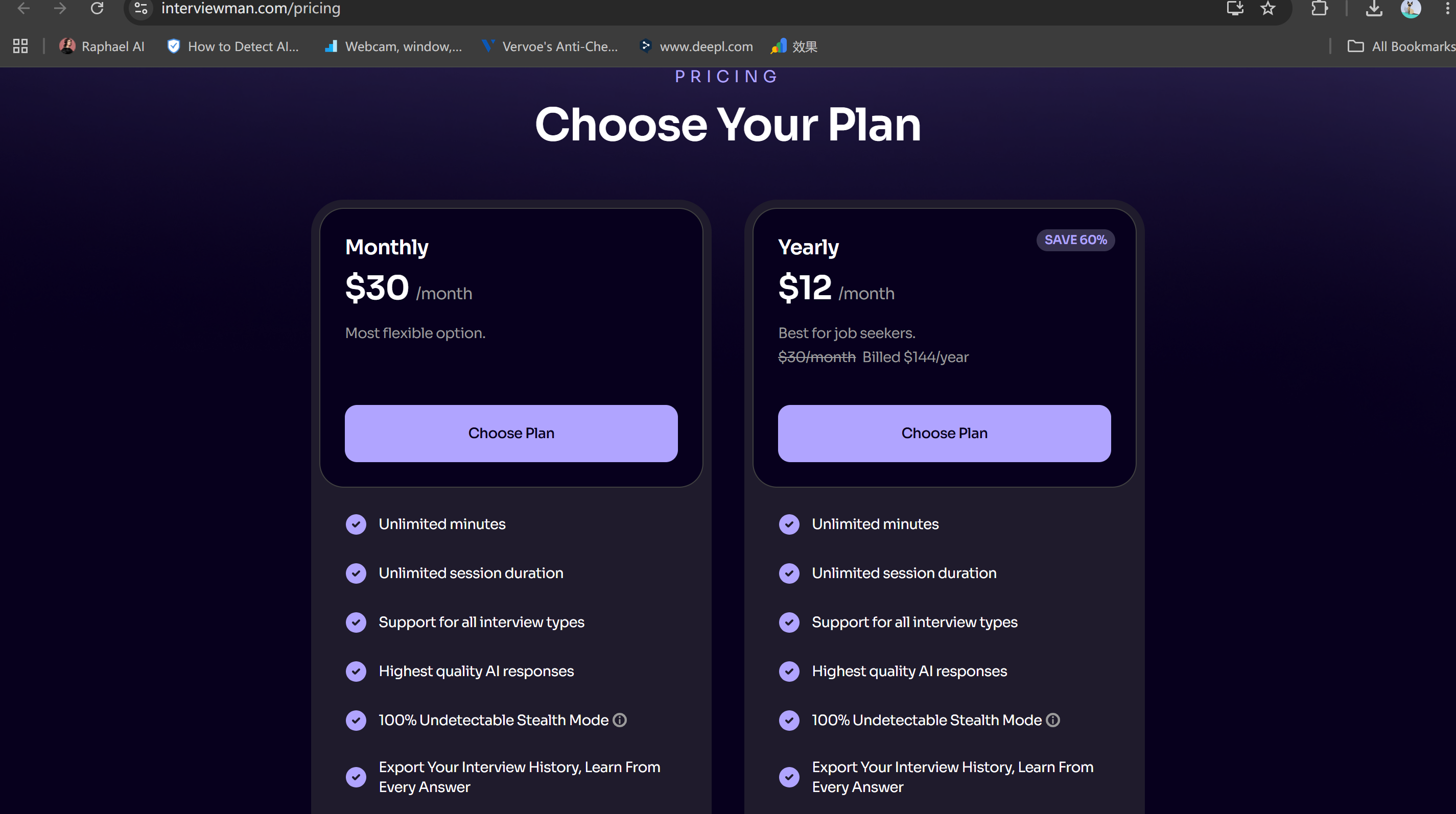
Pricing | $12 / month (annual plan) | $29.99 / month (annual plan) |
Stealth Features | 20+ methods, WebRTC leak blocking | Limited documentation on stealth |
Integration | Major video and coding platforms | All interview platforms, even involving full-screen sharing and strict monitoring |
User Experience | Way simpler interface | User-friendly design |
Privacy Protections | Blocks leaks, masks processes | Local data processing, no cloud storage |
Free Trials | 20 minutes for free | 30-minute trial available |
Language Support | Limited language options | Supports over 29 languages |
AI Models | N/A | 9+ most advanced models, including Claude Opus and Gemini 3.1 Pro |
Key Similarities
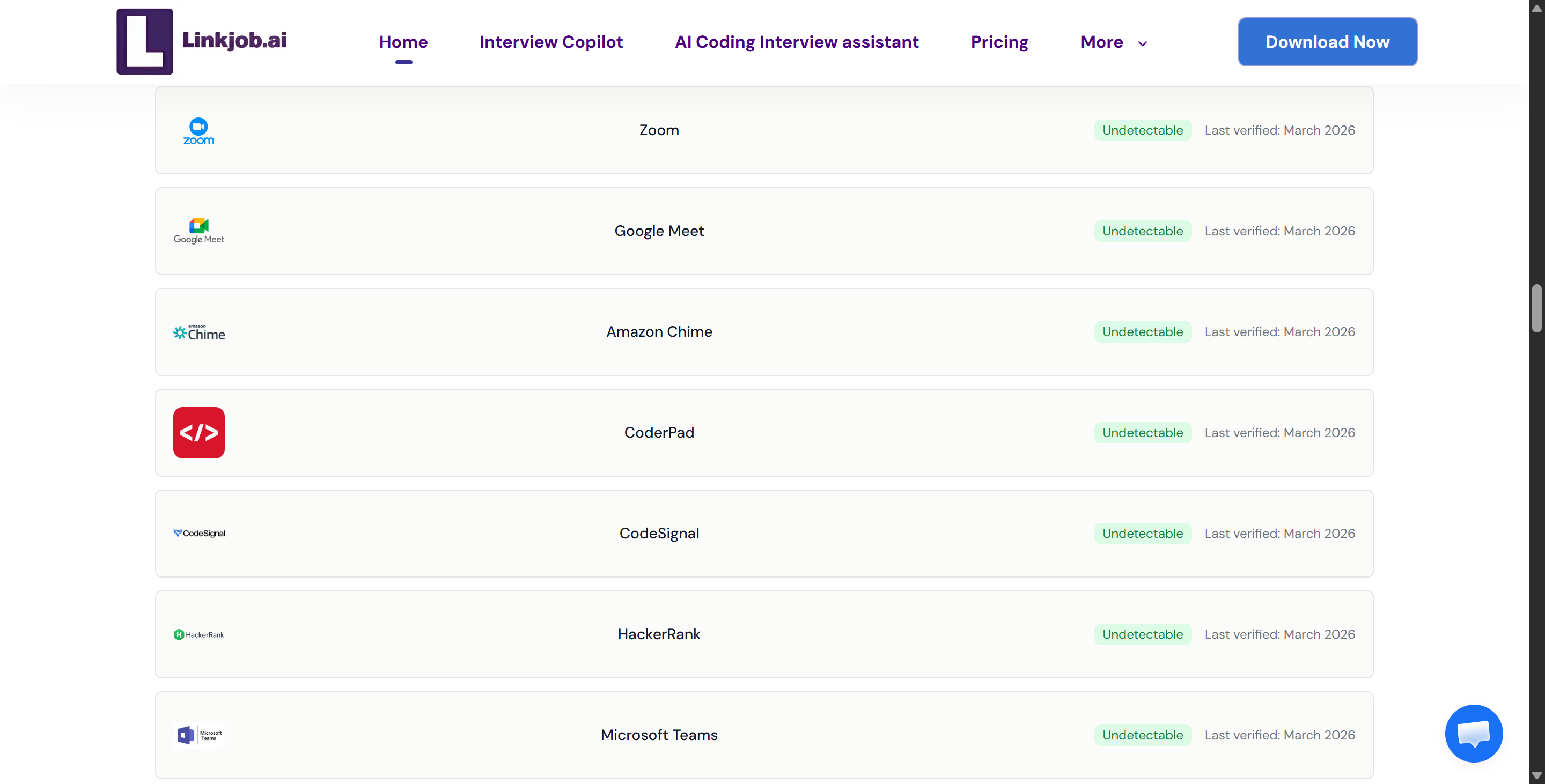
InterviewMan and Linkjob AI both offer real-time support during interviews. Actually, both tools run in the background without making any noise, so I can concentrate on answering questions without worrying about being noticed. They work with the main video conferencing platforms like Zoom, Google Meet, and Microsoft Teams.
Another plus is that they both come with a trial version that gives you access to all the features and modes. So I can try them out before committing to using them.
Main Differences
Now, let's talk about the differences between them.
Like I said in my review, the way they market InterviewMan is full of numbers and big claims, but when I actually used it, it didn't really impress me much. Sometimes I thought the over 20 'hidden features,' WebRTC leak protection, system design support, and multi-device support, were just basic stuff, and they certainly didn't make me want to stick with it.
On the other hand, Linkjob AI takes a more down-to-earth approach. It's pretty transparent about most of its features – including the core AI models it uses and which models are available across different paid plans. It's totally upfront and honest, which I saw for myself when I tried it. In fact, that's why I went for the monthly plan to see if it was really as good as it seemed.
So it turns out this AI interview assistant does actually cover pretty much everything you need to know:
runs in the background
supports customisation (prompts and shortcuts)
can hide it in the Dock and Activity Monitor
etc.
Stealth and Privacy Compare: InterviewMan vs. Linkjob AI
Undetectability Features
When I'm on the hunt for an AI interview assistant, stealth mode is always my top priority. The most important thing for me is that the tool doesn't show up during the interview.
I was impressed by InterviewMan's advertised stealth mode. I gave InterviewMan a go during a screen-sharing interview, and it didn't leave any traces in the Dock, the process list or the screen recording, which was great.
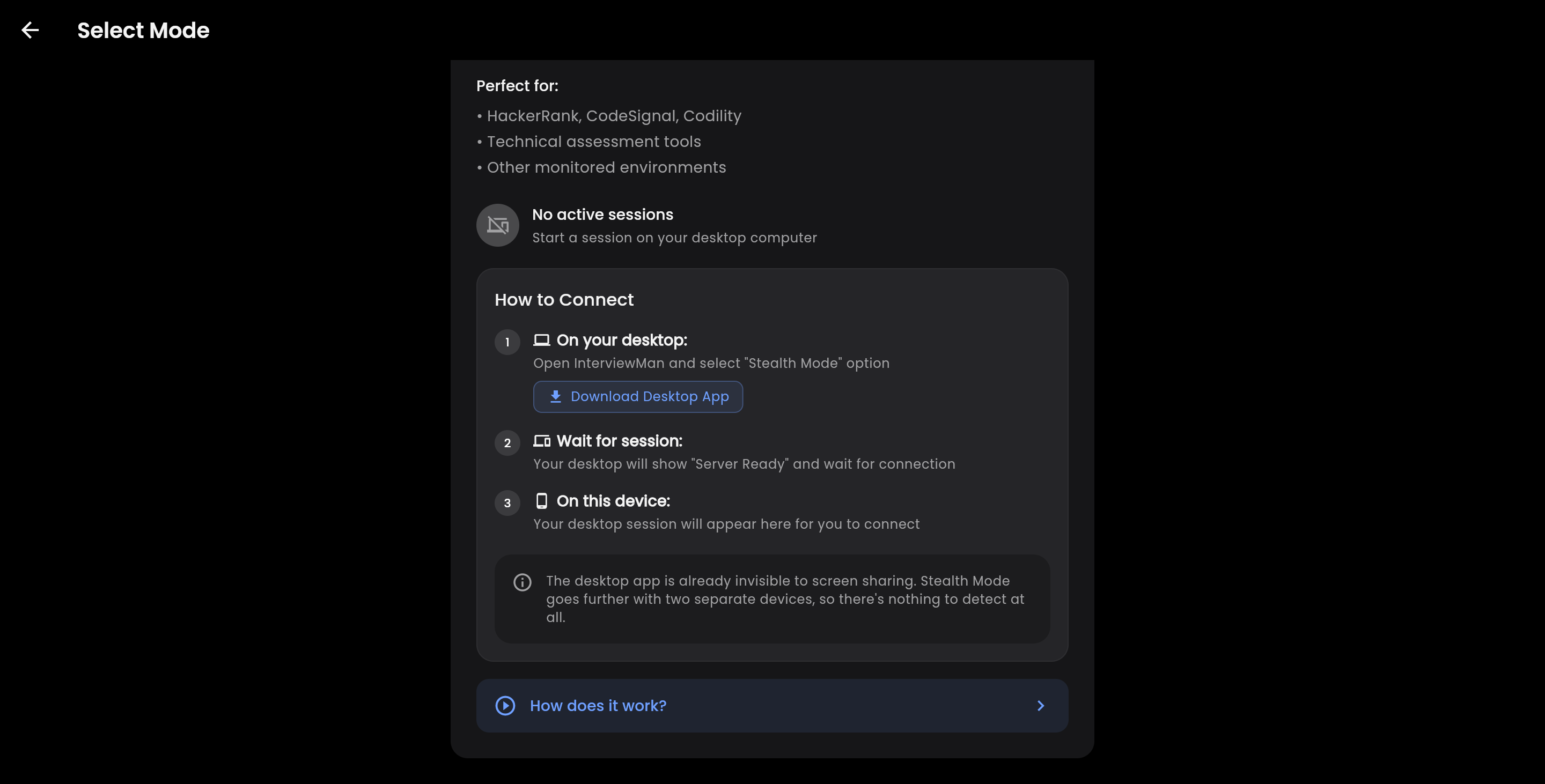
On the other hand, InterviewMan supports three different stealth assistant modes. As well as the desktop app, which is like Linkjob AI, it also lets you use a second device to give answers at the same time, and has a basic tab-sharing mode like Beyz AI and Sensei AI. Here's where things get tricky:
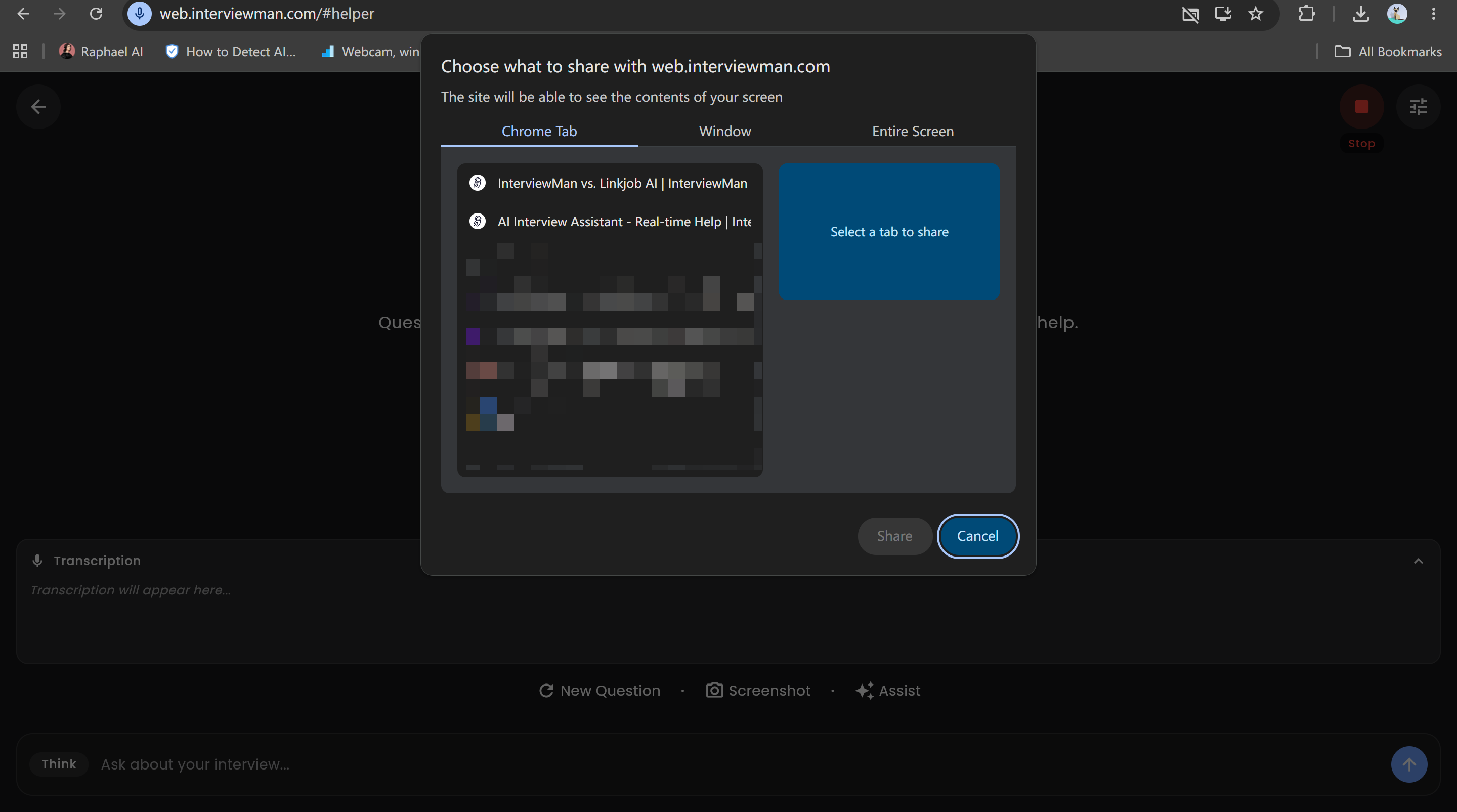
The limited tab-sharing mode: Pretty much useless. Even though it gives suggestions, these days you pretty much always have to share the interview on full-screen. Even in some online assessments that don't require full-screen sharing, there are active tab detection mechanisms designed to stop this mode from working.
Modes involving multiple devices: Way more likely to give you away than the desktop app, especially when it comes to the candidate's performance. When my friend and I tested InterviewMan, she told me straight away that she could see me looking at a certain spot a lot, which made it look like I was reading from a cheat sheet.
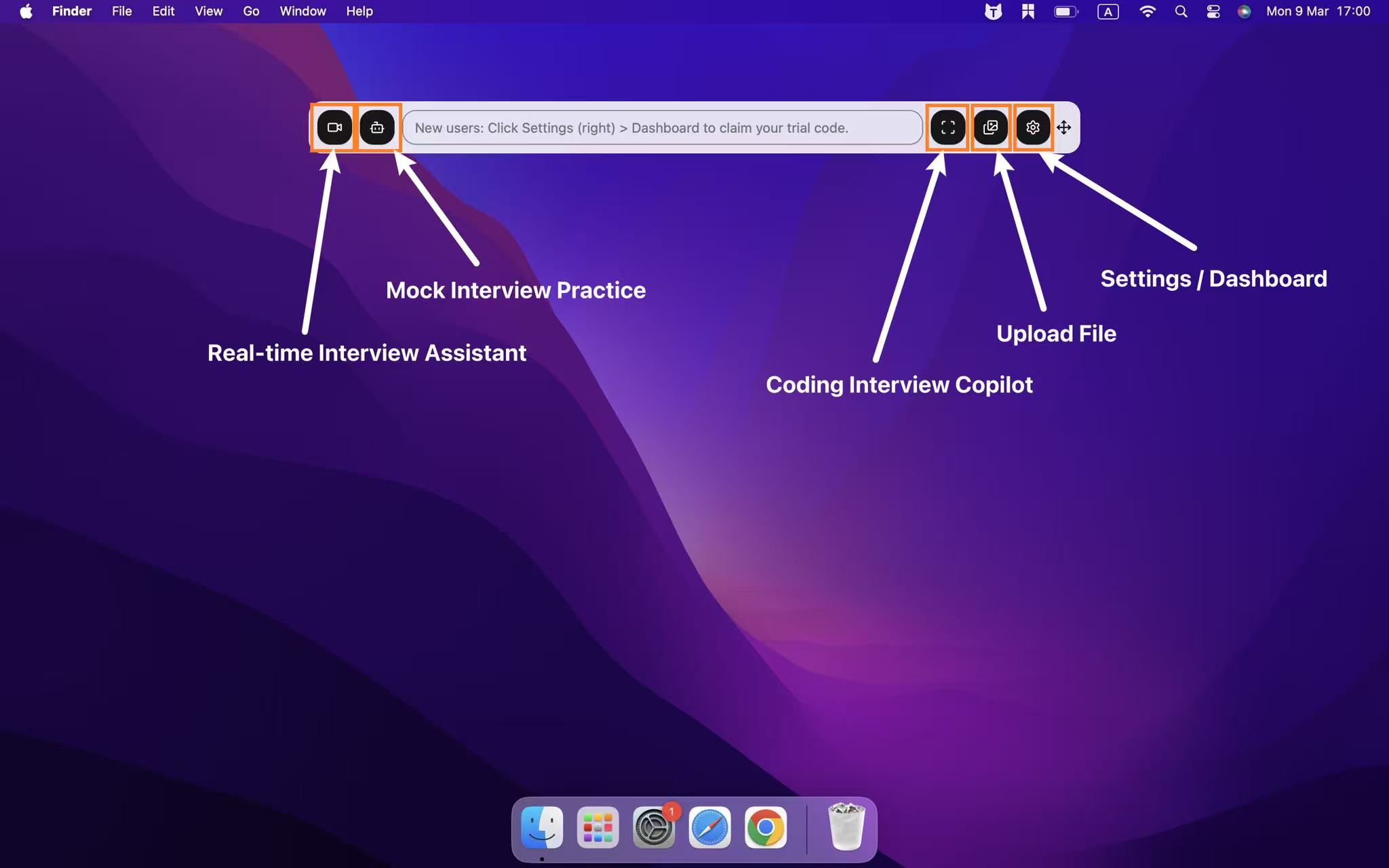
The Linkjob AI desktop app also offers toggles for various incognito mode features, and it positions this functionality as a key selling point.
You can use both tools without other people noticing, whether you're taking screenshots, recording your screen, sharing your screen or in a full-screen online meeting. That's more than enough for me.
But Linkjob AI is more focused on improving its desktop app, so the overall experience feels more polished, and I can focus on perfecting my answers.
Privacy Protections
I'm a big believer in privacy, especially when it comes to using AI interview assistants. InterviewMan is really serious about protecting your privacy. It stops WebRTC leaks and hides the process name, so the interview platform can't detect the app. I've never seen any sign of InterviewMan in Activity Monitor or system logs, which I'm glad about.
Linkjob AI prioritises privacy in a different way. The software processes all interview data locally and never stores or shares my interview transcripts. This privacy-first design philosophy means my information always stays on my device. I also appreciate that Linkjob AI sticks to high standards of data privacy.
So, if privacy is important to you, both tools offer solid protection, but they do it in different ways.
InterviewMan: Blocks leaks, masks processes, stays invisible.
Linkjob AI: Local data processing, no cloud storage, privacy-first website.
Which Is More Secure?
I'm a big believer in security. I just want to make sure my interview data is kept safe and secure. InterviewMan uses some pretty advanced stealth features to make sure your interview process stays private and secure. The app has anti-screen recording capabilities and stays hidden even when you're sharing your screen. This makes it almost impossible for anyone to detect that you're using an AI interview assistant.
Linkjob AI, on the other hand, uses strong encryption technology and local processing to keep my data safe. Rest assured, your interview information is kept safe and sound on your computer. I feel confident using Linkjob AI because it doesn't store or share any data. They both offer security, but they have different focuses. InterviewMan makes sure that your interview process is kept confidential, while Linkjob AI uses strong encryption technology to keep your data safe and secure.
If you want to be really private and secure, think about what matters most to you. Do you need to be able to do things in secret during the interview, or do you want to keep your data on your device?
If you're all about stealth, I'd go for InterviewMan.
If data privacy is your top priority, then Linkjob AI is your best bet.
Real-Time Interview Help Comparison
Answer Speed and Accuracy
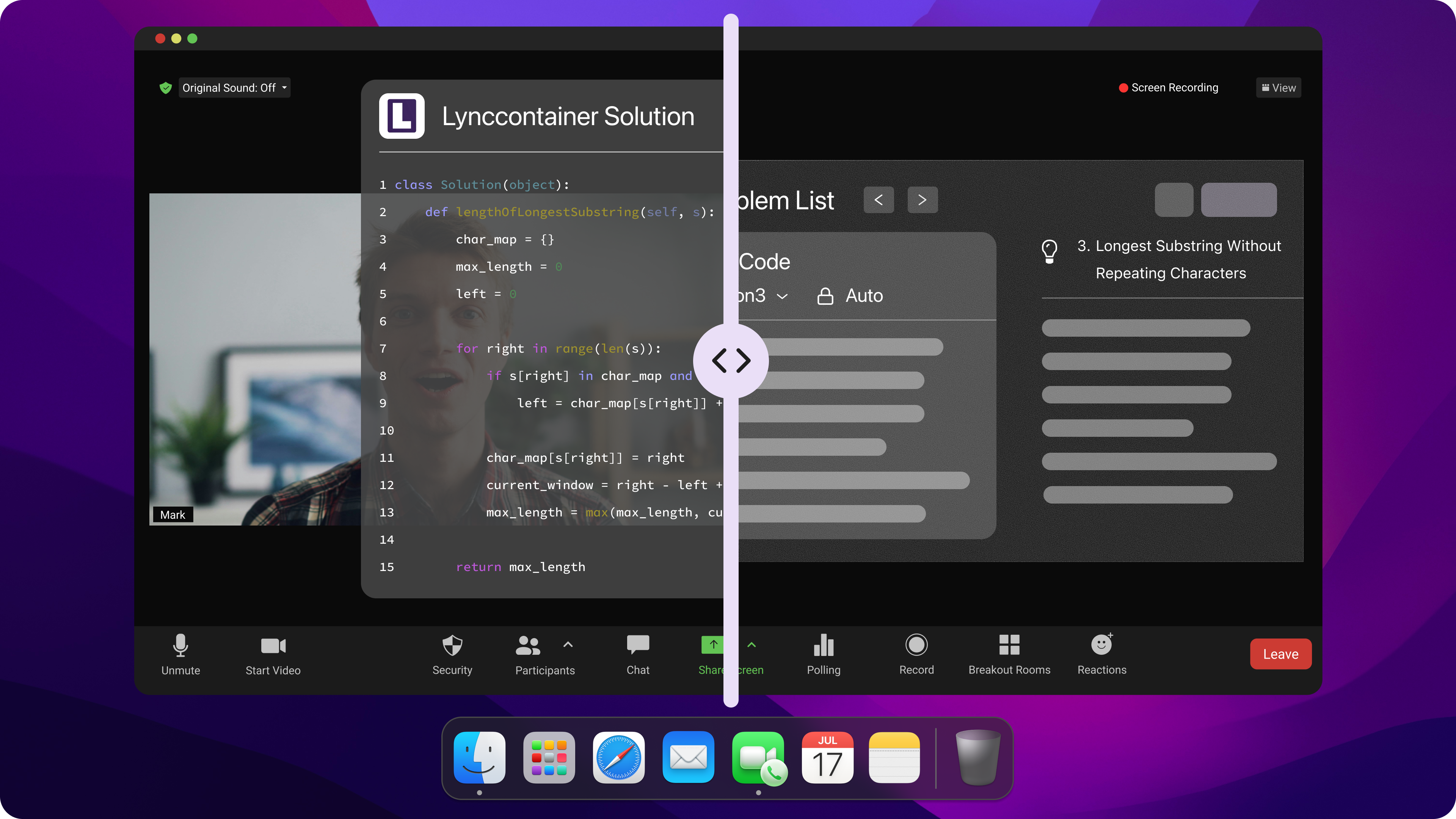
When I use an AI interview assistant, I want answers fast. During live interviews, every second counts. Linkjob AI usually gives me answers in about three to seven seconds. Sometimes, I see responses pop up in just one or two seconds, which feels almost instant. That speed helps me stay focused and not lose my train of thought. I like how both InterviewMan and Linkjob AI deliver real-time interview help without lag. I also care about accuracy. I noticed InterviewMan uses advanced AI models to generate real-time AI answers. The answers feel personalized, especially when I upload my resume and job description. I saw a big improvement in answer quality, which boosts my confidence during live video rounds.
Coding and Problem-Solving Support
Coding interviews can be tough. I want my ai interview assistants to give me real-time support when I get stuck. Both InterviewMan and Linkjob AI offer live assistance for coding questions. They help me solve algorithms and optimize code on the spot. I like that these tools work in stealth mode, so I get invisible support without distracting pop-ups. Here’s a quick look at their features:
Feature | Description |
|---|---|
Real-Time AI Help | Helps with coding and problem-solving during interviews. |
Invisible Support | Stays hidden, even during live interview support. |
Context Understanding | Gives structured answers for unexpected questions. |
Resume Integration | Uses my resume for tailored answers. |
Platform Compatibility | Works with almost any interview platform. |
Coverage of Interview Types | Supports technical, behavioral, and mock interview sessions. |
I use mock interview mode for practice and mock simulations before the real thing. This preparation makes me feel ready for any job interview.
Context-Aware Assistance
Context matters in interviews. I want my live ai interview assistant to understand the flow of questions and give relevant answers. Both tools do a great job here. They use my resume and job details to shape their answers. When I switch from technical to behavioral questions, the ai interview assistant adapts quickly. I get feedback that feels specific to my situation, not just generic advice. I also like the mock interview mode, which helps me practice with real-time assistance and get feedback on my answers. This kind of preparation is key for landing a job. If you want live interview support that feels personal, both InterviewMan and Linkjob AI deliver.
Tip: Use mock interview mode and mock simulations to get comfortable with live questions and receive instant feedback.
Usability and Interface
User Experience
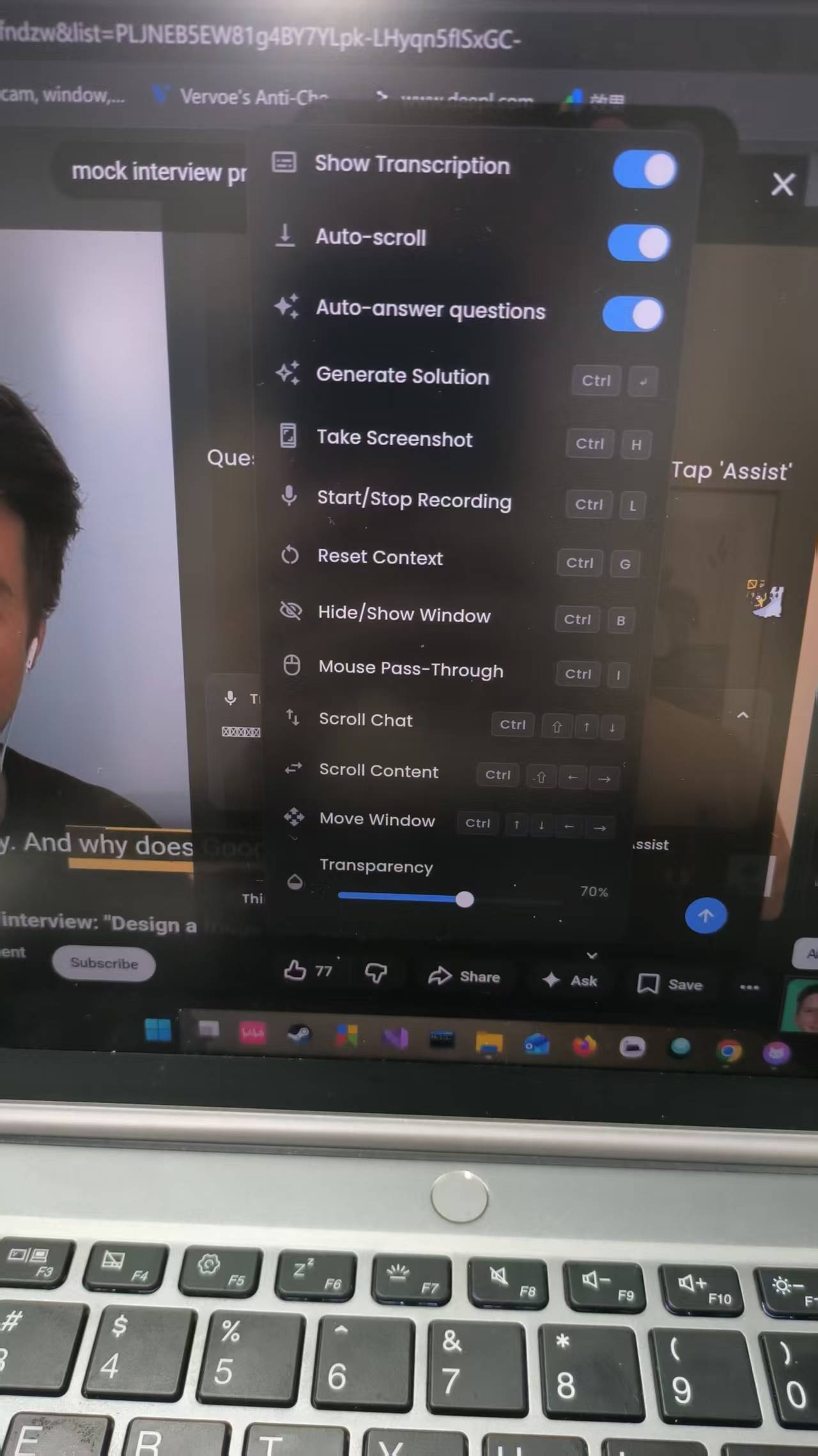
I always look for a smooth experience when I use an interview assistant. InterviewMan gives me a clean interface that feels intuitive. I can jump right into a live interview and get answers without distractions. The dashboard shows detailed analytics after each session. I see my performance, feedback, and areas to improve.
Linkjob AI also offers a user-friendly design. The app keeps things simple, focusing on live answers and privacy. I like how both tools let me control the flow of my interview. I can pause, resume, or adjust settings for user control. When I finish a job interview, I get feedback and detailed analytics that help me prepare for the next round.
Platform Compatibility
Compatibility matters when I switch between devices. InterviewMan works on Windows, macOS, Android, iOS, and Chrome. I can use it for any job interview, whether I’m on my laptop or phone. Linkjob AI sticks to desktop environments. It supports Zoom, Google Meet, and Microsoft Teams, so I can join live interviews without worrying about platform issues. Both tools handle privacy well, keeping my information safe during every interview. I appreciate that I can rely on either tool for live answers and user control, no matter which platform I use.
Tool | Supported Platforms | Privacy Features |
|---|---|---|
InterviewMan | Windows, macOS, Android, iOS, Chrome | Advanced privacy controls |
Linkjob AI | Desktop (Windows, macOS) | Local data processing |
Ease of Setup
I don’t want to waste time setting up before a job interview. InterviewMan makes setup quick and easy. I sign up, follow prompts, and start using it in my browser. Linkjob AI also keeps setup simple. I download the app, adjust privacy settings, and jump into a live interview. Here’s what I noticed:
InterviewMan: Quick sign-up, browser prompts, ready for live answers.
Linkjob AI: Fast download, privacy-first setup, instant access to live feedback.
Both tools give me user control from the start. I can customize settings, review detailed analytics, and get feedback after every interview. If you want a hassle-free setup, either tool works well.
Tip: Try both tools before your next job interview to see which interface fits your style and privacy needs.
Pricing and Value
Free Trials and Guarantees
When I compare interview tools, I always check for free trials and satisfaction guarantees. I want to try before I buy. Here’s a quick look at what InterviewMan and Linkjob AI offer:
Service | Free Trial Period | Satisfaction Guarantee |
|---|---|---|
InterviewMan | 20 minutes for free | You can cancel, but fees for unused months are non-refundable. |
Linkjob AI | 30-minute trial | money back guarantee on first-time purchases of Quarterly and Yearly Plans. |
Cost vs. Features
Price matters to me, but I also want strong features for my job search. Here’s how the costs stack up:
Service | Monthly Cost | Annual Cost | Lifetime Cost | Trial Period |
|---|---|---|---|---|
InterviewMan | $12 | $144 | N/A | 20 minutes |
Linkjob AI Premium | $29.99 | $359.88 | $699.99 | 30 minutes |
Value for Money
Before buying any interview tool, I always read the user reviews first. People have different opinions on InterviewMan. Some users like the low price, but others have had problems during live interviews. One person reviewing it said the app crashed and called it a "waste of money."
I think Linkjob AI is great for privacy protection, user control and real-time answering features. It's got a pretty solid refund policy, which is a plus for me.
Tip: Try the free trial first. Make sure the tool fits your interview style and privacy needs before you commit.
Who Should Use Each InterviewMan Alternative
Best for Engineers
If you work in software engineering or the tech industry, you might need an AI interview assistant who can handle tricky programming problems and system design questions. So, both Linkjob AI and InterviewMan are great options for engineers who need some serious tech support.
I've always found that a desktop app is the best way to make sure everything's kept private and secure. The important thing is to have features like screenshot analysis, automatic transcription and answer generation. When it comes to functionality, here's what it's all about:
Linkjob AI: Great at dealing with LeetCode-style problems, and it can analyse multiple screenshots at once, upload files and resources with one click, and provide different levels of analysis based on customisation.
InterviewMan: It's more flexible, with operations relying heavily on keyboard shortcuts; the interface isn't particularly user-friendly with a mouse. It automatically recognises different languages, but it can't generate real-time answers automatically (you have to click the relevant button). Great for people who like to take control of the interview.
Best for General Job Seekers
While it's not essential for everyone to get help with advanced programming, it's true that these roles often require more extensive use of AI.
But if you're looking for a job outside the tech industry, you might need a simple and flexible AI interview assistant.
While Linkjob AI is great for advanced technical roles, it's also perfect for anyone looking for a general job. I like that it lets me set the interview language and adjust the AI's output based on my experience (I've actually developed several prompts tailored to different roles).
For example, I paste one of my prompts here, and it looks like:
Salesforce Expert Interview Copilot Prompt
Role: You are a Senior Salesforce Solutions Architect and Elite Career Coach. Your goal is to prepare me for a high-stakes Salesforce interview by focusing on technical logic, architectural depth, and STAR-method behavioral excellence.
1. Data Integration (The Context):
Analyze the [RESUME] and [JOB DESCRIPTION] provided below.
Identify the "Gap" between my experience and the JD requirements. Prioritize these areas in your responses.
2. Technical & Coding Logic Engine: For Salesforce coding tasks (Apex, LWC, SOQL, Triggers), do not just give me code. Provide:
Architectural Trade-offs: Explain why this solution is better than an alternative (e.g., Trigger vs. Flow, or Async vs. Sync processing).
Governor Limit Defense: Explicitly bold how the code stays within Salesforce Governor Limits (e.g., Bulkification, Avoiding SOQL in loops).
The Logic Break-down: Use the "Micro-Dosing" rule: provide 5–8 lines of code at a time with a logic explanation, followed by "---PAUSE---".
3. Behavioral & Phone Round Mastery: For the final phone round questions, use the STAR Method:
Pacing & Confidence: Keep answers under 100 words per "chunk" to allow for natural pauses and tone control.
Impact Keywords: Bold metrics and Salesforce-specific achievements (e.g., "Reduced technical debt by 40%", "Automated 15 manual processes via Flow").
4. Output Format (Natural Typing/Reading):
Break every response into small, readable blocks (max 30 words).
Use italics for “What to say out loud” and code blocks for “What to type/show.”
[PASTE RESUME HERE]
[PASTE JOB DESCRIPTION HERE]
Confirm Readiness: Respond with "Architect Mode Active. Shall we start with a Technical Logic deep-dive or a Behavioral STAR drill?"
Linkjob AI helps you respond straight away to behavioural interview questions and offers mock interview sessions. It automatically generates answers, but I can control the whole process with the mouse or hotkeys, which makes reviewing the conversation history really easy. The table below gives you a quick overview of the most important features for the average job seeker:
Feature | Why It Matters for Job Seekers |
|---|---|
Stealth | Stays invisible during live interviews |
Personalized Settings | Let me pick interview language and prompts |
Ease of Use | Simple controls and review options |
Platform Support | Works on all common meeting platforms |
If you want an AI interview assistant that adapts to your style and helps you feel confident, Linkjob AI is a great choice.
Global and Multilingual Users
I know a lot of people who've been to job interviews in different countries. If you're after a multilingual AI interview assistant, then Linkjob AI is definitely your best bet. The app supports over 29 languages, so I can practise and conduct interviews in my native language, or switch to other languages as needed. Wherever the job is, this feature helps me feel confident and well prepared.
While InterviewMan also offers language options, Linkjob AI is more focused on globalization, making it a better fit for international job seekers. If you're after an AI interview assistant that works anywhere in the world and in real-time, Linkjob AI is the one to go for.
Tip: Think about your job goals and interview style. Pick the ai interview assistant that matches your needs, whether you’re an engineer, a general job seeker, or someone interviewing in another language.
FAQ
What makes Linkjob AI and InterviewMan different for mock interview preparation?
I noticed Linkjob AI gives me a smooth mock interview experience with support for over 29 languages. InterviewMan stands out with its multi-device support. Both tools help with preparation, but Linkjob AI feels more useful for global users who want to practice and get real interview question answers in different languages.
How do these tools help with real interview questions?
I get real-time answers to questions during live interviews with both tools. InterviewMan uses AI for technical questions and adapts quickly, but needs manual input with shortcuts or mouse clicks. Linkjob AI focuses on privacy and gives me automatic instant feedback.
Which tool is better for mock interview practice?
For mock interview practice, I prefer Linkjob AI when I want to switch languages or focus on behavioral questions. InterviewMan cannot always provide the best experience since all the steps require manual input.
Do I need a special setup for mock interview sessions?
No, I don’t need a complicated setup for mock interview sessions. I just downloaded Linkjob AI or signed up for InterviewMan. Both tools guide me through preparation and let me start mock interviews with a few clicks. That saves me time and stress.
See Also
My Honest InterviewMan Review After a Month of Use
Top Alternative to InterviewPal for AI Interview Support
Is InterviewMan Legit or Just Hype: My Real Experience
Why People Choose Linkjob AI
Smoother interviews, coding challenges cleared, and job offers landed. See how users describe their experience with Linkjob AI—in their own words.


© Copyright 2026 Linkjob AI - All Rights Reserved.