Does Codility Use Camera? What I Found in 2026

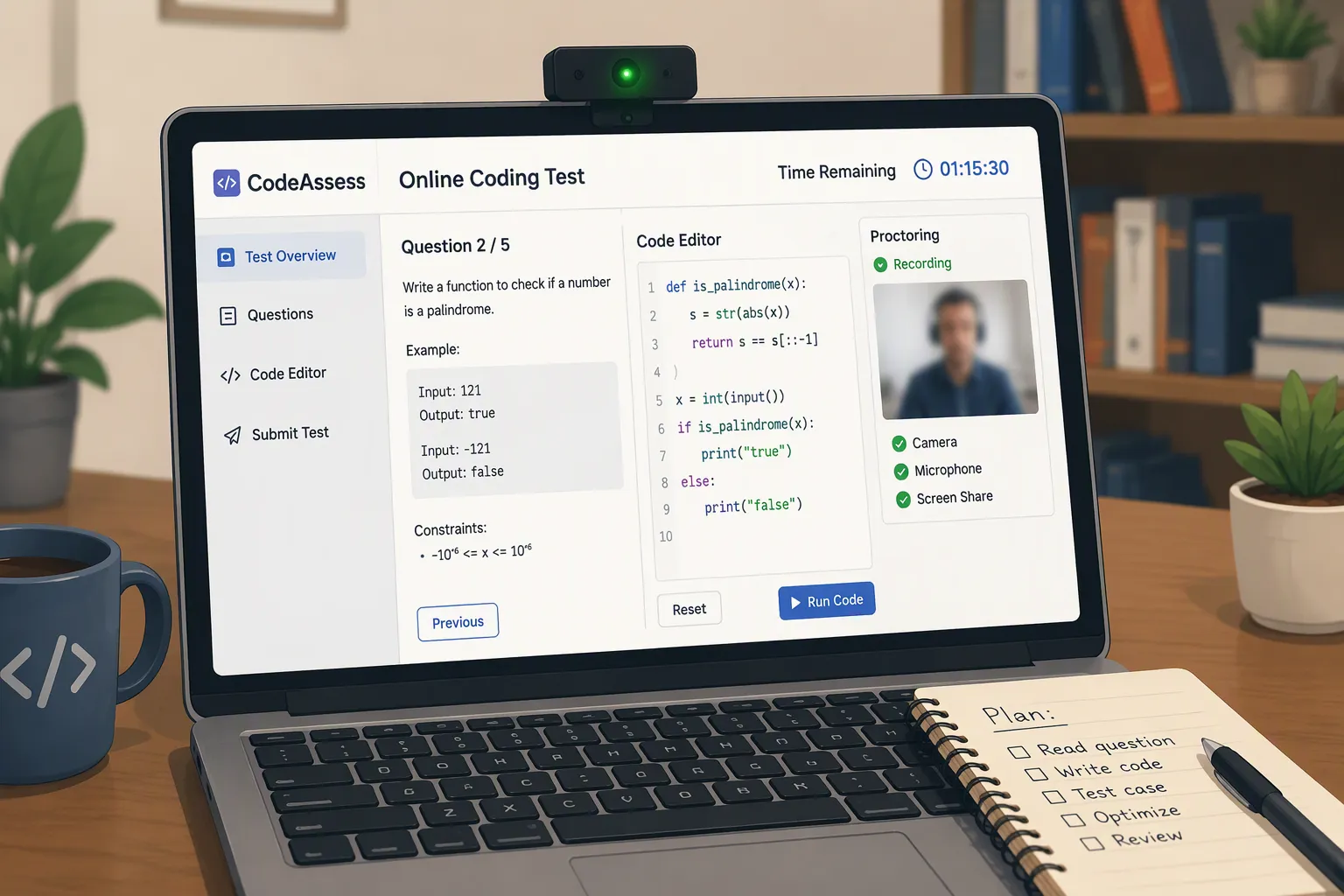
TL;DR: The camera is one optional layer of Codility's integrity system—not a universal requirement, and not the whole anti-cheating system.
When I first searched for the question "Does Codility use a webcam?" I assumed the answer would be simple: either "yes" or "no."
But after comparing two different on-site assessments that my colleague and I took—from different companies—using the invisible AI interview assistant Linkjob AI for both, we realized that even though they both took the Codility test, their actual experience could be completely different.
I never even got a request to turn on my camera.
My friend, though, said she was photographed using a webcam during the test, and she was told this would happen before the OA.
Also, a lot of people on Reddit said they had to keep their cameras, screen recording, and audio on during the whole test.
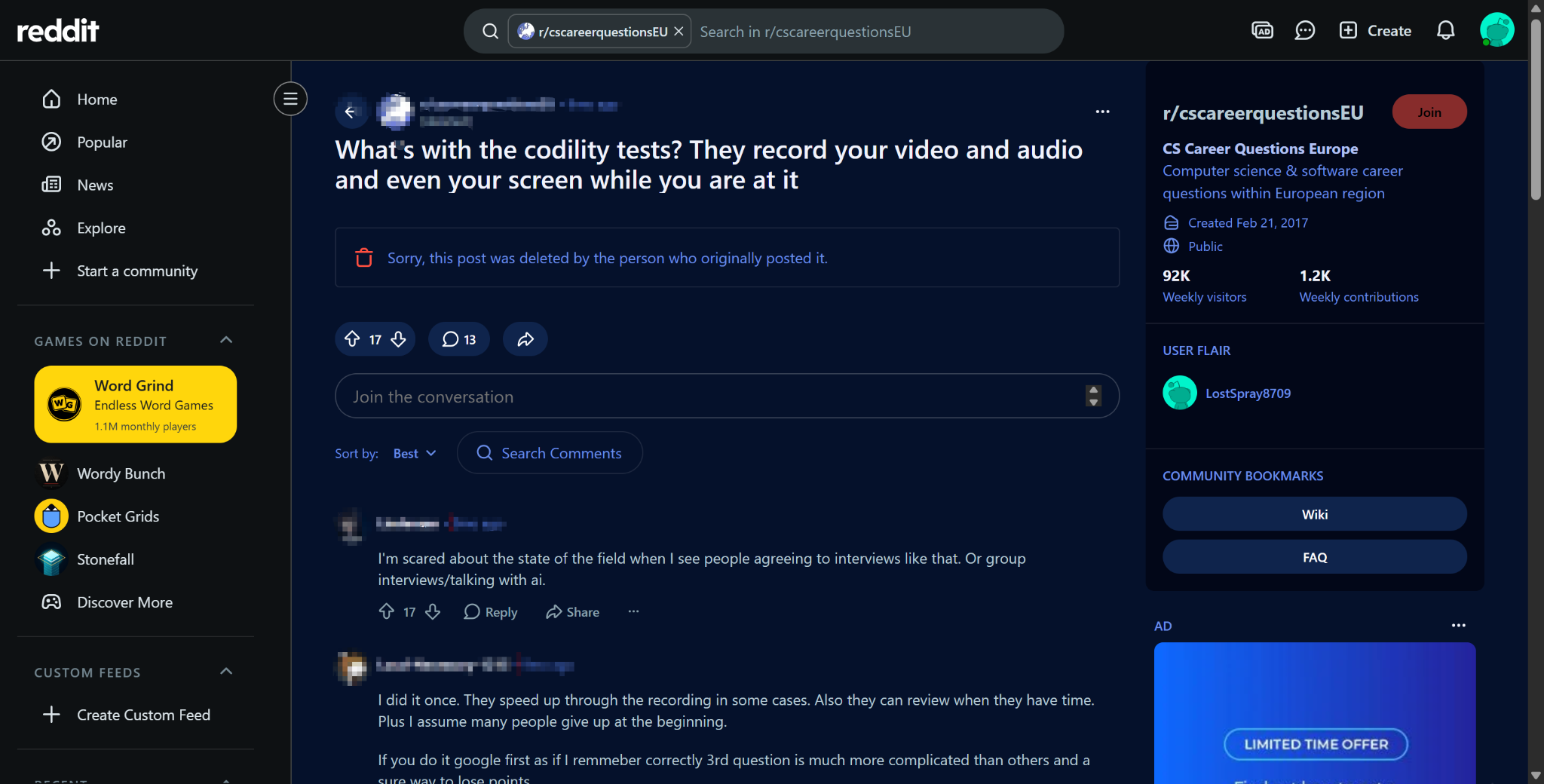
We did lots of reading on the subject—there are a lot of official documents and lots of experience posts out there. What we learned is that Codility's proctoring settings aren't the same for every company. It's an optional feature that hiring companies can enable however they like based on the job, pricing, and how much integrity control they want to use.
Codility's current integrity system can include browser history, webcam screenshots, screen grabs, full video and audio recordings, identity verification, network signals, and a desktop app designed to detect hidden AI tools. These features are all connected, but they're not the same thing. Codility's current Proctoring & Integrity documentation clearly separates visual/video proctoring from behavioral and device-level signals.
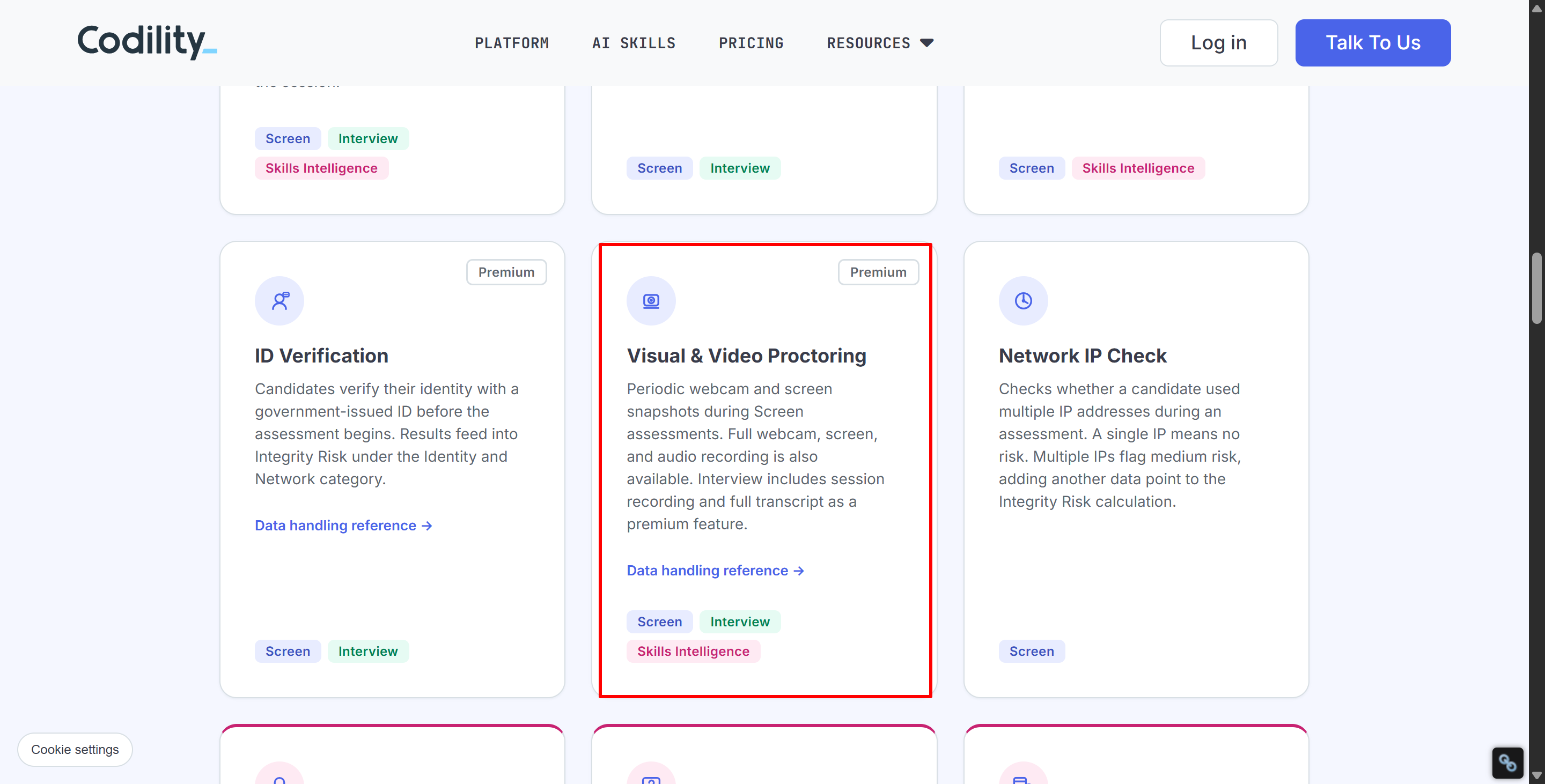
So, does Codility use camera? The short answer is yes. Codility might use your webcam, but not every Codility assessment will automatically ask for camera permissions. And I‘ll bring more detailed info in the following parts of the blog.
Does Codility Use Camera? The Short Answer
Our research (or as we're known) shows that Codility currently offers multiple levels of monitoring.
Categorizing them or using the standard approach of classifying them based on paid plans and monitoring intensity is a bit too complicated. I think the easiest way to understand them is to break down what each feature "monitors."
Codility Feature | Uses Camera? | What It Does |
|---|---|---|
Behavioral Proctoring | Not necessarily | Tracks paste activity, tab changes, timing and related events |
Webcam Snapshots | Yes | Takes periodic candidate webcam images |
Screen Snapshots | No webcam required for the screenshot itself | Captures the computer screen |
Video Proctoring | Yes | Can record webcam, screen and audio |
Identity Verification | Yes / camera or device camera | Captures ID images and a selfie |
Codility Interview | Usually yes for video calls | Live technical interview/video session |
Device Integrity | No, not by itself | Checks the local computer for known unauthorized tools |
Codility's current Assessment Integrity Features guide says proctoring can include “webcam snapshots at regular intervals and on flagged events” as well as optional continuous screen and video/audio recording.
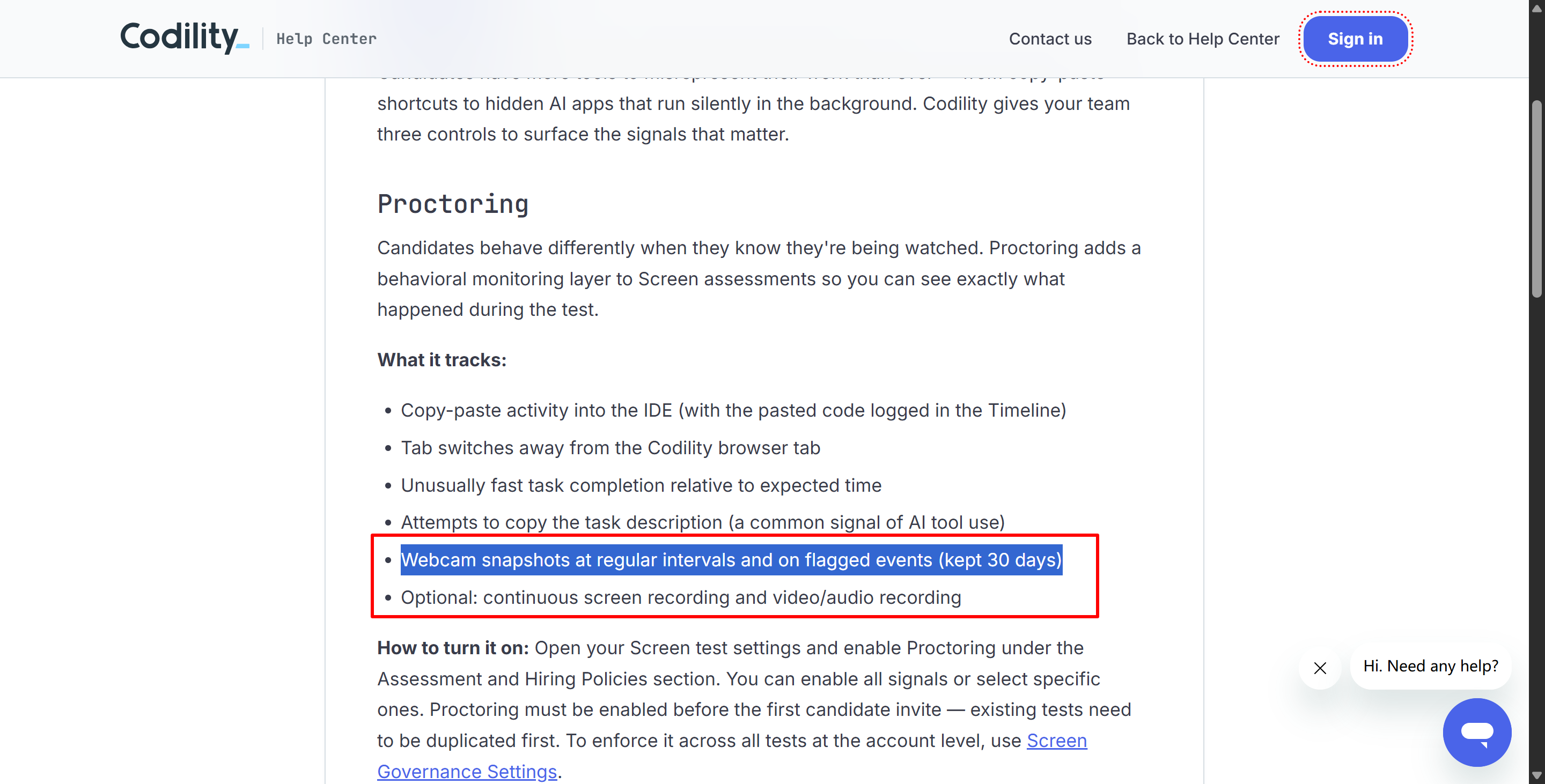
But on the flip side, that also explains why people have different opinions about Codility's proctoring. Basically, which features are enabled is set by the recruiter before they invite a candidate.
If you’re asking, “Does Codility use camera?” the answer is yes, it can use the camera—though it doesn’t necessarily use it throughout the entire session.
Does Codility Use Camera in Every Coding Test?
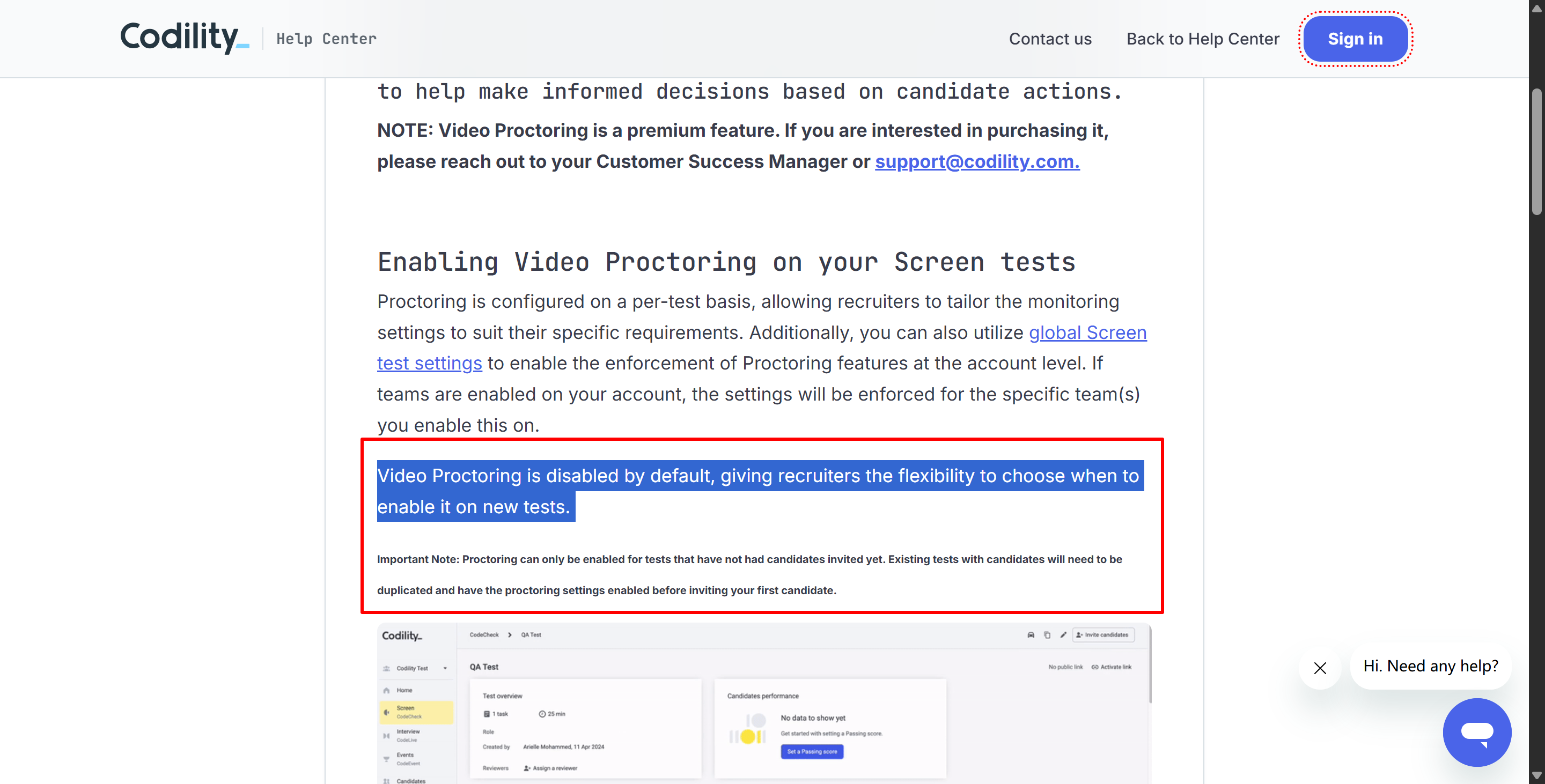
The answer to this is no, though a lot of you guys may just meet a Codility test like the GIF above. Codility's dedicated Video Proctoring documentation explicitly says:
“Video Proctoring is disabled by default.”
It is configured on a per-test basis. Employers can also establish broader account-level defaults, but an ordinary Codility assessment does not automatically mean full webcam recording.
Also, normally, you should know if your test needs a webcam before the assessment starts, since Codility will show the monitoring disclosure. If you haven't heard anything, congrats—it's probably because all AI interview assistants work great with your Codility OA.

This means you don't have to worry as much and can use Linkjob AI with a bit more freedom (provided your interview isn't conducted through the Codility app; for details, see my other article discussing "Does Codility detect Cluely?").
Does Codility Use Camera for Full Video Proctoring?
If the employer enables Video Proctoring, then recording of the webcam and all audio sources is mandatory. This means more strict monitoring.
Codility's current Proctoring & Integrity page makes this very clear:
“Full webcam, screen, and audio recording is also available.”
Put simply, a test on Codility that's monitored closely can, in theory, record three types of data at once:
Recording Source | What It Captures |
|---|---|
Webcam | Candidate video |
Screen | What is displayed on the candidate's computer |
Audio | Sound during the assessment |
The older but still current Video Proctoring guide also says candidates must enable audio and video recording before starting a test when Video Proctoring is active. A recording indicator remains visible beside the test timer during the session.
audio recording;
video recording.
Also, there'll be a recording indicator that'll stay on all the time near the timer during the assessment.
So, if your assessment needs video proctoring, you should check out the following before it starts:
a disclosure notice;
permission requests;
And a recording prompt.
Does Codility Use Camera If the Webcam Stops Working?
This year, Codility made some changes to how it handles mandatory recording input. You can see the most significant changes in an update from June, but it was in a pretty inconspicuous corner.
In a June 2026 product update, Codility said that when a required input such as the camera becomes unavailable—or recording is interrupted because of a connection problem—the task description and solution are hidden until the recorded environment is restored.
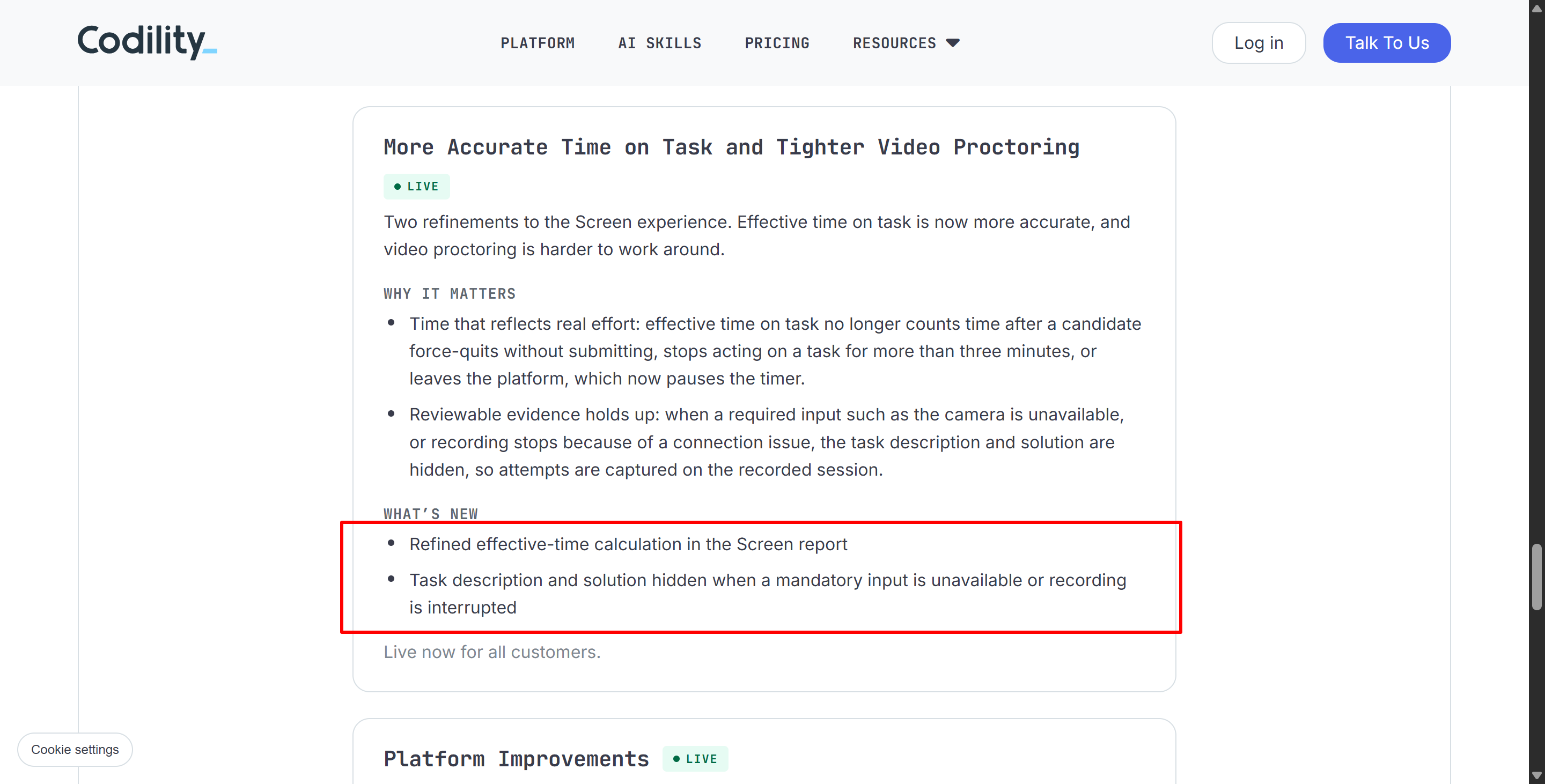
Does Codility use the camera for the whole test? If "continuous video proctoring" is enabled, then yes. Also, if you forcefully stop the recording or disconnect the camera, the OA test will be paused, and your interviewer will be notified.
Does Codility Use Camera for Identity Verification?
Yes, but this is a completely separate feature.
Codility offers optional Identity Verification through Veriff.
According to Codility's Identity Verification documentation, a candidate may be required to:
select the country and type of identity document;
photograph the front of the document;
photograph the back;
take a selfie.
So when you search for "Does Codility use camera?", it's best to first confirm: Is this camera permission required for proctoring, or is it just for identity verification?
If you're interested in anti-cheating measures, you can check out the description above and think about using an invisible AI interview assistant, like Linkjob AI, to help you out. But if you just want to know if Codility requires identity verification (and thus uses the camera), that depends on the company's specific requirements. Either way, you'll get a notification before the online assessment starts, and you'll need to agree to the interviewer's settings before you can start the test.
But until the online assessment actually starts, there's pretty much no way to be 100% sure if Codility uses a camera. That's one of the reasons my friends and I use Linkjob AI. We always go for the cheat tools that work best for us and do our best to make sure they don't get caught, especially compared to tools that require using a second device or sharing browser tabs.
Does Codility Use Camera During Codility Interview?
Codility is more than just a take-home coding assessment platform, of course. It also provides a live technical interview environment.
In a normal live video interview, the candidate and the interviewer can both use their webcams. Codility even has support documentation that explains how candidates can select an external USB camera based on their browser.
Codility also offers optional interview recording. Its Interview Recording documentation says interviewers can start and stop a recording during a session, but they must confirm that participants consented to being recorded. The resulting recording can then be reviewed after the interview.
So:
Screen can use camera for automated proctoring;
Interview can use camera for live communication and optional session recording.
Both technically answer does Codility use camera with “yes,” but for completely different reasons.
Does Codility Use Camera With Device Integrity?
Not necessarily. This is the feature most often confused with camera monitoring. In 2026, Codility launched Device Integrity. When companies enable this feature, candidates have to use the Codility App. It's mostly used to find out what kind of unauthorized tools are running on a computer, especially hidden AI tools.
But I should mention that, in theory, the Codility App itself isn't the same as video proctoring.
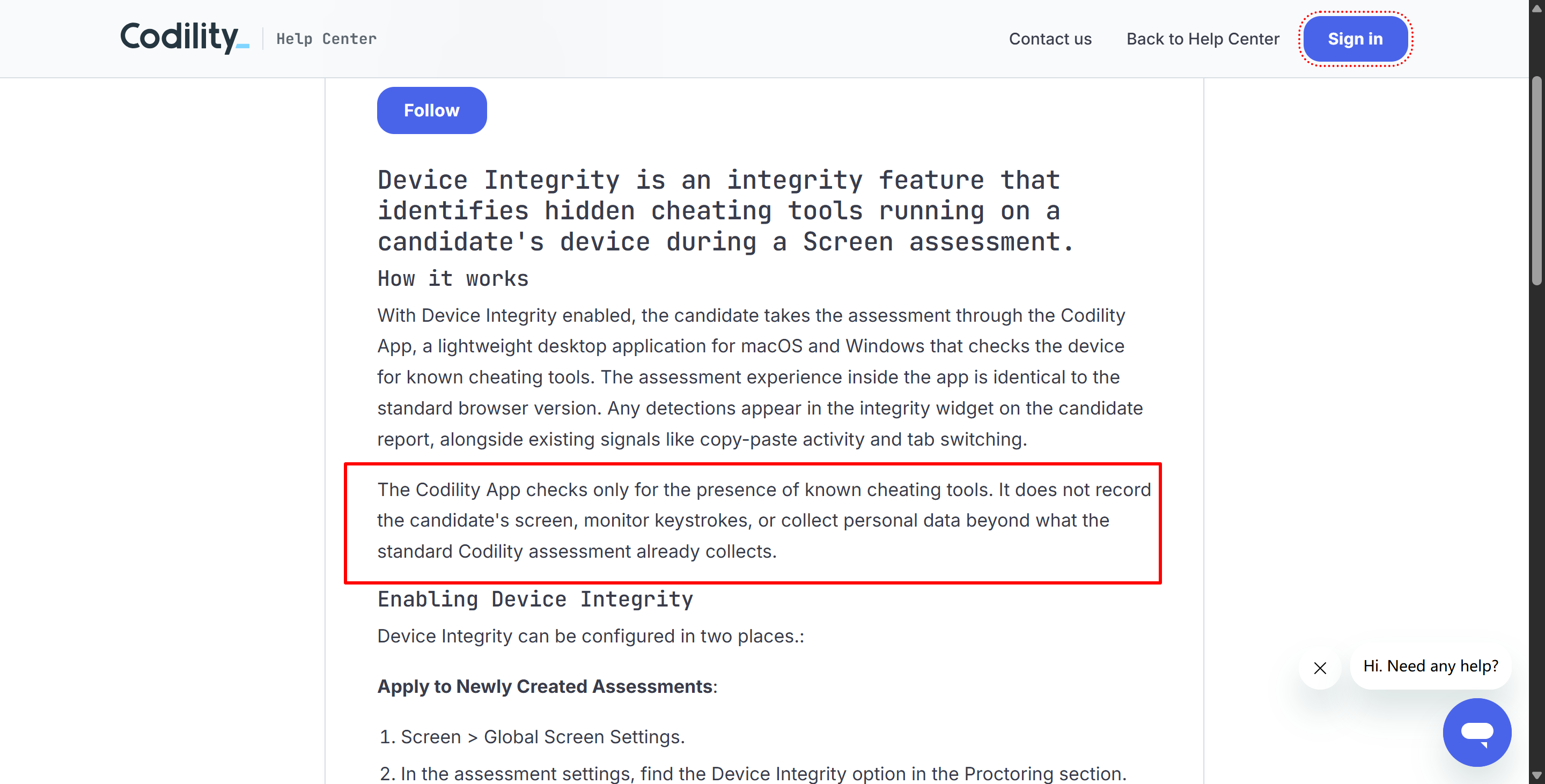
Codility's Device Integrity for Screen documentation explicitly says the app checks for known cheating tools and "does not record the candidate's screen, monitor keystrokes, or collect additional personal information beyond the standard assessment."
In other words, it:
It doesn't record the screen.
It doesn't record keystrokes.
It's not like the webcam turns on by itself just because Device Integrity is enabled.
Organizations can, of course, combine multiple layers of integrity features.
For example:
Device Integrity ON + Video Proctoring OFF = The Codility app checks the computer but does not perform continuous webcam recording.
Device Integrity ON + Video Proctoring ON = Both features run simultaneously, checking for background processes and monitoring the candidate via the camera.
Does Codility Use Camera to Detect Phones or Off-Screen Help?
You can provide evidence through visual proctoring, but that doesn't mean you're definitely cheating. All that evidence just gets presented to the interviewer, who makes the final call.
Codility's public materials on AI proctoring describe webcam/video and snapshot proctoring as ways to get visual evidence that can help reviewers see if a candidate is using a device other than their main computer or doing something strange.
I haven't found any official Codility documentation, yet that says for sure that its standard webcam system generally does the following things:
continuous gaze tracking;
automated eye-movement scoring;
emotion detection;
universal phone object recognition;
automatically concluding cheating based solely on camera behavior.
And here, Codility's Trust Center similarly says: “No candidate is rejected automatically.”
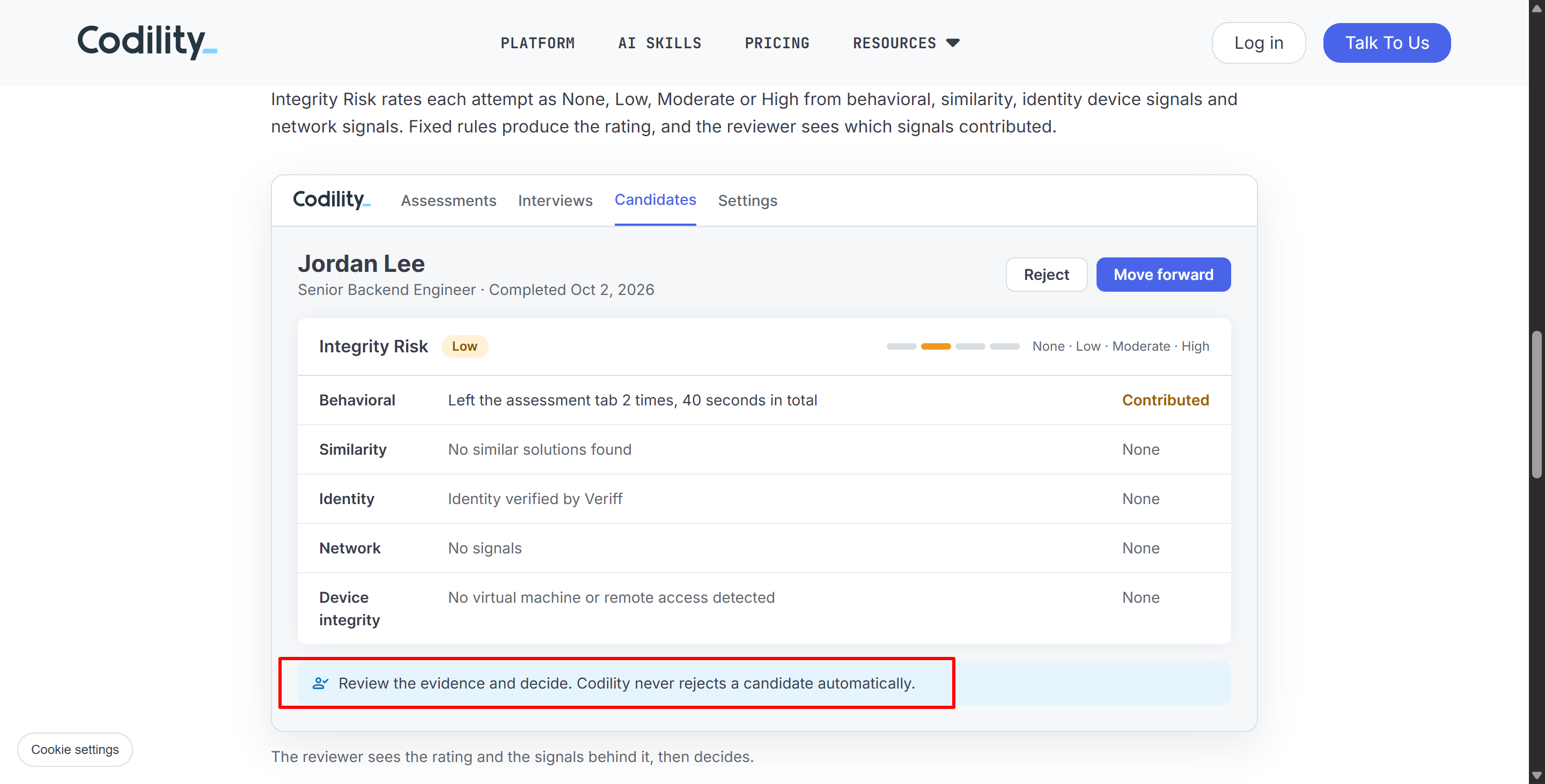
I'd say this is just one way to tell if someone's using an external device. It doesn't depend entirely on the camera to spot cheating.
But when you're using a phone in the camera's blind spot, how likely is it that you'll act normally? Especially when you can't bypass a desktop app that needs to be installed in advance to mirror your screen's content? What if Device Integrity is enabled in this OA?
Does Codility Use Camera? Camera vs Screen Recording
This distinction deserves its own section because I see it confused constantly. Just because Codility has access to your screen doesn't mean it has access to your webcam. Just because you give it access to your webcam doesn't mean it's recording your full desktop.
Codility currently supports a few different combinations:
Configuration | Webcam | Screen |
|---|---|---|
Behavioral signals only | No requirement implied | No continuous recording implied |
Webcam snapshots | Yes | Maybe |
Screen snapshots | Maybe | Yes |
Video Proctoring | Yes | Can include full screen recording |
Device Integrity | Not required by Device Integrity itself | App does not itself record screen |
Identity Verification | Used for selfie/ID capture | No screen recording required |
Does Codility Use Camera FAQ
Does Codility Use Camera in Every Test?
No. Camera-based proctoring is configurable, and Video Proctoring is not universally enabled for every Codility assessment.
Does Codility Use Camera to Take Photos?
Yes, when visual proctoring is enabled, Codility can take periodic webcam snapshots and additional images around flagged events.
Does Codility Record Webcam Video?
Yes, if full Video Proctoring is enabled, Codility can record webcam video together with screen and audio.
Does Codility Record My Screen?
Only when the relevant screen snapshot or recording feature is enabled; screen recording is not automatic for every test.
Does Codility Use Camera for ID Verification?
Yes. Optional Identity Verification requires document photos and a selfie before the assessment begins.
Does the Codility App Always Use My Camera?
No. Device Integrity is a separate feature for detecting known unauthorized applications and does not itself imply webcam recording.
Can I Tell Whether Codility Will Use My Camera Before Starting?
Yes. Codility says candidates are informed before recording starts and are prompted to enable the required audio/video permissions.
Does Codility Use Camera to Automatically Decide I Cheated?
No. Codility says integrity evidence supports human review and candidates are not automatically rejected based on a monitoring signal.
See Also
My Real Experience Getting Undetectable AI Assistance for Proctorio Exams in 2026
How I Successfully Passed 2026 Online Tests Using Octoproctor's AI Power
Using AI Tools to Evade CodinGame CoderPad Screen Detection in 2026
How I Successfully Evaded Sherlock AI Interview Detection During 2026
Safely Using AI Tools During Your TestDome Interview in 2026
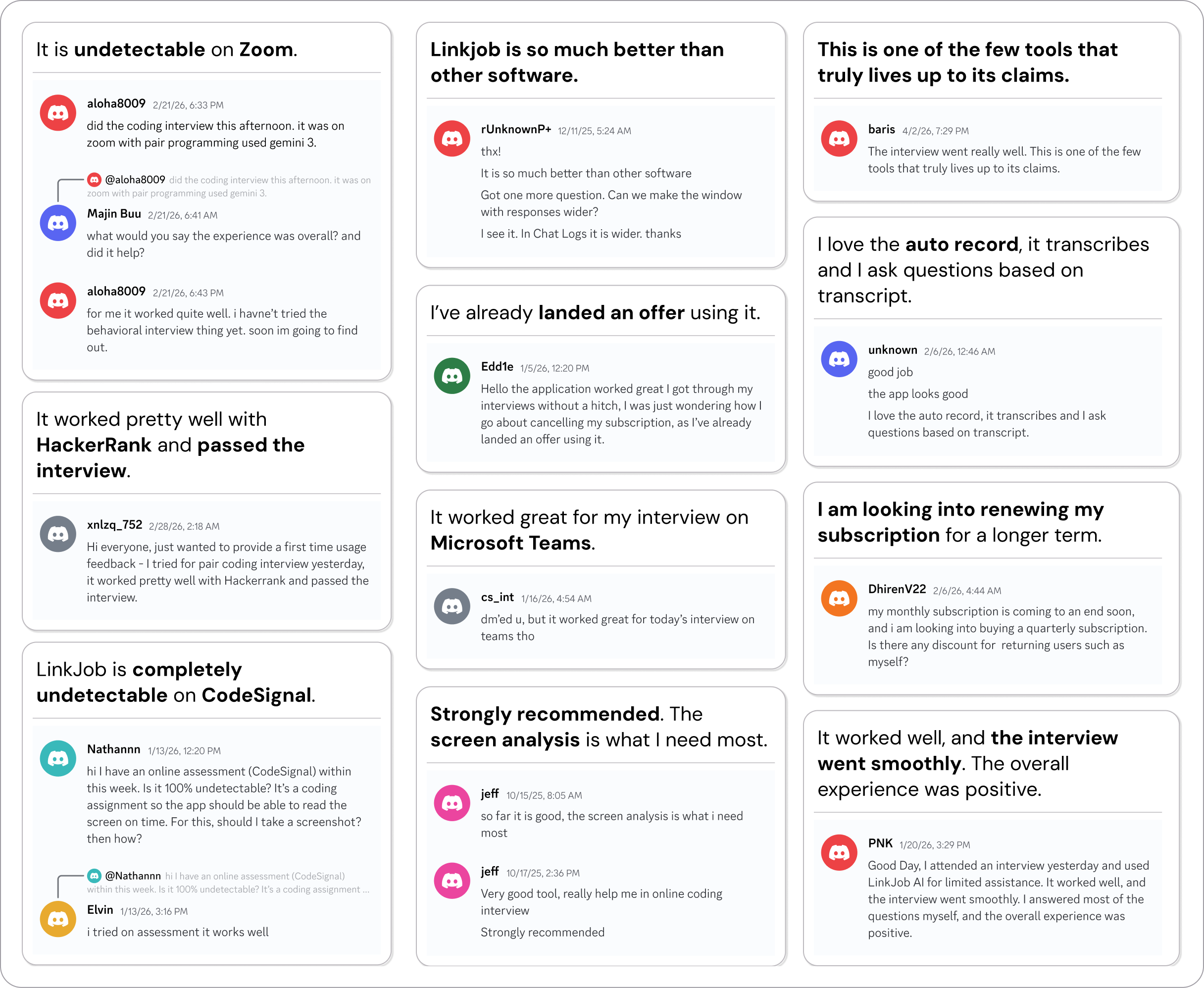
Why People Choose Linkjob AI
Smoother interviews, coding challenges cleared, and job offers landed. See how users describe their experience with Linkjob AI—in their own words.

© Copyright 2026 Linkjob AI - All Rights Reserved.