My Real 2026 Amazon CoderPad & Coding Assessment Experience: Algorithm Tasks, AI Repo Debugging, and How I Passed

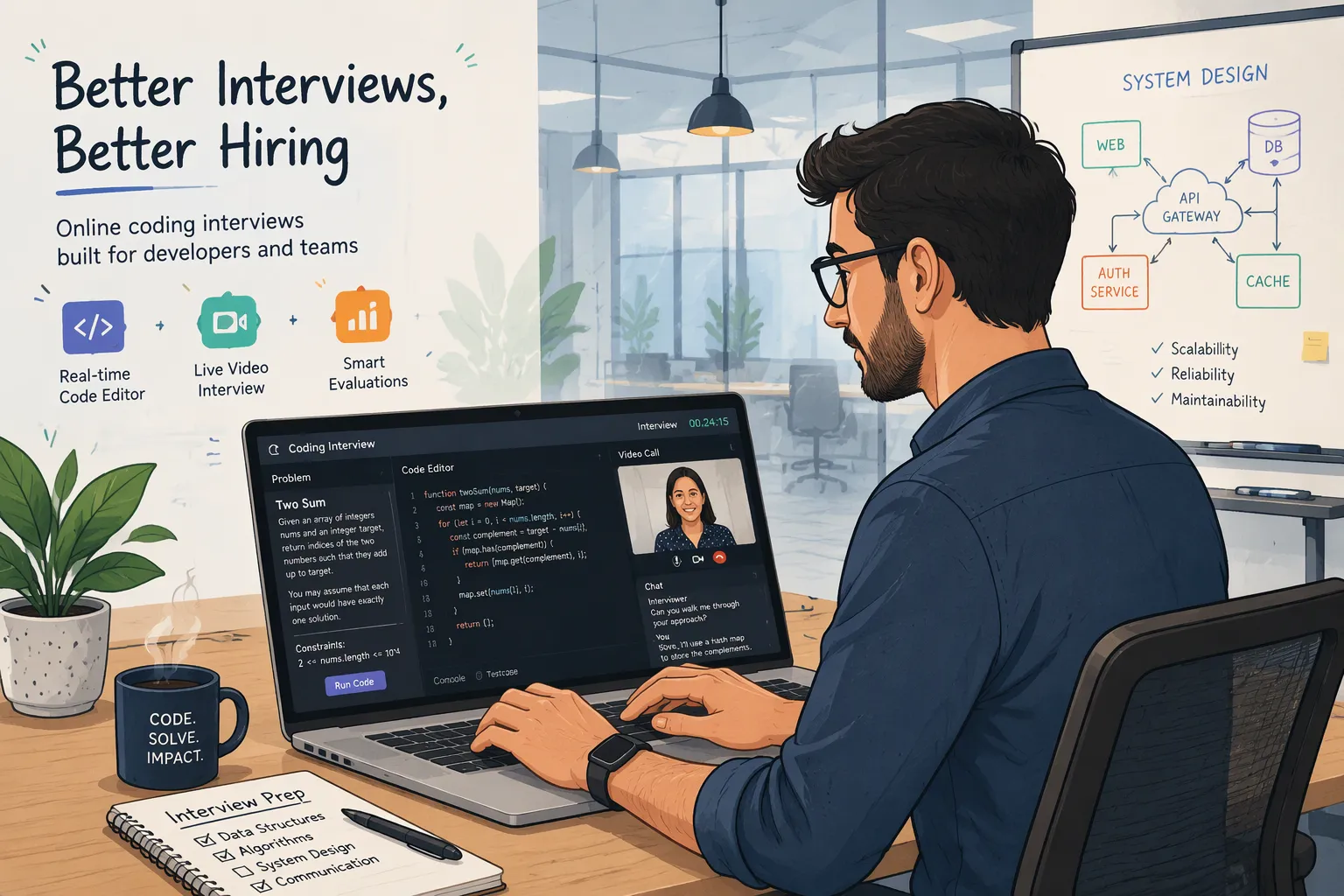
When I prepared for my Amazon CoderPad loop as an SDE applicant in 2026, I noticed candidates searching "Amazon CoderPad" are facing one of two stages: either Amazon's asynchronous 70-minute Coding Assessment (inside the 2-hour four-part OA alongside Work Simulation and Work Style, now featuring AI-assisted repository debugging on many 2026 invites) or Amazon's live 45-to-60-minute Phone Screen and Virtual Onsite shared coding pads over Amazon Chime or Zoom.
Across my 2026 SDE loop, I cleared both back to back. On the 70-minute OA, only 2–3 sample cases are visible while 12+ hidden stress cases punish 32-bit overflows (minMoves swaps), ring wrap-around bugs, and incomplete OTP repo fixes; on the live pad, an engineer watches every keystroke in real time. Worse, pressing PrintScreen can flag or terminate an asynchronous Amazon session, live pads trigger instant [Candidate] left the IDE (window.onblur) alerts and red paste markers (insertFromPaste), and desktop overlays risk flickering onto shared screens.
To stay 100% clean, I paired Linkjob AI in Dual-Device Mode—scanning a QR code to open Linkjob AI on my phone's mobile webpage, turning off the desktop answer display for zero on-screen UI, and tapping capture on my phone's mobile webpage (zero PrintScreen keys!) to view O(N) solutions and STAR Leadership Principle cues 1 inch below my webcam (plus testing Desktop Floating Window Mode on unproctored pads). Below are both 2026 Amazon formats, all 4 real tasks I solved, and how I passed cleanly.
How Amazon CoderPad & Coding Assessments Work in 2026 (Asynchronous OA vs. Live Pad)
If you have already read my firsthand experience with Amazon's 2026 coding interview alongside Big Tech pad breakdowns like Meta's 2026 AI-enabled coding interview on CoderPad, passing the 2026 Microsoft HackerRank test, my Tesla CoderPad interview and assessment questions, and my Shopify CoderPad live pairing guide, make sure you verify which exact Amazon stage is sitting in your inbox:
1. Stage 1: The Asynchronous 70-Minute Coding Block (Inside Amazon's 2-Hour, 4-Part OA)
Amazon's invite spans up to two hours across Coding (~70 minutes), Work Simulation (engineering tradeoff scenarios), Work Style (Leadership Principles sliders), and a Feedback Survey. The 70-minute coding block delivers 2 problems in one of two setups:
Configuration A (2 Pure Algorithmic Problems): Two Medium/Medium-Hard tasks (greedy sorting/heaps, sliding windows, circular prefix sums, or BFS/graphs). Only 2 to 3 sample test cases are visible, while 12 to 15 hidden test cases check
N <= 10^5scaling and 64-bit integer bounds. Passing only the visible cases is never enough to clear the bar.Configuration B (2026 Hybrid: 1 Algorithm Problem + 1 AI-Assisted Multi-File Repo Bug-Fix): Amazon's newest 2026 format pairs 1 traditional DSA problem with 1 multi-file repository debugging task (in Node/TypeScript, Java Spring Boot, or Python) where an authorized built-in AI assistant sidebar is enabled inside that browser tab only for the repository task—grading how fast you isolate broken business logic, fix all failing unit tests, and verify edge-case regressions!
2. Stage 2: Live 45-to-60-Minute Shared Coding Pad (Phone Screen & Virtual Onsite)
For SDE I/II/III, Data Engineer, BIE, and AWS Systems Development Engineer live rounds (paired with Amazon Chime or Zoom):
Split Clock (15–20 Mins Behavioral LPs + 30–40 Mins Live Coding): Every Amazon live technical round opens with 2 behavioral questions mapped to Amazon's 16 Leadership Principles (
Ownership,Dive Deep,Customer Obsession,Deliver Results), probing specifically for your individual"I"contribution and concrete metrics—never waste 28 minutes rambling here or you leave yourself 17 minutes to code!Live Pad Rules: In the remaining 30–40 minutes, you solve 1 Medium-Hard task (or 2 tasks like
Longest Substring Without Repeating Characters+Word Search II, or OOP Low-Level Design for SDE II/III). Code execution is often disabled, requiring manual line-by-line dry runs.
4 Real Algorithm & Repo Debugging Problems From My 2026 Amazon Rounds (With 100%-Pass Code)
Here are the four exact problem types I faced across my 2026 Amazon coding assessment and live CoderPad-style screen, including every 64-bit overflow and wrap-around trap that trips up applicants.
1. Problem 1: Minimum Adjacent Swaps to Group Binary Array (minMoves — 64-Bit Inversion Trap)
The Problem Prompt: Given a binary array
arr(1 <= len(arr) <= 10^5) containing only0s and1s, one move swaps any two adjacent elements. Return the minimum number of moves required so that all0s are grouped together on one end of the array and all1s are grouped together on the other end.Two Traps That Wipe Out Half of Hidden Test Cases:
Trap 1 (Checking
[0..0, 1..1]Only and Forgetting[1..1, 0..0]): Grouping all0s on the left ([0, 0, ..., 1, 1]) and grouping all1s on the left ([1, 1, ..., 0, 0]) are both valid grouped configurations! Forarr = [1, 1, 1, 0], moving the single0to the left costs3swaps ([0, 1, 1, 1]), whereasarris already grouped as[1, 1, 1, 0]at0swaps! Each0moved left must jump over every1currently sitting to its left (cost_zeros_left += ones_seen), and symmetricallycost_ones_left += zeros_seenfor each1!Trap 2 (32-Bit Signed Overflow in Java/C++): At
N = 100,000(50,000ones followed by50,000zeros), swaps reach50,000 * 50,000 = 2.5 * 10^9 > INT_MAX(2.14 * 10^9)! Always uselongin Java,long longin C++, or Pythonint.
My 100% Passing Hand-Typed Python 3 Solution (
O(N)Time,O(1)Space):
def minMoves(arr: list[int]) -> int:
    ones_seen = 0
    zeros_seen = 0
    swaps_zeros_first = 0  # Target shape: [0, 0, ..., 1, 1]
    swaps_ones_first = 0   # Target shape: [1, 1, ..., 0, 0]

    for bit in arr:
        if bit == 0:
            swaps_zeros_first += ones_seen
            zeros_seen += 1
        else:
            swaps_ones_first += zeros_seen
            ones_seen += 1

    return swaps_zeros_first if swaps_zeros_first < swaps_ones_first else swaps_ones_first

if __name__ == "__main__":
    print(minMoves([1, 1, 1, 1, 0, 1, 0, 1]))  # 3 (ones first: [1,1,1,1,1,1,0,0])
    print(minMoves([1, 1, 1, 0]))              # 0 (already grouped)
2. Problem 2: Circular Hub Ring Drone Delivery (O(N + M) Prefix-Sum Ring Arc)
The Problem Prompt: Amazon operates
nfulfillment hubs (0ton - 1,2 <= n <= 10^5) arranged clockwise around a closed ring. Arrayring_distof lengthngives the clockwise distance from hubito hub(i + 1) % n(1 <= ring_dist[i] <= 10^9). A delivery drone starts atstops[0]and must visitstops[1], stops[2], ..., stops[m - 1](1 <= m <= 10^5) in exact order, choosing either the clockwise or counter-clockwise arc on each leg. Return the minimum total distance traveled.The Wrap-Around & Two-Hub Degenerate Traps:
Wrap-Around Edge
ring_dist[n - 1]: Candidates build prefix sums overring_dist[0 .. n - 2]and forgetring_dist[n - 1](the closing edge from hubn - 1back to hub0), breaking every counter-clockwise shortcut!Two-Hub Ring (
n == 2): On a 2-hub ring (ring_dist = [10, 3]), going from hub0to hub1clockwise has cost10while going "counter-clockwise" alongring_dist[1]has cost3—a formula that assumes undirected single edges failsn == 2, whereastotal_circumference = sum(ring_dist)withcw = (prefix[b] - prefix[a]) % total_circumferenceandmin(cw, total_circumference - cw)works universally for everyn >= 2(includinga == b->0)!
My 100% Passing Hand-Typed Python 3 Solution:
def min_drone_ring_distance(ring_dist: list[int], stops: list[int]) -> int:
    n = len(ring_dist)
    if n == 0 or len(stops) <= 1:
        return 0

    # prefix[i] = clockwise distance from hub 0 to hub i
    prefix = [0] * (n + 1)
    for i in range(n):
        prefix[i + 1] = prefix[i] + ring_dist[i]

    total_ring = prefix[n]
    total_traveled = 0

    for idx in range(len(stops) - 1):
        u = stops[idx]
        v = stops[idx + 1]
        if u == v:
            continue
        cw = (prefix[v] - prefix[u]) % total_ring
        ccw = total_ring - cw
        total_traveled += cw if cw < ccw else ccw

    return total_traveled

if __name__ == "__main__":
    print(min_drone_ring_distance([10, 3], [0, 1, 0]))         # 6 (uses 3-unit arc both ways)
    print(min_drone_ring_distance([2, 3, 4, 1], [0, 2, 3, 0])) # 5 + 1 + 1 = 7
3. Problem 3 (2026 AI-Assisted Repo Debug): Multi-File Password-Reset OTP Flow (3 Exact Fixes)
The Problem Prompt: On my 2026 hybrid coding block, the second problem handed me a multi-file backend authentication repository (
auth_service.py/user_store.py/test_reset.py) where the password-reset workflow failed unit and hidden integration tests across three broken behaviors:request_reset(email)created a reset session record withcode = Noneinstead of generating and persisting a 6-digit verification code alongsideissued_at.verify_and_reset(email, code, new_password)checked string equalityrecord.code == codewithout enforcing the 30-second OTP expiry window (now - record.issued_at <= 30) and without invalidating the OTP after first use (allowing replay attacks!).After validating the OTP, the service mutated a detached local dictionary copy of the user profile without calling
user_store.save(user)to persist the hashed password!
How to Score 100% on Amazon's AI-Assisted Repo Task: Instead of pasting the entire repo into the built-in sidebar AI and blindly accepting hallucinated refactors that break function signatures, run the unit tests immediately to map each failing assertion to one file, apply surgical fixes, and write a quick test checking
elapsed == 31seconds and token reuse:
import secrets
import hashlib

OTP_TTL_SECONDS = 30

class PasswordResetService:
    def __init__(self, user_store, clock_fn):
        self.user_store = user_store
        self.clock_fn = clock_fn
        # email -> {"code": str, "issued_at": float, "used": bool}
        self.pending_tokens: dict[str, dict] = {}

    def request_reset(self, email: str) -> str | None:
        user = self.user_store.get_by_email(email)
        if user is None:
            return None
        # Fix 1: Generate a zero-padded 6-digit code and store exact timestamp
        code = f"{secrets.randbelow(1_000_000):06d}"
        self.pending_tokens[email] = {
            "code": code,
            "issued_at": float(self.clock_fn()),
            "used": False,
        }
        return code

    def verify_and_reset(self, email: str, submitted_code: str, new_password: str) -> bool:
        token = self.pending_tokens.get(email)
        if token is None or token["used"] or not submitted_code:
            return False

        # Fix 2: Enforce strict 30-second expiry window before accepting code
        now = float(self.clock_fn())
        if now - token["issued_at"] > OTP_TTL_SECONDS or now < token["issued_at"]:
            return False
        if token["code"] != submitted_code:
            return False

        user = self.user_store.get_by_email(email)
        if user is None:
            return False

        # Invalidate one-time code immediately and Fix 3: persist hashed password to store
        token["used"] = True
        user["password_hash"] = hashlib.sha256(new_password.encode("utf-8")).hexdigest()
        self.user_store.save(user)
        return True
4. Problem 4 (Live Shared Pad Classic): Supplier Inventory Max Profit (O(N log N) Level-Sweep)
The Prompt & Why Max-Heaps Time Out: Given
inventorycounts per supplier (len <= 10^5,inventory[i] <= 10^9) where selling an item from a supplier withkitems remaining yields revenuek(leavingk - 1items), maximize total profit acrossorders(<= 10^9) modulo10^9 + 7. Popping1unit at a time from a max-heap runs10^9times (TLE)! Sortinventorydescending (appending sentinel0), sweep horizontal price bands of widthw = idx + 1fromhigh = inv[idx]down tonext_val = inv[idx + 1], and sum arithmetic progressions(first + last) * count // 2inO(N log N):
def maxProfit(inventory: list[int], orders: int) -> int:
    MOD = 10**9 + 7
    inv = sorted(inventory, reverse=True) + [0]
    profit = 0

    for i in range(len(inv) - 1):
        if inv[i] == inv[i + 1]:
            continue
        width = i + 1
        level_drop = inv[i] - inv[i + 1]
        available = width * level_drop

        if orders >= available:
            # Sum all width columns from inv[i] down to inv[i + 1] + 1
            col_sum = (inv[i] + inv[i + 1] + 1) * level_drop // 2
            profit = (profit + width * col_sum) % MOD
            orders -= available
        else:
            full_rows, rem = divmod(orders, width)
            if full_rows > 0:
                col_sum = (inv[i] + (inv[i] - full_rows + 1)) * full_rows // 2
                profit = (profit + width * col_sum) % MOD
            next_price = inv[i] - full_rows
            profit = (profit + rem * next_price) % MOD
            break

    return profit
How Amazon & CoderPad Catch Cheating in 2026 (6 Traps That End Candidacies)
As I tested across my guides on how CoderPad detects cheating, whether CoderPad detects tab switching, whether CoderPad can detect copy paste, whether CoderPad can detect multiple monitors, whether CoderPad records your screen, and my Citadel CoderPad assessment breakdown, candidates get caught on Amazon rounds through six specific vectors:
OS
PrintScreen/ Screenshot Key Termination on the Asynchronous OA: Pressing hardwarePrintScreenor OS screenshot shortcuts inside Amazon's proctored browser assessment fires keyboard/clipboard hooks that immediately log a critical violation or terminate your active session!Instant
[Candidate] left the IDEFocus-Loss Alerts (window.onblur): On live CoderPad-style interviews, clicking outside the browser prints[Candidate] left the IDEin the interviewer's console in real time; on asynchronous OAs, every departure and away-duration is logged on your recruiter report.External Paste Attribution (
insertFromPasteRed Timeline Blocks): Pasting code that did not originate inside the browser editor's internal clipboard buffer paints bright red external-paste blocks on Code Playback—and using external AI on a non-AI task (even when Problem 2 has an authorized in-browser AI sidebar!) violates Amazon's rules.On-Screen Overlay Flicker During Live Chime / Zoom Screen Shares: Candidates using basic desktop overlay apps that draw answer cards on their primary monitor risk catastrophic exposure if they share their screen or press a hotkey mid-call and the card flickers into view beside the code pane.
Multi-Monitor Detection (
window.screen.isExtended) & Sideways Webcam Gaze: Chromium exposes attached secondary displays without permission prompts, while reading off a second monitor during a Chime/Zoom video call creates unmistakable 30-degree head turns.Live Behavioral & Complexity Cross-Examination: Even if your code passes 15/15 OA cases, Amazon's live interviewer will ask "What breaks if
ring_disthas 2 hubs?" or probe 3 layers deep into your Leadership Principle metrics.
My Technical Blueprint to Pass Both Amazon Rounds With Zero Flags
Following the core principles in how to use AI for a live coding interview and how an invisible AI interview assistant works, I followed four strict rules:
Rule 1: Single Native Display (
window.screen.isExtended === false) & Never PressPrintScreen: Unplug secondary monitors and never touch OS screenshot keys (PrintScreen,Cmd + Shift + 4,Win + Shift + S) on your testing machine.Rule 2: Zero External
Ctrl + C, Zero ExternalCtrl + V, & Zerowindow.onblur: Never copy prompts, never paste external code, and keep your browser window 100% focused from start to finish.Rule 3: Physically Separate Answers Onto Your Phone (Zero On-Screen Overlays): Keep zero answer cards on your monitored computer screen—read both your
O(N)coding logic and your concise STAR Leadership Principle notes on a smartphone mounted 1 inch directly below your webcam lens.Rule 4: Dry-Run Custom Edge Cases Aloud & Guard 64-Bit Sums: Walk through a 3-element trace (
n = 2ring,[1, 1, 1, 0]swaps,31-second expired OTP) out loud before saying "I'm done."
How I Used Linkjob AI Across My Amazon OA & Live CoderPad Screen (Dual-Device Mode vs. Desktop Floating Window)
Because Amazon combines strict asynchronous browser proctoring (where PrintScreen keys are dangerous) with live Chime/CoderPad video interviews (where both behavioral Leadership Principles and live coding happen in 45 minutes), using my AI interview assistant gave me one unified, zero-risk setup. Here is how both modes of this invisible coding interview assistant work:
1. Mode 1: Dual-Device Mode (My #1 Setup for Both the Amazon OA & Live Chime/CoderPad Rounds)
Because Dual-Device Mode renders zero UI on your computer monitor and triggers screen capture from your phone rather than pressing computer keys (working cleanly across proctored OAs, live screen shares, and LockDown Browser), I used it for both stages:
QR Code Pairing to My Phone's Mobile Webpage & Turning Off Desktop Display: Before launching my Amazon OA link (and before joining my live Chime/CoderPad call), I opened the Linkjob AI desktop app, granted accessibility permissions, scanned the dashboard QR code with my phone camera to open Linkjob AI in my phone's mobile webpage, and turned off the desktop answer-display toggle. Nothing ever rendered on my laptop screen—eliminating any chance of an overlay appearing on screenshots or screen shares.
Zero-Keystroke Remote Capture From My Phone's Mobile Webpage: During the 70-minute OA and the live coding pad, I never pressed
PrintScreen,Ctrl + C, or any hotkey on my laptop. Instead, I tapped the capture button directly on my phone's mobile webpage, silently capturing the problem spec in the background with0window.onblur([Candidate] left the IDE) events and0clipboard traces.Reading
O(N)Code & Live LP Cues 1 Inch Below My Webcam: During the first 15 minutes, Linkjob AI surfaced resume-tailored STAR bullets forOwnershipandDive Deepon my phone's mobile webpage 1 inch below my webcam lens; during coding, tapping capture delivered theO(N log N)level-sweep logic while preserving natural eye contact.
2. Mode 2: Desktop Floating Window Mode (For Unproctored Standard Web-Page Sessions)
When practicing or taking an unproctored, standard web-page CoderPad Screen session where screen sharing is not active and you prefer viewing solutions directly on your primary monitor, use Linkjob AI's Desktop Floating Window Mode while obeying two strict rules:
Complete All Configuration Before Opening the Link (Never Click Settings Mid-Test): Launch Linkjob AI, select Python 3, Java, or TypeScript, upload your resume for LP context, and position the semi-transparent floating window near the top center of your monitor before opening the pad. Once the session starts, never click the "Settings" button or any interactive menu inside the floating window so the browser never fires
window.onblur([Candidate] left the IDE).Never Press
Cmd + \orCtrl + \During the Session: Never pressCmd + \orCtrl + \to toggle the floating window open or closed while an active coding tab is open. Leave the floating window fixed in place until you submit and close the browser tab.
My 4-Step Pre-Round Checklist Before Any Amazon CoderPad or OA Session
Step 1: Verify Your Link Before the Deadline (Auto-Links Rarely Extend): Automated Amazon OA invitations carry strict 5-to-7-day expiry timers—test Chrome permissions early, unplug secondary monitors, and block out 2 uninterrupted hours so you also ace the Work Simulation and Work Style sections!
Step 2: Pair Linkjob AI in Dual-Device Mode Before Opening the Browser: Scan the desktop QR code to open Linkjob AI on your phone's mobile webpage, turn OFF the desktop answer-display toggle, and mount your phone 1 inch below your webcam (or pre-position the Desktop Floating Window on unproctored web pads and never click Settings or press
Cmd + \/Ctrl + \mid-session).Step 3: Cap Live Leadership Principle Answers at 3 Minutes Per Story: Use crisp
Situation -> Task -> My Specific Action -> Quantified Resultstories in the first 15 minutes so you protect a full 35+ minutes for coding and dry-run traces.Step 4: Only Use Built-In Browser AI Where Explicitly Authorized: On 2026 hybrid OAs, use Amazon's in-browser AI sidebar only inside the multi-file repository task where Amazon enables it, and always check 64-bit integer overflow (
2.5 * 10^9) andn == 2ring cases on algorithm tasks!
Frequently Asked Questions About Amazon CoderPad & Coding Assessments (FAQ)
1. Does Amazon use CoderPad or its own coding platform in 2026?
Candidates encounter both: Amazon's asynchronous 70-minute OA runs on Amazon's proctored HackerRank/browser assessment portal (including the new 2026 multi-file repo IDE), while live 45-to-60-minute Phone Screens and Virtual Onsite rounds use a collaborative two-pane live coding pad (CoderPad or Amazon LiveCode paired with Amazon Chime or Zoom).
2. What is the new 2026 Amazon AI-assisted repository debugging question?
On many 2026 SDE coding assessments, Problem 2 replaces a second LeetCode puzzle with a multi-file web/backend repository (such as a broken password-reset OTP service or Spring Boot API with 3 to 6 planted bugs) alongside an authorized in-browser AI assistant—testing whether you can isolate root causes, enforce TTL/persistence edge cases, and pass hidden integration tests under 35 minutes.
3. Does passing all visible sample test cases guarantee passing the Amazon OA?
No. Amazon's coding block shows only 2 to 3 tiny sample cases while grading 12+ hidden test cases for O(N) / O(N log N) scalability and 64-bit overflow—and recruiters weigh your Coding score alongside the Work Simulation and Work Style (Leadership Principles) modules!
4. Why is Linkjob AI's Dual-Device Mode safer than desktop overlays on Amazon interviews?
Scanning the desktop QR code opens Linkjob AI on your phone's mobile webpage, and turning off the desktop answer-display toggle ensures zero UI ever renders on your computer screen. You trigger captures remotely from your phone's mobile webpage without pressing PrintScreen or Ctrl + C on your laptop—resulting in 0 [Candidate] left the IDE alerts, 0 red paste markers, and zero risk of an overlay showing up on Chime/Zoom screen shares.
5. How much do Leadership Principles matter during an Amazon CoderPad live screen?
Enormously—even optimal O(N) code can get rejected if your first 15 minutes lack concrete "I" ownership and metrics on Amazon's Leadership Principles (Ownership, Dive Deep, Deliver Results).
See Also
My Secret Tricks for Getting Invisible AI Help on CodeSignal Proctored Tests
What You Can Learn from How I Cracked the Ramp CodeSignal Assessment
My Insider Guide to Cracking the Coinbase CodeSignal Assessment in 2026
My Proven Approach to Acing the Hudson River Trading CodeSignal Assessment
The Best Way to Approach Common Uber CodeSignal Questions in 2026
Why People Choose Linkjob AI
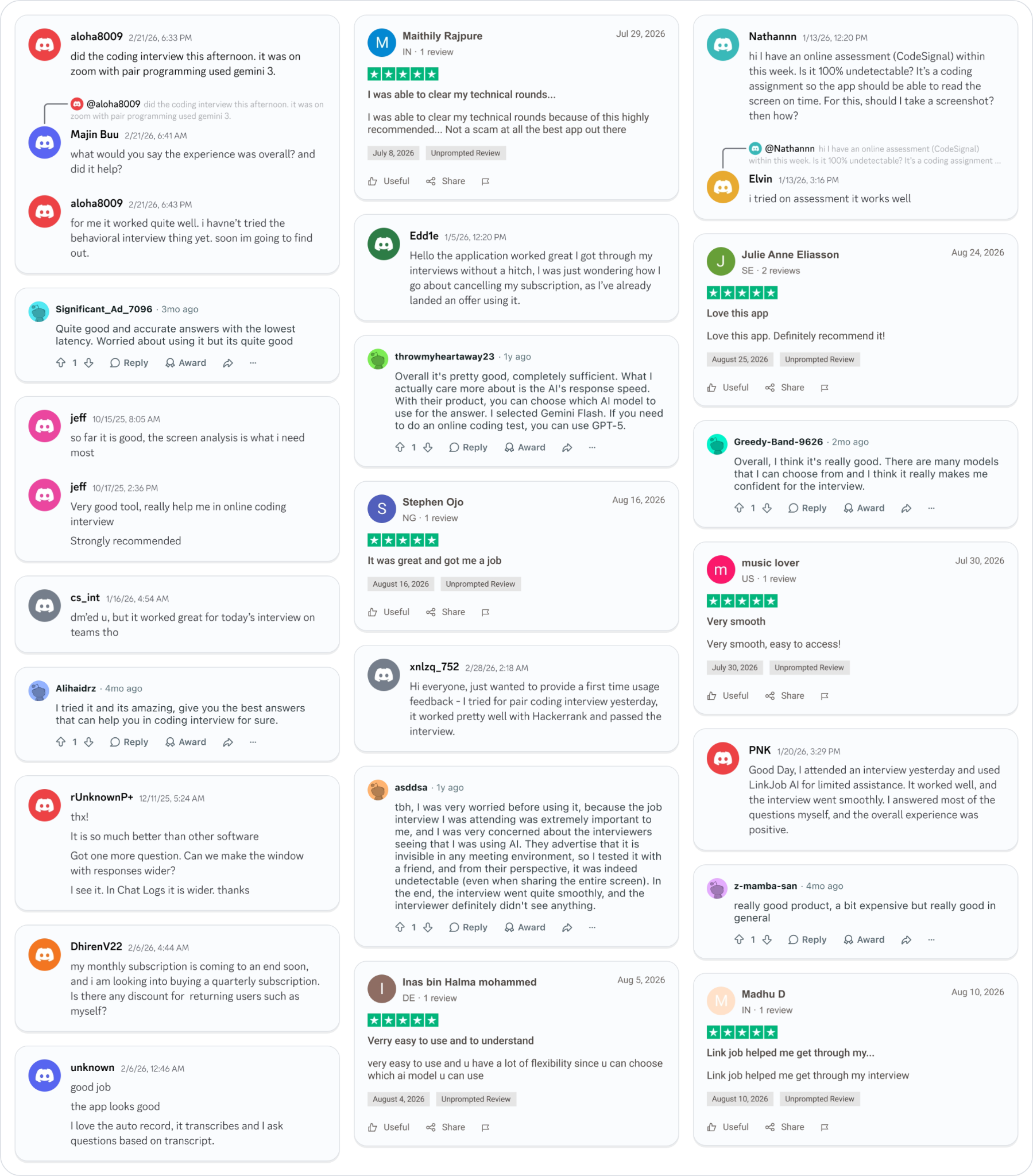
Smoother interviews, coding challenges cleared, and job offers landed. See how users describe their experience with Linkjob AI—in their own words.
© Copyright 2026 Linkjob AI - All Rights Reserved.