How Does Karat Detect Cheating in 2026? All 9 Karat Studio & QC Audit Layers Explained (And How I Passed)

If you have just received an invitation to schedule a 60-minute Karat technical interview for Palantir, Roblox, Wayfair, Walmart, Citi, Intuit, MongoDB, or Indeed, the first question you need to understand before picking your time slot is: "How does Karat detect cheating?" Many candidates walk into their first Karat round assuming that because a live human Karat Interview Engineer (IE) is on the video call—and because Karat's rules allow looking up basic language syntax—they can freely keep ChatGPT open on a second monitor, switch tabs when Question 2 drops into the editor, or paste helper functions from an outside window.
Having completed four live Karat interviews across backend, full-stack, and data science tracks—including the rounds I shared in my Citi Karat assessment experience, acing my Walmart interview on the Karat assessment, and my Palantir interview process and questions—I learned firsthand why that assumption gets candidates rejected within 24 hours. Every Karat interview runs inside a proprietary browser environment called Karat Studio that timestamps every focus switch (window.onblur), clipboard paste (insertFromPaste), and keystroke—and even more critically, every recorded session is audited after the call by a second Karat Quality Control (QC) specialist before your rating and full video playback are delivered to the client company's hiring manager.
Instead of risking a focus-loss flag during the 12-minute verbal round or getting caught turning my head toward a second monitor during the 45-minute coding block, I engineered my setup around Linkjob AI—using its Dual-Device Mode (where I scan a QR code to open Linkjob AI on my phone's mobile webpage, turn off the desktop answer display so my computer monitor has zero on-screen UI, and read both live verbal bullet points and Q1 -> Q2 -> Q3 code solutions on my phone mounted 1 inch below my webcam lens) and its Desktop Floating Window Mode (pre-configured before the interview with zero focus-stealing clicks or hotkeys). Below is my complete 2026 technical breakdown of how Karat's 4-phase interview and QC audit pipeline work, all 9 layers Karat uses to detect cheating, my standalone 5-rule technical bypass blueprint, how Linkjob AI evades every detection layer, and a real 3-stage Karat coding progression (Q1 -> Q2 -> Q3) and SQL task I solved for a "Fast Track" rating.
How the 60-Minute Karat Interview & Dual-Reviewer Audit Work in 2026
Before examining the nine anti-cheat layers, you must understand why a Karat interview is structurally different from both automated OAs (like HackerRank or Codility) and standard Zoom interviews. Every 2026 session in Karat Studio follows a strict 4-phase clock and a Dual-Reviewer Audit Pipeline:
1. The 4-Phase Clock Inside Karat Studio (60 Minutes Total)
Phase 1 (Minutes 0 to 3 — Government ID Check & Studio Setup): You join Karat Studio directly inside your desktop browser (webcam feed, audio stream, problem statement pane, Monaco code editor, and execution console all live inside one tab). The Interview Engineer verifies your identity (often asking you to hold your government photo ID up to the camera for 5 seconds) and reads the ground rules.
Phase 2 (Minutes 3 to 15 — Rapid-Fire Verbal Domain, System Design, or Complexity Q&A): For 10 to 12 minutes, the Interview Engineer asks 5 to 6 rapid-fire verbal questions—either analyzing short code snippets to state their Big-O time/space complexity, or answering system design, SQL, concurrency, and production debugging trade-offs.
Phase 3 (Minutes 15 to 55 — Progressive 3-Stage Coding Block
Q1 -> Q2 -> Q3): You have roughly 40 to 45 minutes to solve a progressive multi-part coding problem. You only see Question 1 (warm-up) first. Only after your code prints the exact expected output for all Q1 test cases does the Interview Engineer paste Question 2 (medium-hard core algorithm) into the pad—and only after you pass Q2 do they paste Question 3 (hard optimization/graph/sliding-window extension). Clearing Q1 + Q2 is typically the passing bar; clearing into Q3 earns a "Fast Track" recommendation.Phase 4 (Minutes 55 to 60 — Wrap-Up & The "Karat Redo" Rule): The call concludes, and within 24 hours you have the option to schedule a one-time Karat Redo with a new Interview Engineer and a fresh set of questions if you feel you underperformed.
2. The "Two-Reviewer" Audit Pipeline (Live IE + Post-Call Karat QC Auditor)
What catches most candidates off guard is that passing the live Interview Engineer is only Step 1. As soon as your 60-minute call ends, your recorded webcam video, audio track, second-by-second Code Playback, and DOM focus/clipboard telemetry log are routed to an independent Karat Quality Control (QC) Auditor. The QC Auditor verifies the rubric score, checks flagged focus-loss or paste timestamps against your webcam video, and bundles the complete recording and integrity notes for the client company (such as Palantir, Walmart, Wayfair, or Citi).
How Does Karat Detect Cheating in 2026? All 9 Detection Layers Explained
To understand why amateur shortcuts get flagged by either the live Interview Engineer or the post-call QC Auditor, here is a deep technical breakdown of all nine anti-cheat and telemetry layers active inside Karat Studio in 2026:
1. Layer 1: Karat Studio Browser Focus & Tab-Switch Telemetry (window.onblur & visibilitychange)
As I proved in my dedicated test on whether Karat detects tab switching, Karat Studio monitors your browser focus state at millisecond resolution:
Continuous DOM Focus Listeners: Karat Studio attaches JavaScript event listeners to
window.onblur,window.onfocus, anddocument.visibilitychange.What Fires a Focus-Loss Timestamp: Pressing
Alt + Tab(Cmd + Tab), clicking another Chrome tab, clicking onto a second monitor, clicking a local VS Code window, or pressing a global keyboard shortcut that steals OS window focus immediately setsdocument.hasFocus()tofalseand records a timestamped focus-loss marker on the interviewer console and QC timeline.
2. Layer 2: The "Open Documentation" Behavioral Trap (Zero-Tolerance Windows)
Many candidates ask: "Wait—doesn't the Karat Interview Engineer say at minute 2 that I am allowed to look up standard library syntax documentation?" Yes, and that rule is actually a behavioral trap for candidates using unauthorized tools:
Zero-Tolerance During the 12-Minute Verbal Round: During Phase 2 (Minutes 3 to 15), you are answering verbal system design or Big-O complexity questions—you are not writing code or looking up library syntax! If your telemetry log records three
window.onblurtab switches during the 12-minute verbal round, the QC Auditor immediately flags your session for switching tabs to query an AI tool.Unannounced Focus Drops Right After Q2 Is Pasted: Legitimate candidates who look up Python
heapqor JavaTreeMapsyntax say out loud: "I am going to check the docs for theheapqmethod signature" while already mid-way through writing their function. Candidates who silently trigger a 25-secondwindow.onblurevent 3 seconds after the Interview Engineer pastes the 40-line Question 2 prompt—before writing a single line of code—expose that they just tabbed out to feed the prompt into an LLM.
3. Layer 3: Internal vs. External Clipboard Paste Diffing (paste & insertFromPaste)
Inside Karat Studio's Monaco code editor, clipboard events are tracked and diffed continuously:
Internal Refactoring Allowed (Reusing Q1 Code in Q2): Because Karat's
Q1 -> Q2 -> Q3problems build on the same input data, copying your own input parser or helper loop from Question 1 (Ctrl + C) and pasting it into Question 2 (Ctrl + V) inside Karat Studio is 100% normal and recognized by Karat Studio's internal shadow buffer.External Clipboard Paste Flagged: If you press
Ctrl + V(Cmd + Vor right-click Paste) and insert code that never originated inside the Karat Studio editor (including code synced from an iPad or iPhone via Apple Universal Clipboard), Karat Studio flags an External Paste Event with the exact timestamp and character count for both the live IE and the QC Auditor.
4. Layer 4: Acoustic & Latency Traps During the 12-Minute Verbal Interrogation
As I detailed in my guide on whether Karat detects AI tool use, the first 12 minutes of a Karat interview are specifically designed to defeat manual typing into ChatGPT:
Microphone Captures Frantic Keyboard Clacking: During the verbal round, your hands have no reason to be typing on your keyboard. If the Interview Engineer asks, "What is the difference between optimistic and pessimistic locking in a database?" and hears 4 seconds of rapid mechanical keyboard clacking followed by a mouse click before you answer, you are caught immediately.
The 8-Second LLM Generation Freeze: Candidates who wait to type a question into ChatGPT, wait for paragraphs to generate, and then read a dense textbook paragraph out loud exhibit an unnatural 8-to-12-second dead-air freeze followed by robotic news-anchor cadence.
5. Layer 5: Progressive Prompt Gating (Q1 -> Q2 -> Q3 Pasted Live One by One)
Unlike static take-home OAs where all questions are visible at minute 0, Karat hides Question 2 and Question 3 until you finish Question 1:
The Moment of Truth When Q2 Drops: At the exact second you pass Question 1, the Interview Engineer copies Question 2 from their private rubric and pastes it into the shared Karat Studio pad while watching your face on webcam.
Why Manual Copy-Pasters Get Caught Here: If you highlight the newly pasted Question 2 prompt (
Ctrl + C), pressAlt + Tab(window.onblur), and paste it into another window while the Interview Engineer is staring right at your cursor and face, both the DOM telemetry and the live engineer catch the move instantly.
6. Layer 6: Dual-Human Video Review (Eye Gaze, Glasses Reflections & Head Rotation)
Because your webcam video is watched live by the Interview Engineer and re-watched after the call by the Karat QC Auditor (and the client company's hiring manager):
25-to-35-Degree Horizontal Head Turns: Looking at a second monitor or second laptop off to the left or right of your main screen forces a visible horizontal neck and eye rotation for 15+ minutes during Question 2 and Question 3.
Eyeglass Lens Reflections & White-Screen Flash: Switching between a dark-mode Karat Studio IDE and a bright white browser tab flashes a visible brightness shift across your face and glasses lenses at the exact millisecond
window.onbluris logged.
7. Layer 7: Mandatory Big-O Complexity & Approach Verification Before Running Code
On Karat, getting green output in the console is only half the rubric. Before you start typing Question 2—and again right after your code passes the test cases—the Interview Engineer is required by Karat's rubric to ask:
"Before you code, walk me through your approach for Question 2."
"What is the exact time and space complexity of your solution in terms of
NandM, and why?"
Candidates who transcribe code blindly without knowing whether their hash map + sorting solution is O(N log N) or O(N) lose up to 40% of their rubric points even if the code runs cleanly.
8. Layer 8: Second-by-Second IDE Code Playback & Linear Transcription Detection
Karat Studio records every keystroke and code execution into a replayable timeline. Typing a complex 45-line graph BFS or backtracking solution linearly from line 1 to line 45 without a single print() test run, variable rename, or syntax fix—especially when your verbal explanation does not match the code you are typing—is flagged during the QC audit.
9. Layer 9: Government Photo ID Verification & Screen-Sharing Checks (getDisplayMedia)
At the start of the session, holding up your government ID prevents proxy test-takers. Furthermore, on specific client tracks (and as noted in getting invisible AI help for Karat), the interviewer may ask you to share your screen (getDisplayMedia), which immediately exposes any visible browser extension, split-screen window, or non-stealth overlay on your monitor.
How to Bypass Karat Cheating Detection in 2026 (Technical Blueprint)
Passing both the live Karat Interview Engineer and the post-call Karat QC Auditor—while clearing through Question 2 and Question 3 for a "Fast Track" rating—requires a zero-click, co-axial workflow.
1. Why Common "Karat Cheating Workarounds" Fail
Why Typing Verbal Questions Into ChatGPT Fails: Your microphone picks up your typing during the 12-minute verbal round, and clicking the ChatGPT window fires
window.onblur.Why Highlighting Q2 (
Ctrl + C) and Tabbing Out Fails: Copying the prompt and leaving the tab right after the IE pastes Q2 creates a linkedcopy+window.onblurspike on the QC timeline.Why Second Monitors Fail: Turning your head 30 degrees sideways to read a second monitor is recorded on the 60-minute webcam video sent to both Karat QC and the hiring manager.
2. My 5-Rule Technical Blueprint for a "Fast Track" Rating With Zero Flags on Karat
As I shared across online assessment tests and experiences and how to use AI for a live coding interview, here are the five rules I follow on every Karat interview:
Rule 1: Keep 100% Browser Focus Inside Karat Studio (
0window.onblurEvents): From minute 0 to minute 60, never switch browser tabs, never pressAlt + TaborCmd + Tab, and never click outside the Karat Studio browser window—even for syntax checks.Rule 2: Use Automatic Background Speech Recognition for the 12-Minute Verbal Round: Never type on your keyboard during the verbal Q&A phase. Let passive system-audio transcription listen to the Interview Engineer's voice and stream 3-bullet talking points to your eye-level display in under 2 seconds.
Rule 3: Trigger Visual Prompt Capture Passively When Q1, Q2, and Q3 Drop: Never highlight the problem statement (
Ctrl + C) inside Karat Studio. Capture the screen passively without moving or clicking your computer mouse outside the editor.Rule 4: Co-Axial Smartphone Placement 1 Inch Below the Webcam Lens: Mount your smartphone 1 inch directly below your webcam lens so your eyes look straight into the camera while reading both verbal bullets and code solutions.
Rule 5: State the 2-Sentence Approach & Big-O Complexity Out Loud Before Typing: Take 15 seconds to state the approach and
O(N)time/space complexity printed above your solution before typing the code in 3 modular stages with iterative "Run" clicks.
How I Use Linkjob AI to Evade Every Karat Detection Layer Safely (Dual-Device Mode vs. Web Floating Window)
Once you understand how an invisible AI interview assistant works at the operating-system level, you can see how my AI interview assistant neutralizes all nine Karat detection layers across both the verbal and coding phases:
1. Point-by-Point: How Linkjob AI Defeats Karat's 9 Detection Layers
Defeating Layer 1, Layer 2, & Layer 3 (
window.onblur, Verbal Phase Focus, & External Pastes): Linkjob AI never touches the Karat Studio DOM or system clipboard, and requires zero clicks outside the browser—keeping mywindow.onblurcount at0and my externalpastecount at0for all 60 minutes.Defeating Layer 4 & Layer 7 (12-Minute Verbal Round & Big-O Probing): Linkjob AI's automatic speech recognition listens exclusively to the Interview Engineer's audio stream in real time—generating concise, scannable bullet points for verbal system-design questions in under 2 seconds with zero keyboard typing, plus exact Big-O time and space complexity proofs for Q1, Q2, and Q3.
Defeating Layer 5, Layer 6, Layer 8, & Layer 9 (Progressive Q1->Q3 Gating, Dual-Human Video Audit, & Screen Sharing): As soon as the IE pastes Q2 or Q3 into the pad, I trigger a silent background screenshot from my phone with zero computer activity, read the concise 20-line solution 1 inch below my webcam lens, and type it manually with iterative test runs.
2. Choosing Between Dual-Device Mode and Desktop Floating Window Mode on Karat
Depending on your setup preference, here is how I use both modes of my real-time AI interview assistant during a Karat interview:
Mode 1: Dual-Device Mode (My #1 Recommended Setup for Live Karat Studio Interviews):
QR Code Pairing & Turning Off Desktop Answer Display: Before opening the Karat Studio link, I launch the Linkjob AI desktop client, grant accessibility permissions, scan the QR code on the desktop dashboard with my phone to open Linkjob AI in my phone's mobile webpage, and turn off the desktop answer-display toggle. My computer monitor has zero visible floating window and zero on-screen UI, making it 100% invisible even if asked to share my Entire Screen.
Hands-Free Verbal Round + Remote Mobile Webpage Capture for Q1 -> Q2 -> Q3: During the 12-minute verbal round, the desktop client captures the interviewer's voice automatically and streams bulleted answers to my phone's mobile webpage while my hands rest calmly on the desk. During the coding round, the moment the IE pastes Q1, Q2, or Q3 into Karat Studio, I tap the capture button on my phone's mobile webpage to trigger a silent screenshot on my computer with zero mouse or keyboard activity on my laptop (
0window.onblurevents).Reading Solutions 1 Inch Below the Webcam Lens: All verbal bullets, optimal
O(N)code, and Big-O complexity proofs display solely on my phone's mobile webpage mounted 1 inch directly below my webcam lens, keeping my eye contact 100% natural for both the live IE and the post-call QC Auditor.
Mode 2: Desktop Floating Window Mode (For Standard Web-Page Sessions Without Full-Screen Sharing): If you prefer reading directly from your computer monitor during a standard web-page session, you can use Linkjob AI's Desktop Floating Window Mode right on your primary screen—as long as you follow two strict rules so Karat Studio never logs a focus loss:
Complete All Configuration Before Opening the Karat Studio Link (Never Click Settings Mid-Interview): Before opening the Karat Studio tab, launch the Linkjob AI desktop app, configure your programming language (Python 3, Java, C++, or SQL) and audio input, upload your resume, and position the semi-transparent OS-level floating window right below your webcam at the top-center of your monitor. Once the Karat interview starts, never click the "Settings" button or any interactive menu inside the floating window. Clicking a settings menu on a desktop app can shift OS window focus away from the browser (
window.onblur). Finishing all settings beforehand keeps the floating overlay passive while the Karat Studio tab retains 100% active focus.Never Press
Cmd + \orCtrl + \to Toggle the Floating Window During the Interview: Linkjob AI includes a global shortcut (Cmd + \on macOS orCtrl + \on Windows) to hide or show the floating window. During an active Karat session, never pressCmd + \orCtrl + \to toggle the app open or closed. Pressing global window-visibility hotkeys mid-interview can momentarily interrupt the browser's active focus state. Leave the floating window open in its fixed spot from minute 0 until after the call ends and you close the Karat Studio tab.
Real Karat 3-Stage Coding Progression (Q1 -> Q2) & SQL Task I Solved (100% Pass)
Because Karat reuses a curated question bank of progressive multi-part problems across partner companies like Palantir, Wayfair, Roblox, Intuit, Walmart, and Citi, seeing how a real Q1 -> Q2 coding progression and a Karat SQL task work will save you 15+ minutes on the clock.
1. Karat Coding Progression Stage 1 (Q1): Badge Access Log Mismatches
The Problem Prompt: You are given an ordered list of badge swipe records
records = [["Paul", "enter"], ["Paul", "exit"], ...]. Return two lists (or sets sorted alphabetically):[employees_who_exited_without_entering, employees_who_entered_without_exiting](including anyone still inside the building at the end of the log).My Complete Hand-Typed Python Solution (
O(N)Time & Space):
def find_mismatched_entries(records: list[list[str]]) -> list[list[str]]:
    inside: set[str] = set()
    missing_exit: set[str] = set()
    missing_enter: set[str] = set()

    for name, action in records:
        if action == "enter":
            if name in inside:
                missing_exit.add(name)
            inside.add(name)
        else:
            if name not in inside:
                missing_enter.add(name)
            else:
                inside.remove(name)

    # Anyone still inside at the end of the day missed an exit swipe
    missing_exit.update(inside)
    return [sorted(missing_exit), sorted(missing_enter)]

if __name__ == "__main__":
    sample_log = [
        ["Martha", "exit"],
        ["Paul", "enter"],
        ["Martha", "enter"],
        ["Martha", "exit"],
        ["Paul", "enter"]
    ]
    print(find_mismatched_entries(sample_log))  # [['Paul'], ['Martha']]
2. Karat Coding Progression Stage 2 (Q2 — Pasted After Q1 Passes): Frequent Badge Swipes Within a 1-Hour Window
The Problem Prompt: Now you are given badge timestamps
[name, time_str]wheretime_stris inHHMMorHMM24-hour format within a single day (for example,"830"is08:30and"1315"is13:15). Return a dictionary mapping each employee who badged in 3 or more times within any rolling 60-minute window to the list of timestamps from their earliest qualifying 60-minute window.Why
HH * 60 + MMConversion Is Crucial: Subtracting raw integers (1315 - 1230 = 85 <= 100) works for basic tests, or you can convertt = (val // 100) * 60 + (val % 100)into exact minutes since midnight so two-pointer sliding window checksmins[r] - mins[l] <= 60cleanly inO(N log N)time!My Complete Hand-Typed Python Solution:
from collections import defaultdict

def alert_frequent_badgers(records: list[list[str]]) -> dict[str, list[str]]:
    by_user: dict[str, list[tuple[int, str]]] = defaultdict(list)

    for name, raw_t in records:
        val = int(raw_t)
        minutes = (val // 100) * 60 + (val % 100)
        by_user[name].append((minutes, raw_t))

    alerts: dict[str, list[str]] = {}
    for name, times in by_user.items():
        times.sort(key=lambda x: x[0])
        n = len(times)
        left = 0

        for right in range(n):
            while times[right][0] - times[left][0] > 60:
                left += 1
            if right - left + 1 >= 3:
                # Expand right to include all swipes within 60 mins of times[left]
                end = right
                while end + 1 < n and times[end + 1][0] - times[left][0] <= 60:
                    end += 1
                alerts[name] = [times[k][1] for k in range(left, end + 1)]
                break

    return alerts

if __name__ == "__main__":
    swipes = [
        ["Paul", "1355"], ["Paul", "1405"], ["Paul", "835"],
        ["Paul", "830"], ["Paul", "855"], ["Paul", "915"]
    ]
    print(alert_frequent_badgers(swipes))  # {'Paul': ['830', '835', '855', '915']}
3. Karat Data / SQL Task (Citi & Walmart Data Track): Departmental Top-Decile Performer Retention
The Problem Prompt: In PostgreSQL, you have two tables:
employees (emp_id INT, dept_name VARCHAR, hire_date DATE, termination_date DATE)andannual_reviews (emp_id INT, review_year INT, rating_score INT). Write a query returningdept_name,high_performer_count(employees whose averagerating_score >= 4.50), andretained_high_performers(high performers wheretermination_date IS NULL) for every department with at least 1 high performer, ordered byretained_high_performers DESC, dept_name ASC.My Complete Hand-Typed PostgreSQL Solution:
WITH high_performers AS (
    SELECT
        e.emp_id,
        e.dept_name,
        e.termination_date
    FROM employees e
    JOIN annual_reviews r
        ON e.emp_id = r.emp_id
    GROUP BY e.emp_id, e.dept_name, e.termination_date
    HAVING AVG(r.rating_score) >= 4.50
)
SELECT
    dept_name,
    COUNT(*) AS high_performer_count,
    COUNT(*) FILTER (WHERE termination_date IS NULL) AS retained_high_performers
FROM high_performers
GROUP BY dept_name
ORDER BY retained_high_performers DESC, dept_name ASC;
My 4-Step Pre-Flight Checklist Before Joining Any Karat Studio Room
Fifteen minutes before my scheduled Karat interview time, I run through this exact 4-step checklist:
Step 1: Unplug External Monitors & Have My Government ID Ready: I disconnect secondary displays (
window.screen.isExtended === false) and keep my driver's license or passport on my desk for the Phase 1 camera check.Step 2: Configure Linkjob AI Before Opening the Karat Studio Link:
For maximum security (Dual-Device Mode), I scan the QR code on the Linkjob AI desktop dashboard to open Linkjob AI on my phone's mobile webpage, turn off the desktop answer-display toggle, and mount my phone 1 inch below my webcam lens.
For Desktop Floating Window Mode, I position the floating window below my webcam before opening Karat Studio, and never click Settings or press
Cmd + \/Ctrl + \during the 60-minute call.
Step 3: Keep Hands Off the Keyboard During the 12-Minute Verbal Phase: I let automatic speech recognition transcribe the Interview Engineer's verbal questions and read the bulleted answers off my phone with zero typing noise and
0window.onblurevents.Step 4: State Approach & Big-O Before Coding Q1, Q2, and Q3: I take 15 seconds to verbally summarize my approach and complexity before typing each solution manually by hand and clicking "Run" iteratively.
Top Questions Candidates Ask About "How Does Karat Detect Cheating" (FAQ)
1. How does Karat detect cheating during a live interview?
Karat combines nine detection mechanisms across Karat Studio and its human review pipeline: real-time browser focus tracking (window.onblur and document.visibilitychange), internal vs. external clipboard paste diffing (insertFromPaste), verbal-round keyboard audio and latency checks, progressive Q1 -> Q2 -> Q3 prompt gating, live Interview Engineer observation, a mandatory post-call Karat Quality Control (QC) Auditor video review, Big-O complexity probing, second-by-second Code Playback, and government ID verification.
2. Who reviews my Karat interview recording after the call ends?
Every Karat interview is reviewed after the call by an independent Karat Quality Control (QC) Auditor who audits the rubric score and checks flagged focus-loss or paste timestamps against your webcam video. Afterward, the full video recording and code playback are sent to the hiring manager at the client company.
3. If Karat allows documentation lookups, why does switching tabs still get flagged?
Switching tabs during the first 12-minute verbal round (when no coding is happening) or silently tabbing out for 25 seconds immediately after the Interview Engineer pastes Question 2 into the pad (without announcing a syntax lookup) creates an unmistakable AI-prompting pattern on the QC timeline.
4. Can Karat detect if I copy and paste code from ChatGPT or VS Code?
Yes. Karat Studio maintains an internal buffer of code copied inside its Monaco editor (such as reusing your Q1 parser in Q2). Pasting any text that originated outside Karat Studio fires an External Paste flag for both the live Interview Engineer and the QC Auditor.
5. How does Linkjob AI's Dual-Device Mode evade both the live Interview Engineer and the Karat QC Auditor?
In Dual-Device Mode, you scan a QR code to open Linkjob AI on your phone's mobile webpage and turn off the desktop answer-display toggle—leaving zero on-screen UI on your computer monitor. Automatic speech recognition streams verbal Q&A bullet points to your phone during the first 12 minutes with zero keyboard typing, and tapping the mobile webpage capture button during the coding phase streams Q1, Q2, and Q3 solutions to your phone 1 inch below your webcam lens with 0 window.onblur events and 0 external pastes.
6. Can I use Linkjob AI's desktop floating window on Karat Studio?
Yes. If full-screen sharing is not required, you can view answers on Linkjob AI's desktop floating window on your main monitor as long as you finish all settings before opening Karat Studio, never click the Settings button mid-interview, and never press Cmd + \ or Ctrl + \ while the interview is active.
Why People Choose Linkjob AI
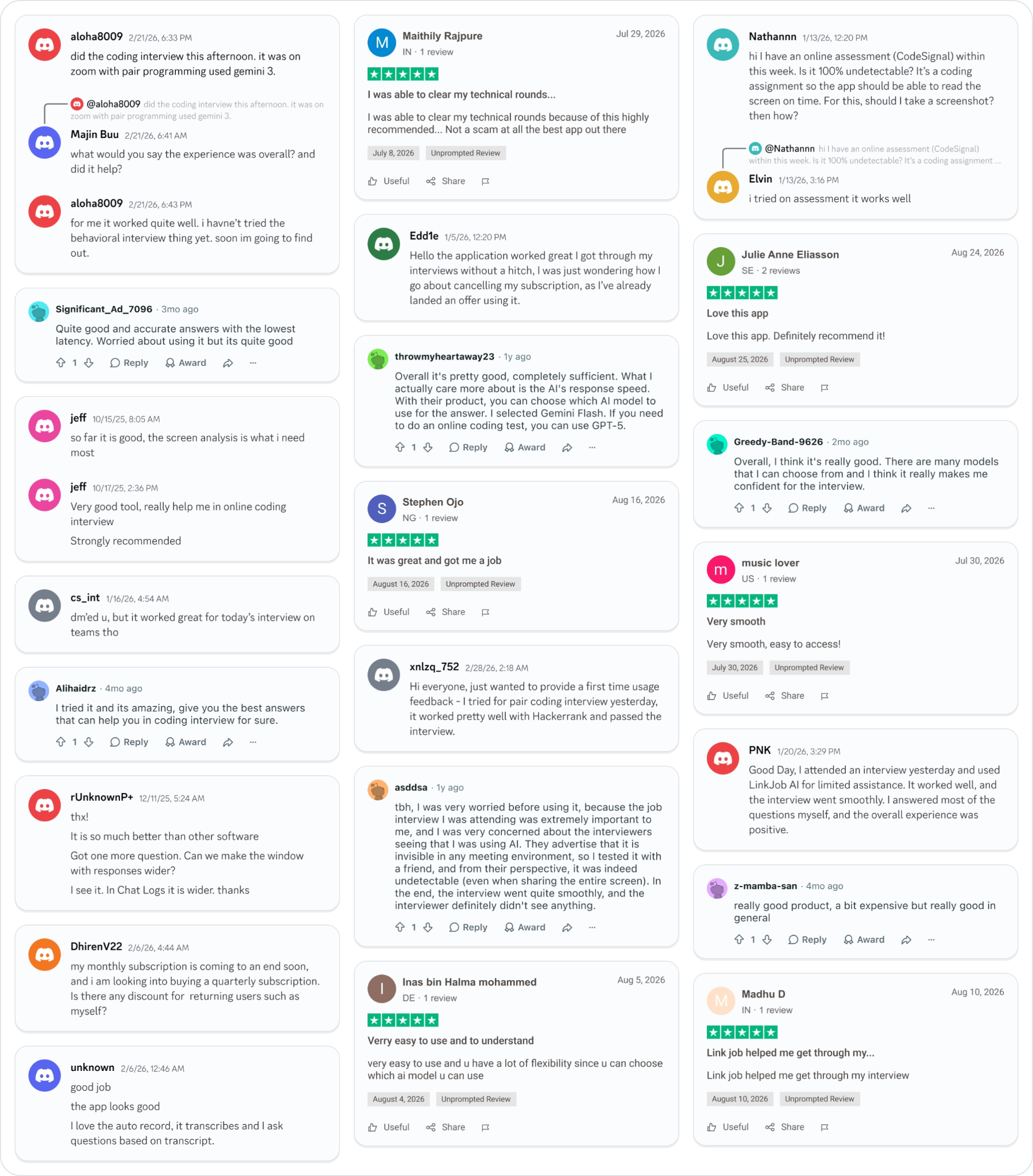
Smoother interviews, coding challenges cleared, and job offers landed. See how users describe their experience with Linkjob AI—in their own words.
© Copyright 2026 Linkjob AI - All Rights Reserved.