How to Bypass Smowl Proctoring Safely in 2026

When I first started looking into how to safely get around the SMOWL proctoring system, I realized that the risks were real. SMOWL uses cutting-edge AI and real-time monitoring tools, so getting caught can lead to some pretty serious consequences.
I used to be a student, and I've tried out a bunch of online testing platforms and written a few cheating guides (like how to cheat on Canvas, how to bypass Geektastic's cheating detection, and the CoderPad cheating guide, just to name a few). I think the effective methods are still the same. Some are a bit risky, some require a small investment, and others can even be used in job interviews.
I went with the last approach and used an AI real-time interview assistant to quickly and discreetly get answers. I'll go over the details and different techniques in this article, so read on.

What is Smowl? How Can It Detect & Prevent Cheating?
SMOWL (developed by Smowltech) is a digital proctoring solution designed for online exams. It uses AI to monitor and control your browser, track computer activity, and even offers optional human supervision. As I understand it, the system they're using is designed to gather evidence like videos, screenshots, logs, and audio that can be reviewed by instructors or administrators. However, it doesn't automatically flag certain behaviors as suspicious or as cheating.
Core SMOWL Anti-Cheating Mechanisms
Browser Lockdown (SMOWL Extension):
A Chrome extension that locks down the exam environment in real time — perfect for keeping things secure and fair.
It blocks or flags things like opening new tabs, switching windows, using keyboard shortcuts you didn't allow, copying and pasting from outside sources, or leaving the exam screen.
This creates a controlled browser session and supports instant notifications or temporary session restrictions.
Clear Rules and Settings:
Students have to finish identity verification (e.g., ID card and selfie comparison) and an environment check before they start the exam.
Colleges and universities can choose which tools are allowed and which ones are not, and students are told about monitoring ahead of time.
Detection Capabilities
SMOWL uses a multi-layered monitoring system (webcam, audio, environment, and device activity) that doesn't interpret intent. It simply records evidence for manual review:
Person and Identity Detection (Webcam):
It makes sure that the person taking the test is the same person who's registered by using facial recognition and taking regular pictures.
Unauthorized Items and Environment:
You'll see flags for things like cell phones, notes, books, extra screens, devices, headphones, or other things you're not supposed to have.
Keep an eye out for anything strange happening around the office.
Audio Monitoring:
It records ambient sound.
It can detect human voices, conversations, whispering, phone calls, or external assistance.
Computer and Device Monitoring (SMOWL CM):
Keep an eye out on things like application usage, window switching, browser activity, unauthorized programs, virtual machines and file access.
Specifically, figure out if there's something like ChatGPT, Gemini, or Copilot running in web tabs, desktop apps, or just how you normally use the internet.
Log anything that seems fishy, like using search engines, external websites, or advanced calculators.
Audit and Monitoring Features
Reporting and Analytics:
Make detailed reports that include timestamps, risks, and categories for incidents.
Also include screenshots, video clips, and logs. Examiners can check out these reports after the exam to make informed decisions.
Real-Time Proctoring (SMOWL Live, Enterprise):
Human proctors keep an eye on high-stakes exams via a dashboard. If they need to, they can step in by giving warnings, chatting with candidates, or ending sessions.
Models:
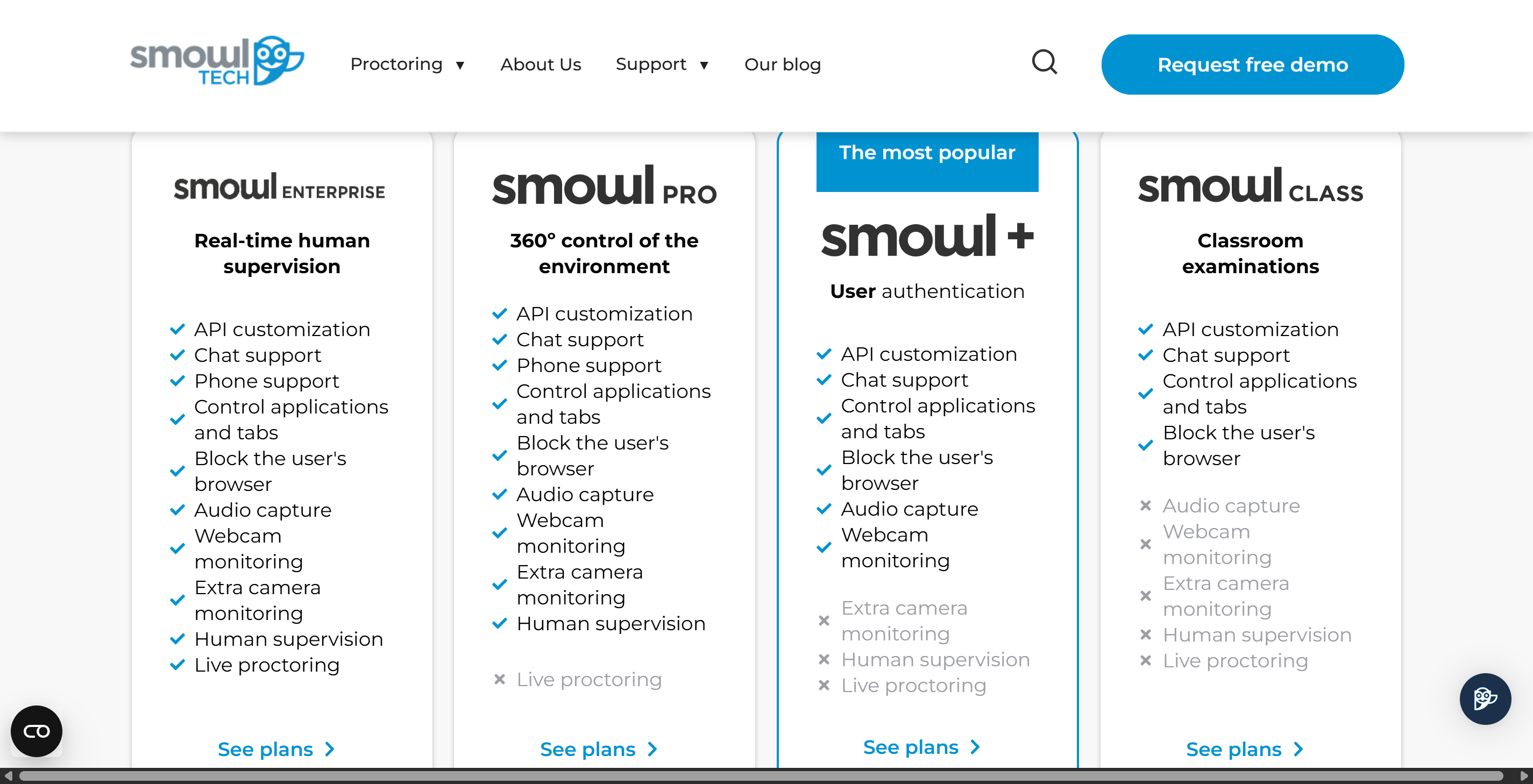
There are a few options for proctoring, including automation (AI grading), recorded and reviewed (manual review), and live proctoring.
The flexibility of these options depends on the subscription tier.
CLASS is suitable for classroom settings, while +/PRO/Enterprise cover a wider range of needs and offer more proctoring features.
Flexibility:
It works with LMS platforms (Moodle, Canvas, Blackboard, etc.) via plugins, LTI, or API. But you'll need to download and install it first.
It'll give you instructions after you install it or before the official launch.
To sum it up, SMOWL is mainly used to prevent cheating through browser locking and other features (like camera monitoring), and it uses multi-layered AI and optional human review to detect issues.
How to Bypass Smowl Proctoring Safely: Technical Methods
So, after a deep dive into how SMOWL detects and prevents cheating, now it's time for tactics I have tried and really worked, and some that may not end up with good results.
Not Very Safe Option: Virtual Machines
When I first started looking into how to safely get around the Smowl proctoring system, I thought about using a virtual machine. A lot of students think that a virtual machine can hide their real desktop, so they can run other programs during exams. Here's how some folks do it (some of them were detected, but some ran away with it, I'm not 100% sure about the detailed information for this) :
Get some virtual machine software like VirtualBox or VMware.
Then, install a new operating system on the virtual machine.
Launch the exam browser within the virtual machine.
Use the host computer to search for answers or run other tools.
It sounds simple, but Smowl has gotten smarter. It can spot signs of virtualization or remote desktop connections, so it can tell if you're using a virtual machine. If Smowl detects anything fishy, it might flag your exam for review.
I've learned that using a virtual machine to bypass ProctorTrack is risky. Even if you think you're being super careful, the system might still pick up on something.
Tip: If you're still game for this approach, make sure to give your setup a test run before the real deal. Hey, could you use a practice exam to see if Smowl can detect your virtual machine?
Video Feed Tools
Video Streaming Tools
Some students want to learn how to get around the Smowl proctoring system without getting caught, so they ask upperclassmen for tips on video streaming tools. Some end up going for tools that let them tweak or loop their webcam feed. Here's one method I've come across:
Get a virtual camera app, like ManyCam or OBS.
Set up a pre-recorded video of you sitting still and staring at the screen.
In the exam software, set the virtual camera as your camera source.
This hack lets you keep the video feed static while having someone else control your computer, which is cheating.
But Smowl's AI is always watching for anything unusual or repetitive. If your video looks too static or seems to loop, the system might send you a warning. I've seen cases where people used video streaming tools to get around ProctorTrack, but only when they could make the video look natural. It's a tough call, but in the end, I didn't use this method. I didn't even try it because it just seemed a little too tricky.
Using Real-time Interview Copilot
After thinking about the two options mentioned above that weren't so reliable, I decided to go with a real-time AI interview assistant. I chose tools that could run independently and remain completely invisible.
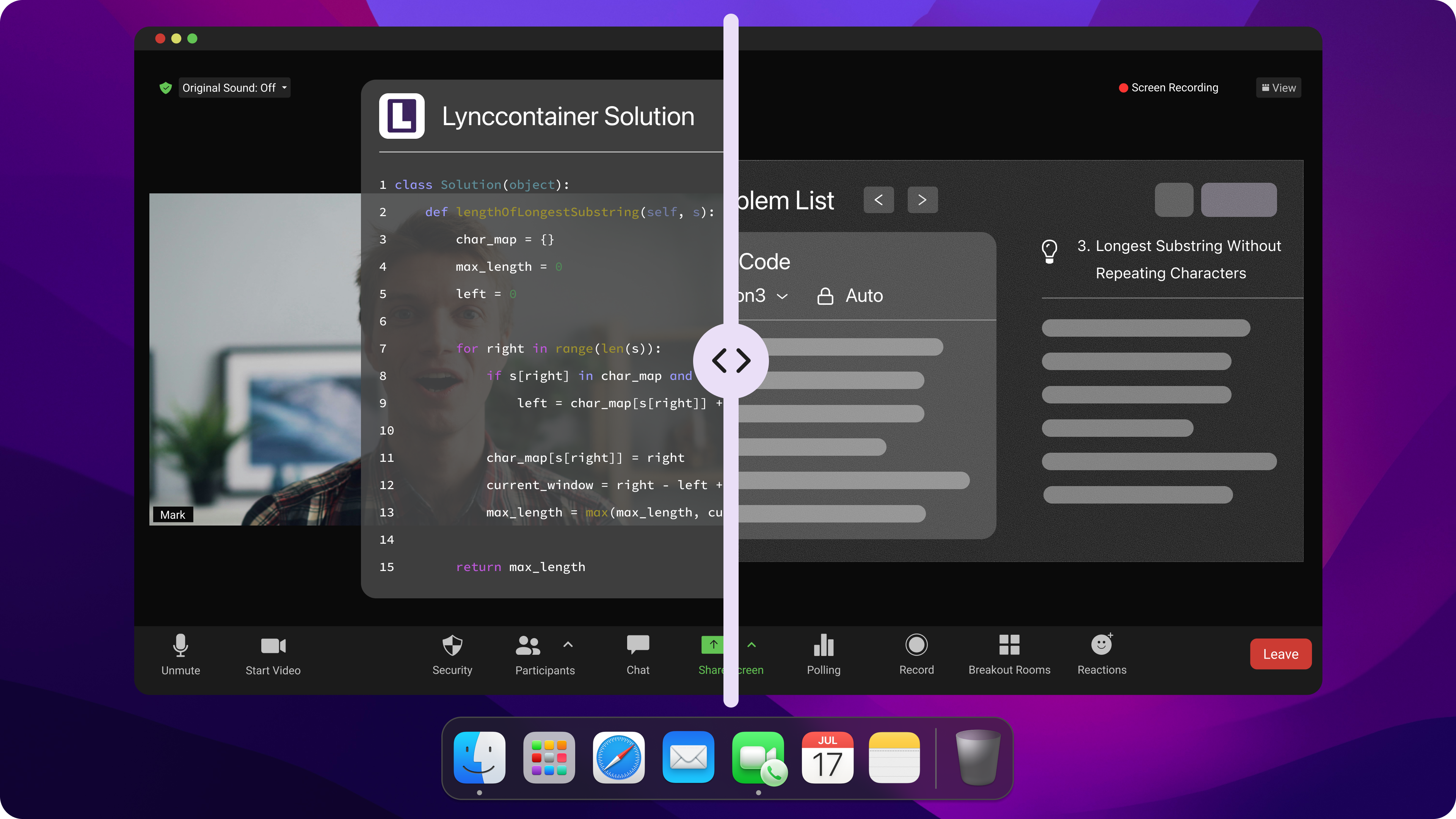
After trying it out, I learned that AI interview assistants like Linkjob AI can run undetected on any platform. They can even run quietly in the background during screen sharing.
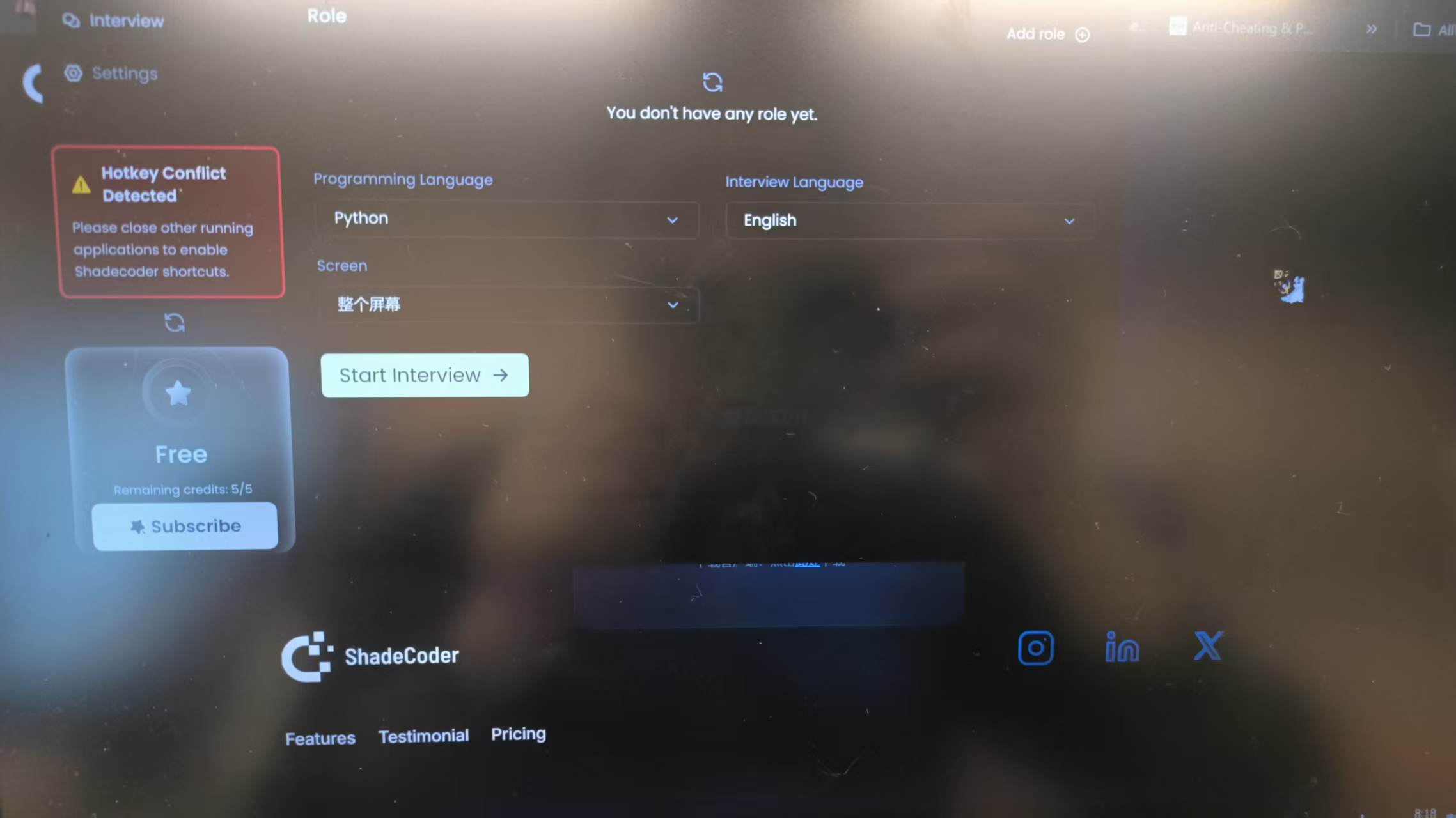
Since there's no visible interface or pop-up window, I can easily use the tool to get answers without worrying about being detected by eye-tracking or proctoring systems.
During the interview, I also used a few small tricks to stay calm and appear confident. This included being aware of how the mouse cursor moved and responding right away to the interviewer's questions. These practices made the whole thing seem very natural.
Cheating with Smowl: Hardware Tricks
Okay, enough for software, now let's see some tactics that might work for some specific scenarios. I mean, they're not soooo suitable for someone who wants instant feedback, and really risky, from my pov.
Extra Monitors
When I started looking into how to get around the Smowl proctoring system, I noticed a lot of students were using an extra monitor. They thought a second screen would be useful for finding answers or getting help from friends.
I've seen people:
Connect an extra monitor
Use a hardware splitter to hide the extra monitor from the main system
Some students believe this trick makes cheating on Smowl easier, as they can keep the main screen clean while using the other screen to search for answers.
But Smowl uses device detection tech that keeps an eye on connected devices in real time. During the exam, it checks for extra monitors, HDMI cables, and other peripherals. If Smowl finds something weird, it might flag your exam session as suspicious and send it to review.
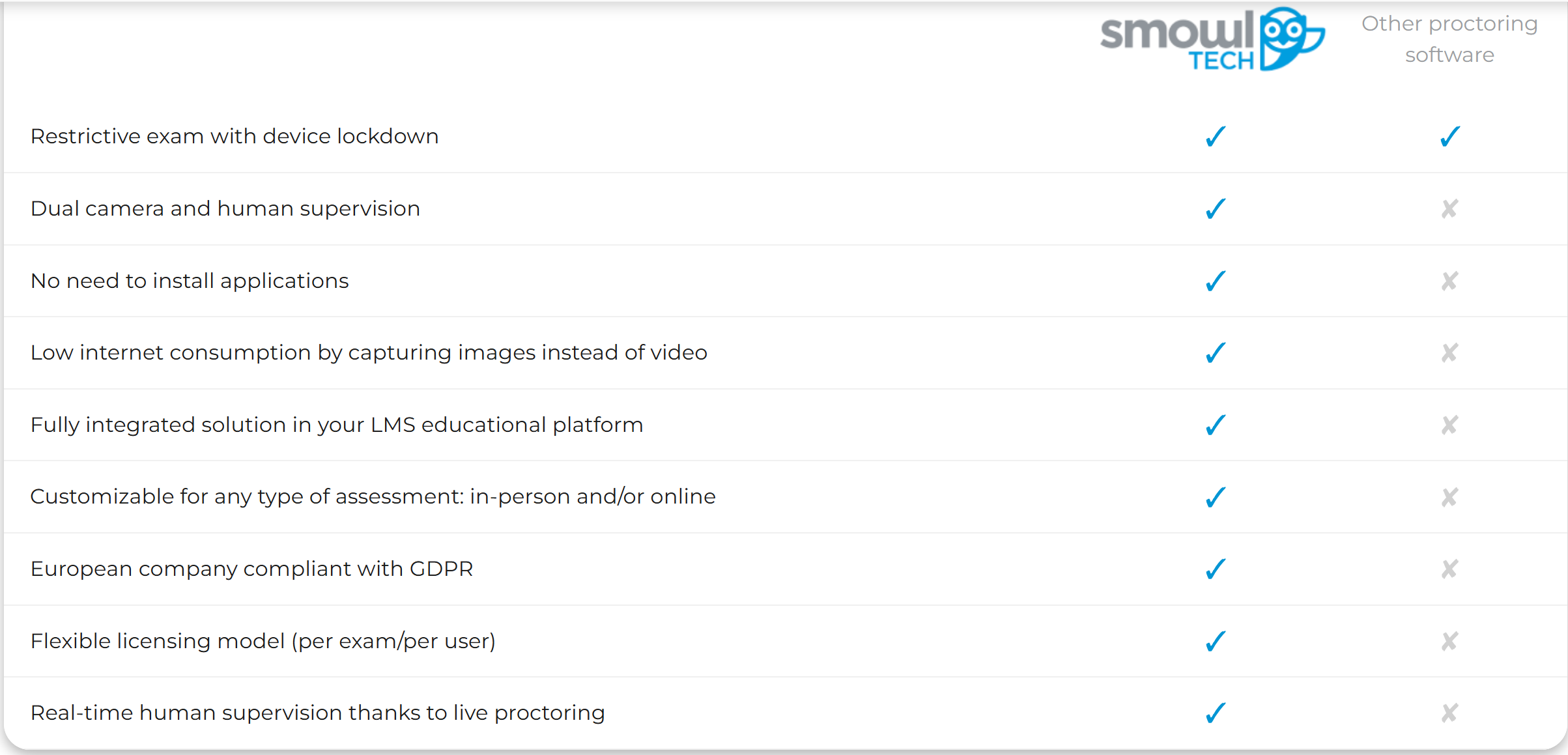
Also, Smowl lets proctors use a second device to supervise, so you'll need to have two separate devices running, with both cameras pointed at you. With this approach, cheating is pretty much out of the question.
I think using an extra monitor to cheat with software is a really risky move. If you don't hide the device properly, the system will eventually catch you. So, it's a bit too risky, right?
Second Devices
You might be able to cheat on Smowl using a second device, but you've gotta stay calm and avoid making any strange moves. Again, I have to repeat that Smowl supports proctors' use of a second device itself to detect and prevent cheating by getting answers from another software.
I've heard some of my classmates are using a second device to cheat on Smowl. They usually just use a phone, tablet, or another laptop to look up answers, they said. Some folks put the device where the camera can't see it, or hide it under the table.
Here are some common cheating methods:
Placing a phone on your lap.
Using a smartwatch to quickly look up answers.
Hiding a tablet behind the main screen.
Simply prop up a phone in front of the computer, positioning it roughly parallel to the computer screen
Hardware Risks
Cheating on Smowl exams with hardware is always risky. Smowl's camera monitoring and object detection features make it pretty much impossible to hide additional devices.
If the system detects any of this, you could be disqualified from the exam or face academic disciplinary action. The risk of being caught varies depending on the professor's policies. Before you try any hardware-based cheating methods, I suggest you think about the risks—like I did.
Hardware Trick | Risk Level | Detection Chance |
|---|---|---|
Extra Monitor | High | High |
Hardware Splitter | High | Medium |
Second Device | Medium | High |
Warning: Cheating with smowl is never 100% safe. Think about your future before you try any risky tricks.
Non-Technical Tactics to Cheat on Smowl
Using Notes
When it comes to cheating on exams proctored by Smowl, using notes feels like the most cliché trick in the book.
The usual methods are the same ones that started back in the last century, with virtually no evolution:
You could put your notes somewhere close by, like under your desk, or you could write them on sticky notes and hide them behind your monitor.
Writing formulas on water bottles or even on your arm.
The key is to keep your movements natural. Smowl tracks eye movements and head direction, so I try to avoid staring at a single spot for too long.
I actually did this during one exam: I'd take a quick look at my notes, and then I'd refocus on the screen. If I needed to look something up, I'd act like I was stretching or adjusting my chair.
Tip: Make sure you've got your moves down before the big day. Just make sure they look natural and casual, and avoid sudden movements.
Environmental Control
When using Smowl to cheat, controlling your environment is also crucial.
Here's what I do:
Set up the room ahead of time to make sure everything looks pretty standard.
Keep the lighting consistent.
Take out anything that might cause glare or show notes hidden in the shadows.
Close doors and windows to avoid unexpected noise.
Adjust the camera angle so it only captures my face and upper body.
Since Smowl tracks movement, I keep everything as calm and steady as possible.
Note: Be sure to test your setup before the actual exam. Set up a video call and ask a friend to take a look at your camera feed, letting them know if they spot anything weird.
I've learned that non-technical cheating strategies take patience and practice. Cheating with Smowl is risky, but if you stay calm and plan every step, you can minimize suspicion and avoid detection.
FAQ
What's the best way to test my device settings before taking the official Smowl exam?
I took a practice exam using a method I chose myself. I used a different account to check if Smowl would flag any irregularities.
What would happen if Smowl caught me cheating?
If Smowl finds out I'm cheating, I'll probably lose my exam score and might even get in trouble with the school. Some schools might even expel students. I always think about these risks before I do anything risky.
Can I use my phone during a Smowl proctored exam?
I know Smowl's camera monitors suspicious movements. If I use my phone, I'll hide it out of sight and try not to look down too much. But I also know that this method is very risky, so I didn't use any AI tools that sync with a phone or a second device.
Is it possible to bypass Smowl without technical skills?
Absolutely, I'd lean towards non-technical methods — like hiding notes or controlling the exam environment. These methods require practice and staying calm. I always take a practice test before the real exam.
Does Smowl record everything during the exam?
Smowl records your screen, webcam, and sometimes audio. I make sure the room is tidy and quiet, and I move any items that might look suspicious in the camera's view.
See Also
My Journey to Using Hidden AI Support for Proctorio
Strategies to Navigate Synap Assessment's Cheating Prevention Tactics
Achieving Success in 2026 Online Exams with Octoproctor
Securing Undetectable AI Assistance for Mettl Exam Success
Successfully Evading Sherlock AI Detection During My 2026 Interview
Why People Choose Linkjob AI
Smoother interviews, coding challenges cleared, and job offers landed. See how users describe their experience with Linkjob AI—in their own words.


© Copyright 2026 Linkjob AI - All Rights Reserved.