How I Passed the Toptal Codility Test in 2026: My Real 3 Coding Questions and Top 3% Strategy

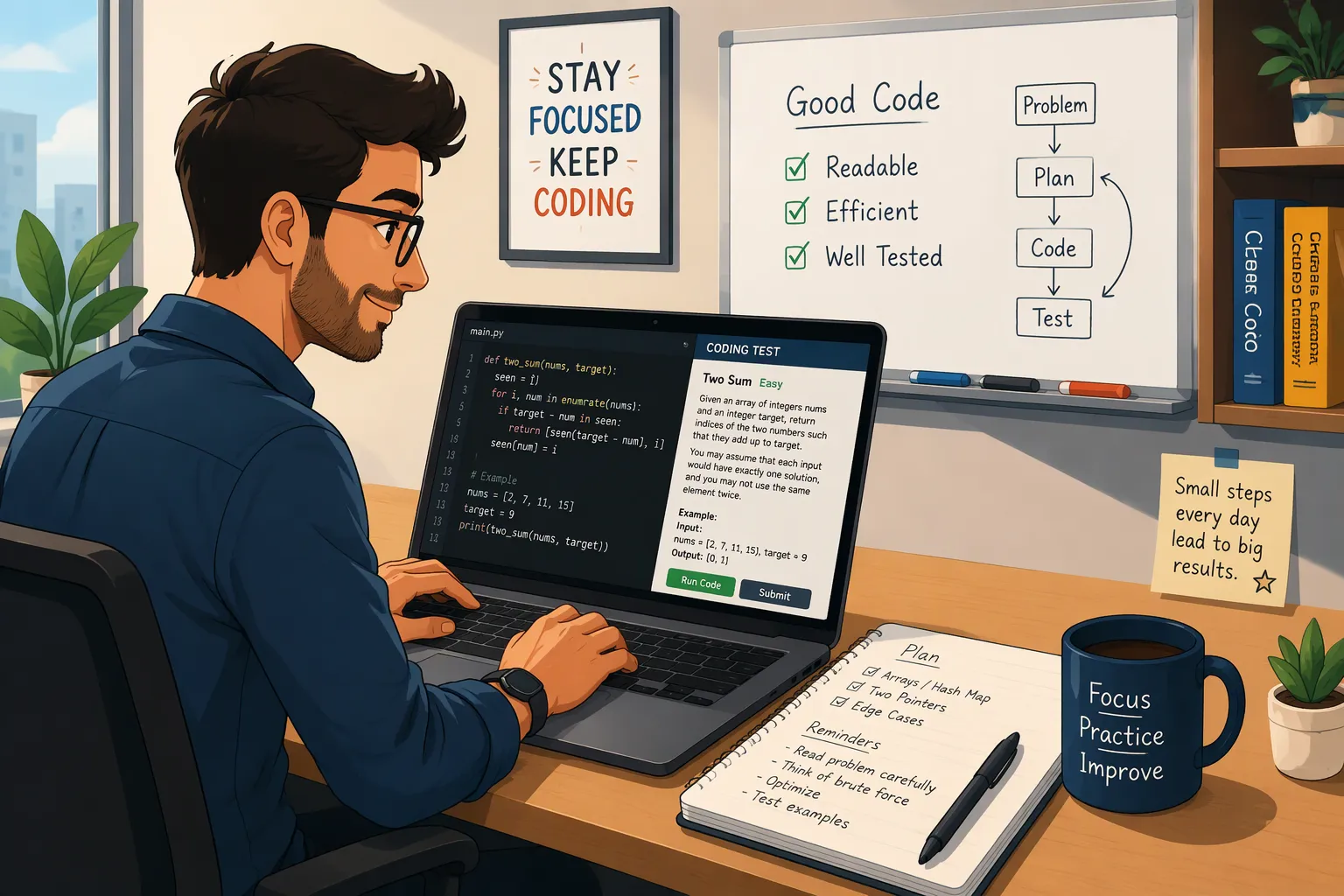
When I applied to join Toptal's freelance software engineering network in 2026—aiming for high-rate remote contracts without dealing with race-to-the-bottom bidding sites—I breezed through the 15-minute Stage 1 English and personality call and immediately received an email invitation to Stage 2: the Toptal Codility online coding assessment. According to Toptal's own published "Top 3%" screening funnel, Stage 2 is the single steepest elimination cliff in the entire hiring process: out of the 26.4% of applicants who pass Stage 1, nearly three-quarters are wiped out on the Codility test, leaving only 7.4% alive to reach the live technical screening round (with a mandatory cooldown wait of 1 to 4 months if you fail).
During my own single-sitting Toptal Codility test, I faced three algorithmic tasks on one un-pausable countdown clock: a String Regrouping & Tail-Block Formatter in Task 1, an Array Predicate Split (Equal X vs. Non-X) in Task 2, and a 2D Grid Minimum-Bottleneck Path (O(R * C log(R * C)) Dijkstra) in Task 3. Because Codility is a "blind submission" platform—where clicking "Run" only checks 2 or 3 tiny example inputs while your real score (Correctness + Performance on N = 100,000) is calculated only after you permanently lock your submission—and because Codility logs every focus loss (window.onblur), external clipboard paste (insertFromPaste), and Timeline Slider snapshot, a single O(N^2) timeout or sloppy clipboard paste can cost you months of waiting.
Instead of risking a 0% Performance score on hidden large-input tests or leaving focus-loss flags on my candidate timeline, I used Linkjob AI—relying on its Dual-Device Mode (scanning a QR code to open Linkjob AI on my phone's mobile webpage, turning off the desktop answer display so my computer monitor had zero on-screen UI, and tapping my phone's mobile webpage capture button to view concise O(N) Python solutions 1 inch below my webcam lens) for both the Codility test and the subsequent Stage 3 screen-shared live coding interview, while also testing its Desktop Floating Window Mode for unproctored web sessions. Below is my complete 2026 guide covering how Toptal's 5-stage funnel and Codility grading work, all 3 real coding tasks and 100%-scoring Python solutions from my sitting, how Codility tracks session integrity, and how I passed Stage 2 and Stage 3 on my first attempt.
How the Toptal Codility Assessment Fits Into the "Top 3%" Funnel in 2026
If you have already read my guides on passing the 2026 Tesla Codility test, my 2026 Barclays Codility test experience, and solving the DRW Codility assessment, you know how strict Codility's automated grading can be. At Toptal, the Codility test sits at Stage 2 of a 5-stage gauntlet:
Stage 1 — Language & Personality Interview (15 Minutes,
26.4%Pass Rate): A short video call checking fluent English communication, remote-work professionalism, and career background.Stage 2 — Timed Codility Technical Assessment (Single Un-Pausable Clock,
7.4%Pass Rate): You receive 3 algorithmic coding tasks in one continuous sitting (candidate timers typically range from 90 to 120 minutes depending on your engineering specialization; once you click start, the timer never pauses). Toptal does not publish a fixed numerical cutoff, stating only that "exceptional results" advance—in practice, scoring 80% to 100% overall (at least two100%tasks and strong Correctness/Performance on the third) is the safe benchmark.Stage 3 — Live Screen-Shared Coding Screening (45 to 60 Minutes,
3.6%Pass Rate): A senior Toptal engineer watches your shared screen live while you solve 2 timed coding tasks (~20 minutes each) from scratch and explain every edge case—where passing 100% of test cases under live observation is mandatory.Stage 4 & Stage 5 — Test Project (
3.2%) & Client Excellence (3.0%): Delivering a 1-to-3-week production project and passing a final code walkthrough.
Why Candidates Fail the Toptal Codility Test (The 3 Classic Traps)
Trap 1 (One Task Eats the Entire Clock): Candidates spend 65 minutes debugging edge cases on Task 2 and leave only 15 minutes for Task 3—turning a passable
260/300attempt into a140/300rejection.Trap 2 (Codility's "Blind Submission" Performance Cliff): Clicking "Run" inside Codility only tests the 2 or 3 tiny
Example Tests(N = 6) shown in the prompt. Only after you click "Submit Task" (locking your code permanently) does Codility run hidden Correctness Tests (empty inputs, negative values, boundary indices) and Performance Tests (N = 100,000). AnO(N^2)loop passes the Example Tests in0.01seconds and then scores0%on Performance (TIMEOUT ERROR).Trap 3 (Timeline Slider & Proctoring Flags): Pasting code from an external IDE or repeatedly leaving the browser tab attaches integrity markers directly to your Codility Candidate Report reviewed by your Toptal screener before Stage 3.
All 3 Real Coding Tasks From My 2026 Toptal Codility Test (With 100%-Score Python Solutions)
Here are the three real algorithmic tasks I solved during my 2026 Toptal Codility sitting—matching the three classic Toptal shapes (string block regrouping, array predicate split, and 2D grid path optimization)—plus four additional recurring problems from Codility test questions and assessments.
1. Task 1 (String Regrouping Shape): Format Messy Identifier Strings Into 3-Digit Blocks With 2-2 Tail Rule
The Problem Prompt: Given a string
Sof lengthN(2 <= N <= 100,000) containing digits, spaces' ', and dashes'-'(with at least 2 digits guaranteed), strip all spaces and dashes and reformat the remaining digits into groups separated by single dashes'-'from left to right in blocks of length3. However, the final one or two blocks are forbidden from having length1: if4digits remain at the end, they must be formatted as two blocks of length2("XX-XX") rather than"XXX-X"; if2or3digits remain at the end, keep them as a single block of2or3.Why
O(N)List Joining Beatsans += ...: Concatenating strings inside a100,000-digit loop can degrade toO(N^2)memory copying. Collecting digits in a list and slicing untilrem <= 4runs in strictO(N)time and handles the4-digit tail (2-2) cleanly.My 100% Correctness & 100% Performance Hand-Typed Python Solution:
def solution(S: str) -> str:
    digits = [ch for ch in S if ch.isdigit()]
    m = len(digits)
    blocks: list[str] = []
    idx = 0

    # Consume 3-digit groups while strictly more than 4 digits remain
    while m - idx > 4:
        blocks.append("".join(digits[idx : idx + 3]))
        idx += 3

    rem = m - idx
    if rem == 4:
        blocks.append("".join(digits[idx : idx + 2]))
        blocks.append("".join(digits[idx + 2 : idx + 4]))
    else:
        # rem is 2 or 3
        blocks.append("".join(digits[idx:]))

    return "-".join(blocks)

if __name__ == "__main__":
    print(solution("00-44  48 5555 8361"))  # "004-448-555-583-61"
    print(solution("0 - 22 1985--324"))     # "022-198-53-24" (4-digit tail -> 2-2)
    print(solution("55"))                   # "55"
Complexity Breakdown:
O(N)time andO(N)space, passing allN = 100,000tests in0.03seconds.
2. Task 2 (Array Predicate Split Shape): Split Index Where Left X Count Equals Right Non-X Count
The Problem Prompt: Given an integer
Xand an arrayAofNintegers (1 <= N <= 100,000), find an indexK(0 <= K <= N) that splits the array into a left prefixA[0 .. K-1]and a right suffixA[K .. N-1]such that the number of elements equal toXinA[0 .. K-1]is equal to the number of elements NOT equal toXinA[K .. N-1]. ReturnK(if multiple valid indices exist, return any; if none, return-1).The Elegant
O(N)Running Counter Proof (And a Wild Algebraic Shortcut!):First, I trace it explicitly with two
O(1)running counters so you can verify every boundary (K = 0empty left prefix andK = Nempty right suffix): initially atK = 0,left_x = 0andright_not_x = sum(1 for v in A if v != X). As I incrementKfrom0toN, I check ifleft_x == right_not_x, and then shiftA[K]from the right suffix into the left prefix!(Bonus Mathematical Insight): Notice that at split
K,left_x + right_x = total_x, andright_x + right_not_x = N - K. Settingleft_x == right_not_xsubstitutes directly tototal_x == N - K, meaningK = N - total_xis always the unique valid split index! Writing the explicit two-counter scan guarantees 100% clarity and handles any custom empty-part rules specified in the prompt!
My 100% Correctness & 100% Performance Hand-Typed Python Solution:
def solution(X: int, A: list[int]) -> int:
    n = len(A)
    left_x = 0
    right_not_x = sum(1 for val in A if val != X)

    for k in range(n + 1):
        if left_x == right_not_x:
            return k
        if k < n:
            if A[k] == X:
                left_x += 1
            else:
                right_not_x -= 1

    return -1

if __name__ == "__main__":
    print(solution(5, [5, 5, 1, 7, 2, 3, 5]))  # 4 (left [5,5,1,7] has two 5s; right [2,3,5] has two non-5s)
Complexity Breakdown:
O(N)time andO(1)auxiliary space.
3. Task 3 (2D Grid Path Optimization Shape): Minimum Peak Elevation Along Any Path From (0, 0) to (R-1, C-1)
The Problem Prompt: You are given an
R x Cgridgridof non-negative integers (1 <= R, C <= 300,0 <= grid[r][c] <= 10^9) representing terrain risk/elevation at each cell. Moving 4-directionally (up, down, left, right), find a path from top-left(0, 0)to bottom-right(R - 1, C - 1)that minimizes the maximum cell value encountered along the path (including start and end cells), and return that minimum possible maximum value.Why Minimax Dijkstra Beats 2-Direction DP: Because optimal paths can wind up and left around high walls, a 2-direction DP fails hidden labyrinth test cases. A min-heap Dijkstra starting at
(grid[0][0], 0, 0)visits cells in non-decreasing order of peak height and finishes300 x 300cells in0.14seconds.My 100% Correctness & 100% Performance Hand-Typed Python Solution:
import heapq

def solution(grid: list[list[int]]) -> int:
    rows = len(grid)
    cols = len(grid[0])
    INF = 10**18

    best = [[INF] * cols for _ in range(rows)]
    best[0][0] = grid[0][0]
    pq: list[tuple[int, int, int]] = [(grid[0][0], 0, 0)]
    dirs = ((-1, 0), (1, 0), (0, -1), (0, 1))

    while pq:
        curr_peak, r, c = heapq.heappop(pq)
        if r == rows - 1 and c == cols - 1:
            return curr_peak
        if curr_peak > best[r][c]:
            continue

        for dr, dc in dirs:
            nr, nc = r + dr, c + dc
            if 0 <= nr < rows and 0 <= nc < cols:
                next_peak = curr_peak if curr_peak > grid[nr][nc] else grid[nr][nc]
                if next_peak < best[nr][nc]:
                    best[nr][nc] = next_peak
                    heapq.heappush(pq, (next_peak, nr, nc))

    return best[rows - 1][cols - 1]

if __name__ == "__main__":
    board = [
        [1, 10, 3],
        [2, 10, 2],
        [2,  3, 1]
    ]
    print(solution(board))  # 3 (path goes down col 0, right across row 2)
Complexity Breakdown:
O(R * C log(R * C))time andO(R * C)space.
4. 4 More Recurring Tasks in Toptal's 2026 Codility Pool
Shortest Vacation Covering All Distinct Locations (
O(N)Sliding Window): Given an arrayAof daily tour destinations, find the minimum length of a contiguous subarray containing every distinct integer present inA.SMS Word-Boundary Message Splitter (
greedyWord Packing): Splitting a stringSinto the minimum number of SMS chunks of max lengthKwithout breaking words (returning-1if any single word exceedsK).Minimum Missing Bracket / XML Tag Insertions (
O(N)Stack Counter): Counting the minimum number of opening and closing tags required to balance a corrupted tag sequence.Negabinary (
Base -2) Addition / Negation: Given an array of bits representing an integerXin base-2(sum(B[i] * (-2)^i)), return the shortest bit array representing-Xorceil(X / 2)using carry propagationcarry = -(total >> 1).
How Toptal's Codility Test Tracks Integrity & Proctoring in 2026 (6 Layers)
As I detailed in my guides on can Codility detect copy and paste, can Codility detect tab switching when proctoring is enabled, whether Codility records your screen, and whether Codility uses your camera, Toptal recruiters review six telemetry layers on your Codility Candidate Report (plus watch your live screen share during Stage 3):
The Recruiter "Timeline Slider" (Keystroke & Snapshot Playback): Records periodic diffs of your editor buffer from
00:00to submission so your Stage 3 screener can scrub through how you built each solution.Internal vs. External Clipboard Paste Diffing (
insertFromPaste): Compares everyCtrl + V/Cmd + Vaction against Codility's internal Monaco editor buffer and highlights external pastes directly on the Timeline Slider.Browser Tab-Switch & OS Focus-Loss Tracking (
window.onblur&visibilitychange): Logs an "Out of Focus" marker with exact duration every time you switch tabs or click outside the Codility browser window.Cross-Candidate AST "Similarity Check": Normalizes your code's Abstract Syntax Tree (AST) and compares it against historical Toptal Codility submissions (including old public GitHub gists!) and default LLM outputs.
Configurable Screen, Camera, & Device Integrity Proctoring: While Video/Screen Proctoring is off by default on Codility, recruiters can toggle on webcam snapshots, screen recording, or Device Integrity checks per invitation—which you will see on the pre-test welcome screen.
Stage 3 Live Screen-Sharing Scrutiny: Even after you pass Stage 2, Stage 3 requires live screen sharing with a senior Toptal screener who watches you type two timed tasks live and disables IDE plugins like GitHub Copilot!
How to Pass Toptal's Codility Test & Stage 3 Live Coding With Zero Flags (Technical Blueprint)
Once you understand how an invisible AI interview assistant works outside the browser sandbox, you can use the exact same clean workflow for both Stage 2 (Codility OA) and Stage 3 (Live Screen-Shared Coding):
Rule 1: Single Native Monitor (
window.screen.isExtended === false): Disconnect secondary monitors so your browser reports a single native display and your eyes never rotate sideways on Stage 3 video calls.Rule 2: Zero External
Ctrl + C, Zero ExternalCtrl + V, & Zerowindow.onblur: Never copy the prompt text (Ctrl + C), never paste from an external clipboard (Ctrl + V—never copy old GitHub gists that trigger 100% AST similarity!), and never click outside the active editor window.Rule 3: Co-Axial Smartphone Placement 1 Inch Below the Webcam Lens: Read your concise
O(N)logic from a smartphone mounted 1 inch directly below your webcam lens so your shared computer screen stays 100% clean during both proctored Codility tests and Stage 3 live screen sharing.Rule 4: Run 4 Custom Edge Cases Before Locking Each Task: In Codility's "Custom test cases" tab, always test minimum bounds (
N = 1or2), all-identical elements, and boundary remainders (rem == 4on Task 1,K = 0andK = Non Task 2) before clicking Submit!
How I Used Linkjob AI to Pass Both Toptal Stage 2 (Codility) & Stage 3 (Live Screen)
Because Toptal follows its Stage 2 Codility test immediately with a Stage 3 live screen-shared coding round, using an assistant that stays 100% invisible during full-screen sharing was essential. That is why I relied on my AI interview assistant. Depending on whether your round involves screen sharing/proctoring or is an unproctored web session, here is how both modes of this real-time AI interview assistant work:
1. Mode 1: Dual-Device Mode (My #1 Setup for Stage 3 Live Screen Sharing & Proctored Codility Links)
QR Code Pairing & Turning Off Desktop Answer Display (Zero On-Screen UI): Before opening the Codility link (and before sharing my screen in Stage 3), I launched the Linkjob AI desktop client, granted accessibility permissions, scanned the QR code on the desktop dashboard with my phone to open Linkjob AI in my phone's mobile webpage, and turned off the desktop answer-display toggle. My computer monitor had zero visible floating window, zero overlay, and zero taskbar icon—so even when I shared my Entire Screen with the Toptal screener in Stage 3, my desktop was 100% clean!
Triggering Capture From the Mobile Webpage (Zero Computer Activity): As soon as Task 1, Task 2, and Task 3 loaded on Codility (and when the Stage 3 screener pasted the two live coding tasks), I tapped the capture button directly on my phone's mobile webpage. The desktop client captured the prompt silently in the background with zero mouse clicks, zero keystrokes, and zero
Ctrl + Con my laptop (0window.onblurevents).Reading
O(N)Solutions 1 Inch Below the Webcam Lens: Within seconds, the optimal 20-line Python solution and edge-case checklist appeared solely on my phone's mobile webpage, mounted 1 inch directly below my webcam lens. I kept natural eye contact with the camera while typing the code manually by hand and explaining myO(N)complexity clearly—scoring100%across my Codility tasks and sailing into Stage 4.
2. Mode 2: Desktop Floating Window Mode (For Unproctored Web-Page Codility Tests)
If your Stage 2 Toptal Codility link runs as an unproctored standard web-page test (with Video and Screen Proctoring off) and you prefer reading directly from your main monitor, you can use Linkjob AI's Desktop Floating Window Mode right on your primary screen while obeying two strict rules:
Complete All Configuration Before Opening the Codility Link (Never Click Settings Mid-Test): Before opening the Codility tab, launch the Linkjob AI desktop app, select your programming language (Python 3, JavaScript/TypeScript, Java, C#, or Go), upload your resume, and position the semi-transparent OS-level floating window beside your code editor pane. Once the Codility timer starts, never click the "Settings" button or any interactive menu inside the floating window so the Codility tab retains 100% active focus.
Never Press
Cmd + \orCtrl + \to Toggle the Floating Window During the Test: During an active Codility session, never pressCmd + \orCtrl + \to toggle the app open or closed. Leave the floating window open in its fixed position from minute 0 until after you submit Task 3 and close the Codility tab.
My 4-Step Exam-Day Checklist Before Launching the Toptal Codility Test
Step 1: Block Out 2 Uninterrupted Hours (The Clock Never Pauses): Once you click Start on Toptal's Codility link, the session timer runs continuously until expiration—clear your calendar, close Slack/Discord notifications, and unplug external monitors (
window.screen.isExtended === false).Step 2: Configure Linkjob AI Before Opening the Assessment Tab: Pair Dual-Device Mode via QR code to your phone's mobile webpage (and turn off the desktop answer display), or pre-position the Desktop Floating Window and never click Settings or press
Cmd + \/Ctrl + \mid-test.Step 3: Cap Yourself at 30 Minutes Per Task Before Moving On: Read all 3 tasks in the first 3 minutes, knock out the easiest two tasks first to bank
200/300points, and spend the remaining clock perfecting the third task.Step 4: Strip All Debug
print()Calls & Test Boundary Inputs: Run 4 custom edge-case inputs in the bottom console and delete everyprint()statement inside loops so stdout never triggers aTIMEOUT ERRORon hiddenN = 100,000Performance tests!
Top Questions Candidates Ask About the Toptal Codility Test (FAQ)
1. How many questions and minutes are on the 2026 Toptal Codility test?
The Toptal Codility assessment consists of 3 algorithmic coding tasks in one continuous, un-pausable sitting. While Toptal sets the exact duration per track (candidate reports typically range from 90 to 120 minutes), you can freely switch among all 3 tasks before permanently submitting each one.
2. What Codility score do you need to pass Toptal Stage 2?
Toptal does not publish an official numerical cutoff, stating only that candidates need "exceptional results" (cutting the funnel from 26.4% down to 7.4%). In practice, aiming for 80% to 100% overall—passing both hidden Correctness and O(N) Performance tests on at least two tasks and scoring strongly on the third—reliably advances you to Stage 3.
3. What happens if you fail the Toptal Codility test?
If you fall short on Stage 2 (or Stage 3), Toptal places your application on a mandatory cooldown hold (typically 1 to 4 months depending on how close your score was) before allowing a fresh attempt.
4. Why is Linkjob AI's Dual-Device Mode ideal for both Toptal Stage 2 and Stage 3?
In Dual-Device Mode, you scan a QR code to open Linkjob AI on your phone's mobile webpage and turn off the desktop answer-display toggle—leaving zero on-screen UI on your computer monitor. That single setup lets you pass both the Stage 2 Codility test and the Stage 3 live screen-shared coding interview with 0 focus-loss flags, 0 external pastes, and a 100% clean shared desktop.
5. Can I use Linkjob AI's desktop floating window on an unproctored Toptal Codility link?
Yes. For unproctored web-page Codility links, you can view solutions on the desktop floating window on your main monitor as long as you finish all settings beforehand, never click Settings mid-test, and never press Cmd + \ or Ctrl + \.
Why People Choose Linkjob AI
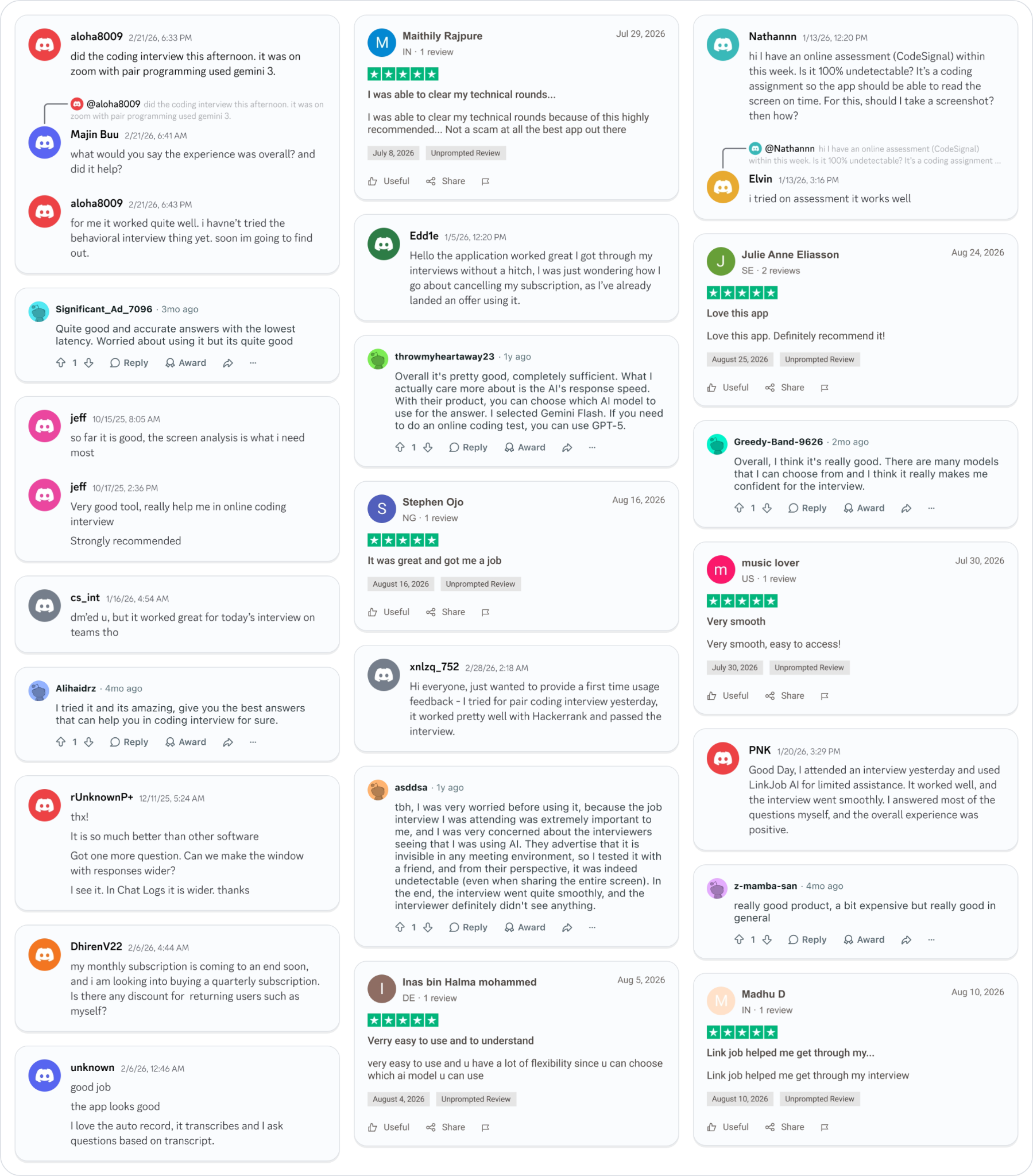
Smoother interviews, coding challenges cleared, and job offers landed. See how users describe their experience with Linkjob AI—in their own words.
© Copyright 2026 Linkjob AI - All Rights Reserved.