Passing the Zoom CodeSignal Assessment in 2026: My 4 Real GCA Tasks, Delayed Void Traps, and Clean Setup

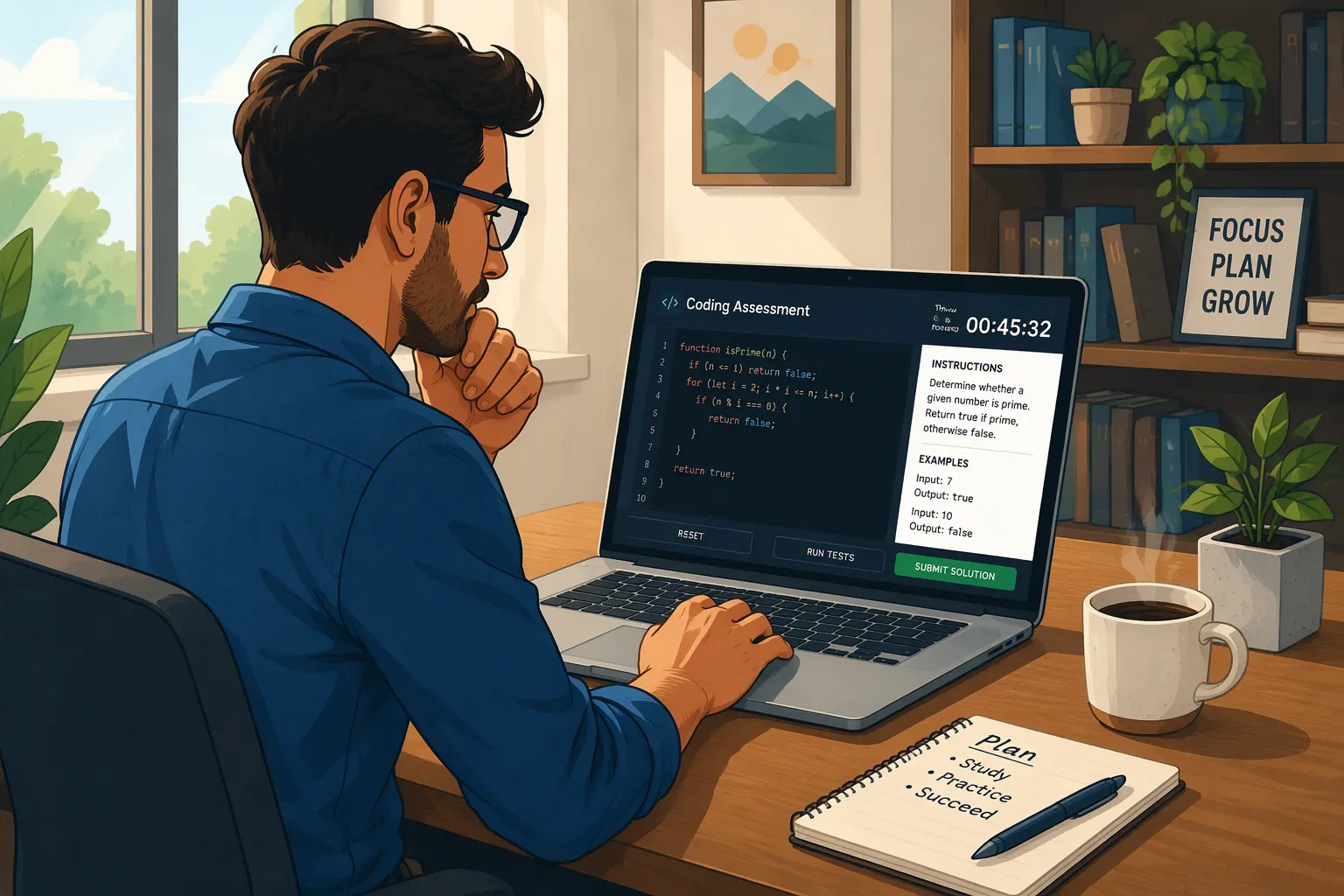
When I applied for a Software Engineering role at Zoom Communications in 2026—spanning its San Jose headquarters, Seattle, Denver, Atlanta, Bengaluru, London, and Amsterdam engineering centers—the very first technical gate after my application was an invitation to complete the Zoom CodeSignal online assessment. Whether you are applying for a Zoom SWE Internship, New Grad Backend/Platform role, C++ Real-Time Media/WebRTC team, or AI Companion engineering track (or even preparing for a live CodeSignal Interview conducted over a Zoom video call), understanding how CodeSignal grades and audits your 70 minutes is the difference between a fast-track panel invite and a silent rejection.
During my own 2026 Zoom CodeSignal sitting, I faced the classic 70-minute, 4-question General Coding Assessment (GCA) with all four tasks unlocked at 00:00 under one un-pausable timer: a fast Array Neighbor Window Warm-Up in Question 1, a Multi-Digit Run-Length & Pattern Matcher in Question 2, an Event-Log Stream Aggregator in Question 3, and a Dynamic Sequence Segment-Sum Maintenance problem (Reverse Disjoint-Set Union) in Question 4 where rebuilding state from scratch hits Time Limit Exceeded (TLE) on N = 100,000 updates. Even scarier is how CodeSignal's proctoring catches careless shortcuts: there is zero live warning pop-up during the test! In real 2026 Zoom sittings, candidates who ran a borderless desktop answer window finished all four tasks smoothly—only to receive an email two days later stating that post-test desktop review detected assistant activity during the Question 1-to-Question 2 transition and voided their entire score!
To avoid both Question 4 O(N^2) timeouts and delayed post-test score voiding, I paired Linkjob AI in Dual-Device Mode—scanning a QR code on my desktop dashboard to open Linkjob AI on my phone's mobile webpage, turning off the desktop answer-display toggle so my recorded laptop monitor had zero on-screen UI, and tapping my phone's mobile webpage capture button to view clean O(N) Python and C++ solutions 1 inch below my webcam lens (while also testing Desktop Floating Window Mode for unproctored sessions and live Zoom meetings). Below is my complete 2026 guide covering Zoom's CodeSignal GCA format and 200–600 scoring, all 4 real task shapes with 100%-passing Python code, why delayed AI reviews void desktop overlays, and how I advanced cleanly into Zoom's engineering panel.
How the Zoom CodeSignal OA & SWE Interview Pipeline Work in 2026
Before clicking Start on my link, I cross-checked Zoom's GCA workflow against the other proctored CodeSignal screens I had cleared—including how I passed the 2026 TikTok CodeSignal online assessment, my 2026 Quora CodeSignal questions and 600/600 guide, my 2026 Dropbox CodeSignal OA breakdown, acing the Databricks CodeSignal assessment, my Pinterest CodeSignal prep experience, and my genuine xAI CodeSignal assessment experience. Here is how Zoom structures its 2026 technical funnel:
1. Stage 1: The Proctored 70-Minute CodeSignal GCA (4 Unlocked Questions, 200–600 Scale)
4 Tasks Unlocked at
00:00(Single Un-Pausable Clock): Zoom uses CodeSignal's standardized General Coding Assessment (GCA)—70 minutes (occasionally 75 minutes on select San Jose lateral batches) for 4 coding problems with zero outside IDEs allowed. Because Questions 3 and 4 carry the overwhelming majority of the score weight—and Question 3's event/matrix implementation often eats 25+ minutes—solving inQ1 -> Q2 -> Q4 -> Q3order lets you lock in Question 4's high-multiplierO(N)points while your mind is fresh!The 200–600 Score Range & Cooldown Rules: CodeSignal scores your run from 200 to 600 with partial credit per test case (
577+sat around the 99th percentile over the trailing 12-month GCA distribution). Zoom publishes no fixed numeric cutoff—a clean, certified run across all four tasks (560 to 600) puts you at the top of recruiter review, whereas CodeSignal enforces a 14-day platform cooldown between GCA attempts (plus Zoom's own requisition cooldown), making your first sitting the one that counts.Mandatory Hardware & Photo ID Gate: Before Question 1 opens, CodeSignal verifies your government photo ID, live webcam, live microphone, and full Entire-Screen capture (
displaySurface === "monitor"), recording all three streams for post-test AI and human review.
2. Stages 2 & 3: Recruiter Screen, Technical Panel, & Role-Specific Infrastructure Depth
After your certified GCA score clears shortlisting, Zoom's loop moves into a recruiter call and 3 to 4 roughly 45-minute panel interviews tailored to your specific Zoom product org:
Platform, Backend & AI Companion Teams: Expect 1 to 2 live DSA coding rounds (arrays, strings, hash maps, intervals, trees/graphs, concurrency), Distributed System Design (separating control-plane meeting creation/auth from high-throughput event queues, caching, retries, idempotency, and SLO observability), and behavioral stories anchored around Zoom's core
Carevalue (care for customers, teammates, company, community, and self).Real-Time Media, C++ Client & Cloud-Operations Teams: Expect deeper C++20 / multithreading / Protobuf / gRPC scrutiny plus media-transport fundamentals—why Zoom prefers UDP with TCP/TLS fallback, WebRTC, RTP/RTCP, STUN/TURN NAT traversal, SFU vs. MCU routing costs, and adapting video bitrate/resolution/FPS under packet loss and jitter!
All 4 Real Task Shapes From My 2026 Zoom CodeSignal OA (With 100%-Pass Python Code)
Here are the four exact GCA task shapes from my 2026 Zoom CodeSignal sitting (plus recurring patterns tracked in CodeSignal questions and assessment practice), showing the traps that cause hidden test failures and my hand-typed Python 3 implementations.
1. Question 1 (5-Minute Warm-Up): Sliding Neighbor Sum & Boundary Padding (O(N))
The Problem Prompt: Given an integer array
aof lengthn(1 <= n <= 10^3), return a new arraybof lengthnwhereb[i] = a[i - 1] + a[i] + a[i + 1], treating any out-of-bounds index (i - 1 < 0ori + 1 >= n) as0.The Negative-Index Python Trap: In Python, writing
a[i - 1]wheni == 0does not raiseIndexError—it silently wraps around and grabsa[-1](the last element of the array!), corruptingb[0]whenevern > 1! Explicitly guardingi > 0andi + 1 < nbanks 300/300 warm-up points in 3 minutes flat:
def solution(a: list[int]) -> list[int]:
    n = len(a)
    b = [0] * n
    for i in range(n):
        left = a[i - 1] if i > 0 else 0
        right = a[i + 1] if i + 1 < n else 0
        b[i] = left + a[i] + right
    return b

if __name__ == "__main__":
    print(solution([4, 0, 1, -2, 3]))  # [4, 5, -1, 2, 1]
2. Question 2 (10-Minute String / Pattern Task): Binary Vowel-Consonant Pattern Matching
The Problem Prompt: Given a binary
patternstring containing only'0'and'1'and a lowercasesourcestring (1 <= len(pattern) <= len(source) <= 10^3), count how many contiguous substrings ofsourceof lengthlen(pattern)matchpattern—where'0'matches any vowel ('a', 'e', 'i', 'o', 'u', 'y') and'1'matches any consonant!The
'y'Is a Vowel Trap: CodeSignal's official GCA specification explicitly lists'y'inside the vowel set{'a', 'e', 'i', 'o', 'u', 'y'}! Candidates who codevowels = set("aeiou")from habit fail half of the hidden test cases without knowing why. Pre-convertingsourceinto a'0'/'1'mask string first turns matching into clean slice equality:
def solution(pattern: str, source: str) -> int:
    vowels = {"a", "e", "i", "o", "u", "y"}
    plen = len(pattern)
    slen = len(source)
    if plen > slen:
        return 0

    encoded = "".join("0" if ch in vowels else "1" for ch in source)
    matches = 0
    for start in range(slen - plen + 1):
        if encoded[start : start + plen] == pattern:
            matches += 1
    return matches

if __name__ == "__main__":
    print(solution("010", "amazing"))  # 2 ("ama", "azi")
    print(solution("00", "rya"))       # 1 ("ya" -> 'y' and 'a' are both vowels!)
3. Question 3 (22-Minute Event-Record Task): Counting Meeting Activity & Peak Concurrent Rooms From Logs
The Problem Prompt: You receive an array of meeting log strings
events(1 <= len(events) <= 10^4) formatted as"JOIN <timestamp> <user_id>","LEAVE <timestamp> <user_id>", and"MESSAGE <timestamp> <target_spec>"(where<target_spec>is"ALL"for everyone currently inside the room,"HERE"/ active-only, or space-separated"id3 id7"tokens). Events may arrive unsorted by timestamp, and if a"LEAVE"and a"JOIN"or"MESSAGE"share the exact same timestampt, state updates (LEAVE/JOIN) execute in a specified priority order before"MESSAGE"counts are tallied! Return"user_id=count"rankings or the user with the highest message mentions (breaking ties lexicographically or numerically by ID).Why Event-Priority Tuple Sorting Prevents Off-By-One Counts: Processing
eventsin raw list order—or sorting bytimestampalone without a secondaryevent_ranktie-breaker—counts a user who left att = 50as still present for a"MESSAGE 50 ALL"broadcast! Sorting parsed records by(int(ts), priority_rank, seq_idx)makes the entire state machine deterministic:
def solution(events: list[str], all_users: list[str]) -> list[str]:
    # Priority at identical timestamp: 0 = LEAVE, 1 = JOIN, 2 = MESSAGE
    rank_map = {"LEAVE": 0, "JOIN": 1, "MESSAGE": 2}
    parsed: list[tuple[int, int, int, str, str]] = []

    for idx, raw in enumerate(events):
        parts = raw.split(" ", 2)
        kind = parts[0]
        ts = int(parts[1])
        payload = parts[2]
        parsed.append((ts, rank_map[kind], idx, kind, payload))

    parsed.sort()
    online: set[str] = set()
    mentions: dict[str, int] = {uid: 0 for uid in all_users}

    for _, _, _, kind, payload in parsed:
        if kind == "JOIN":
            online.add(payload)
        elif kind == "LEAVE":
            online.discard(payload)
        else:
            if payload == "ALL":
                for uid in all_users:
                    mentions[uid] += 1
            elif payload == "HERE":
                for uid in online:
                    mentions[uid] = mentions.get(uid, 0) + 1
            else:
                for token in set(payload.split()):
                    if token in mentions:
                        mentions[token] += 1

    # Sort by mention count descending, then user ID ascending
    ordered = sorted(mentions.items(), key=lambda kv: (-kv[1], kv[0]))
    return [f"{uid}={cnt}" for uid, cnt in ordered]

if __name__ == "__main__":
    logs = [
        "JOIN 10 u1",
        "JOIN 10 u2",
        "MESSAGE 20 HERE",
        "LEAVE 30 u1",
        "MESSAGE 30 HERE"
    ]
    print(solution(logs, ["u1", "u2", "u3"]))  # ['u2=2', 'u1=1', 'u3=0']
4. Question 4 (18-Minute Dynamic Sequence Task): Maximum Active Segment Sum After Removals (Reverse DSU)
The Problem Prompt: Given an array
numsofnpositive integers (1 <= n <= 10^5,1 <= nums[i] <= 10^9) and a permutationremoveQueriesof[0 .. n - 1], querykzeroes outnums[removeQueries[k]]and splits that contiguous active segment in two. After each removalk, record the maximum sum of any remaining contiguous active segment (0after the final element is removed).Why Forward Splitting Times Out & Reverse Union-Find Runs in
O(N): Re-scanning segments after each removal takesO(N^2)(10^10ops ->TLE). Instead, run time backward! Start from the end state (allnslots inactive) and restoreidx = removeQueries[k]fromk = n - 1down to0: activateidxwithcomp_sum[idx] = nums[idx], unionidxwithidx - 1ifactive[idx - 1]isTrue, unionidxwithidx + 1ifactive[idx + 1]isTrue, and updatecurr_max = max(curr_max, comp_sum[find(idx)])in amortizedO(alpha(N))time!
def solution(nums: list[int], removeQueries: list[int]) -> list[int]:
    n = len(nums)
    parent = list(range(n))
    comp_sum = [0] * n
    active = [False] * n

    def find(x: int) -> int:
        while parent[x] != x:
            parent[x] = parent[parent[x]]
            x = parent[x]
        return x

    def union(a: int, b: int) -> int:
        ra, rb = find(a), find(b)
        if ra != rb:
            parent[rb] = ra
            comp_sum[ra] += comp_sum[rb]
        return comp_sum[ra]

    ans = [0] * n
    best_segment = 0

    # Walk removals in reverse: answer BEFORE restoring removeQueries[k] is the result AFTER removal k
    for k in range(n - 1, -1, -1):
        ans[k] = best_segment
        pos = removeQueries[k]
        active[pos] = True
        comp_sum[pos] = nums[pos]
        merged_sum = comp_sum[pos]

        if pos > 0 and active[pos - 1]:
            merged_sum = union(pos, pos - 1)
        if pos + 1 < n and active[pos + 1]:
            merged_sum = union(pos, pos + 1)

        if merged_sum > best_segment:
            best_segment = merged_sum

    return ans

if __name__ == "__main__":
    print(solution([1, 2, 5, 6, 1], [0, 3, 2, 4, 1]))  # [14, 7, 2, 2, 0]
Why Zoom CodeSignal Scores Get Silently Voided 2 Days Later (5 Proctoring Layers)
As I tested across how CodeSignal detects cheating, whether CodeSignal records your camera, whether CodeSignal detects copy paste in 2026, and getting invisible AI help on CodeSignal proctored exams, the single most dangerous myth about Zoom's CodeSignal OA is assuming "nothing popped up during my test, so I wasn't detected":
Silent, Delayed Desktop-Overlay Voiding (48-Hour Post-Test Review): CodeSignal never interrupts your test live—it records your Entire Screen (
displaySurface === "monitor") and runs post-submission AI + human proctoring audits! In documented 2026 Zoom sittings, candidates using borderless desktop answer windows triggered desktop-assistant flags when switching from Question 1 to Question 2 and received an email 48 hours later voiding their score!Suspicion Score Blending Paste, Similarity, & Typing Linearity: CodeSignal computes a multi-signal Suspicion Score combining clipboard paste attribution (
insertFromPaste), AST similarity against millions of historical GCA submissions, and unnatural non-incremental typing bursts.Full Camera, Microphone, & Photo ID Continuity: Leaving webcam view, speaking off-screen, glancing repeatedly at a second monitor (
30+degrees sideways), or showing a second person invalidates certification.Browser Focus-Loss (
window.onblur) & Mouse Trajectory Tracking: Outside IDEs and second windows are banned—switching tabs or clicking desktop UI menus records exact focus-loss timestamps.Follow-Up Live Zoom Video Panel Scrutiny: Once you reach Zoom's live panel interviews (conducted, naturally, on Zoom Meetings!), sharing your screen or keeping natural eye contact follows the exact live-call mechanics I covered in how I use an AI assistant in Zoom for undetectable help.
My Technical Blueprint to Keep Your Zoom CodeSignal Score 100% Certified
Applying the core setup from how an invisible AI interview assistant works, I followed four strict rules:
Rule 1: Single Native Display & Tidy Camera Background: Unplug secondary monitors (
window.screen.isExtended === false) and clear everything behind you before starting CodeSignal's ID/webcam check.Rule 2: Keep Zero Answer Windows on the Monitored Computer: Because CodeSignal records your Entire Screen and voids borderless desktop overlays 48 hours later, move 100% of helper answers onto a physically separate smartphone mounted 1 inch directly below your webcam lens.
Rule 3: Solve in
Q1 -> Q2 -> Q4 -> Q3Order (5m / 10m / 20m / 30m): BankQ1andQ2in 15 minutes, jump straight toQ4(Reverse DSU/ hash map) for 20 minutes while sharp, and spend 30 calm minutes polishingQ3's event-log corner cases, saving 5 minutes for custom verification!Rule 4: Type Incrementally Inside CodeSignal With Zero External Pastes: Never press
Ctrl + Con prompts orCtrl + Vfrom outside, and build helper functions (find,union) top-to-bottom at a natural cadence.
How I Used Linkjob AI Across My Zoom CodeSignal OA & Live Zoom Panel (Dual-Device vs. Floating Window)
Using my AI interview assistant let me clear both the proctored 70-minute CodeSignal GCA and the subsequent live Zoom panel interviews without ever exposing an overlay on my recorded screen. Here is how both modes of this invisible coding interview assistant work:
1. Mode 1: Dual-Device Mode (Mandatory for Proctored Zoom CodeSignal GCA Links)
Because CodeSignal records your Entire Screen (displaySurface === "monitor") and runs delayed 48-hour audits for borderless desktop windows (and Dual-Device Mode also works seamlessly under LockDown Browser), Dual-Device Mode was my exact OA setup:
QR Code Pairing to My Phone's Mobile Webpage & Turning Off Desktop Display: Before launching CodeSignal's ID and screen-share check, I opened the Linkjob AI desktop app, granted accessibility permissions, scanned the dashboard QR code with my phone camera to open Linkjob AI in my phone's mobile webpage, and turned off the desktop answer-display toggle. Zero windows, zero overlays, and zero answer cards existed on my laptop screen—even during question transitions (
Q1 -> Q2 -> Q4 -> Q3) and final submission!Zero-Laptop-Keystroke Capture From My Phone's Mobile Webpage: As each GCA question opened, I tapped the capture button directly on my phone's mobile webpage—capturing the prompt silently in the background with zero laptop shortcut keys, zero mouse focus shifts (
0window.onblur), and0clipboard traces.Reading
Reverse DSU& Event-Priority Code 1 Inch Below My Webcam: Within seconds, the'y'-vowel rule on Q2, the(ts, rank, idx)tuple sort on Q3, and theReverse DSUsegment-sum code on Q4 rendered exclusively on my phone's mobile webpage, mounted 1 inch directly below my webcam lens. I typed every line naturally inside CodeSignal's editor, verified 64-bit sums and boundary cases, and got my Certified Score with zero post-test flags!
2. Mode 2: Desktop Floating Window Mode (For Unproctored Practice & Live Zoom Panel Calls)
When practicing on unproctored web-page links—or during live Zoom desktop app interviews (with "Advanced Capture with Window Filtering" enabled in Zoom desktop screen-share settings when not taking a browser-proctored Entire-Screen GCA)—you can use Linkjob AI's Desktop Floating Window Mode on your main monitor while obeying two strict rules:
Complete All Configuration Before Opening the Link (Never Click Settings Mid-Session): Launch Linkjob AI, select Python 3, C++20, Java, or Go, upload your resume for Zoom
Carebehavioral stories, and position the floating window before opening the coding tab. Once the timer starts, never click the "Settings" button or any interactive menu inside the floating window so your browser never fireswindow.onblur.Never Press
Cmd + \orCtrl + \During an Active Coding Tab: Never pressCmd + \orCtrl + \to toggle the floating window open or closed while an active coding session is running. Leave it fixed in place until you submit and close the browser tab.
My 4-Step Exam-Day Checklist Before Starting Zoom's CodeSignal OA
Step 1: Prep Government Photo ID & Single Undocked Monitor: Clear your desk, verify crisp room lighting for ID scanning, and unplug all external HDMI/USB-C monitors (
window.screen.isExtended === false).Step 2: Pair Linkjob AI via QR Code With Desktop Display OFF Before Sharing Screen: Open Linkjob AI on your phone's mobile webpage, verify the desktop answer-display toggle is OFF, and mount your phone 1 inch below your webcam before granting CodeSignal Entire-Screen capture.
Step 3: Check Python
a[i - 1]Wrap-Around &'y'Vowel Rules First: Guardi > 0explicitly on Q1 array scans and include'y'in GCA vowel sets on Q2 so you never drop fast warm-up points!Step 4: Layer Distributed Systems, WebRTC/UDP, &
CareStories for the Panel: Right after your GCA certifies, tailor your panel prep to your Zoom posting—control-plane vs. media-plane design, UDP/SFU/jitter trade-offs (for media/cloud roles), and concreteCarebehavioral examples.
Frequently Asked Questions About the Zoom CodeSignal Assessment (FAQ)
1. What is the format of the 2026 Zoom CodeSignal online assessment?
Zoom uses the proctored CodeSignal General Coding Assessment (GCA): 4 coding questions in 70 minutes (occasionally 75 minutes on select batches) in one un-pausable sitting, with all four questions unlocked at 00:00 and scored from 200 to 600.
2. What is a good CodeSignal score to pass Zoom's OA?
Zoom publishes no official numeric cutoff (577 sat at the 99th percentile of the trailing 12-month GCA pool). Aiming for a clean, certified full pass across all four tasks (550 to 600 by solving in Q1 -> Q2 -> Q4 -> Q3 order) gives you the strongest progression odds, especially since CodeSignal enforces a 14-day cooldown between GCA attempts.
3. Why did some 2026 Zoom CodeSignal candidates get their scores voided 2 days after submitting?
CodeSignal's detection is silent and delayed—it never warns you mid-test. Instead, post-test AI and human review inspect your recorded Entire Screen and question-switch telemetry, voiding scores 48 hours later when borderless desktop overlays or external copy-paste patterns are spotted.
4. How does Linkjob AI's Dual-Device Mode prevent delayed score voiding on Zoom's CodeSignal OA?
Scanning the desktop QR code opens Linkjob AI on your phone's mobile webpage, and turning off the desktop answer-display toggle removes 100% of AI windows and UI from your laptop monitor—while tapping capture on your phone's mobile webpage requires zero laptop shortcut keys, 0 focus switches, and 0 clipboard pastes.
5. Does Zoom ask WebRTC and C++ video-infrastructure questions after the CodeSignal OA?
Only when relevant to your target team! Real-time media, C++ client, and cloud-operations postings test C++20, multithreading, UDP vs. TCP/TLS fallback, WebRTC, RTP/RTCP, STUN/TURN, SFU vs. MCU routing, and packet-loss/jitter adaptation, while general backend/platform loops focus on DSA coding, distributed service design, and Zoom's Care behavioral value.
See Also
My Successful Ramp CodeSignal Assessment Journey and Key Takeaways
An Honest Account of My xAI CodeSignal Assessment in 2026
Navigating the Visa CodeSignal Assessment in 2026 and Lessons Learned
My Winning Strategy for the Hudson River Trading CodeSignal Assessment
Why People Choose Linkjob AI
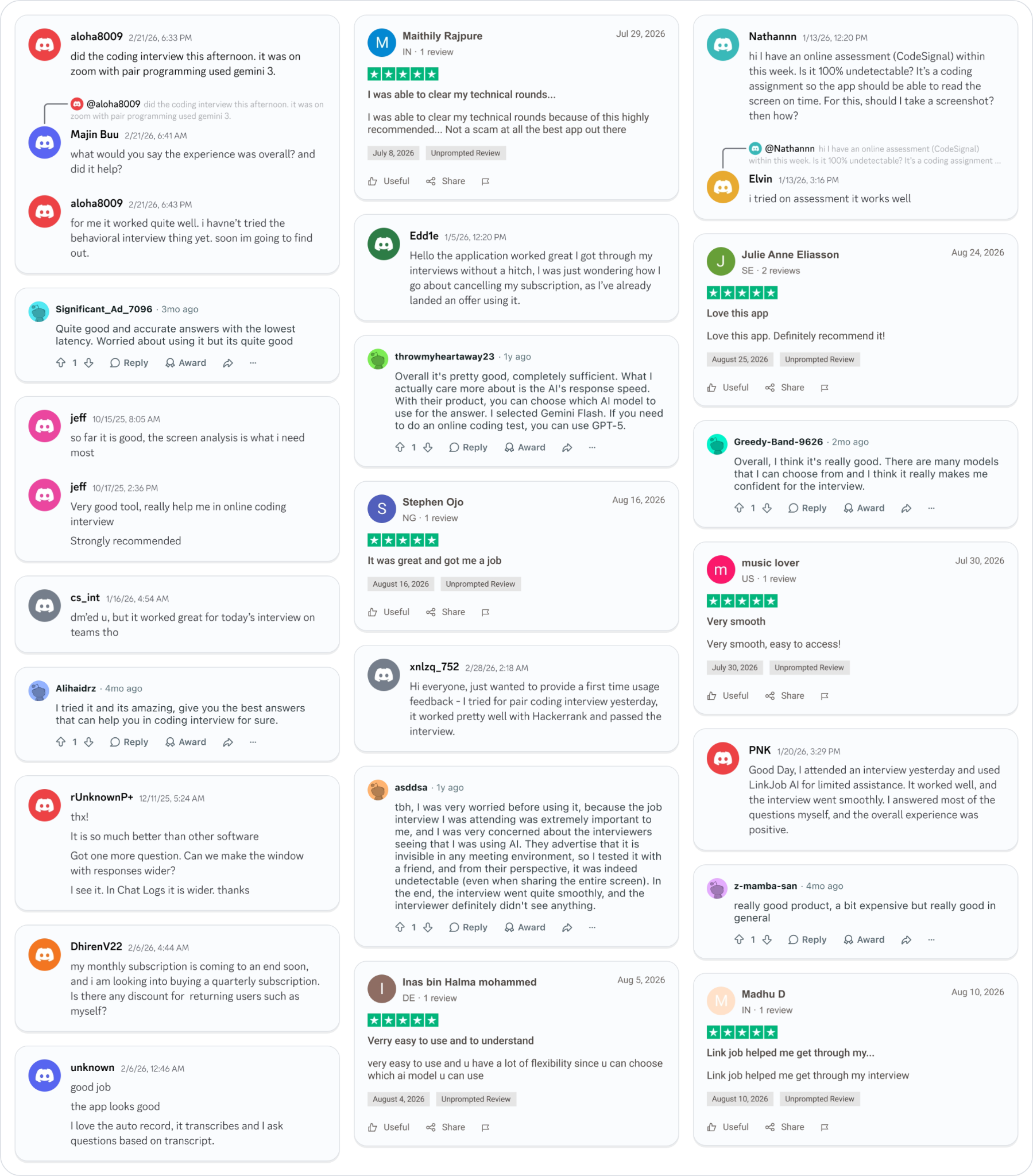
Smoother interviews, coding challenges cleared, and job offers landed. See how users describe their experience with Linkjob AI—in their own words.

© Copyright 2026 Linkjob AI - All Rights Reserved.